
JuliusBrussee/
caveman

🪨 why use many token when few token do trick — Claude Code skill that cuts 65% of tokens by talking like caveman
105k
1 add
Ambient Context records the text of the window you are focused on into daily markdown files in a folder you own. Later, an agent CLI or MCP client can read those files to build cited knowledge pages, write a daily summary, or search the record.

Builders who want Claude Code, Codex, Cursor, or any MCP client to work from a written record of their day.
You can hand your agent a real day-by-day record instead of re-explaining what happened after the fact.
Reads text from the macOS accessibility tree every few seconds and appends it to daily markdown files.
Processes a day into cited knowledge pages and a written summary with a separate context, knowledge, and notes structure.
Lets Claude Code, Claude Desktop, Cursor, Zed, and other stdio clients read days and control capture through tools.
Installs skills for catch-me-up, standup, weekly review, tune rules, and the shared core loop into agent skill folders.
Keeps the record in plain markdown in a folder you choose, with no server or account required.
git clone https://github.com/dragthelake/ambient-context
cd ambient-context
npm install
npm run tauri build
Ambient Context writes down what you work on during the day to give your AI assistant better context.
A macOS menu bar app that keeps a written record of what you work on, in plain markdown, in a folder you own. Point Claude Code, Cursor, Codex or any MCP client at your context folder.

Signed and notarised DMG. macOS 14 or later, Apple Silicon. Free and open source.
You spend the day reading, writing, replying and deciding. None of it reaches the AI assistant you open at 4pm. So you paste in the email, explain the ticket, summarise the call, and the model still works from a fraction of what you actually saw. The context existed. It was on your screen. Nobody wrote it down.
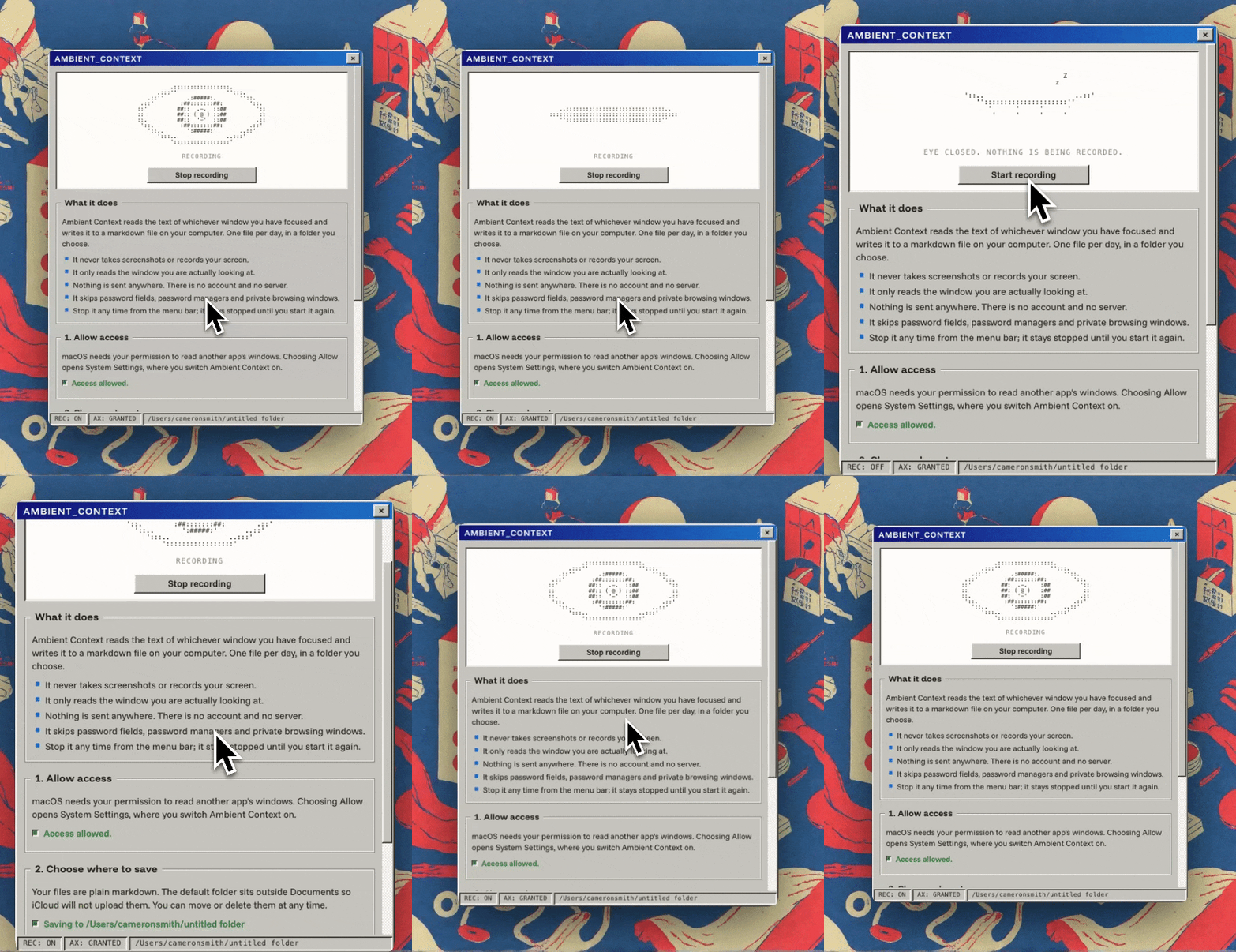
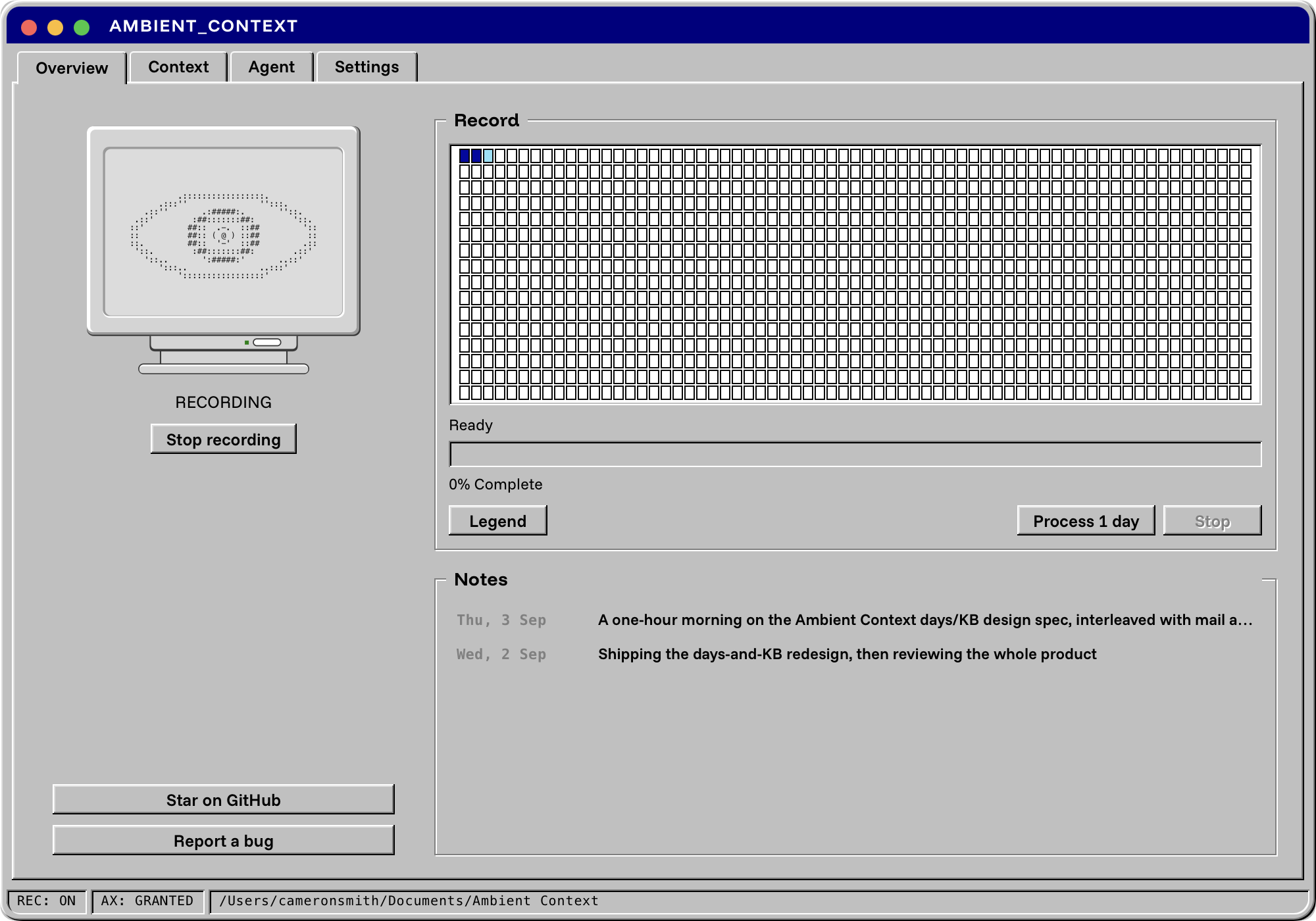
While the eye in your menu bar is open, the app reads the text of whichever window you have focused (through the macOS accessibility tree, every few seconds) and appends it to markdown files for the day. At a time you choose, or when you press the button, an agent you already have turns that record into two more things: a small cited knowledge base and a written summary of the day.
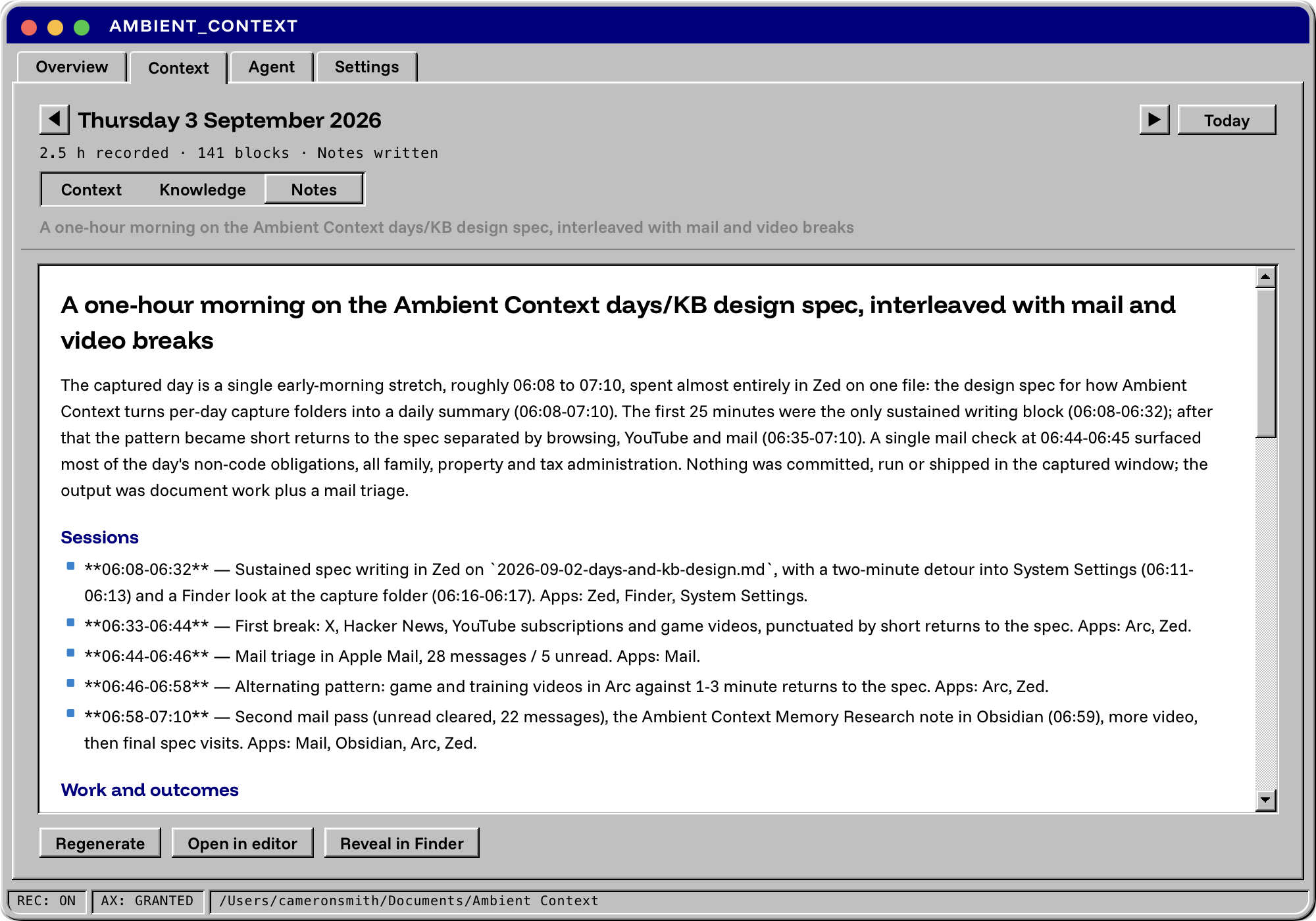
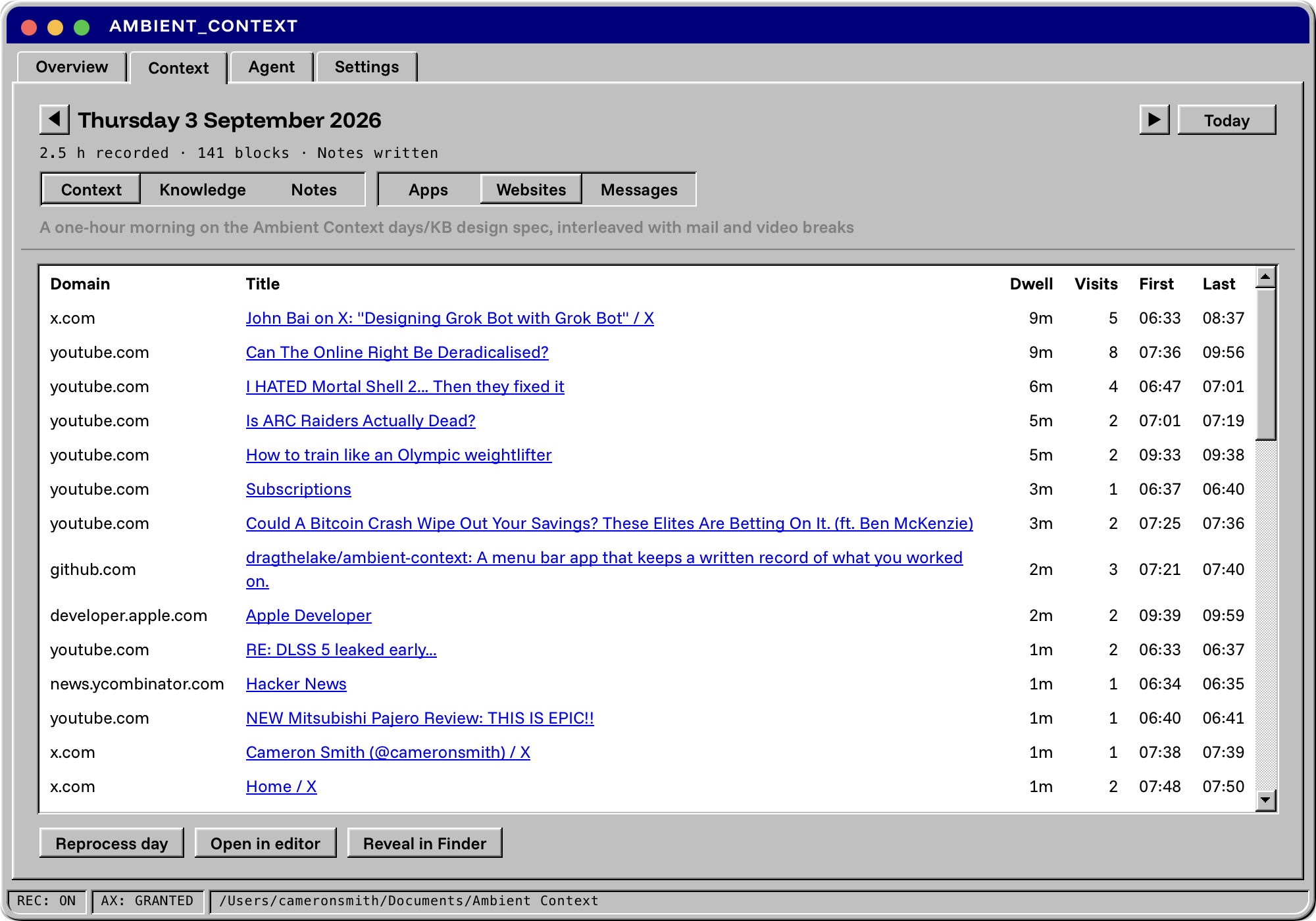
Three files per day, each one useful on its own:
| What it is | Who it is for | |
|---|---|---|
| Context | The record. What was on screen, when, in which app, with the file path or URL where the app exposes one. | Agents that need evidence. Grep. You, when you cannot remember which tab it was in. |
| Knowledge | Six cited pages built from the record: People, Commitments, Threads, Products, Issues, Reading. Every claim points back to a block in the record. | Agents building memory about your projects and the people in them. |
| Notes | The day written up from the knowledge base, with citations checked against the record before it is saved. | You, at the end of the day. Your standup. The model you open tomorrow morning. |
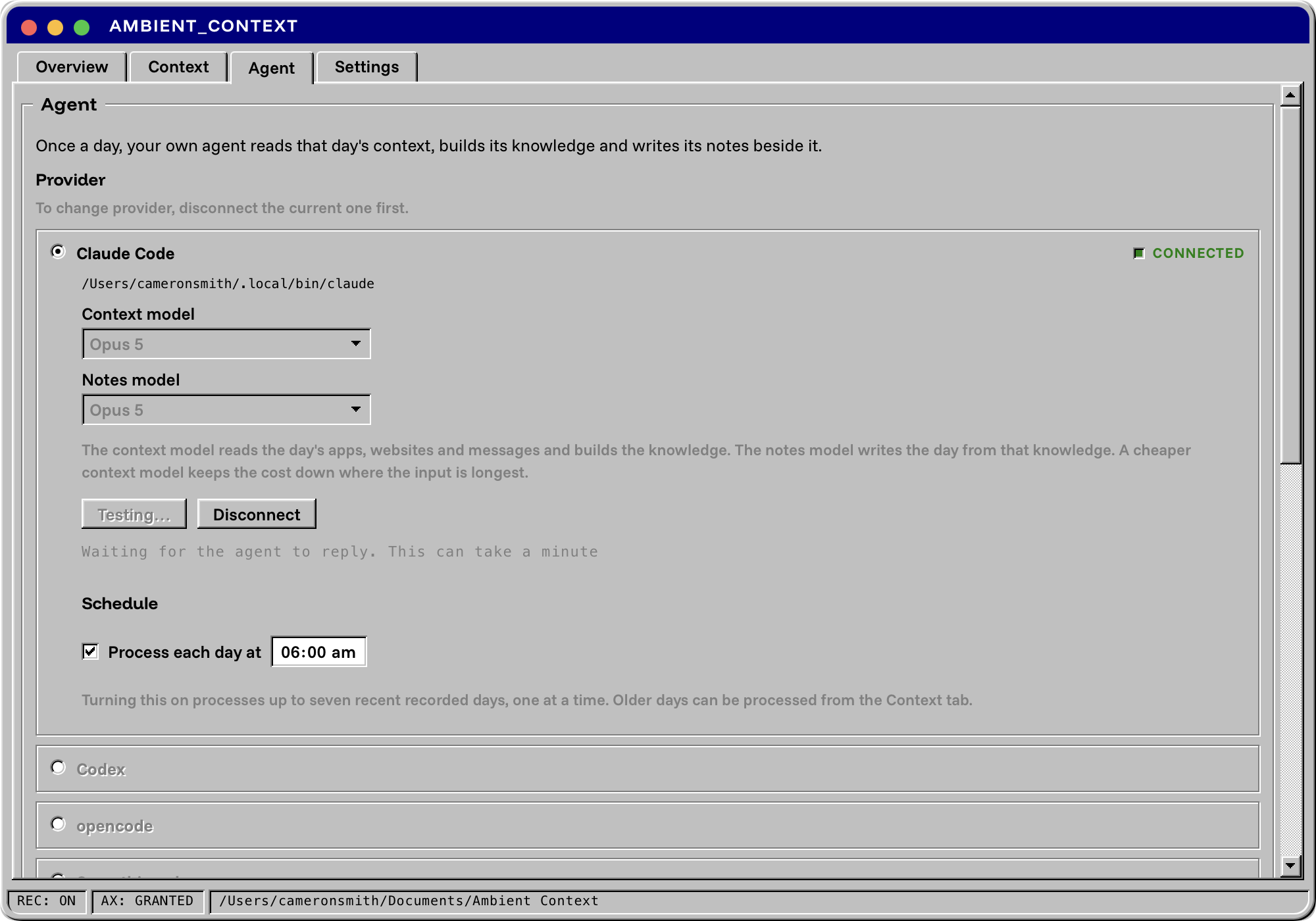
With Claude Code you can send the long input (the day's record) to a cheaper Context model and reserve a stronger Notes model for the page you will actually read.
Raw screen text is noisy. Ambient Context is built so an LLM can read it cheaply.
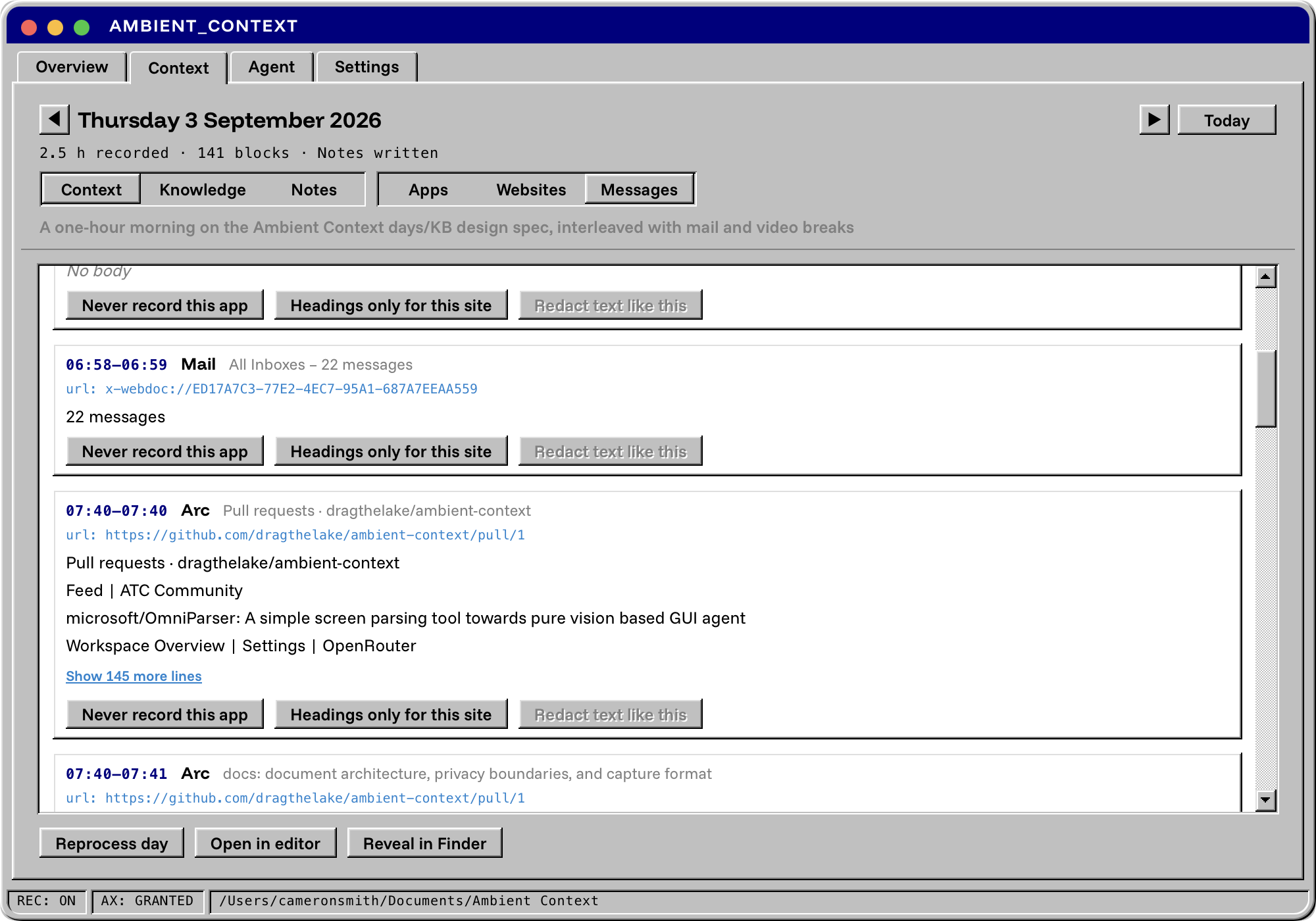
messages.md so the timeline stays readable and message bodies are easy
to exclude from a prompt.AGENTS.md in the folder explains the format to whatever reads it.The record is yours and it stays on your computer.
[redacted]. These are heuristics, not a guarantee, so treat the folder
as sensitive.
The trust boundary, data inventory, claims matrix and known gaps are in Privacy and security.
Requires macOS 14 or later on Apple Silicon.
Download the signed, notarised DMG from
Releases,
drag Ambient Context.app to Applications and open it.
To build it yourself you need Node, Rust and the Xcode Command Line Tools:
git clone https://github.com/dragthelake/ambient-context
cd ambient-context
npm install
npm run tauri build
The app lands in src-tauri/target/release/bundle/macos/. For development,
npm run tauri dev runs it with hot reload.
The app binary is also an MCP server. For Claude Code:
claude mcp add --scope user --transport stdio ambient-context -- "/Applications/Ambient Context.app/Contents/MacOS/ambient-context" mcp
Claude Desktop, Cursor, Zed and generic stdio clients are covered in docs/mcp.md. Read tools work whether or not the app is running. Anything that changes state goes through the running app, so every write lands in the day's ledger with your client's name on it.
Settings > Agent skills installs five skills (catch me up, standup, weekly
review, tune rules, and the core loop they share) into ~/.claude/skills/
and ~/.agents/skills/, which Claude Code, Cursor, Codex, Zed, Copilot,
Gemini CLI, Goose and OpenCode all read. Details in
docs/skills.md.
Days/2026-09-04/
  apps.md        the timeline, with native app bodies
  websites.md    a table of visits, without page bodies
  messages.md    mail and chat bodies, routed here
KB/2026-09-04/
  people.md  commitments.md  threads.md  products.md  issues.md  reading.md
  manifest.md
Summaries/2026-09-04.md
AGENTS.md
cd src-tauri && cargo test
cd .. && npx tsc --noEmit && npx vitest run
Ambient Context is free, open source and built by one person. If it earns a place in your menu bar, three things help: star the repo, report the apps that come back thin, and if you want to, buy me a coffee.
MIT. The bundled Funnel fonts carry their SIL OFL text. See CHANGELOG.md for what is in each release.
Sign in to join the discussion.
No comments yet. Be the first to say what this is good for.
🪨 why use many token when few token do trick — Claude Code skill that cuts 65% of tokens by talking like caveman

The best-benchmarked open-source AI memory system. And it's free.

Orca is the ADE for working with a fleet of parallel agents. Run any coding agent with your own subscription. Available on desktop, mobile and remote runtime.

A cross-platform desktop All-in-One assistant for Claude Code, Codex, OpenCode, OpenClaw, Grok Build & Hermes Agent. Only official website: ccswitch.io

Never stop coding. Free MIT AI gateway: one endpoint, 352 providers (150+ free), 1200+ models Kimi, Claude, GPT, Gemini, GLM, DeepSeek, MiniMax. Works with Claude Code, Codex, Cursor, OpenCode, Cline & Copilot. Quota-aware auto-fallback, RTK+Caveman compression saves 15-95% tokens, MCP/A2A, Desktop/PWA. Built by 550+ contributors

Compress tool outputs, logs, files, and RAG chunks before they reach the LLM. 20% fewer tokens for coding agents, 60-95% fewer tokens for JSON, same answers. Library, proxy, MCP server.