
JuliusBrussee/
caveman

🪨 why use many token when few token do trick — Claude Code skill that cuts 65% of tokens by talking like caveman
105k
1 add
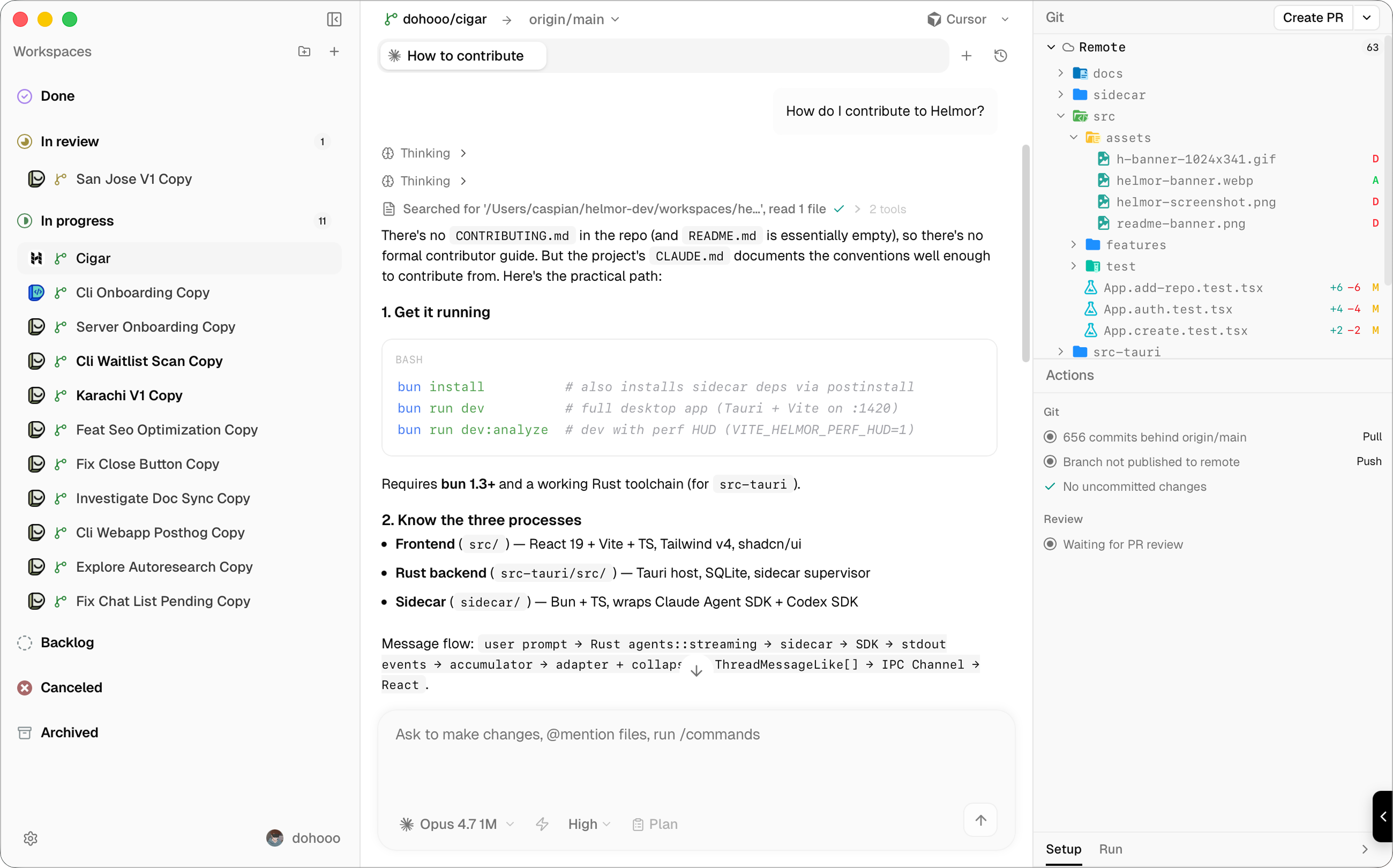
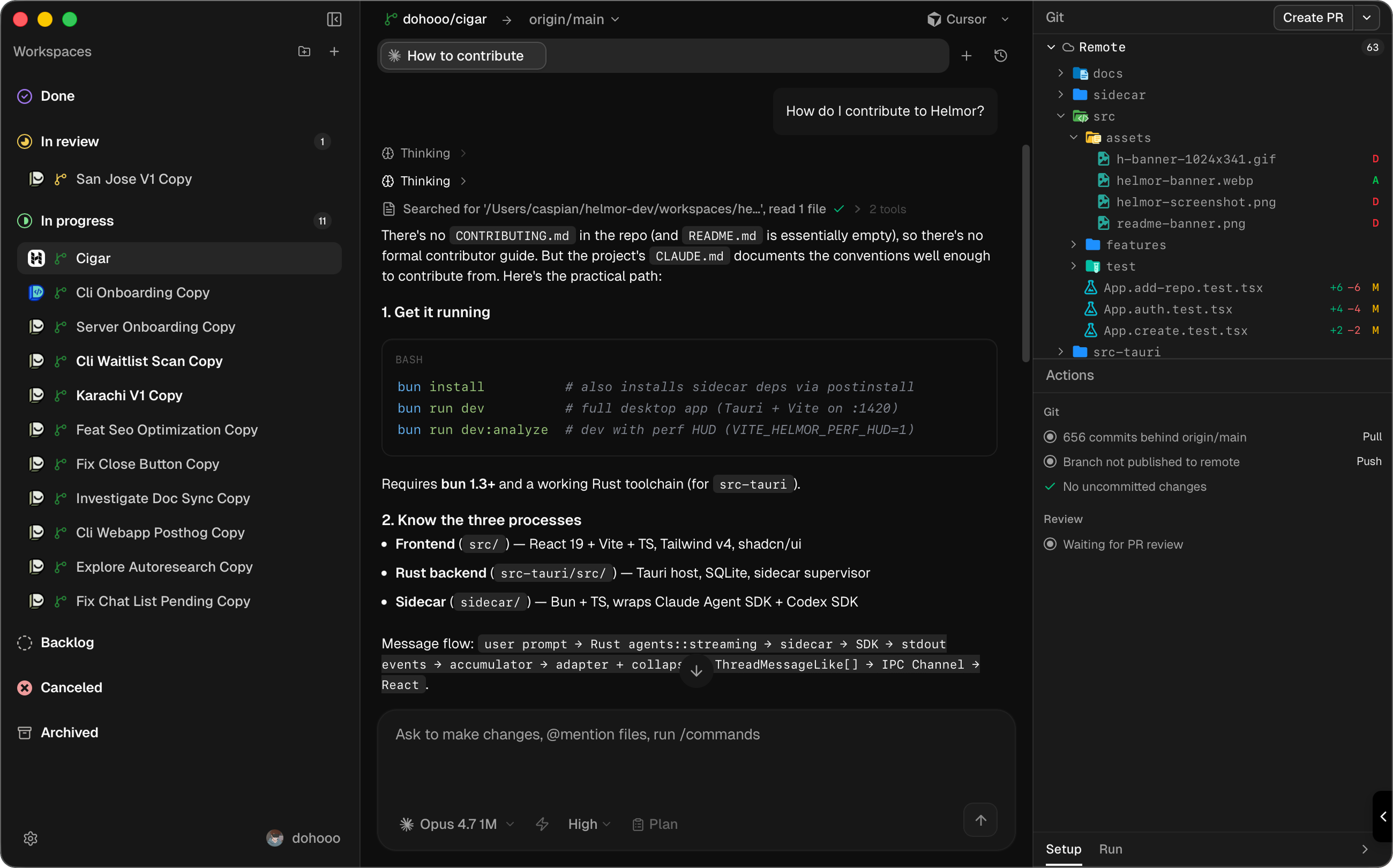
Helmor runs coding agents in isolated git workspaces so you can prompt one agent, review its diff, and ship from the same place. It combines a desktop app, a CLI, and an MCP server, so you can use it from the app or drive it from the terminal and other tools.
Builders who want their agents to work in parallel inside local git worktrees.
You can manage agent-led tasks, review changes, and create PRs without juggling separate tools.
Creates one git worktree and branch per task so agents do not overwrite each other.
Works with Claude Code, Codex, Cursor, OpenCode, and Kimi Code using your own logins, API keys, and providers.
Shows diffs, a Monaco editor, and terminals next to the agent conversation.
Creates PRs or MRs, merges changes, fixes CI, resolves conflicts, and handles stacked PRs for GitHub and GitLab.
Runs prompts in the agent’s native TUI or resumes a GUI chat from the terminal.
Opens a floating window so you can start a workspace and chat from anywhere.
Lets your terminal or another agent drive Helmor through `helmor` commands or MCP over stdio.
Installs skills from onboarding or Settings → Helmor Components and lets you browse them with `/` in the composer.
helmor repo add /path/to/repo
helmor workspace new --repo myapp
helmor workspace list
helmor send --workspace myapp/feature-x "Add a test for the parser edge case."
helmor workspace status myapp/feature-x
helmor workspace run-action myapp/feature-x   # create PR, merge, fix CI, …
helmor mcp                                    # MCP server over stdio
helmor workspace new --repo myapp --name fix-auth
helmor send --workspace myapp/fix-auth "Add tests for the token refresh path."
helmor workspace status myapp/fix-auth
helmor workspace run-action myapp/fix-auth

The local-first workbench for orchestrating coding agents.



AI made coding faster.
Helmor is about finishing the rest of the loop — orchestrating, reviewing, testing, merging, and actually shipping software.
Helmor runs many coding agents in parallel, each in its own isolated git
workspace — conversation, diffs, editor, terminals, and one-click PR actions
in one window. Everything lives locally under ~/helmor/.
helmor CLI and MCP server; your terminal or another agent can drive Helmor./ in the composer.More on the way — Slack & GitHub context, plan mode, and agent-driven orchestration.
flowchart LR
  A[Add a repository] --> B[Create a workspace]
  B --> C[Prompt an agent]
  C --> D[Review and ship]
  D -.->|repeat in parallel| B
~/helmor/workspaces/.macOS (Apple Silicon & Intel) · Windows (x64)
On first launch, connect GitHub or GitLab and sign in to your first agent. Agent CLIs are bundled — nothing else to install.
Install from Settings → Experimental → Command Line Tool. Works against the same local database as the app — even while it is running.
helmor repo add /path/to/repo
helmor workspace new --repo myapp
helmor workspace list
helmor send --workspace myapp/feature-x "Add a test for the parser edge case."
helmor workspace status myapp/feature-x
helmor workspace run-action myapp/feature-x   # create PR, merge, fix CI, …
helmor mcp                                    # MCP server over stdio
Workspaces use repo-name/directory-name shorthand. Every command supports
--json. Run helmor --help for the full reference.
Example — an agent ships a fix:
helmor workspace new --repo myapp --name fix-auth
helmor send --workspace myapp/fix-auth "Add tests for the token refresh path."
helmor workspace status myapp/fix-auth
helmor workspace run-action myapp/fix-auth
Architecture, commands, and test layout live in AGENTS.md.
To get started locally: bun install && bun run dev.
Or —
Open Helmor, Import Helmor, Ask Helmor:
"How do I contribute to Helmor?"
That's the guide.
Sign in to join the discussion.
No comments yet. Be the first to say what this is good for.
🪨 why use many token when few token do trick — Claude Code skill that cuts 65% of tokens by talking like caveman

The best-benchmarked open-source AI memory system. And it's free.

Orca is the ADE for working with a fleet of parallel agents. Run any coding agent with your own subscription. Available on desktop, mobile and remote runtime.

A cross-platform desktop All-in-One assistant for Claude Code, Codex, OpenCode, OpenClaw, Grok Build & Hermes Agent. Only official website: ccswitch.io

Never stop coding. Free MIT AI gateway: one endpoint, 352 providers (150+ free), 1200+ models Kimi, Claude, GPT, Gemini, GLM, DeepSeek, MiniMax. Works with Claude Code, Codex, Cursor, OpenCode, Cline & Copilot. Quota-aware auto-fallback, RTK+Caveman compression saves 15-95% tokens, MCP/A2A, Desktop/PWA. Built by 550+ contributors

Compress tool outputs, logs, files, and RAG chunks before they reach the LLM. 20% fewer tokens for coding agents, 60-95% fewer tokens for JSON, same answers. Library, proxy, MCP server.