ClaudePrism
An offline-first scientific writing workspace powered by Claude.
LaTeX + Python + 100+ scientific skills — runs on your desktop.
English ·
한국어 ·
日本語 ·
简体中文

-black?style=for-the-badge&logo=apple&logoColor=white)
-555555?style=for-the-badge&logo=apple&logoColor=white)

-FCC624?style=for-the-badge&logo=linux&logoColor=black)

Why ClaudePrism?
OpenAI Prism is a cloud-based LaTeX workspace — all your files and data must be uploaded to OpenAI's servers to use it.
ClaudePrism is a local-first alternative — your files are stored on your disk, compiled offline, and edited locally. AI features require sending content to Anthropic's API for inference (see data usage).
| OpenAI Prism | ClaudePrism |
|---|
| AI Model | GPT-5.2 | Claude Opus / Sonnet / Haiku |
| Runtime | Browser (cloud) | Native desktop (Tauri 2 + Rust) |
| LaTeX | Cloud compilation | Tectonic (embedded, offline) |
| Python Environment | — | Built-in uv + venv — one-click scientific Python setup |
| Scientific Skills | — | 100+ domain skills (bioinformatics, cheminformatics, ML, ...) |
| Getting Started | Account setup required | Install and go — template gallery + project wizard |
| Version Control | — | Git-based history with labels & diff |
| Source Code | Proprietary | Open source (MIT) |
Data & Privacy
ClaudePrism stores and compiles your documents locally — nothing is uploaded to a remote server for storage. However, when you use AI features, prompts and file contents that Claude reads are sent to Anthropic's API for inference, just like any cloud-based LLM tool. See Claude Code data usage for retention policies and opt-out options.
Features
Python Environment (uv)
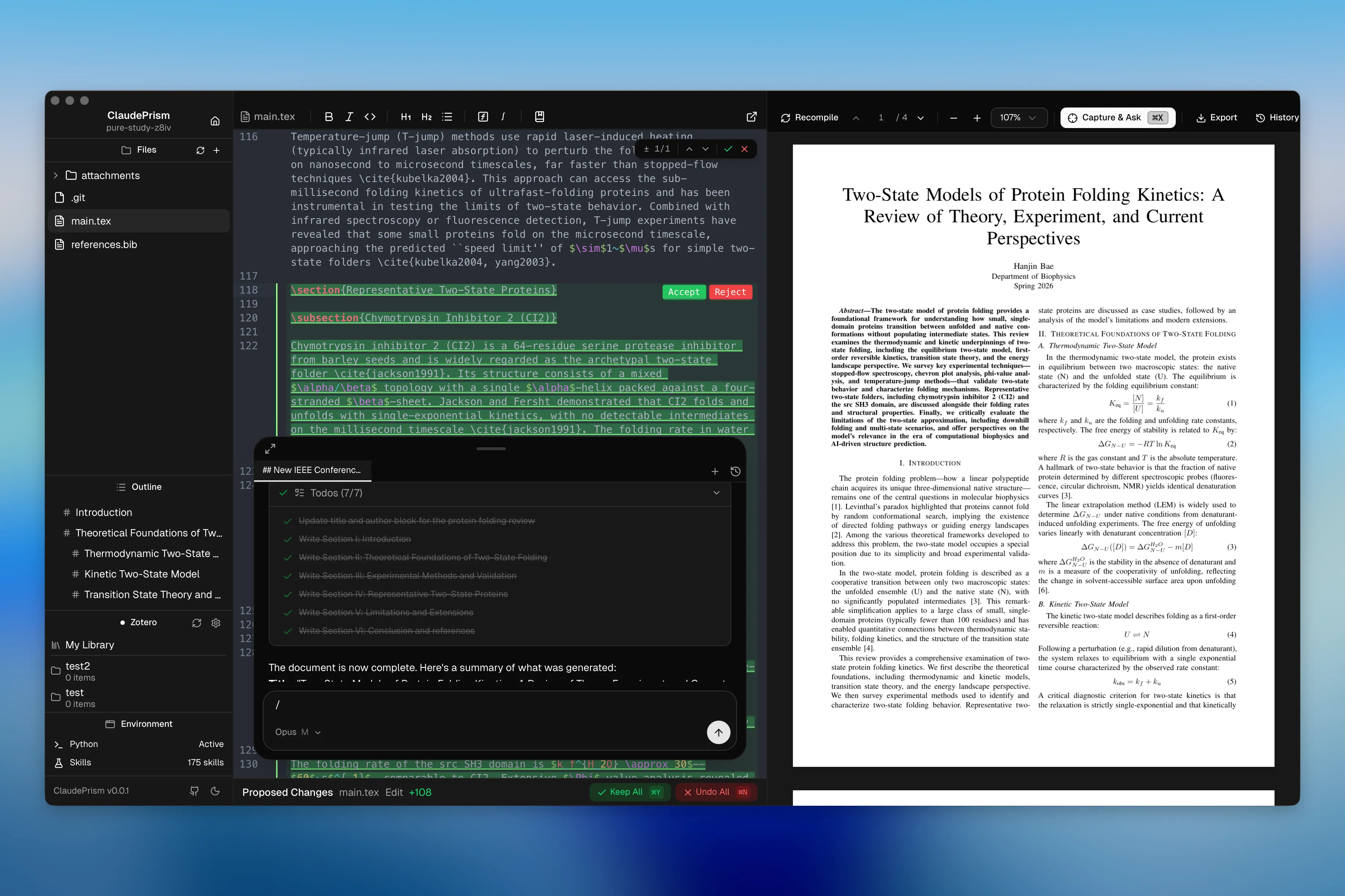
ClaudePrism integrates uv — the fast Python package manager — directly into the app. One click to install uv, one click to create a project-level virtual environment. Claude Code automatically uses the .venv when running Python code, so you can generate plots, run analysis scripts, and process data without leaving the editor.
100+ Scientific Skills
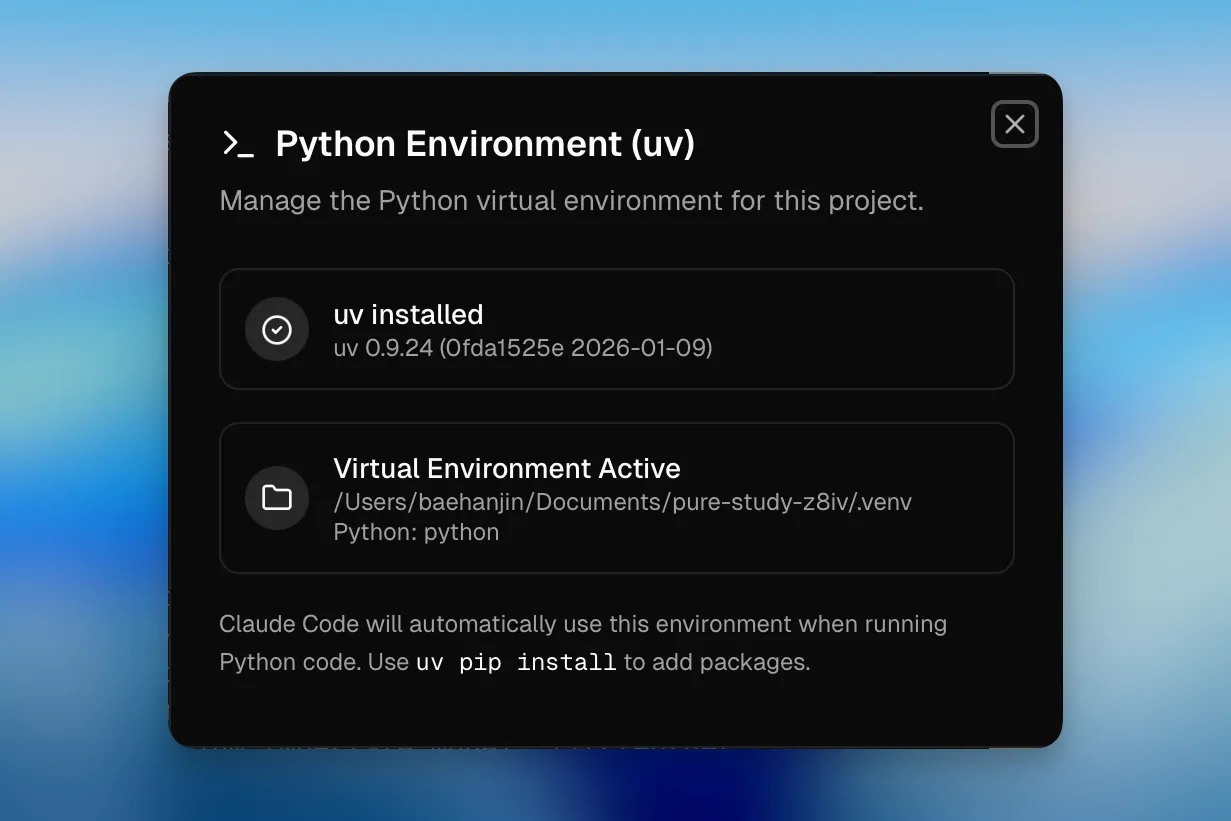
Browse and install domain-specific skills from K-Dense Scientific Skills — curated prompts and tool configurations that give Claude deep knowledge in specialized fields:
| Domain | Skills |
|---|
| Bioinformatics & Genomics | Scanpy, BioPython, PyDESeq2, PySAM, gget, AnnData, ... |
| Cheminformatics & Drug Discovery | RDKit, DeepChem, DiffDock, PubChem, ChEMBL, ... |
| Data Analysis & Visualization | Matplotlib, Seaborn, Plotly, Polars, scikit-learn, ... |
| Machine Learning & AI | PyTorch Lightning, Transformers, SHAP, UMAP, PyMC, ... |
| Clinical Research | ClinicalTrials.gov, ClinVar, DrugBank, FDA, ... |
| Scientific Communication | Literature Review, Grant Writing, Citation Management, ... |
| Multi-omics & Systems Biology | scvi-tools, COBRApy, Reactome, Bioservices, ... |
| And more | Materials Science, Lab Automation, Proteomics, Physics, ... |
Skills are installed globally (~/.claude/skills/) or per-project, and Claude automatically loads them when relevant.
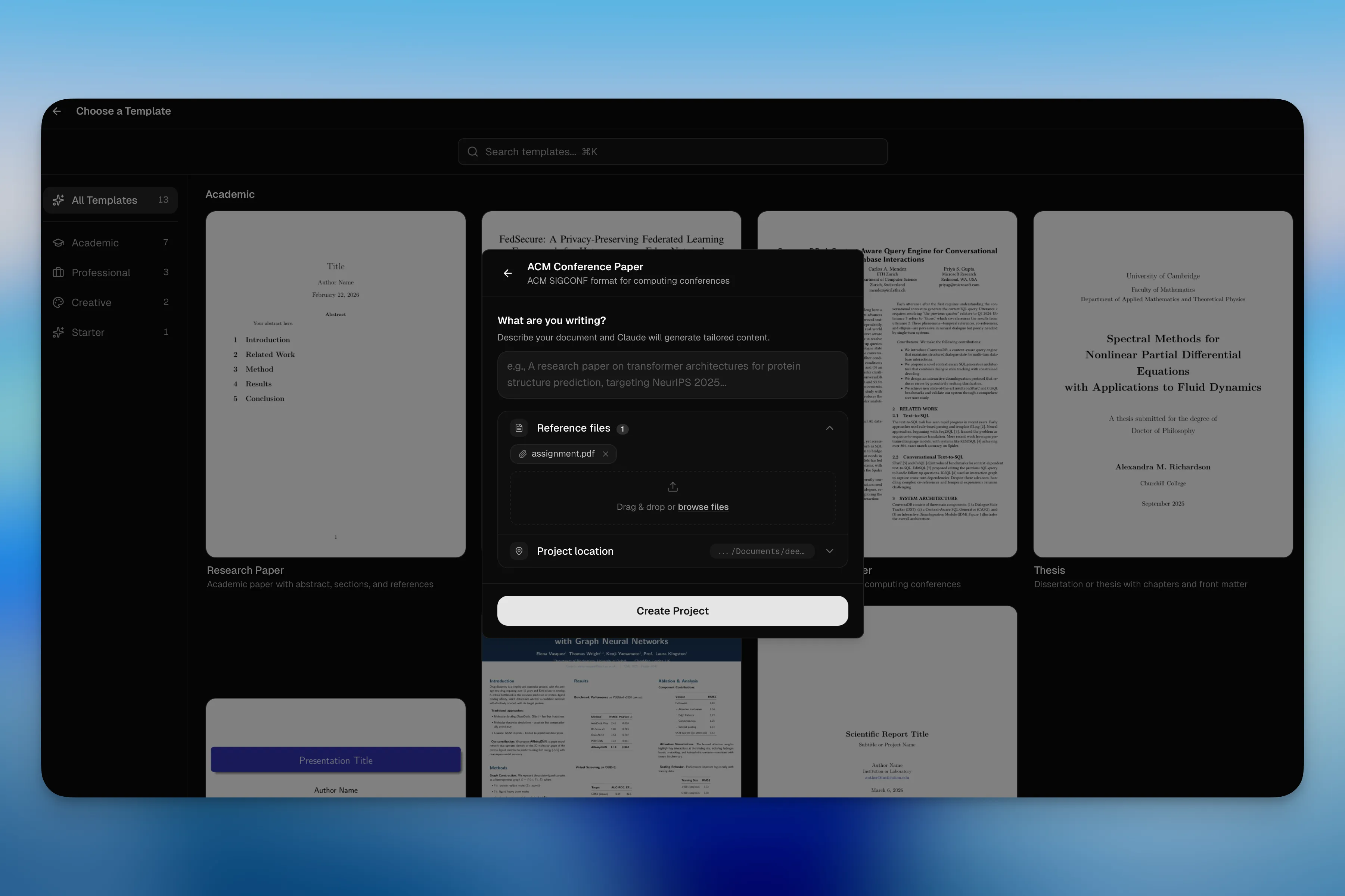
Quick Start with Templates & Project Wizard
Pick a template (paper, thesis, presentation, poster, letter, etc.), give it a name, optionally describe what you're writing — ClaudePrism sets up the project and generates initial content with AI. Drag & drop reference files (PDF, BIB, images) and start writing immediately.
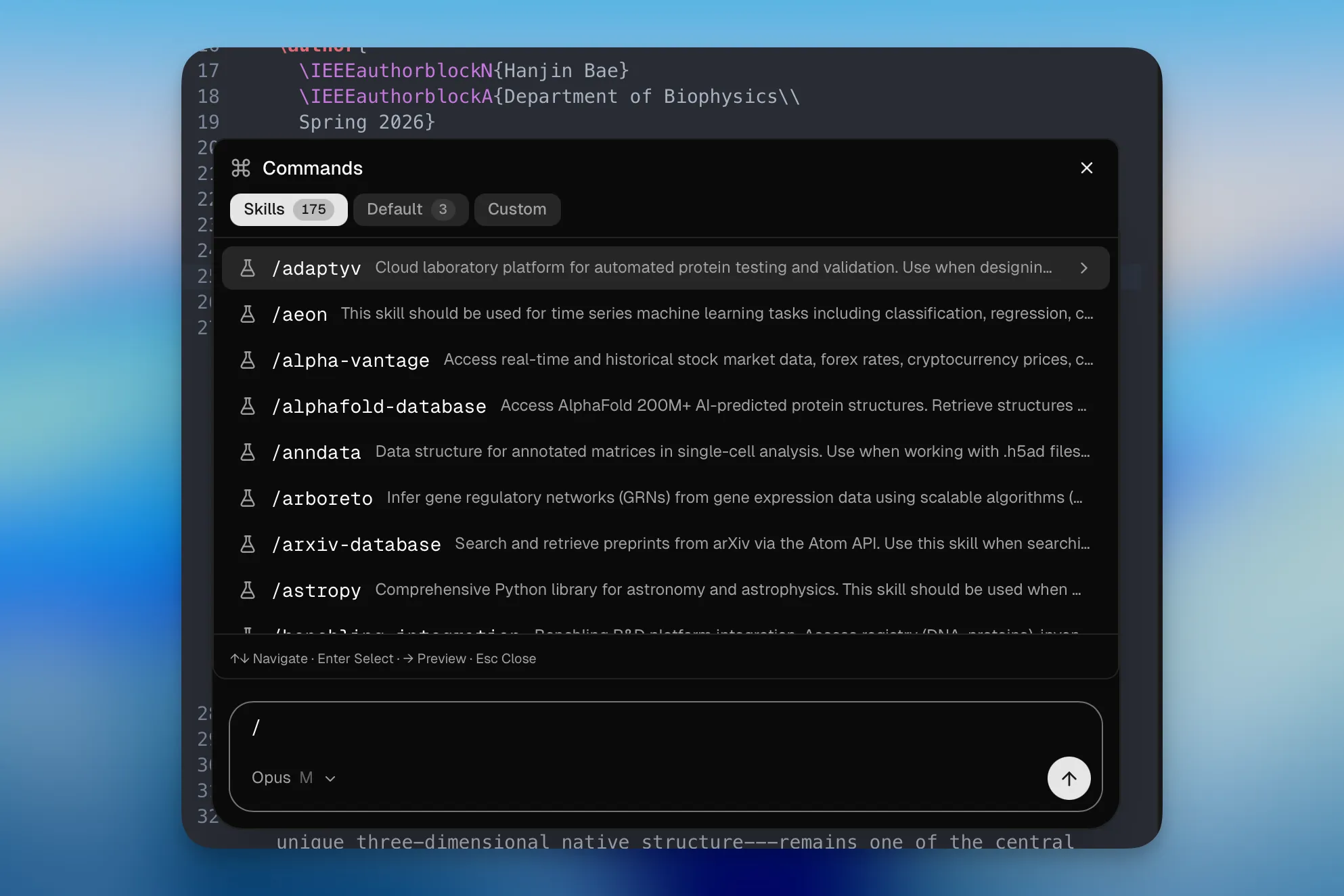
Claude AI Assistant
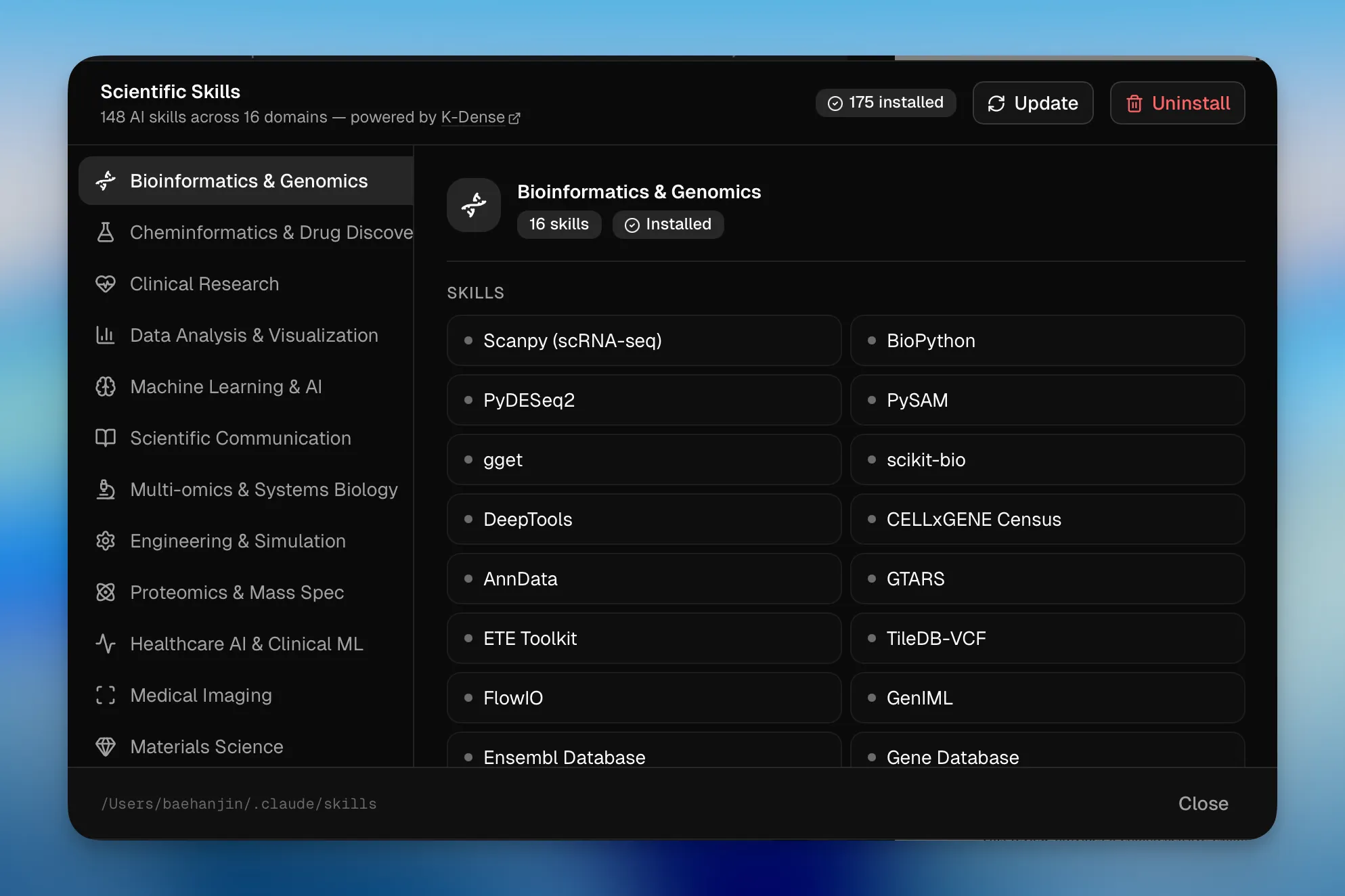
Chat with Claude directly in the editor. Select between Sonnet, Opus, Haiku models with adjustable reasoning effort levels. Persistent sessions, tool use (file edit, bash, search), and extensible slash commands.
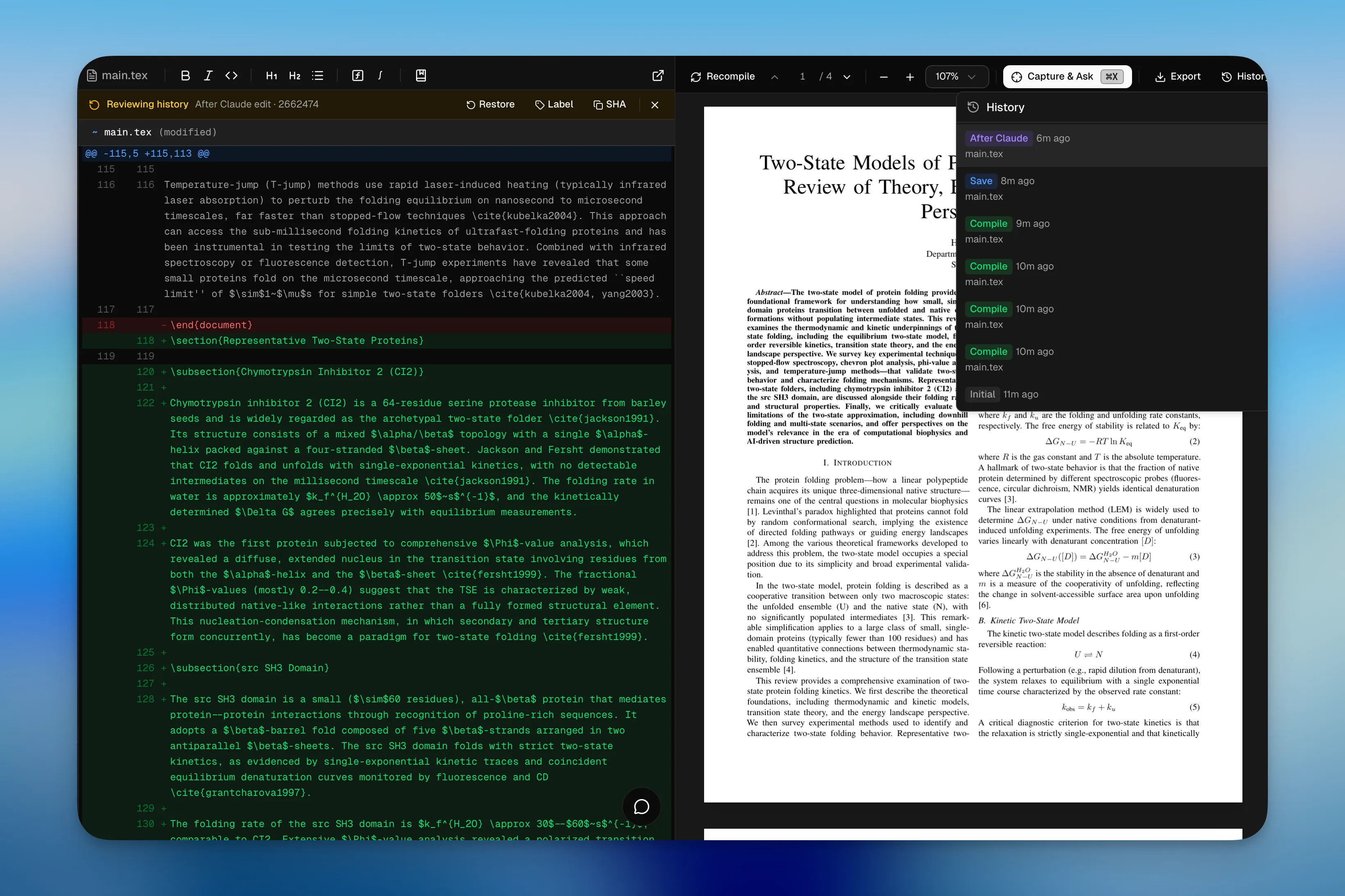
History & Proposed Changes
Every save creates a snapshot in a local Git repository (.claudeprism/history.git/). Label important checkpoints, browse diffs between any two snapshots, and restore previous versions. When Claude suggests edits, changes appear in a dedicated panel with visual diffs — accept or reject per chunk, or apply/undo all at once (⌘Y / ⌘N).
Offline LaTeX Compilation
Tectonic is embedded directly in the app. Packages are downloaded once on first use and cached locally. After that, compilation works fully offline with no TeX Live installation required.
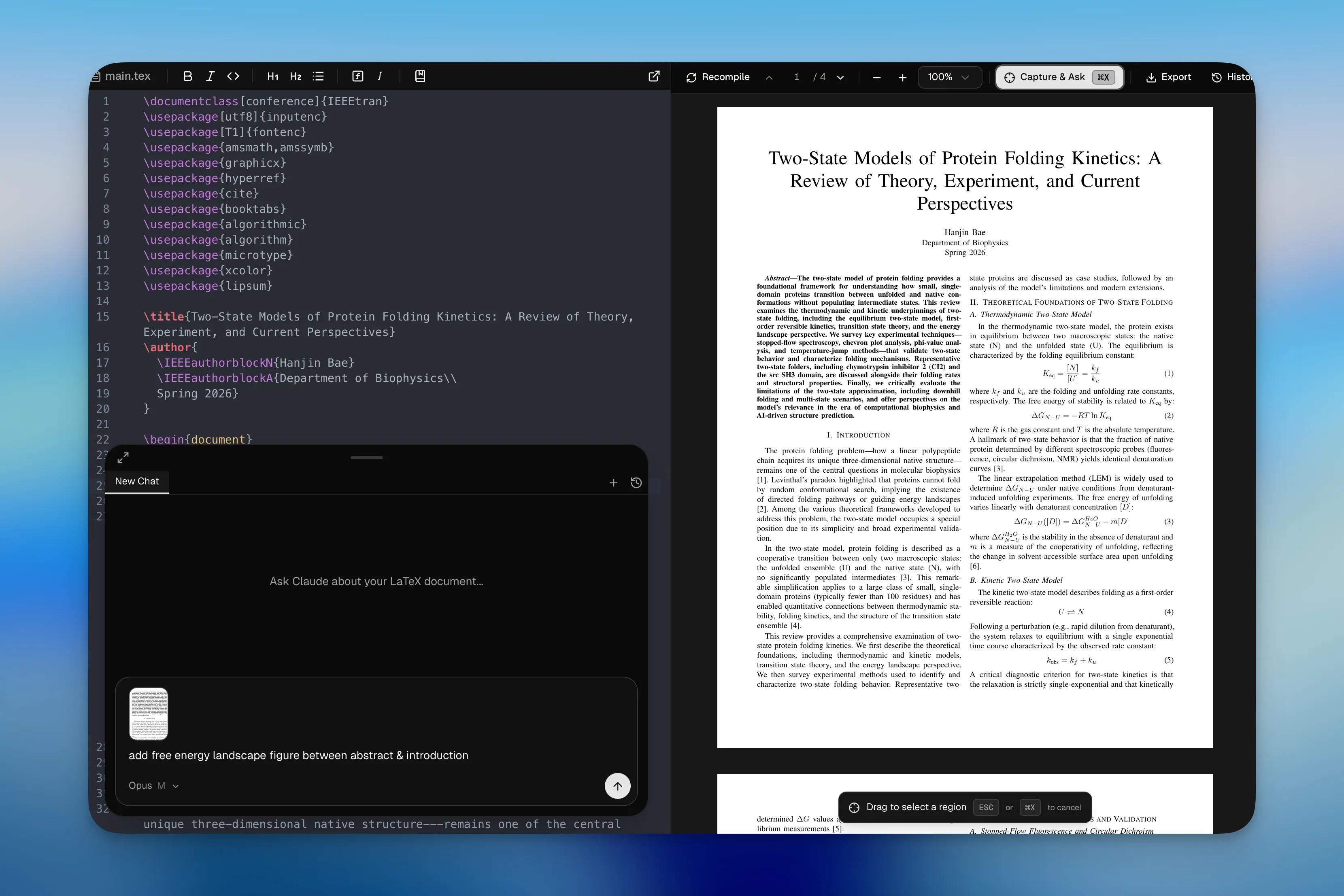
Capture & Ask
Press ⌘X to enter capture mode, drag to select any region in the PDF — the captured image is pinned to the chat composer so you can immediately ask Claude about it. Great for asking about equations, figures, tables, or reviewer comments.
Live PDF Preview
Native MuPDF rendering with SyncTeX support — click a position in the PDF to jump to the corresponding source line. Supports zoom, text selection, and capture.
Editor
CodeMirror 6 with LaTeX/BibTeX syntax highlighting, real-time error linting, find & replace (regex), and multi-file project support with auto-save.
More
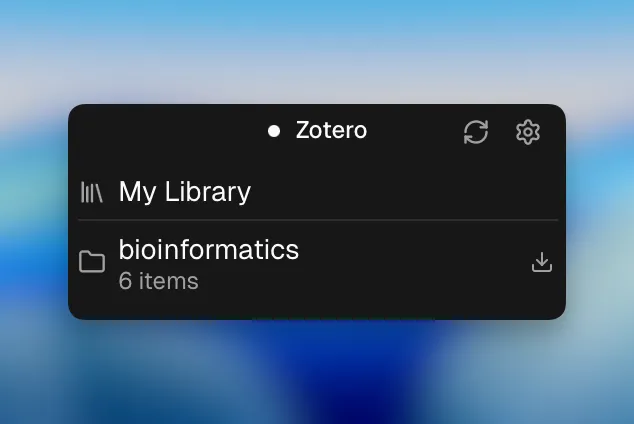
- Zotero Integration — OAuth-based bibliography management and citation insertion.
- Slash Commands — Built-in (
/review, /init) + custom commands from .claude/commands/.
- External Editors — Open projects in Cursor, VS Code, Zed, or Sublime Text.
- Dark / Light Theme — Automatic switching.
Installation
Download the latest build from GitHub Releases.
Contributing
Contributions are welcome! See CONTRIBUTING.md for development setup, testing, and guidelines.
Acknowledgments
This project started from Open Prism by assistant-ui.
License
MIT


