
JuliusBrussee/
caveman

🪨 why use many token when few token do trick — Claude Code skill that cuts 65% of tokens by talking like caveman
105k
1 add
Handoff routes tasks from one coding agent to another, usually to DeepSeek for execution and back to Claude Code or Codex for review. It runs the delegated work in an isolated background session and returns a `RESULT=` path so the original session can pick up where it left off.
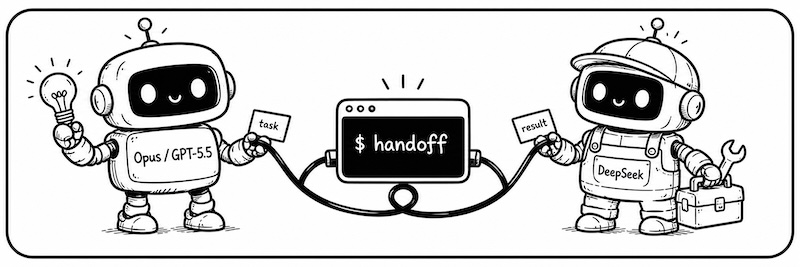
Builders who want Claude Code or Codex to delegate execution, investigation, or second opinions to another agent.
You can offload routine work to a cheaper or better-suited agent without re-explaining the task or leaving your session.
Runs delegated work in the background so the main Claude Code or Codex session stays free.
Supports Claude-based backends, Codex, DeepSeek, Gemini, and custom Anthropic-compatible endpoints through config.
Reopens the same session from a saved `RESULT=` path so follow-up work keeps the old context.
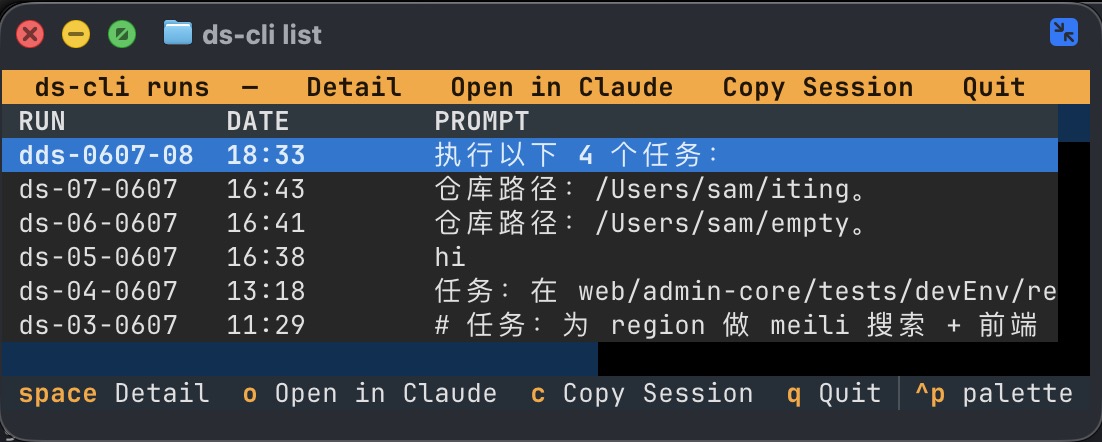
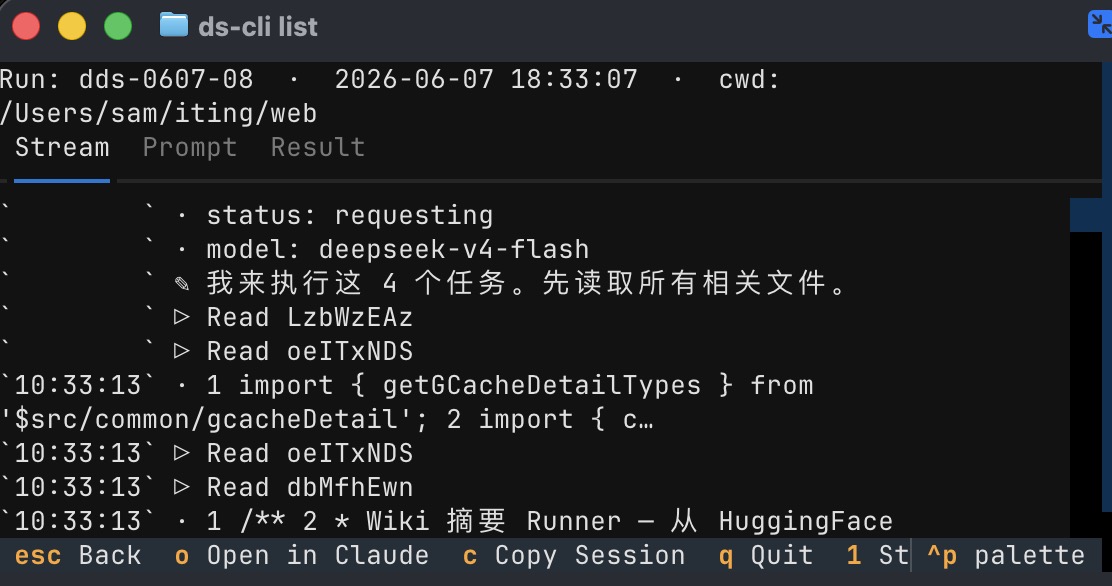
Provides `handoff list` and `handoff tail` to browse runs, view status, and follow live output.
Creates Claude skills and Codex custom agents during `handoff init` so you can call handoff from inside those tools.
uv tool install handoff-cli
handoff init        # creates config and links Claude skills / Codex custom agents
uv tool upgrade handoff-cli   # update to the latest version
| You're in | Hand off to | Why |
|---|---|---|
| Claude Code / Codex | DeepSeek | It does the simple work fast and cheap; save the expensive quota for decisions |
| DeepSeek | Codex / Opus | Borrow a brain for hard problems, bring the answer back to your session |
No tool-switching, no lost context.
English · 简体中文
If you use more than one coding agent, these will sound familiar:
/handoff-ds." DeepSeek does the work fast and cheap. Save your expensive quota for decisions./handoff-codex what it thinks." No new terminal. No re-explaining. The answer comes back to your current session./handoff-ds finished that task. Now I have a follow-up task for it."/handoff-ds session, then do X." It just sends one more message in the old conversation — all the old context is still there.The math is simple: DeepSeek V4 is as capable as Sonnet, and on OpenCode Go the same money buys 18× the work:
| Option | Relative cost for the same work |
|---|---|
| Claude Sonnet (subscription) | 1× (baseline) |
| DeepSeek official API | 1/3 |
| OpenCode Go (includes DeepSeek V4) | 1/18 |
So: only pay for the SOTA model (Opus / GPT-5.5) — use it to plan and review. Everything else goes to DeepSeek. With handoff, $20 Claude Code (plan + dispatch) + $5 OpenCode Go (execution) ≈ the work of a $200 Claude Code Max.
Before you start: handoff works inside Claude Code (CLI or desktop app) or Codex. You need at least one of them installed and logged in.
uv tool install handoff-cli
handoff init        # creates config and links Claude skills / Codex custom agents
uv tool upgrade handoff-cli   # update to the latest version
The opus and codex backends reuse your existing Claude Code / Codex logins — zero config. Only DeepSeek needs a token.
For DeepSeek, we recommend the OpenCode Go plan (lowest cost, includes DeepSeek V4). Once you have a key, edit ~/.handoff/config.yaml and change just the ANTHROPIC_AUTH_TOKEN line:
⚠️ OpenCode Go users: you need a local proxy to use OpenCode Go with Claude Code. See routatic/proxy.
# ~/.handoff/config.yaml — handoff init generates this for you
backends:
  deepseek:                          # ← first = default
    type: claude
    model: deepseek-v4-flash
    pro_model: "deepseek-v4-pro[1m]"
    env:
      ANTHROPIC_BASE_URL: https://api.deepseek.com/anthropic
      #for opencode-go you have to setup local proxy
      #see: https://github.com/routatic/proxy
      ANTHROPIC_AUTH_TOKEN: "sk-..."
      ANTHROPIC_MODEL: "{model}"

  opus:                              # local claude login — zero config
    type: claude
    ...
  codex:                             # local codex login — zero config
    type: codex
    ...
Go back to Claude Code and say:
Make a plan, then hand it to
/handoff-ds.
The task runs in the background; your session is never blocked. When it finishes, the agent reads the result and reports back.
| What you say | From | Hands off to | Best for |
|---|---|---|---|
/handoff-ds | Claude Code | DeepSeek V4 | Execution work: writing code, running tests, refactors, bulk edits |
handoff-ds (custom agent) | Codex | DeepSeek V4 | Same as above — use this when you're inside Codex |
/handoff-gemini / handoff-gemini | Claude Code / Codex | Gemini | Execution or investigation delegated to Gemini |
/handoff-codex | Claude Code | Codex (GPT-5.5) | Heavy reasoning, second opinions, hard bugs |
handoff-opus (custom agent) | Codex | Claude Opus | Decisions that deserve the top model |
Codex has no slash commands — mention the custom agent by name instead: say "have
handoff-dsexecute the task above."
Inside Claude Code, expand the background shell and you'll see live progress right there — it renders in the shell view and uses none of your main session's context. To browse history or follow a task on its own, use handoff list and handoff tail (see the FAQ below).
Dispatching and resuming are the AI's job (handoff run / handoff resume under the hood). These two commands are for you — browse the list, watch the progress:
|
|
|
|
|
Yes. Inside handoff list and handoff tail, press D to toggle between textual-dark and textual-light. Your choice is saved automatically to ~/.handoff/tui_state.json and restored next time you run the TUI.
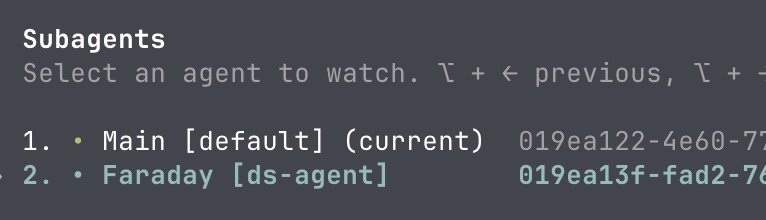
Yes. Have your agent send off several tasks in one message. Each runs on its own and reports back on its own — they never get in each other's way.
pipx install handoff-cli or pip install handoff-cli work just as well. From source:
git clone https://github.com/dazuiba/handoff && cd handoff
uv tool install -e .
handoff init
Add one more entry under backends — any Anthropic-compatible endpoint works:
backends:
  kimi:
    type: claude
    model: kimi-k3
    env:
      ANTHROPIC_BASE_URL: https://api.moonshot.cn/anthropic
      ANTHROPIC_AUTH_TOKEN: "${MOONSHOT_API_KEY}"
      ANTHROPIC_MODEL: "{model}"
The env block is entirely yours — every key=value you set is exported before the CLI launches. {model} substitutes the resolved model name, ${ENV_VAR} expands from your shell. Run handoff env to see where everything lives. Full details: configuration docs (Chinese) →.
claude -p / codex exec) in an isolated context and streams the full output to disk.RESULT=<path-to-result-file>. Progress goes to the background shell view — never into your main context.RESULT= path is also a stable handle for the conversation: every follow-up round resumes the same session.More docs
run / resume / list / tail / env / init, run-id encoding, on-disk file layout.${ENV} interpolation, include, custom backends.Sign in to join the discussion.
No comments yet. Be the first to say what this is good for.
🪨 why use many token when few token do trick — Claude Code skill that cuts 65% of tokens by talking like caveman

The best-benchmarked open-source AI memory system. And it's free.

Orca is the ADE for working with a fleet of parallel agents. Run any coding agent with your own subscription. Available on desktop, mobile and remote runtime.

A cross-platform desktop All-in-One assistant for Claude Code, Codex, OpenCode, OpenClaw, Grok Build & Hermes Agent. Only official website: ccswitch.io

Never stop coding. Free MIT AI gateway: one endpoint, 352 providers (150+ free), 1200+ models Kimi, Claude, GPT, Gemini, GLM, DeepSeek, MiniMax. Works with Claude Code, Codex, Cursor, OpenCode, Cline & Copilot. Quota-aware auto-fallback, RTK+Caveman compression saves 15-95% tokens, MCP/A2A, Desktop/PWA. Built by 550+ contributors

Compress tool outputs, logs, files, and RAG chunks before they reach the LLM. 20% fewer tokens for coding agents, 60-95% fewer tokens for JSON, same answers. Library, proxy, MCP server.