Open Claude Cowork
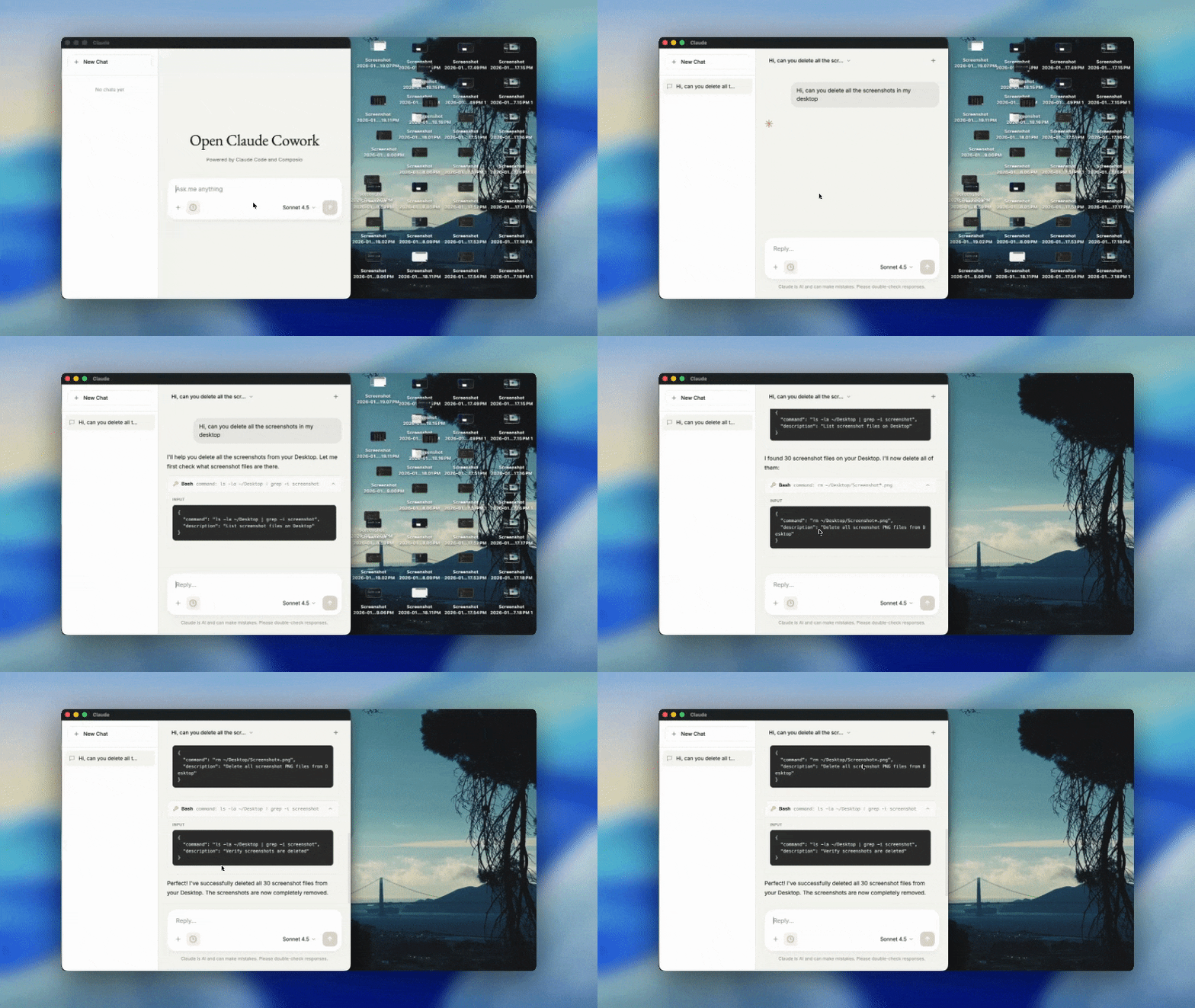




An open-source desktop chat application powered by Claude Agent SDK and Composio Tool Router. Automate your work end-to-end across desktop and all your work apps in one place.
Get your free API key to get started →
Pst. hey, you, join our stargazers :)

What's Inside
This repo includes two powerful AI tools:
| Open Claude Cowork | 🦑 Secure Clawdbot |
|---|
| What | Full-featured desktop chat interface | Personal AI assistant on messaging |
| Where | macOS, Windows, Linux | WhatsApp, Telegram, Signal, iMessage |
| Best for | Work automation, multi-chat sessions | On-the-go AI access, reminders, memory |
Both include 500+ app integrations via Composio (Gmail, Slack, GitHub, Google Drive, and more).
Quick Start
Open Claude Cowork
git clone https://github.com/ComposioHQ/open-claude-cowork.git
cd open-claude-cowork
./setup.sh
Then run in two terminals:
# Terminal 1
cd server && npm start

# Terminal 2
npm start
🦑 Secure Clawdbot
cd clawd
npm install
node cli.js
Select "Terminal chat" to test, or "Start gateway" to connect WhatsApp/Telegram/Signal/iMessage.
See Secure Clawdbot Documentation for full setup.
Features
Open Claude Cowork
- Multi-Provider Support - Claude Agent SDK or Opencode for different models
- Persistent Sessions - Context maintained across messages
- Real-time Streaming - Token-by-token response display
- Tool Visualization - See tool inputs/outputs in the sidebar
- Skills Support - Extend Claude with custom capabilities
- Modern UI - Clean, dark-themed interface
🦑 Secure Clawdbot
- Multi-Platform - WhatsApp, Telegram, Signal, iMessage
- Persistent Memory - Remembers facts, preferences, daily notes
- Browser Automation - Navigate, click, fill forms, screenshot
- Scheduling - Natural language reminders and cron jobs
- 500+ Integrations - Gmail, Slack, GitHub, Calendar via Composio
Tech Stack
| Component | Technology |
|---|
| Desktop | Electron.js |
| Backend | Node.js + Express |
| AI | Claude Agent SDK + Opencode SDK |
| Tools | Composio Tool Router + MCP |
| Streaming | Server-Sent Events (SSE) |
Configuration
API Keys
You need:
cp .env.example .env
# Edit .env with your keys
Skills
Extend Claude with custom skills by adding SKILL.md files to .claude/skills/:
---
description: Use this skill when the user asks about [topic]
---

# My Skill

Instructions for Claude...
See Agent Skills documentation for details.
Project Structure
open-claude-cowork/
├── main.js              # Electron main process
├── renderer/            # Frontend UI
├── server/              # Backend + providers
│   ├── providers/       # Claude & Opencode implementations
│   └── server.js        # Express server
├── clawd/               # Secure Clawdbot (messaging bot)
│   ├── cli.js           # Entry point
│   ├── adapters/        # WhatsApp, Telegram, Signal, iMessage
│   └── README.md        # Full documentation
└── .claude/skills/      # Custom agent skills
Troubleshooting
| Issue | Solution |
|---|
| Can't connect to backend | Ensure server is running on port 3001 |
| API key error | Check .env - Anthropic keys start with sk-ant- |
| Session not persisting | Check server logs for session ID |
| Streaming slow | Check firewall/network for SSE connections |
Contributing
- Fork the repository
- Create a feature branch (
git checkout -b feature/amazing-feature)
- Commit your changes (
git commit -m 'Add amazing feature')
- Push to the branch (
git push origin feature/amazing-feature)
- Open a Pull Request
Resources
Community
Join 200,000+ developers building agents in production

Built with Claude Code and Composio



