
JuliusBrussee/
caveman

🪨 why use many token when few token do trick — Claude Code skill that cuts 65% of tokens by talking like caveman
105k
1 add
CyberCode runs a browser-based agent that can read and write files, execute code, scan web pages, and generate images or videos. It uses a Python agent core, a web UI, and a set of skill files to steer task-specific workflows.
Builders who want a local agent that can do work across code, web, and media without stitching together separate tools.
You can ask one agent to inspect files, run scripts, browse the web, and produce media in one session.
`python/agent_core.py` runs the model, tool calls, and memory updates around each task.
`python/cybercodewebui.py` and `python/cybercodewebui.html` serve the local interface and HTTP API.
`skills/*.md` contains reusable task guides such as HyperFrames video workflows and website-to-video flows.
The agent can generate images and videos using built-in skills and the HyperFrames workflow.
The README describes session history, replay, and a multi-level memory system for longer tasks.
npm install -g cybercode-cli
cybercode web
git clone https://github.com/ciouskeila-hue/cybercode-cli.git
cd cybercode-cli
python python/cybercodewebui.py
User: Generate a cyberpunk-style cat image, then tell me what's in it

Agent:
  → tool_generate_image: prompt="cyberpunk cat, neon lights, digital art"
  → Wait for async task, image saved to temp/
  → tool_view_image: analyze the generated image
  → Returns: An orange cat wearing neon goggles, background is purple and cyan city lights...
User: Check what's new on python.org homepage

Agent:
  → tool_web_scan: url="https://python.org", text_only=true
  → Extract body text, filter navigation and footer
  → Returns: Python 3.13 released, PEP 7xx new proposal, PyCon 2026 dates announced...




A self-contained, physical-level AI Agent — directly drives frontier LLMs with 9 built-in system tools that read/write files, execute code, scan the web, and generate images & videos.
Highly recommended: Linux.do — A genuine community for developers and tech enthusiasts. You'll find high-quality AI tool sharing, open-source project discussions, and cutting-edge tech news. CyberCode was born thanks to the inspiration and support of the Linux.do community. We sincerely invite all developers to join this pure, friendly, and deep technical community.
CyberCode is an AI Agent that runs in your local browser. It's not a chatbot shell — it's a doer with hands and feet that can actually operate your file system, run scripts, access the network, and generate multimedia content.
The key point: use GPT-5.5, Claude Opus 4.8, GLM-5.2, Gemini 3.1 Pro, DeepSeek V4 and 32+ frontier models for free, plus free gpt-image-2 image generation and Nanobanana video generation. All models are accessible through a unified gateway with a clean, user-friendly experience.
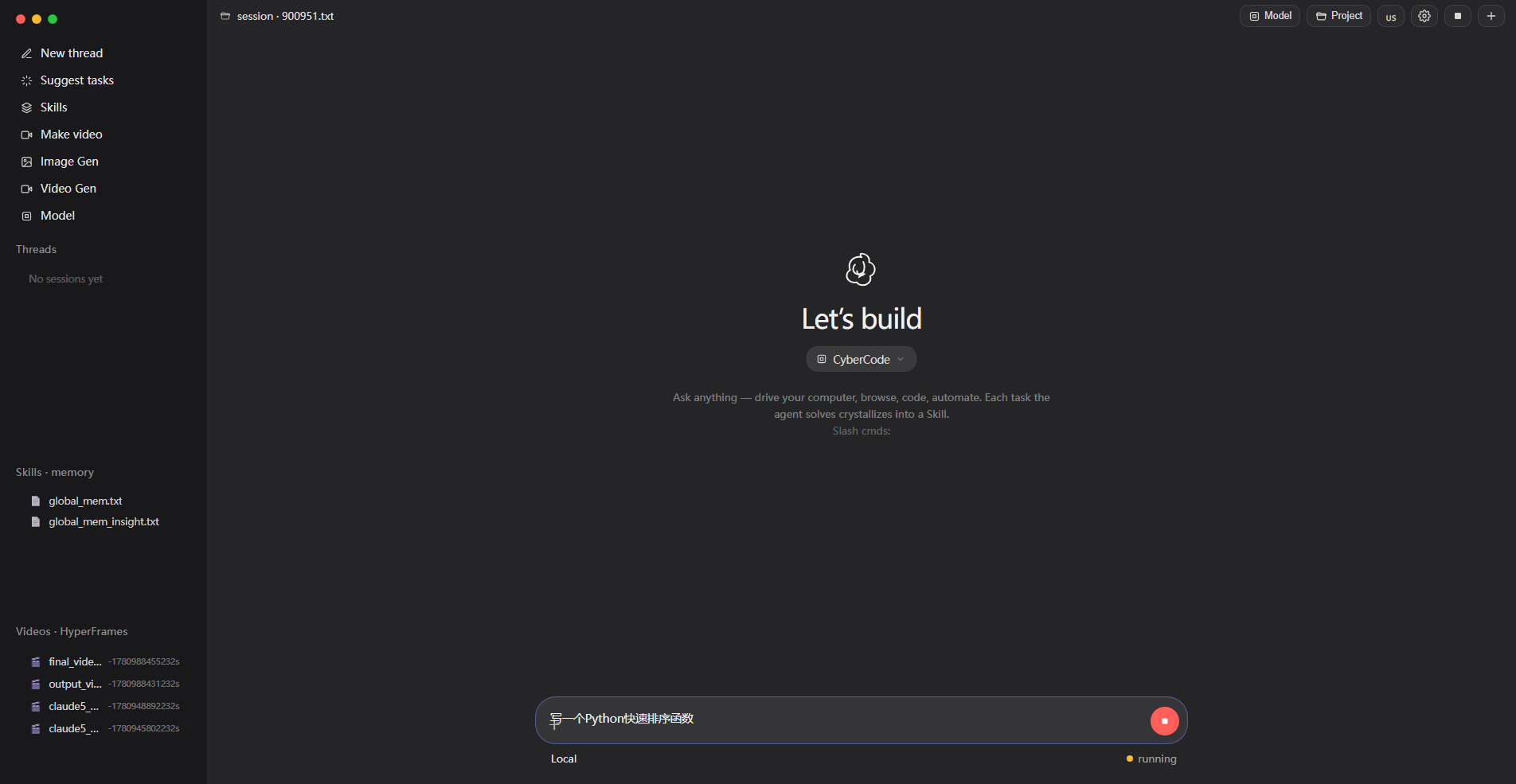
CyberCode Web UI — Codex-dark theme, model selector on the left, skills panel on the right
| Capability | Details |
|---|---|
| Free Frontier Models | GPT-5.5 / Claude Opus 4.8 / GLM-5.2 / Gemini 3.1 Pro / DeepSeek V4 Flash and 32+ models |
| Free Image Generation | gpt-image-2 (1024x1024 / portrait / landscape), text-to-image and image editing |
| Free Video Generation | Nanobanana model + HyperFrames HTML rendering engine, with edge-tts narration |
| 9 Atomic Tools | Code execution / File read-write / Web scraping / JS execution / Image gen / Vision / User interaction / Memory |
| Function Calling | OpenAI tools-compatible function calling, streaming and non-streaming |
| 3-Level Memory | L0 meta-rules / L1 insight index / L2 stable facts / L3 task SOPs |
| Self-Contained | Only Python stdlib + requests needed, no LangChain / Playwright / browser binary deps |
Most AI clients on the market are either pure chat boxes (no execution capability) or heavy frameworks (depending on a pile of Node modules and browser kernels). CyberCode takes a different path:
Keep the Agent thin, make the models thick. The core is only about 1,300 lines of Python, but it connects to 30+ frontier models through a unified OpenAI-compatible interface. You write a requirement, it decides which tools to call, which files to read, which code to run — the whole process streams in real time, you watch it work.
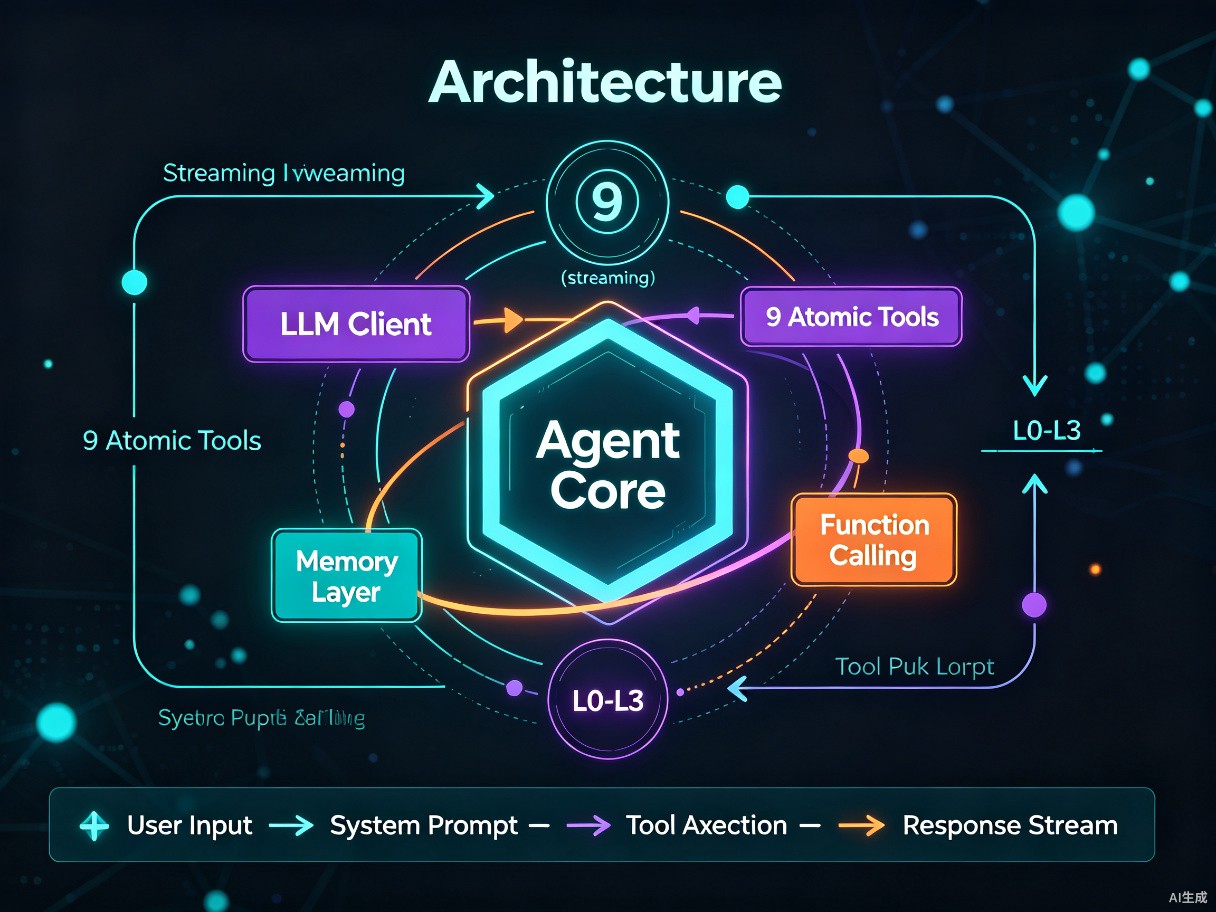
Architecture: Agent Core orchestrates, LLM Client streams, 9 tools each serve their purpose
All models are proxied through a unified gateway — switching models takes a single API call. Partial model list:
| Model | Family | Notes |
|---|---|---|
gpt-5.5 | OpenAI GPT | Flagship conversational model |
gpt-5.4 | OpenAI GPT | High cost-efficiency |
gpt-5-mini | OpenAI GPT | Lightweight & fast |
gpt-5.3-codex | OpenAI Codex | Code-specialized |
gpt-4.1 | OpenAI GPT | Classic & stable |
claude-opus-4-8 | Anthropic Claude | Top-tier reasoning |
claude-opus-4-7 | Anthropic Claude | Long-context analysis |
gemini-3.1-pro-preview | Google Gemini | Multimodal |
gemini-3.5-flash | Google Gemini | Ultra-fast response |
deepseek-v4-flash | DeepSeek | Top-tier domestic |
deepseek-v4-pro | DeepSeek | Deep reasoning |
deepseek-r1-14b | DeepSeek R1 | Reasoning chain |
glm-5.2 | Zhipu GLM | Free tier, FC support |
free/glm-5.2 | Zhipu GLM | Default model, zero cost |
kimi-k2.7 | Moonshot Kimi | Ultra-long context |
minimax-m3 | MiniMax | Strong general baseline |
qwen-2.5-coder-14b | Alibaba Qwen | Code generation |
llama-3.1-8b | Meta Llama | Open-source standard |
mistral-small-24b | Mistral | European flagship |
| Model | Use Case | Method |
|---|---|---|
gpt-image-2 | Text-to-image / Image-to-image | Async creation-tasks API |
codex-gpt-image-2 | Image editing | image-edits endpoint |
nanobanana | Video generation | HyperFrames + ffmpeg pipeline |
hy-mt1 | Multimodal understanding | Visual Q&A |
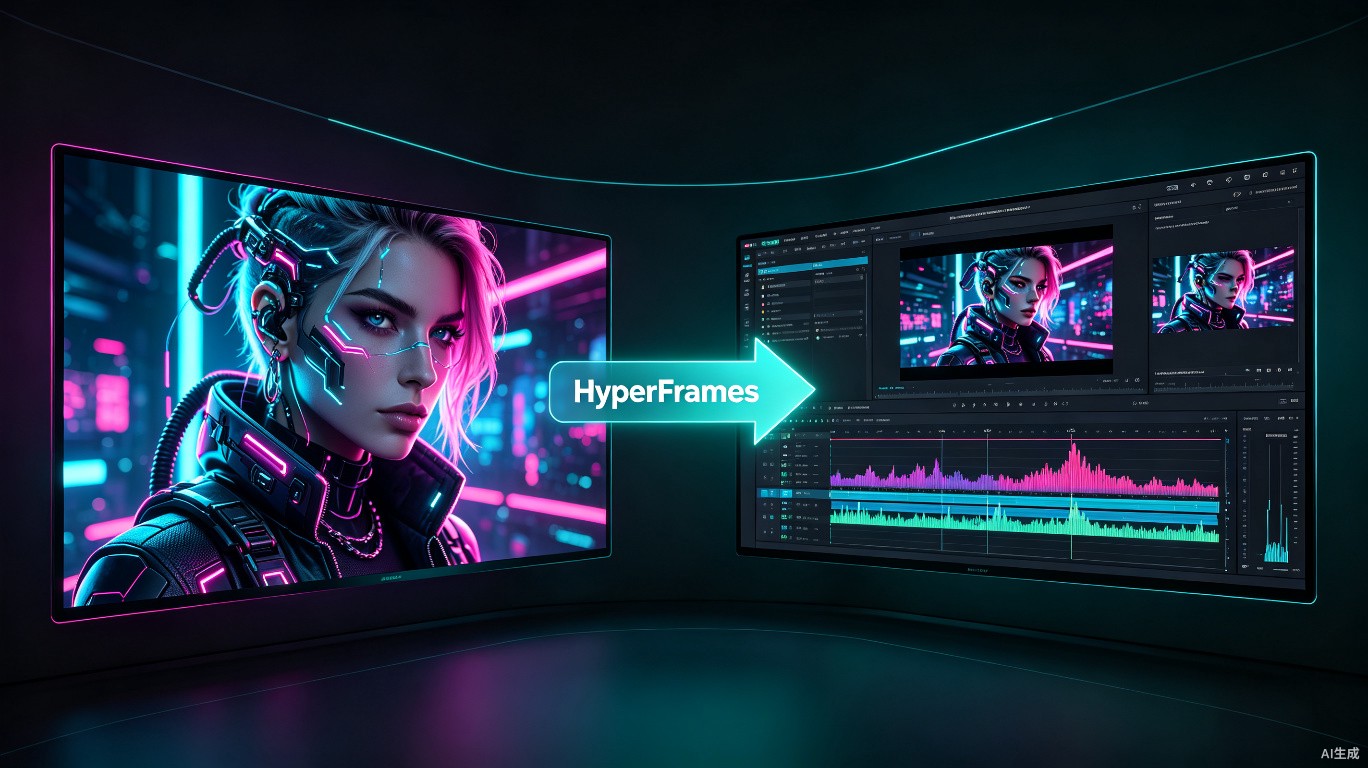
Image generation & video creation — AI image gen on the left, HyperFrames timeline on the right
The Agent works not by "chatting" but by calling tools to complete tasks. CyberCode has 9 physical-level tools covering all aspects of system operation:
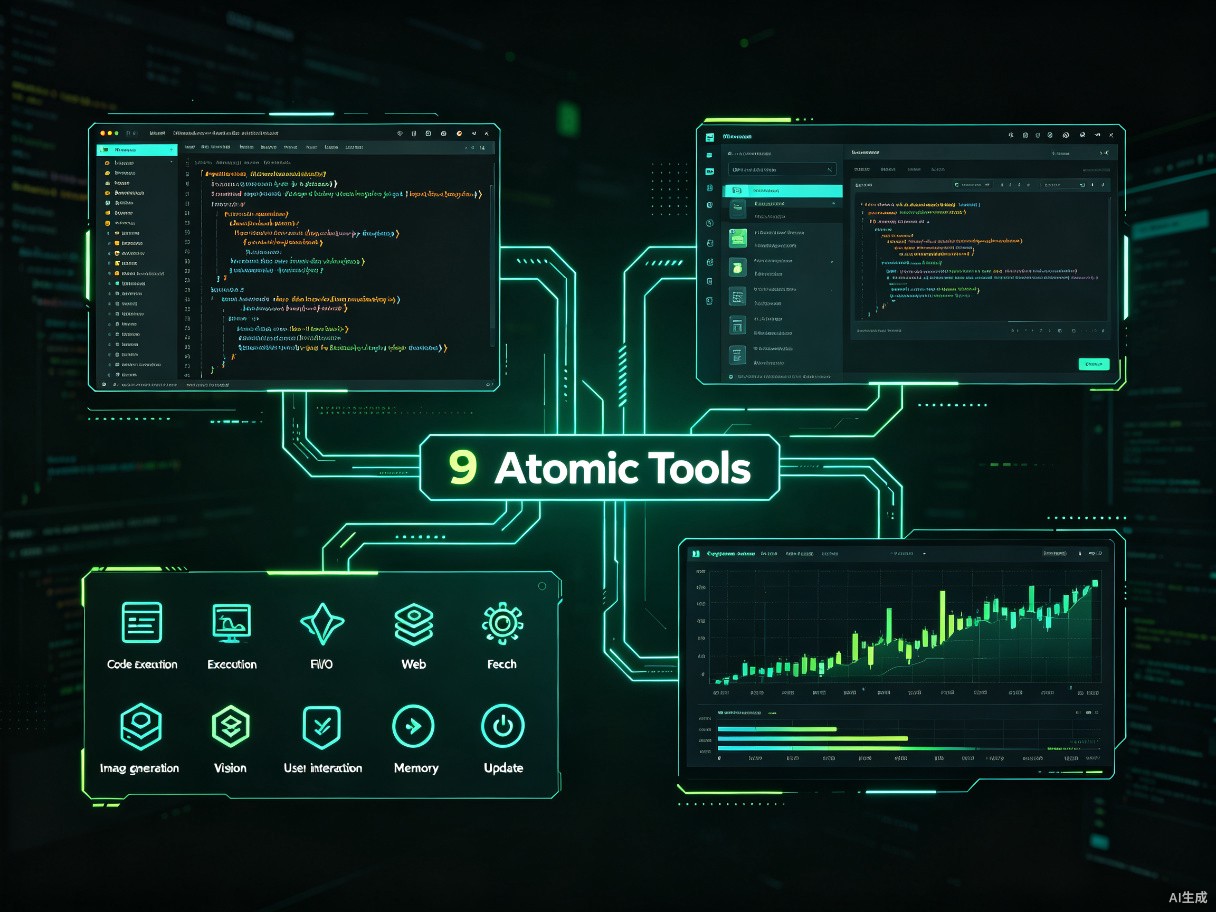
| Tool | Capability | Example |
|---|---|---|
tool_code_run | Execute Python / Bash / Shell scripts | Run data analysis, install deps, call system commands |
tool_file_read | Read any text file, with line numbers and ranges | Check logs, read source, view config |
tool_file_write | Overwrite / append / prepend file content | Generate code, write reports, edit config |
tool_file_patch | Precise search-and-replace file fragments | Fix bugs, refactor functions |
tool_web_scan | Scrape web pages and extract body text | Read docs, crawl data, look up info |
tool_web_execute_js | Run JavaScript in the browser | Automate operations, extract dynamic content |
tool_generate_image | Generate images via gpt-image-2 | Illustrations, UI mockups, artwork |
tool_view_image | Visually understand image content | Read screenshots to find bugs, describe scenes |
tool_ask_user | Ask the user questions and wait for answers | Clarify requirements, confirm risky operations |
Additionally, two memory tools: update_working_checkpoint (short-term notes) and start_long_term_update (long-term experience), keeping the Agent on track during long tasks and smarter on repeated ones.
CyberCode includes the HyperFrames skill set — a framework for rendering video with HTML. You describe what video you want, the Agent automatically writes HTML compositions (with data-* timing attributes), then uses GSAP / Lottie / Three.js for animation, and finally ffmpeg composites an MP4 with audio.
User: "Make a 10-second cat science video with narration"
  ↓
Agent decision path:
  1. Call gpt-image-2 to generate 3 scene images
  2. Call edge-tts to synthesize narration MP3
  3. Write HyperFrames HTML composition (GSAP timeline + fade in/out)
  4. ffmpeg composites H.264 1920x1080 + AAC audio
  5. Self-check: duration, resolution, audio presence → 100/100
  ↓
Output: cat_video_final.mp4
HyperFrames includes 7 domain skills, loaded on demand:
| Skill | Purpose |
|---|---|
hyperframes-core | HTML composition author contract (data-* attrs, clips, tracks) |
hyperframes-animation | Atomic animations (GSAP / Lottie / Three.js / CSS / WAAPI) |
hyperframes-creative | Creative direction (color, typography, narration, beat) |
hyperframes-media | TTS voiceover, background music, subtitles, bg removal |
hyperframes-cli | Dev loop (init / lint / render / publish) |
hyperframes-registry | Registry component installation |
general-video | General video workflow routing |
npm install -g cybercode-cli
After installation, type in your terminal:
cybercode web
The terminal will display the local service address — open it in your browser to see the CyberCode interface. No configuration needed — model keys, gateway addresses, and default parameters are all auto-configured out of the box.
git clone https://github.com/ciouskeila-hue/cybercode-cli.git
cd cybercode-cli
python python/cybercodewebui.py
Also requires no manual configuration — after launch, visit http://localhost:18600 in your browser.
After opening the browser, you'll see a login screen. You have two options:
After logging in, free/glm-5.2 (zero-cost model) is selected by default. You can switch to any other model in the left-side model selector at any time. Just type your request in the input box and the Agent will automatically call tools to complete the task.
Zero-config philosophy: CyberCode handles all underlying configuration at startup — model routing, key management, and token generation all happen in the background. As a user, you just log in (or skip login and configure your own models), and let the system handle the rest.
CyberCode exposes a clean HTTP API for integration with other systems:
| Method | Endpoint | Description |
|---|---|---|
GET | / | Web UI page |
GET | /api/status | Running status + current model |
GET | /api/sessions | Conversation history list |
GET | /api/skills | Skill document list |
GET | /api/messages?path= | Replay a session |
GET | /api/videos | Rendered MP4 list |
GET | /api/video/<relpath> | Video stream (Range support) |
POST | /api/chat | Send message, SSE streaming response |
POST | /api/chat (video:true) | Video mode, injects HyperFrames preamble |
POST | /api/llm | Switch LLM |
POST | /api/stop | Abort current task |
POST | /api/new | Start new session |
POST | /api/continue | Restore historical session |
CyberCode's Agent core architecture (agent loop structure, 9-tool design, memory hierarchy philosophy, system prompt approach) is derived from the GenericAgent project, open-sourced by lsdefine under the MIT License:
Built on top of this, CyberCode adds:
cybercode web after npm install)| Dependency | Purpose | Required? |
|---|---|---|
requests | HTTP requests | Yes |
ffmpeg | Video compositing | Video mode only |
edge-tts | Voice synthesis | Video narration only |
| Python stdlib | Everything else | Built-in |
cybercode/
├── agent_core.py            # Agent core: LLM Client + 9 tools + agent loop
├── cybercodewebui.py        # Web server: HTTP API + SSE streaming + proxy layer
├── cybercodewebui.html      # Frontend: Codex-dark UI + i18n + real-time chat
├── mykey.json               # Model config (auto-generated, not in repo)
├── custom_system_prompt.txt # Custom system prompt (hot-reload)
├── .auth_token              # Auto-generated token (not in repo)
├── skills/                  # 14 skill documents
│   ├── hyperframes.md       # Video engine entry
│   ├── hyperframes-core.md  # HTML composition contract
│   ├── hyperframes-animation.md
│   ├── hyperframes-creative.md
│   ├── hyperframes-media.md
│   ├── hyperframes-cli.md
│   ├── hyperframes-registry.md
│   ├── image-gen.md         # Image generation API
│   ├── edge-tts-tts.md      # Voice synthesis
│   ├── general-video.md     # General video routing
│   ├── motion-graphics.md
│   ├── product-launch-video.md
│   ├── website-to-video.md
│   └── faceless-explainer.md
├── memory/                  # 3-level memory system
│   ├── global_mem.txt       # L2 stable facts
│   └── global_mem_insight.txt # L1 insight index
├── temp/                    # Working directory (gitignored)
├── docs/
│   └── images/              # README demo images
└── .gitignore
User: Write a Python script that counts lines in all .py files in the current directory, sorted by line count

Agent:
  → tool_file_write: write count_lines.py
  → tool_code_run: python count_lines.py
  → Returns: agent_core.py 1452 lines, cybercodewebui.py 1180 lines...
  → tool_file_patch: found bug, fixed sorting logic
  → tool_code_run: re-run, correct results
  → Summary: 3 Python files, 2632 total lines
User: Generate a cyberpunk-style cat image, then tell me what's in it

Agent:
  → tool_generate_image: prompt="cyberpunk cat, neon lights, digital art"
  → Wait for async task, image saved to temp/
  → tool_view_image: analyze the generated image
  → Returns: An orange cat wearing neon goggles, background is purple and cyan city lights...
User: Check what's new on python.org homepage

Agent:
  → tool_web_scan: url="https://python.org", text_only=true
  → Extract body text, filter navigation and footer
  → Returns: Python 3.13 released, PEP 7xx new proposal, PyCon 2026 dates announced...
User: Make a 10-second cat science video with Chinese narration

Agent (video mode, auto-injects HyperFrames preamble):
  → Generate 3 scene images (gpt-image-2)
  → Synthesize narration MP3 (edge-tts)
  → Write HTML composition (GSAP timeline + fade in/out + data-start audio sync)
  → ffmpeg composites H.264 1920x1080 + AAC
  → Self-check: 10s duration ✓ 1080p ✓ audio present ✓
  → Output: cat_video_final.mp4
CyberCode uses a zero-config design — all configuration is automatic at startup. The following environment variables are available for advanced users:
| Variable | Default | Description |
|---|---|---|
CYBERCODE_PORT | 18600 | Web service port |
CYBERCODE_HOST | 127.0.0.1 | Listen address |
CyberCode automatically handles the following at first launch — no user intervention needed:
.auth_token)free/glm-5.2, zero cost)Users only need to log in to their CyberCode account (or skip login and configure their own models) — the system handles everything else.
Q: Is it really free?
Yes. CyberCode defaults to the free/glm-5.2 model, which is completely free. After logging in to your CyberCode account, frontier models like GPT-5.5 and Claude Opus 4.8 are also available — specific quotas depend on platform policy. You can also skip login and use your own API key.
Q: Do I need a VPN?
No. The model gateway is directly accessible — works out of the box.
Q: Does it support function calling?
Yes. free/glm-5.2, deepseek-v4-flash, glm-5.2 and other models support OpenAI tools-compatible function calling, both streaming and non-streaming. Some models like gpt-5.4 don't support FC — in that case, the Agent falls back to XML tool-call parsing.
Q: What dependencies does video generation need?
ffmpeg (available in system PATH) and edge-tts (pip install edge-tts). The system prompt has built-in edge-tts auto-install logic — the Agent will detect and install it automatically on first use of video mode.
Q: Is my data uploaded?
No. CyberCode runs locally — all file operations, code execution, and memory storage stay on your local disk. Only LLM inference requests are sent to the model gateway.
# Clone and run directly
python python/cybercodewebui.py --port 18600 --host 0.0.0.0

# Start with a specific LLM index
python python/cybercodewebui.py --llm_no 4
Edit custom_system_prompt.txt — content is hot-reloaded into the system prompt of every conversation. Ideal for injecting project-specific constraints or domain knowledge.
Create .md files in the skills/ directory — the Agent will list them in /api/skills and load them on demand.
Please read the following terms carefully. By using this software, you acknowledge that you have read and agree to all of the terms below.
MIT License — see LICENSE for details.
CyberCode's Agent core architecture is derived from GenericAgent (© 2025 lsdefine, MIT). Acknowledgments.
CyberCode — Let frontier LLMs actually get things done.
Sign in to join the discussion.
No comments yet. Be the first to say what this is good for.
🪨 why use many token when few token do trick — Claude Code skill that cuts 65% of tokens by talking like caveman

The best-benchmarked open-source AI memory system. And it's free.

Orca is the ADE for working with a fleet of parallel agents. Run any coding agent with your own subscription. Available on desktop, mobile and remote runtime.

A cross-platform desktop All-in-One assistant for Claude Code, Codex, OpenCode, OpenClaw, Grok Build & Hermes Agent. Only official website: ccswitch.io

Never stop coding. Free MIT AI gateway: one endpoint, 352 providers (150+ free), 1200+ models Kimi, Claude, GPT, Gemini, GLM, DeepSeek, MiniMax. Works with Claude Code, Codex, Cursor, OpenCode, Cline & Copilot. Quota-aware auto-fallback, RTK+Caveman compression saves 15-95% tokens, MCP/A2A, Desktop/PWA. Built by 550+ contributors

Compress tool outputs, logs, files, and RAG chunks before they reach the LLM. 20% fewer tokens for coding agents, 60-95% fewer tokens for JSON, same answers. Library, proxy, MCP server.