

JuliusBrussee/
caveman

🪨 why use many token when few token do trick — Claude Code skill that cuts 65% of tokens by talking like caveman
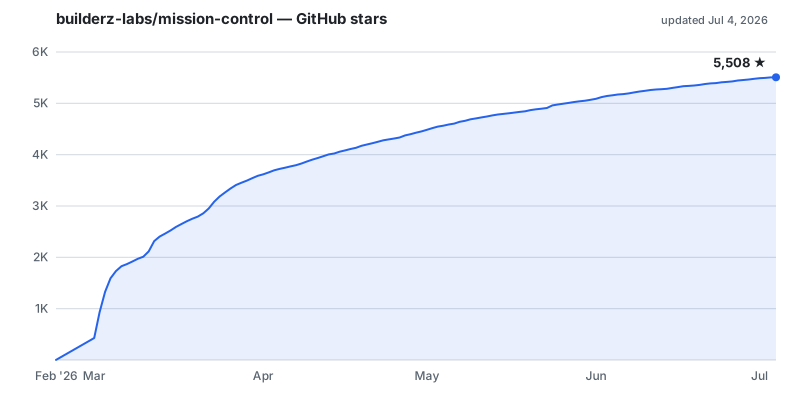
105k
1 add
Mission Control gives you a single place to dispatch tasks to agents, inspect runs, review failures, and track spend. It exposes a web UI, REST API, CLI, and MCP server, so builders can use it from the tools they already run. The runtime is self-hosted and workspace-aware, with SQLite storing local control-plane state.
Builders who want to coordinate multiple agent runtimes from a self-hosted dashboard and command line.
You can see who is doing what, review the result, and keep agent work organized instead of spread across separate runtimes.
Creates tasks, assigns them to agents, tracks execution, and records review and completion receipts.
Registers agents, shows heartbeats and sessions, and manages runtime configuration and workspace sync.
Shows activity, schedules, alerts, logs, token use, and cost views in one place.
Surfaces filesystem-backed memory, relationship links, and local skill registries.
Provides a web UI, REST API, WebSocket, SSE, CLI commands, and an MCP server.
Supports local install, Docker, hardened Compose, and standalone builds with persistent data.
git clone https://github.com/builderz-labs/mission-control.git
cd mission-control
bash install.sh --local
nvm use 22
pnpm install
pnpm dev
docker compose up
docker pull ghcr.io/builderz-labs/mission-control:latest
docker run --rm -p 3000:3000 ghcr.io/builderz-labs/mission-control:latest
docker compose -f docker-compose.yml -f docker-compose.hardened.yml up -d
export MC_URL=http://localhost:3000
export MC_API_KEY=replace-with-your-api-key
Self-hosted control plane for operating AI agents.
Dispatch tasks, inspect runs, review failures, track spend, and coordinate agent runtimes from one local dashboard backed by SQLite.
An open-source project by Builderz Labs, created and maintained by nyk. It works with OpenClaw, Claude Code, Codex, and other runtimes - it is not part of any one of them.


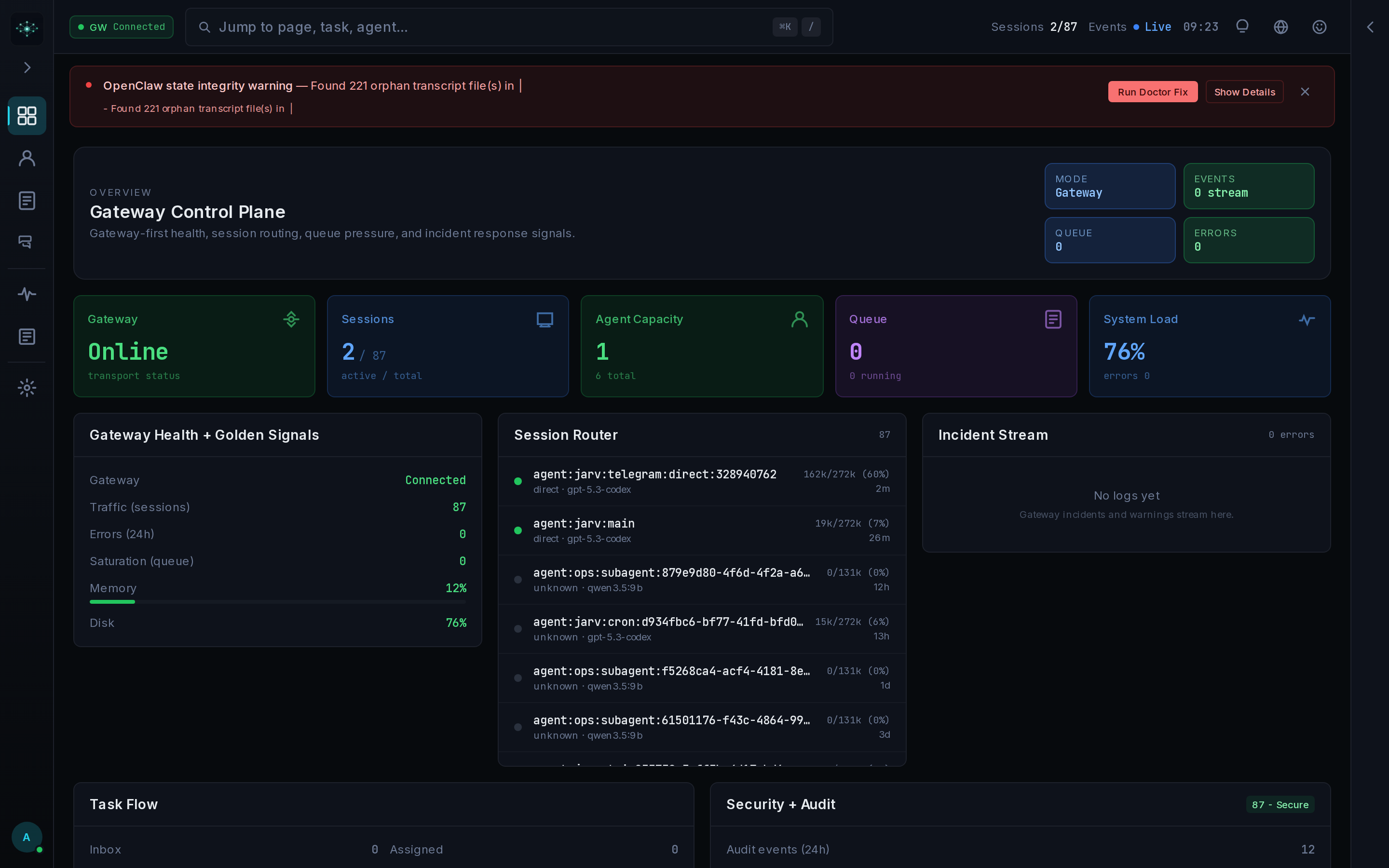
[!WARNING] Mission Control is alpha software. APIs, schemas, and configuration may change between releases. Read the security guidance before exposing it to a network.
Node.js 22 or newer and pnpm are required for a source install.
git clone https://github.com/builderz-labs/mission-control.git
cd mission-control
bash install.sh --local
Open http://localhost:3000/setup, create the first admin account, then copy the API key
from Settings if an agent or script needs headless access.
The manual path is useful when you already manage Node and pnpm:
nvm use 22
pnpm install
pnpm dev
Windows users can run ./install.ps1 -Mode local in PowerShell.
docker compose up
Or run the published multi-architecture image:
docker pull ghcr.io/builderz-labs/mission-control:latest
docker run --rm -p 3000:3000 ghcr.io/builderz-labs/mission-control:latest
Use the hardened Compose overlay for a network-accessible deployment:
docker compose -f docker-compose.yml -f docker-compose.hardened.yml up -d
The deployment guide covers persistent data, TLS termination, gateway connectivity, and standalone builds.
The control plane sits above agent runtimes. It does not replace their reasoning or tool loops. It gives operators one place to see and govern the work around those loops.
| Area | Shipped surface |
|---|---|
| Tasks | Inbox, assignment, execution, review, Aegis quality gate, and completion receipts |
| Agents | Registration, presence, sessions, runtime adapters, configuration, and workspace sync |
| Operations | Activity stream, schedules, alerts, webhooks, logs, token use, and cost views |
| Knowledge | Memory browser, relationship graph, skills registry, and local skill synchronization |
| Governance | Roles, API keys, security events, trust signals, approvals, audits, and evals |
| Interfaces | Web UI, CLI, MCP server, OpenAPI-described REST API, WebSocket, and SSE |
The runtime is self-hosted and workspace-aware. SQLite stores local control-plane state. Shared workspaces can use deployment-level runtime integrations. Strict workspaces block those integrations until the underlying resources carry workspace ownership. A gateway is optional for task, project, agent, scheduler, webhook, alert, and cost work; live session messaging needs a connected runtime gateway.
Dashboards compress a sequence into current state. When a run needs review, record the identity, task, tool call, approval, result, and verification evidence before changing it. Keep unresolved items distinct from accepted risk.
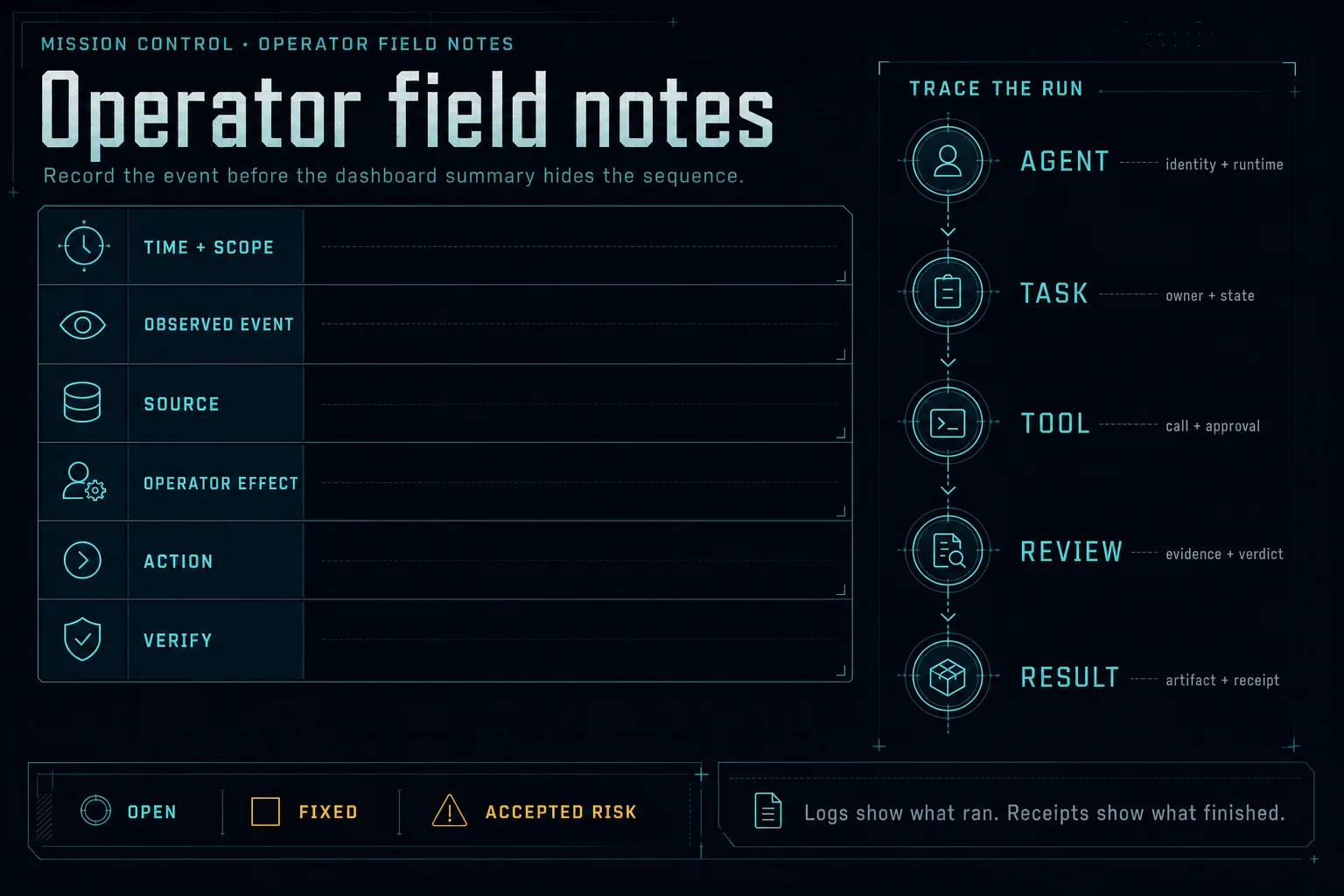
Logs show what ran. A completion receipt or inspected artifact shows what finished.
Use Mission Control when multiple agents or runtimes make it hard to answer who owns a task, what executed, which result passed review, or where spend and failures accumulated.
It is probably the wrong tool when:
Adapters and observation surfaces cover OpenClaw, Claude Code, Codex, CrewAI, LangGraph, AutoGen, and Claude SDK workflows. Adapter depth varies by runtime; see agent setup and CLI integration before assuming feature parity.
The shortest gateway-free loop uses the REST API. Export the URL and API key shown in Settings:
export MC_URL=http://localhost:3000
export MC_API_KEY=replace-with-your-api-key
Register an agent and create work:
curl -s -X POST "$MC_URL/api/agents/register" \
  -H "Authorization: Bearer $MC_API_KEY" \
  -H "Content-Type: application/json" \
  -d '{"name":"scout","role":"researcher"}'

curl -s -X POST "$MC_URL/api/tasks" \
  -H "Authorization: Bearer $MC_API_KEY" \
  -H "Content-Type: application/json" \
  -d '{"title":"Review open incidents","assigned_to":"scout","priority":"medium"}'
The agent can then claim its queue:
curl -s "$MC_URL/api/tasks/queue?agent=scout" \
  -H "Authorization: Bearer $MC_API_KEY"
Continue with the first-agent quickstart for heartbeats, task results, queue behavior, CLI equivalents, and MCP setup.
pnpm mc agents list --json
pnpm mc tasks queue --agent scout --json
pnpm mc events watch --types agent,task
claude mcp add mission-control -- \
  env MC_URL=http://127.0.0.1:3000 MC_API_KEY=replace-with-your-api-key \
  node /absolute/path/to/mission-control/scripts/mc-mcp-server.cjs
Use the CLI and MCP reference for the current command and tool
surface. The REST contract lives in openapi.json. A running instance serves
the interactive reference at /docs and the OpenAPI JSON at /api/docs.
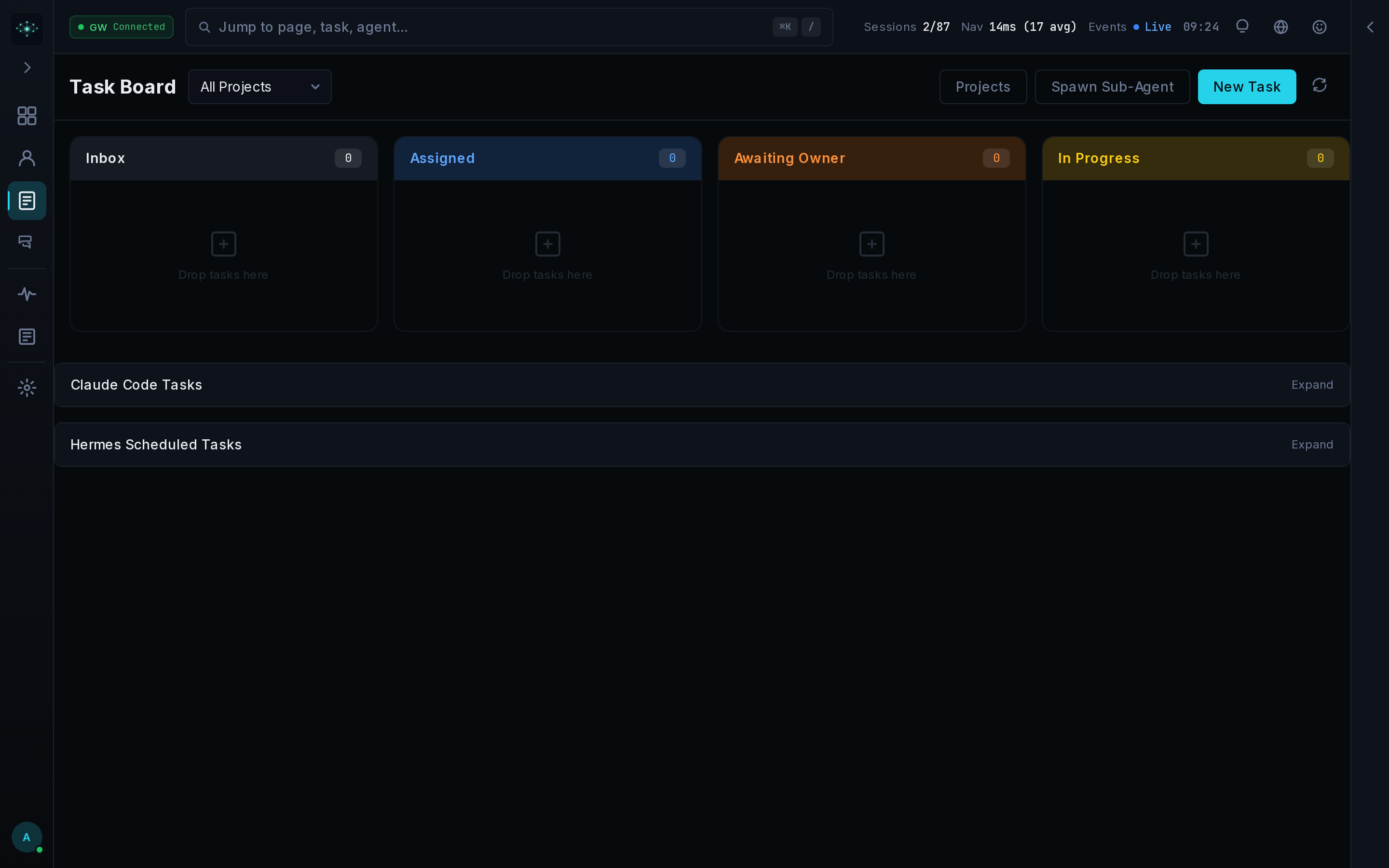
The task board tracks work through inbox, assignment, execution, review, quality review, and completion. Aegis review requires an approval record before a task reaches done.
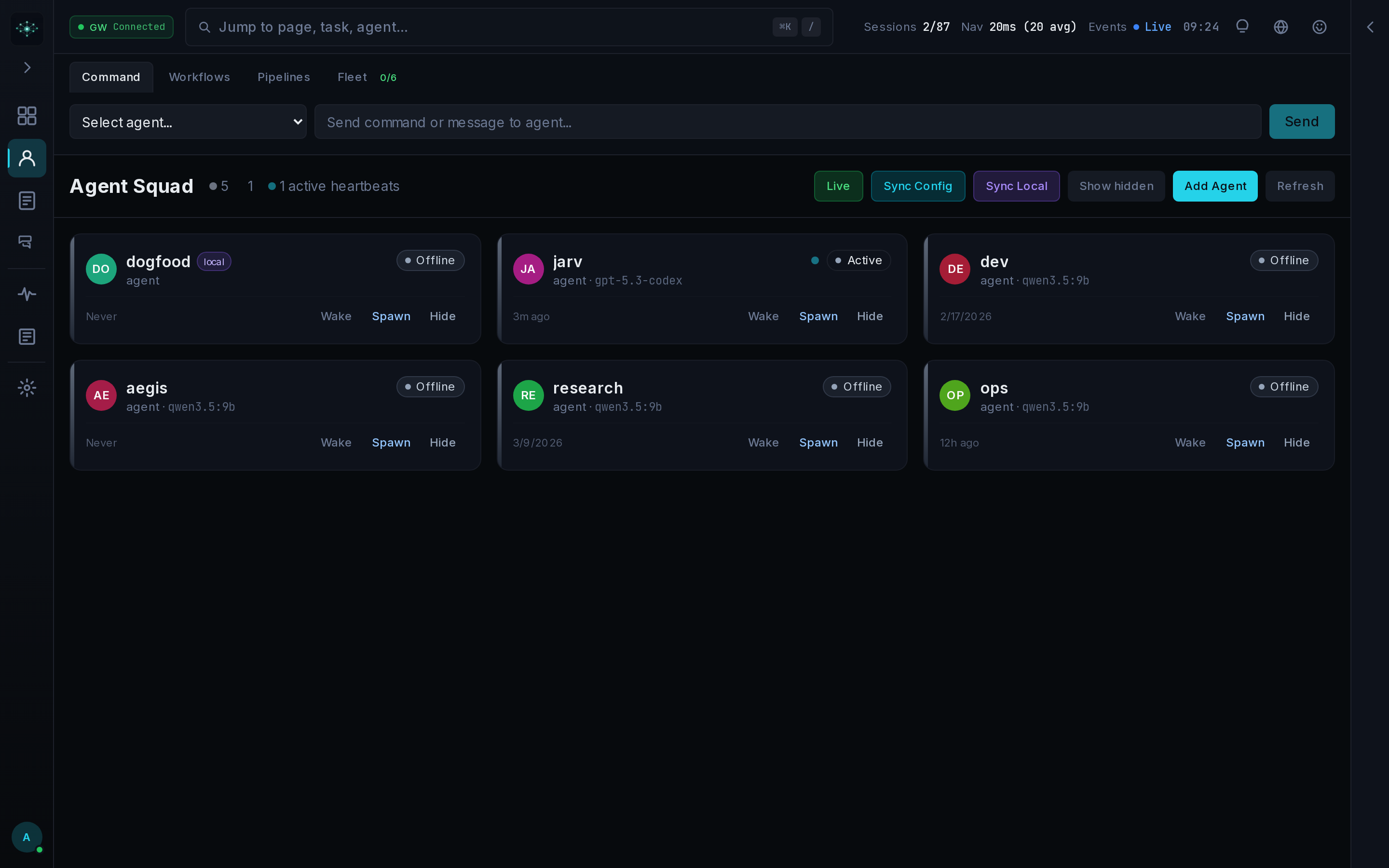
Agent views combine registration state, heartbeats, sessions, configuration, local runtime discovery, and workspace files.
The memory browser and relationship graph inspect filesystem-backed memory and linked session knowledge. The Skills Hub discovers local skill roots and scans registry content before installation.
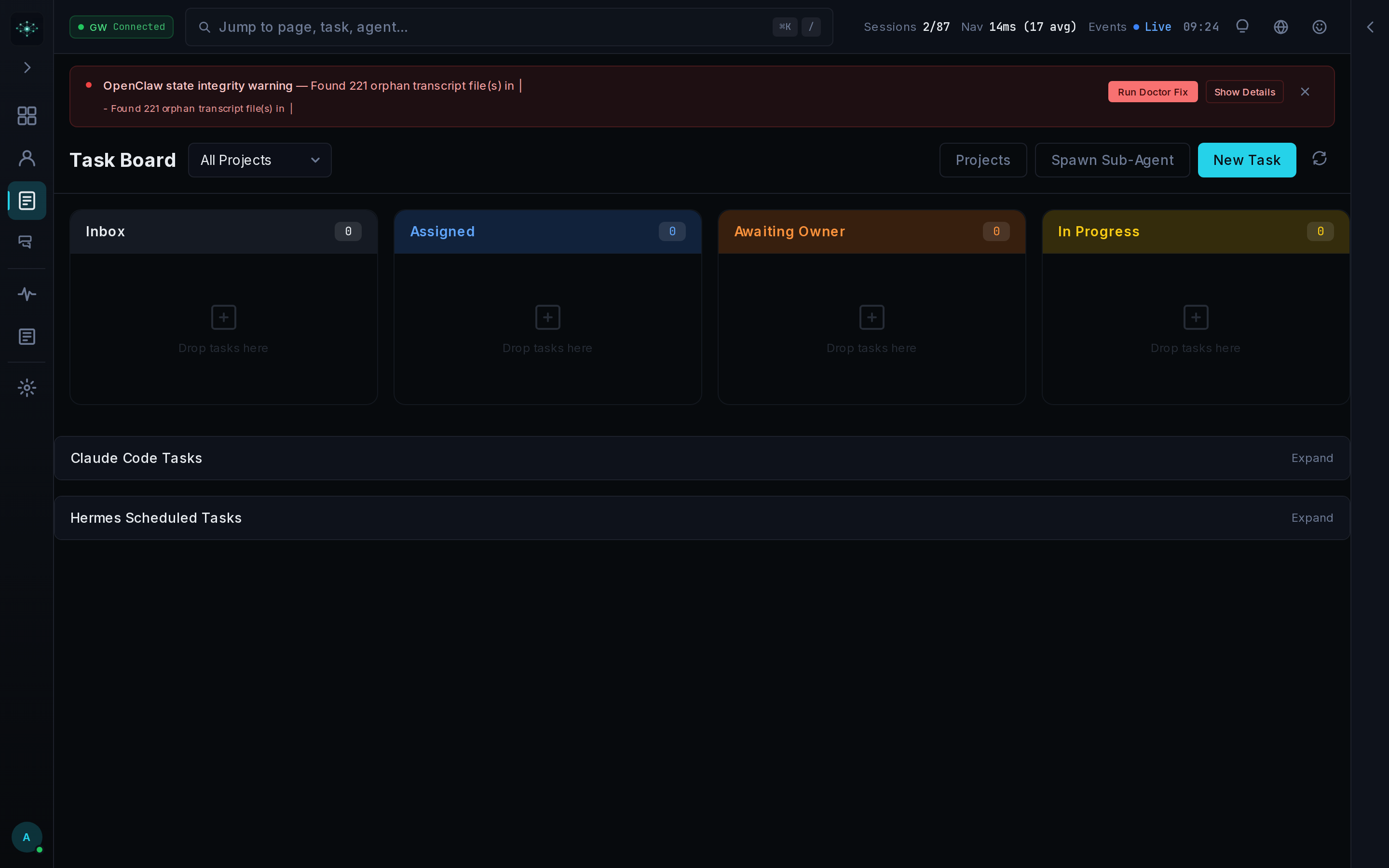
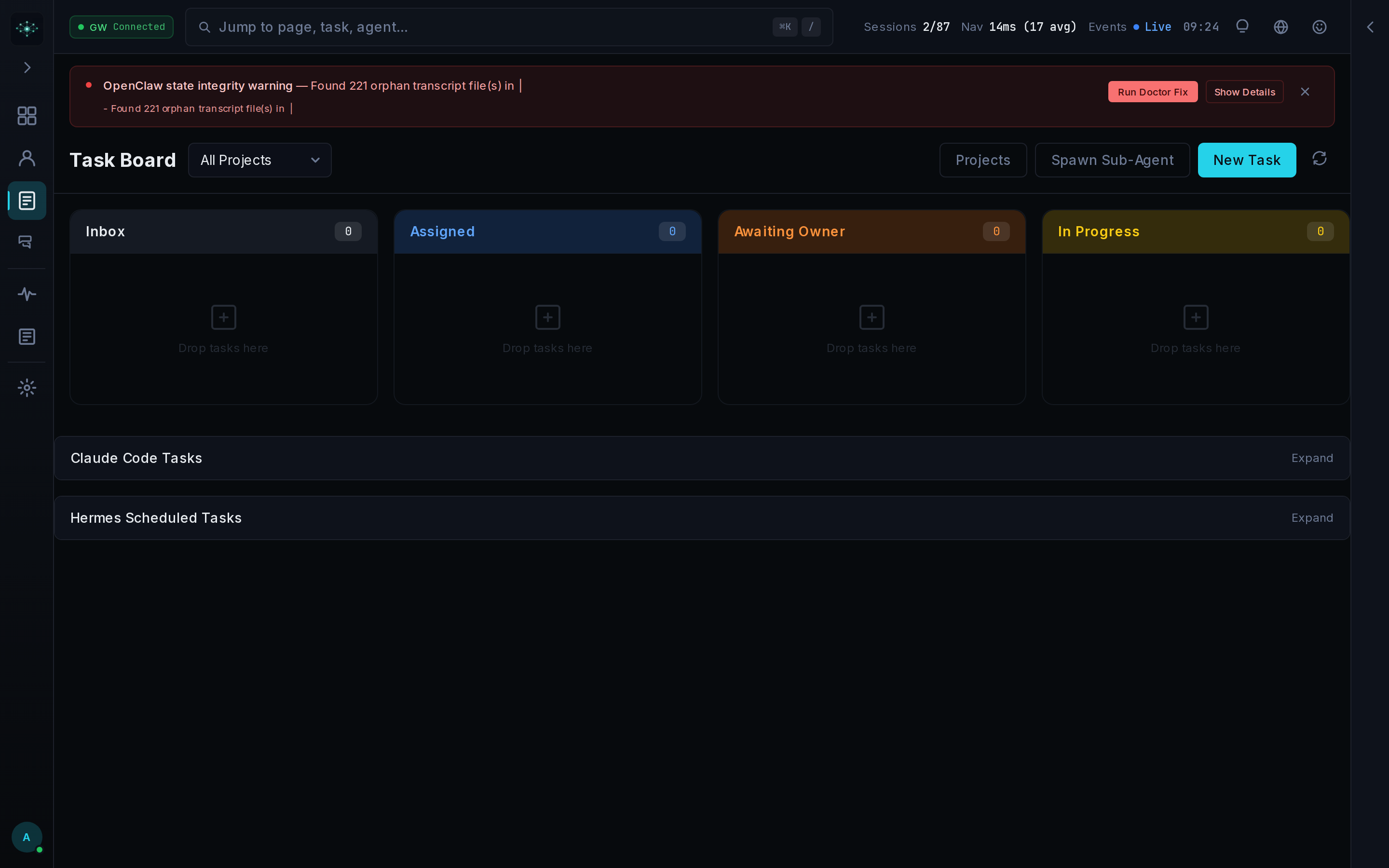
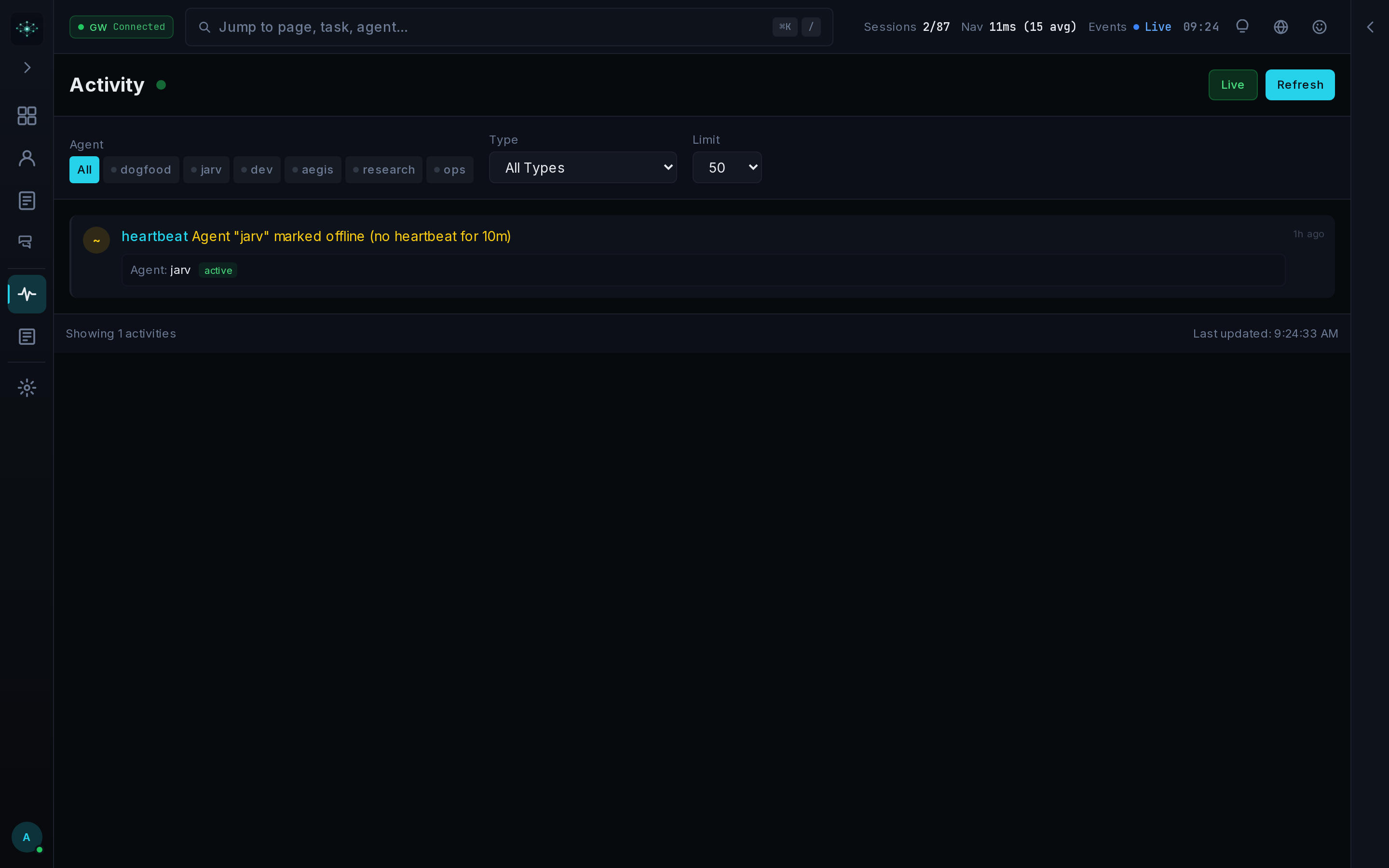
Recurring task templates create dated work on a cron schedule. The activity stream combines agent, task, and system events for operator review.
| Guide | Use it for |
|---|---|
| Quickstart | Register an agent and run the first task loop |
| Agent setup | Sources, identities, SOUL files, and heartbeats |
| Orchestration | Dispatch, handoffs, workflows, and review gates |
| CLI and MCP | Headless commands and agent tools |
| CLI integration | Claude Code, Codex, and gateway-free connections |
| Deployment | Local, Docker, standalone, reverse proxy, and VPS setup |
| Security hardening | Network, container, CSP, and secret controls |
| Support | Questions, bugs, feature proposals, and security-report routing |
| OpenClaw compatibility | Config and state-directory behavior |
| Release process | Versioning, tags, images, and release checks |
Web UI ─┐
CLI ────┼── auth ─ dispatch ─ events ─ policy ─ receipts
MCP ────┤                                      │
REST ───┘                         SQLite + agent runtimes
| Layer | Technology |
|---|---|
| Application | Next.js 16 App Router, React 19, TypeScript 5 |
| Interface | Tailwind CSS 4, Zustand, Recharts, xterm.js |
| State | SQLite through better-sqlite3, with WAL mode |
| Boundaries | REST/OpenAPI, MCP, CLI, WebSocket, and SSE |
| Access | Session cookies, API keys, Google sign-in, and role checks |
| Validation | Zod at input boundaries |
| Verification | Vitest, Playwright, ESLint, TypeScript, build, and API parity checks |
Runtime data defaults to .data/. Set MISSION_CONTROL_DATA_DIR to an absolute persistent
path for standalone deployments. The complete environment contract is in
.env.example.
MC_ALLOWED_HOSTS are configured.Access controls and security inspection surfaces are included, but alpha status still applies. Read SECURITY-HARDENING.md before relying on a network-accessible deployment.
pnpm install --frozen-lockfile
pnpm lint
pnpm typecheck
pnpm test
pnpm build
pnpm test:e2e
pnpm quality:gate runs the full repository gate. Useful diagnostics:
bash scripts/station-doctor.sh
bash scripts/security-audit.sh
pnpm api:parity
Common local failures:
| Symptom | Check |
|---|---|
| Login returns an internal error after changing Node versions | Run pnpm rebuild better-sqlite3 |
| Docker cannot reach the gateway | Set OPENCLAW_GATEWAY_HOST=host.docker.internal |
| Browser WebSocket cannot connect | Leave NEXT_PUBLIC_GATEWAY_HOST empty or set a browser-reachable host |
Password text after # disappears | Quote AUTH_PASS or use AUTH_PASS_B64 |
See CONTRIBUTING.md for contribution scope, coding standards, and review expectations. Community conduct is defined in CODE_OF_CONDUCT.md.
Release notes live in CHANGELOG.md. Open issues are the current roadmap; the project does not promise dates for unassigned work.
MIT © 2026 Builderz Labs
Sign in to join the discussion.
No comments yet. Be the first to say what this is good for.
🪨 why use many token when few token do trick — Claude Code skill that cuts 65% of tokens by talking like caveman

The best-benchmarked open-source AI memory system. And it's free.

Orca is the ADE for working with a fleet of parallel agents. Run any coding agent with your own subscription. Available on desktop, mobile and remote runtime.

A cross-platform desktop All-in-One assistant for Claude Code, Codex, OpenCode, OpenClaw, Grok Build & Hermes Agent. Only official website: ccswitch.io

Never stop coding. Free MIT AI gateway: one endpoint, 352 providers (150+ free), 1200+ models Kimi, Claude, GPT, Gemini, GLM, DeepSeek, MiniMax. Works with Claude Code, Codex, Cursor, OpenCode, Cline & Copilot. Quota-aware auto-fallback, RTK+Caveman compression saves 15-95% tokens, MCP/A2A, Desktop/PWA. Built by 550+ contributors

Compress tool outputs, logs, files, and RAG chunks before they reach the LLM. 20% fewer tokens for coding agents, 60-95% fewer tokens for JSON, same answers. Library, proxy, MCP server.