

JuliusBrussee/
caveman

🪨 why use many token when few token do trick — Claude Code skill that cuts 65% of tokens by talking like caveman
105k
1 add
WSL Manager is a Flutter desktop app that gives you a GUI for WSL distro lifecycle tasks like install, copy, rename, move, back up, disk mount, and `.wslconfig` editing. It also includes an MCP server and an AI assistant that use the same tools, so external agents can inspect and operate your WSL setup instead of guessing.
Builders who manage WSL distros or local virtual machines and want those workflows exposed to agents and a GUI.
You can manage distros, VMs, and agent tools without retyping CLI flags or switching between terminals and config files.
Install from a built-in catalogue or a custom rootfs, then copy, rename, move, back up, compact, and delete instances.
Edit per-distro settings like systemd, automount, default user, start command, start path, and `.wslconfig` options such as memory, processors, swap, networking mode, and DNS.
Manage WSL on another Windows machine over SSH and sync a distro between machines on your network.
Expose WSL tools to Claude Desktop, Claude Code, opencode, and other MCP clients through a local HTTP endpoint with a bearer token.
Use the built-in chat to list distros, inspect them, run commands, edit config, create snippets, mount disks, and package distros with the same tool set as the MCP server.
Create and manage Linux and macOS VMs on macOS, including start, stop, clone, export/import, templates, and SSH command execution inside guests.
brew tap bostrot/tap
brew install --cask wsl-manager
winget install Bostrot.WSLManager
scoop install extras/wsl2-distro-manager
choco install wsl2-distro-manager





English | 简体中文 | 繁體中文 | Deutsch | Español | 日本語 | Magyar | Português | Türkçe
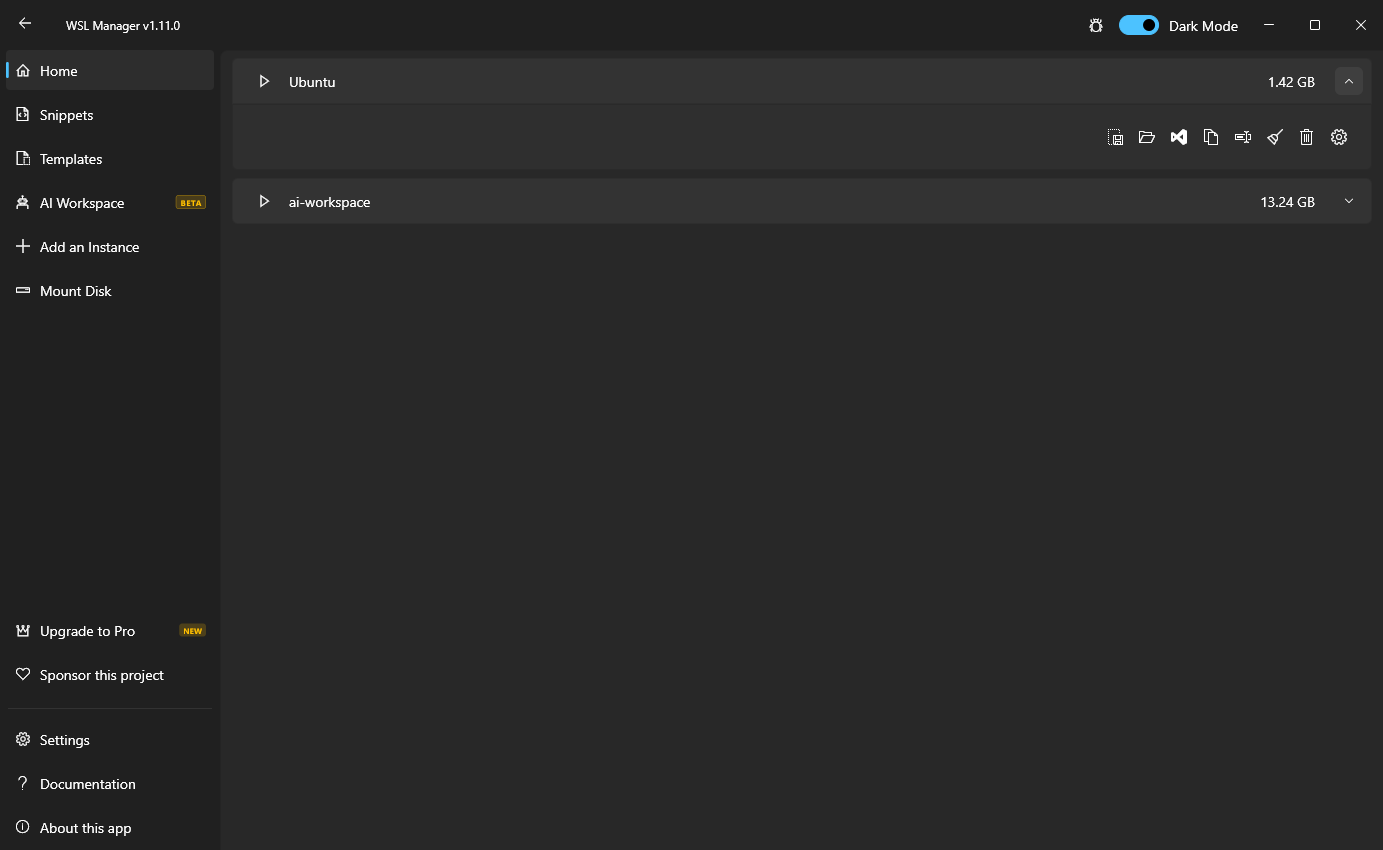
Shown on Windows · the same app runs native VMs on macOS — expand See it on macOS below
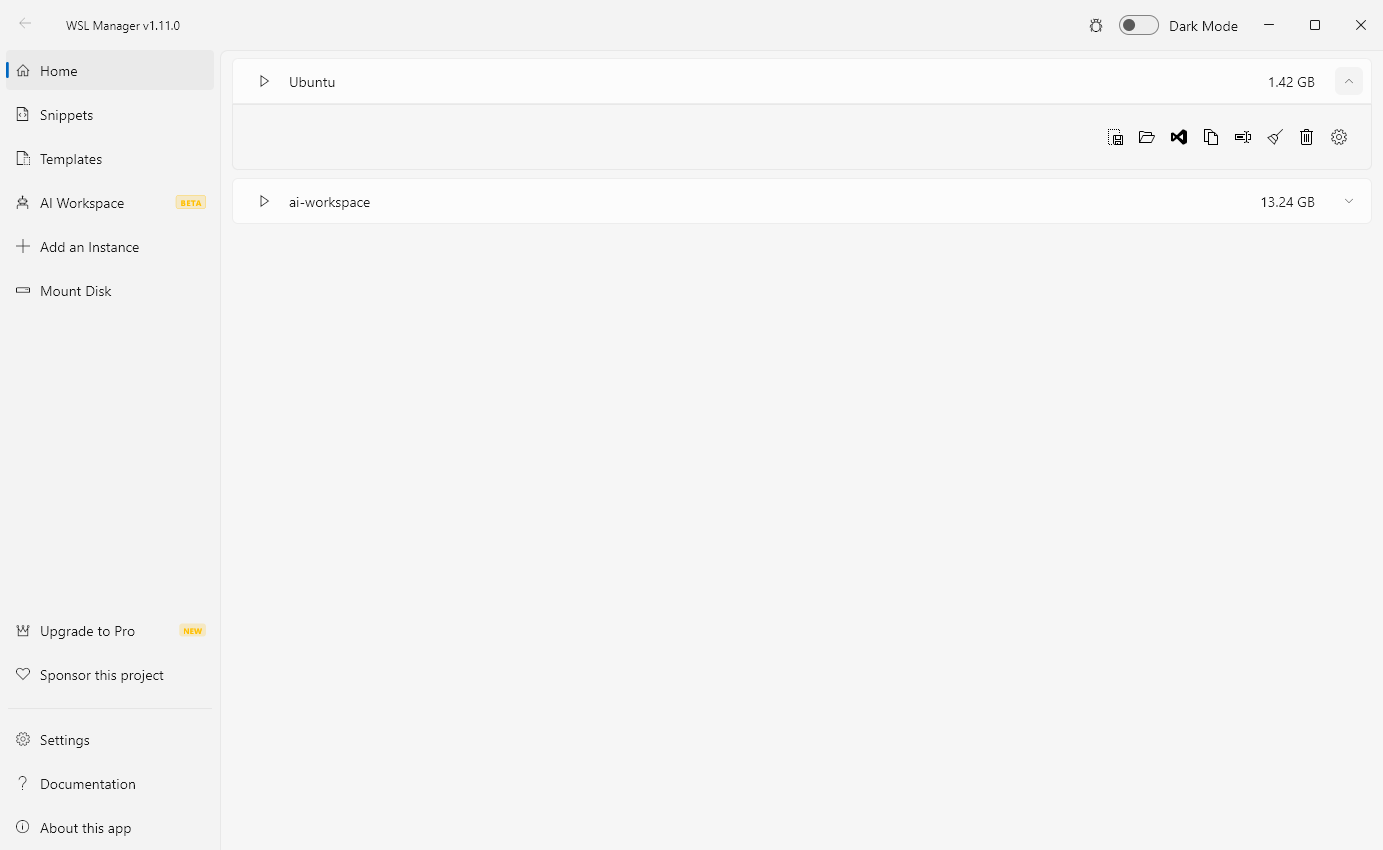
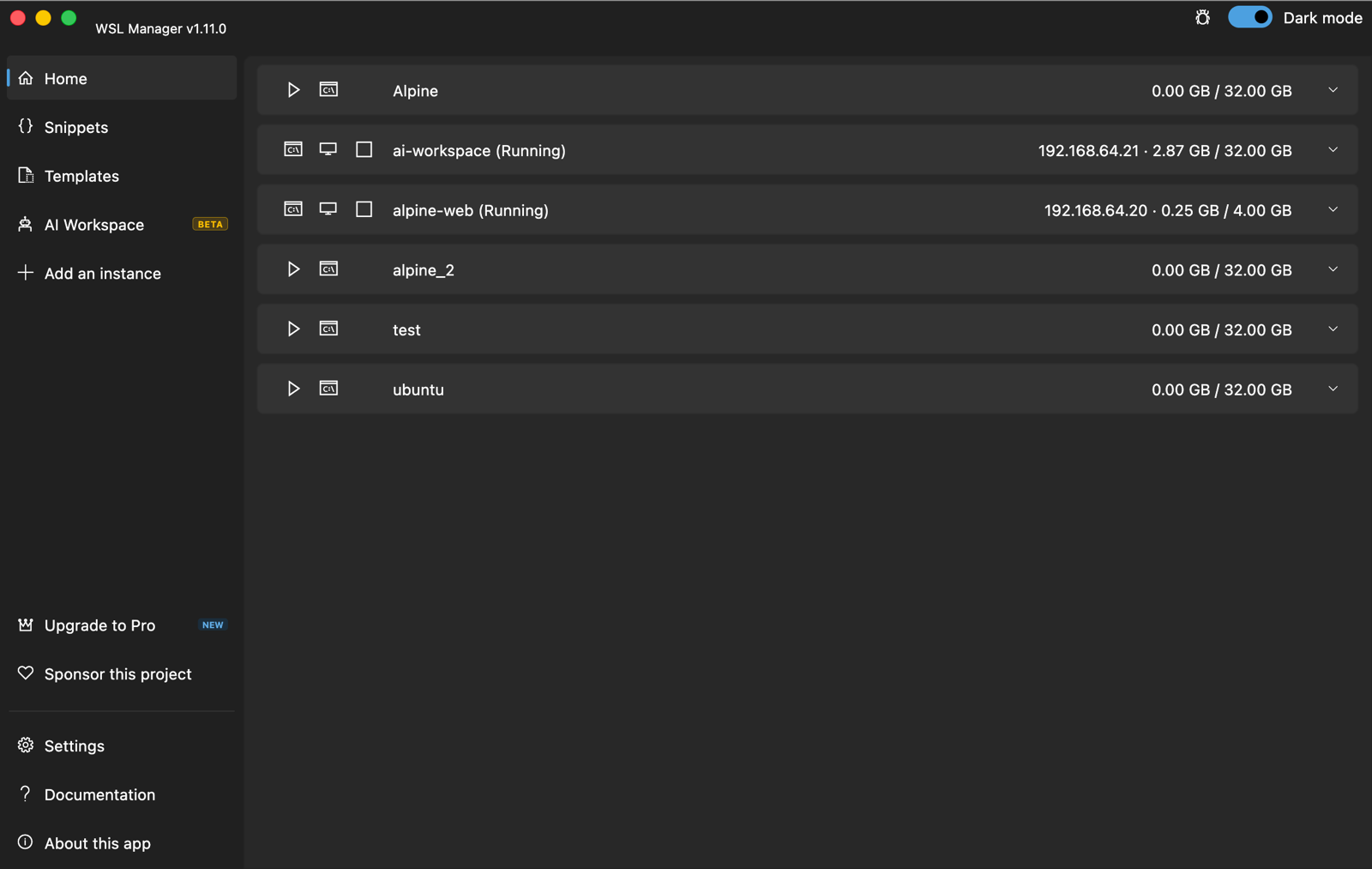
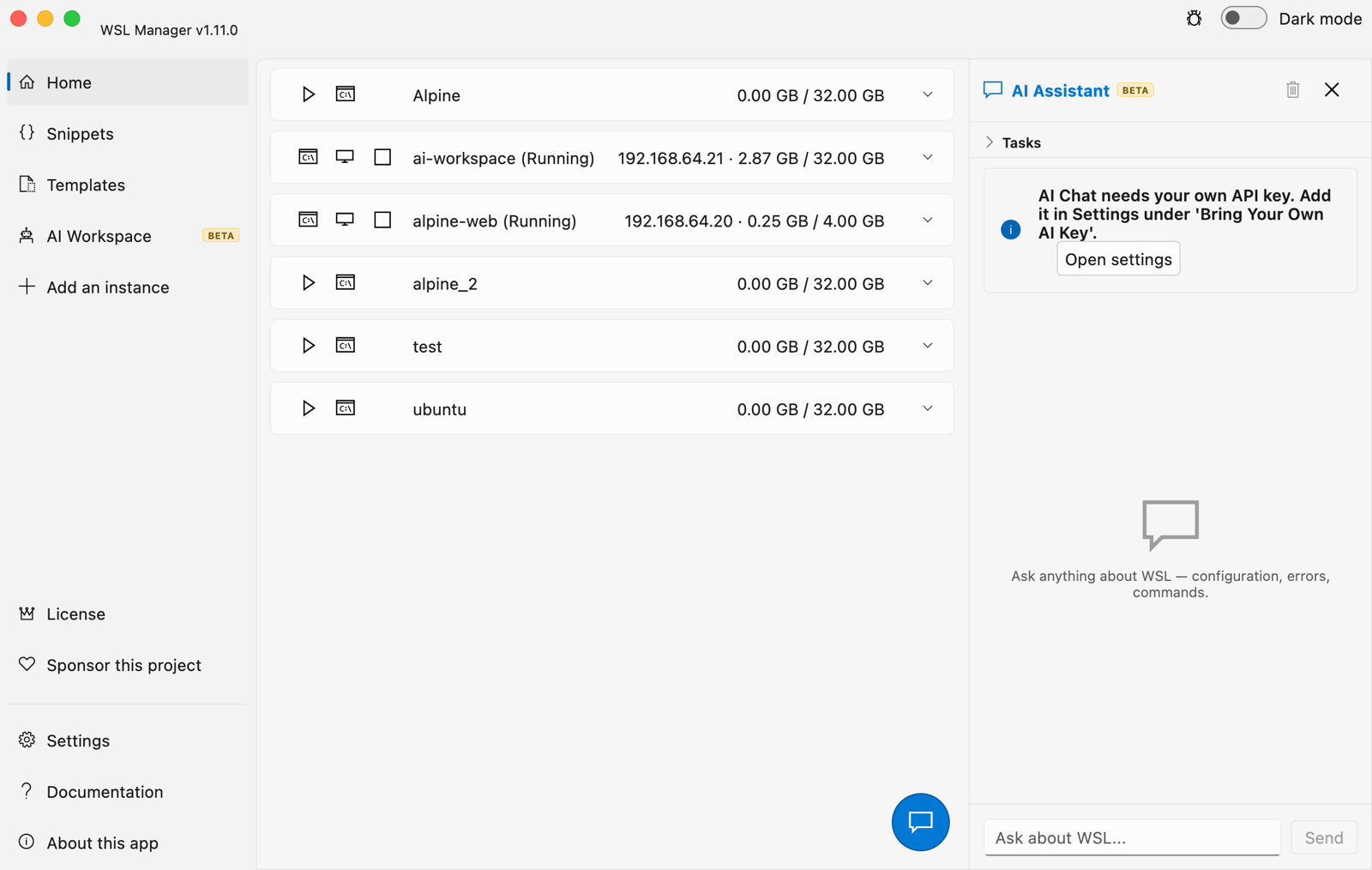
WSL Distro Manager is a free, open source GUI for the Windows Subsystem for Linux — and, on macOS, for native Linux VMs. Install, copy, rename, move, back up and delete WSL distros without memorising a single
wsl.exeflag — plus templates, saved command snippets, disk mounting,.wslconfigediting, remote WSL over SSH, and an MCP server that lets AI agents drive your WSL environment. On a Mac the very same app manages virtual machines through Apple's Virtualization framework instead.
Manage distros
Get instances running faster
.wsl file that installs on any machine (templates are deprecated in favour of these)Configure without editing files by hand
.wslconfigWork the way you already do
On macOS: native virtual machines (beta)
~/.ssh key is authorized in every Linux VM (and created if you have none), so plain ssh user@vm-ip works tooscripts/build_macos.sh — bundles the signed vmctl helperPro (one-time purchase: Microsoft Store on Windows, licence key from wslmanager.com/buy on macOS and for non-Store installs — never a subscription)
The AI features run on credentials you bring — your own OpenAI-compatible API key. No AI service is hosted or included, there is no quota, and no requests pass through anyone else's servers. Pro unlocks the features in the app; it does not buy AI credits. See Free vs Pro.
Why is there a paid tier at all? WSL Manager has been a one-person, spare-time project since 2021, and every feature above — the free ones included — was built in evenings and weekends. Managing your distros and VMs is free and stays free, and the whole app stays open source. Pro is the AI layer on top, and what it earns is what lets maintenance and new features become planned, regular work instead of whatever time is left over. Buy it once, keep it forever, and you are directly funding the next release.
🎁 Launch offer — the first 100 people get Pro for free. Open the checkout with the code
START100already applied and your licence key is on the next page: Windows · macOS. One licence per person; once the 100 are gone the code stops working.
Everything in this section is part of Pro; the free app has none of it.
The AI assistant is an agent, not just a chat box: it is given the same tool set the MCP server exposes, so when you ask "what distros do I have?" or "install Ubuntu and set my default user" it calls real tools against your WSL rather than guessing. Tool calls are shown inline as it works.
Set up the provider in Settings → Bring Your Own AI Key: any
OpenAI-compatible endpoint works (OpenAI, Azure, a LiteLLM proxy, Ollama, LM
Studio, …). Enter the base URL, key and model. The Load model list button
fills an autocomplete from the provider's /models, and Test connection
proves the credentials work before you open the chat.
Sandboxes (AI Workspace → Add sandbox distro) create a throwaway
instance from any catalog image (newest Ubuntu by default) — a WSL distro on
Windows, a Linux VM seeded from a cloud image on macOS, which is created and
booted for you. Its chat is handed only the sandbox_* tools, which are locked
to that one instance — the model can run anything inside the sandbox and can
never see your host or any other instance. One honest caveat: the sandbox
itself has normal outbound internet access, like any distro or VM. Sandbox chats use the same docked panel
as the assistant (task queue included), their transcripts persist, and the
history button in the chat header switches between the assistant and any
sandbox session.
Task queue — open the Tasks section at the top of the chat, add items, and press ▶. The assistant works through them with its tools and checks each off as it finishes; you can keep adding tasks while it runs.
Turn on Settings → MCP Server (Pro). It serves the MCP protocol at
http://127.0.0.1:59133/mcp, loopback-only, guarded by a bearer token shown in
the same panel. The tools cover the full lifecycle — create, import, configure,
run, package and (with a confirm flag) unregister distros, plus snippets, disk
mounting and persistent terminal sessions.
Claude Desktop — click Connect Claude Desktop in the MCP panel. It writes
the entry below into claude_desktop_config.json for you (needs Node.js);
restart Claude Desktop afterwards. To do it by hand, or for any other stdio MCP
client, bridge the HTTP endpoint with mcp-remote:
// claude_desktop_config.json  (%APPDATA%\Claude\)
{
  "mcpServers": {
    "wsl-manager": {
      "command": "npx",
      "args": [
        "-y", "mcp-remote",
        "http://127.0.0.1:59133/mcp",
        "--header", "Authorization:${AUTH_HEADER}"
      ],
      "env": { "AUTH_HEADER": "Bearer <TOKEN FROM THE MCP PANEL>" }
    }
  }
}
Claude Code — same bridge, one command:
claude mcp add wsl-manager -- npx -y mcp-remote http://127.0.0.1:59133/mcp \
  --header "Authorization: Bearer <TOKEN>"
opencode — add it under mcp in your opencode.json (or ~/.config/opencode/opencode.json):
{
  "mcp": {
    "wsl-manager": {
      "type": "local",
      "command": ["npx", "-y", "mcp-remote", "http://127.0.0.1:59133/mcp",
                  "--header", "Authorization: Bearer <TOKEN>"]
    }
  }
}
Any MCP client that speaks streamable HTTP can also point straight at the
endpoint with an Authorization: Bearer <TOKEN> header, skipping mcp-remote.
To reach it from another machine, enable the built-in Cloudflare tunnel
toggle in the same panel and use the public URL it prints.
Turn on Settings → Web Dashboard (Pro) and the app serves a browser
dashboard on port 59134 for every device on your network — Windows and macOS
alike. Scan the QR code the panel shows with your phone (or copy the link) and
you get the whole app in a browser: start, stop, duplicate and delete instances,
run commands, open persistent terminal sessions, run your saved snippets, and
drive every other tool (import, export, packaging, .wslconfig, disks, VM
creation) through generated forms. It is the same tool set the AI assistant
and the MCP server use.
Access is guarded by a token that is part of the link (?token=…), so a
scanned QR code is all a device needs — and regenerating the token in the
panel revokes every link handed out so far. The dashboard binds to all
interfaces on purpose; flip Publish via Cloudflare Tunnel in the same panel
to get a temporary public HTTPS link (the QR code switches to it) when you need
it away from home. Once published, the token is the only thing protecting a
surface that can run commands, so share that link with care.
This app is available on the Microsoft Store.
brew tap bostrot/tap
brew install --cask wsl-manager
Apple silicon, macOS 11 or newer. The cask lives in bostrot/homebrew-tap; brew upgrade --cask wsl-manager picks up new releases.
You can get this app with a direct download from the Releases page. Windows ships as a setup .exe, an .msix and a portable .zip; macOS as a .dmg.
winget install Bostrot.WSLManager
scoop install extras/wsl2-distro-manager
This package is maintained by the community (@mikeee). It is not an official package.
choco install wsl2-distro-manager
The latest nightly build is available as an artifact in the "releaser" workflow or via this link.
Make sure flutter is installed.
flutter config --enable-windows-desktop
flutter upgrade

flutter build windows # build it
flutter run -d windows # run it
VMs are created by vmctl, a small Swift helper that drives
Virtualization.framework — not by the Flutter app itself. The framework only
answers processes carrying the com.apple.security.virtualization entitlement,
and swift build does not add it, so the helper must be built and signed
before the app can start a VM:
flutter config --enable-macos-desktop

# Build + sign vmctl and install it for dev runs. Re-run after any change
# under macos/vmctl/ — `flutter run` never rebuilds the helper.
VMCTL_ONLY=1 scripts/build_macos.sh

flutter run -d macos
Skip that step and the app launches fine, but starting a VM fails with:
VM failed to start: Error Domain=VZErrorDomain Code=2 "The process doesn't
have the "com.apple.security.virtualization" entitlement."
That is the helper missing the entitlement, not the app — Runner's own
entitlements are already correct. The signed helper is installed to
~/Library/Application Support/WSLManager/bin/vmctl, which is where debug runs
look for it; without it they fall back to the unsigned swift build output
under macos/vmctl/.build/, which is what produces the error above.
scripts/build_macos.sh without VMCTL_ONLY does the same signing and then
builds the release app, bundling the signed helper into the bundle's
Contents/Resources/. Building the app itself needs full Xcode.
👤 Eric Trenkel
👥 Contributors
Contributions, issues and feature requests are welcome!
Feel free to check the issues page.
You can also take a look at the contributing guide.
Give a ⭐️ if this project helped you!
Copyright © 2026 Eric Trenkel.
This project is GPL-3.0 licensed.
Not found what you were looking for? Check out the Wiki
Sign in to join the discussion.
No comments yet. Be the first to say what this is good for.
🪨 why use many token when few token do trick — Claude Code skill that cuts 65% of tokens by talking like caveman

The best-benchmarked open-source AI memory system. And it's free.

Orca is the ADE for working with a fleet of parallel agents. Run any coding agent with your own subscription. Available on desktop, mobile and remote runtime.

A cross-platform desktop All-in-One assistant for Claude Code, Codex, OpenCode, OpenClaw, Grok Build & Hermes Agent. Only official website: ccswitch.io

Never stop coding. Free MIT AI gateway: one endpoint, 352 providers (150+ free), 1200+ models Kimi, Claude, GPT, Gemini, GLM, DeepSeek, MiniMax. Works with Claude Code, Codex, Cursor, OpenCode, Cline & Copilot. Quota-aware auto-fallback, RTK+Caveman compression saves 15-95% tokens, MCP/A2A, Desktop/PWA. Built by 550+ contributors

Compress tool outputs, logs, files, and RAG chunks before they reach the LLM. 20% fewer tokens for coding agents, 60-95% fewer tokens for JSON, same answers. Library, proxy, MCP server.