
obra/
superpowers

obra/superpowersSkills
An agentic skills framework & software development methodology that works.
285k
1 add
This repo packages official prompting and API skills for FLUX image and video generation. The skills teach an agent how to write better prompts, choose the right FLUX 3 mode, and handle BFL API requests, polling, and errors. You can install everything at once or pull in only the specialists you need.

Builders who want their agent to generate FLUX images and video with the right prompts and API steps.
You can get better FLUX results without rewriting prompting rules or API handling from scratch.
Teaches text-to-image and image-editing patterns, structured prompts, typography handling, hex colors, and multi-reference editing.
Covers request submission, async polling, rate limits, error recovery, webhooks, and Python and TypeScript clients.
Routes a general FLUX 3 request to the right specialist skill.
Returns a `READY`, `NEEDS INFO`, or `REVISE` verdict before you spend a generation.
Includes specialists for shot craft, keyframes and continuation, audio dialogue, archival looks, and product ads.
npx skills add black-forest-labs/skills
# FLUX 3 video: the router pulls in the right specialist per request
npx skills add black-forest-labs/skills --skill flux-3-video

# Image prompting for every FLUX model
npx skills add black-forest-labs/skills --skill flux-image-best-practices

# BFL API integration (polling, webhooks, error handling)
npx skills add black-forest-labs/skills --skill bfl-api
/plugin marketplace add black-forest-labs/skills
# Image skills
/plugin install flux-image-best-practices@black-forest-labs
# FLUX 3 video suite
/plugin install flux-3-video@black-forest-labs
Installation • What's inside • FLUX 3 reference • Image reference • Documentation • License
Each skill teaches your coding agent how to prompt a FLUX model well and drive the BFL API correctly, following the agentskills.io specification.
Every clip in the reel below came out of FLUX 3 in one request, sound and all: a night-market conversation in Thai, a honey macro, a paper boat in stop motion, sparklers on Super 8, rain in a noir alley.
Everything at once:
npx skills add black-forest-labs/skills
Or start with one skill and add specialists as you need them:
# FLUX 3 video: the router pulls in the right specialist per request
npx skills add black-forest-labs/skills --skill flux-3-video

# Image prompting for every FLUX model
npx skills add black-forest-labs/skills --skill flux-image-best-practices

# BFL API integration (polling, webhooks, error handling)
npx skills add black-forest-labs/skills --skill bfl-api
npx skills add black-forest-labs/skills --skill flux-3-prompt-doctor
npx skills add black-forest-labs/skills --skill flux-3-cinematic-inserts
npx skills add black-forest-labs/skills --skill flux-3-keyframes-continuation
npx skills add black-forest-labs/skills --skill flux-3-audio-dialogue
npx skills add black-forest-labs/skills --skill flux-3-generate
npx skills add black-forest-labs/skills --skill flux-3-archival-formats
npx skills add black-forest-labs/skills --skill flux-3-product-ads
/plugin marketplace add black-forest-labs/skills
# Image skills
/plugin install flux-image-best-practices@black-forest-labs
# FLUX 3 video suite
/plugin install flux-3-video@black-forest-labs
| Skill | What it teaches your agent |
|---|---|
flux-image-best-practices | Prompting for every FLUX model: T2I and I2I patterns, JSON structured prompts, hex colors, typography, multi-reference editing, model selection |
bfl-api | The BFL API end to end: endpoints, async polling, rate limits, error recovery, webhooks, Python and TypeScript clients |
flux-3-video (suite, below) | Video generation with native audio, from a single shot to a finished product ad |
Eight skills that hand off to each other. Install the router alone and it names the specialist a request needs; install only the specialists you use.
| Skill | Use it to |
|---|---|
flux-3-video | Route a general FLUX 3 request to the right specialist |
flux-3-prompt-doctor | Get a readiness verdict (READY / NEEDS INFO / REVISE) before spending a generation |
flux-3-cinematic-inserts | Write text-to-video prompts with real shot craft, from a field guide of proven concepts |
flux-3-keyframes-continuation | Build from your own images (i2v) or continue a clip (v2v) |
flux-3-audio-dialogue | Direct speech, voiceover, ambience, effects, and music |
flux-3-generate | Construct requests, poll, download, and validate the result |
flux-3-archival-formats | Give a shot a period look by naming the format: Super 8, VHS, 16mm, Hi8 |
flux-3-product-ads | Assemble a finished product ad: voiceover, action-to-word sync, QC gates |
Every request names its mode and carries the matching media field:
mode | Media field | What the model does |
|---|---|---|
t2v | none | Generates the clip from your text alone |
i2v | keyframes | Puts your images on screen, pixel-exact, as pinned frames |
v2v | start_video | Continues from the final frames of your clip |
draft_enhance | draft_cache | Replays a chosen draft at full quality |
A full render takes several minutes. Adding draft: true returns a fast, low-step preview plus a draft_cache, so you can settle concept and composition cheaply before paying for finish. draft_enhance then replays that cache at full quality with the same prompt and settings, so the final render is the shot you approved rather than a fresh attempt.
Judge a draft on event legibility, composition, and continuity. Softness and coarse texture are artifacts of low-step rendering and resolve at full quality.
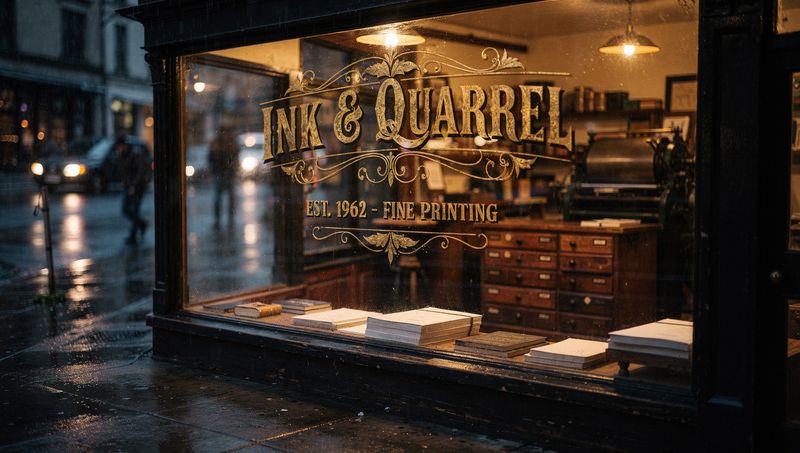
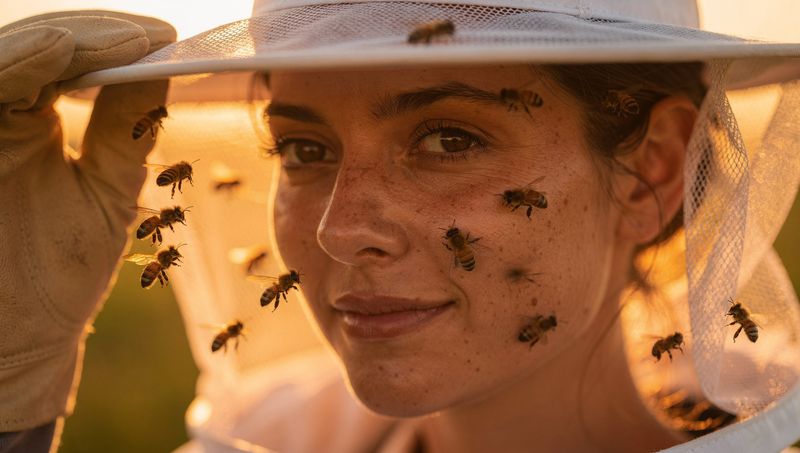
Four FLUX.2 [max] generations, one prompt each, no retries. Clockwise from top left: exact quoted typography, hex-specified colors (#2F5D50, #E8A13D, #F2EDE4), flat-vector illustration, photoreal macro detail.
 |  |
 |  |
| Model | Best for | Pricing |
|---|---|---|
| FLUX.2 [klein] | Fastest generation, real-time | from $0.014/image |
| FLUX.2 [pro] | Production balanced | from $0.03/MP |
| FLUX.2 [flex] | Typography/text | from $0.06/MP |
| FLUX.2 [max] | Highest quality, grounding search | from $0.07/MP |
| FLUX.2 [dev] | Local development | Free (non-commercial) |
All FLUX.2 models handle both text-to-image and image editing natively. FLUX.1 models are also available.
[Subject] + [Action] + [Style] + [Context] + [Lighting] + [Technical]
import requests
import time

API_KEY = "your-api-key"
BASE_URL = "https://api.bfl.ai"

# Submit request
response = requests.post(
    f"{BASE_URL}/v1/flux-2-pro",
    headers={"x-key": API_KEY},
    json={"prompt": "A serene mountain landscape"}
)
polling_url = response.json()["polling_url"]

# Poll for result
while True:
    result = requests.get(polling_url, headers={"x-key": API_KEY})
    data = result.json()
    if data["status"] == "Ready":
        print(f"Result: {data['result']}")  # Expires in 10 min
        break
    time.sleep(2)
MIT
Sign in to join the discussion.
No comments yet. Be the first to say what this is good for.
An agentic skills framework & software development methodology that works.

Turn any codebase, with its docs, SQL schemas, configs, and PDFs, into a queryable knowledge graph. A /graphify skill for Claude Code, Cursor, Codex, and Gemini CLI: local deterministic AST parsing, every edge explained, no vector store.

Topic in, narrated explainer video out. A Claude Code / Codex skill that turns any topic into a black-canvas motion-graphics explainer video with TTS voiceover, subtitles and a chapter progress bar. Chinese or English; every frame drawn in code with Remotion.
Public repository for Agent Skills
Open-source AI job search: scan job portals, evaluate listings into a structured A-H report with a global 1-5 score, tailor your CV, track applications — runs locally in your AI coding CLI (Claude Code, Codex, OpenCode, Antigravity…)

Production-grade engineering skills for AI coding agents.