



obra/
superpowers

obra/superpowersSkills
An agentic skills framework & software development methodology that works.
285k
1 add
StyleSeed packages 23 skills and a rule engine that compile design decisions into project-local instructions for agent-led UI work. It works by installing skills, then using project files, reference compilation, palettes, and evidence checks to guide and review the output.
Builders who want their coding agent to keep the same design judgment across screens and sessions.
You can get more consistent UI work with recorded decisions, reference-backed rules, and a score-then-fix review loop.
Installs a set of `ss-*` workflows plus the `styleseed` router for setup, studio, resolve, build, score, and verification.
Writes a local `STYLESEED.md` bundle so approved choices can persist across prompts and sessions.
Turns screenshots, URLs, Figma, or existing UI into an evidence-backed project grammar.
Selects a grammar and one of several brand recipes so the same product can be rendered with the right structure and surface style.
Derives OKLCH ramps, semantic roles, contrast evidence, and CSS tokens from a chosen key color.
Scores screens and tells the agent to revise outputs below the target before presentation.
Ships instructions for Claude Code, Codex, Cursor, and Gemini CLI through the repo’s agent-specific files and plugin manifests.
npx skills add bitjaru/styleseed
Claude Code: /ss-setup
Codex:       $ss-setup   # or open /skills and choose ss-setup
Refer to https://github.com/bitjaru/styleseed — read engine/CLAUDE.md
and engine/DESIGN-LANGUAGE.md, then build a SaaS dashboard.
Use skins/stripe/theme.css for the color palette.
cp engine/.cursorrules your-project/.cursorrules
StyleSeed turns recorded design decisions into project-local rules and implementation workflows. Support experts, not replace them with a collection of tastes. Open source, for Claude Code · Codex · Cursor.
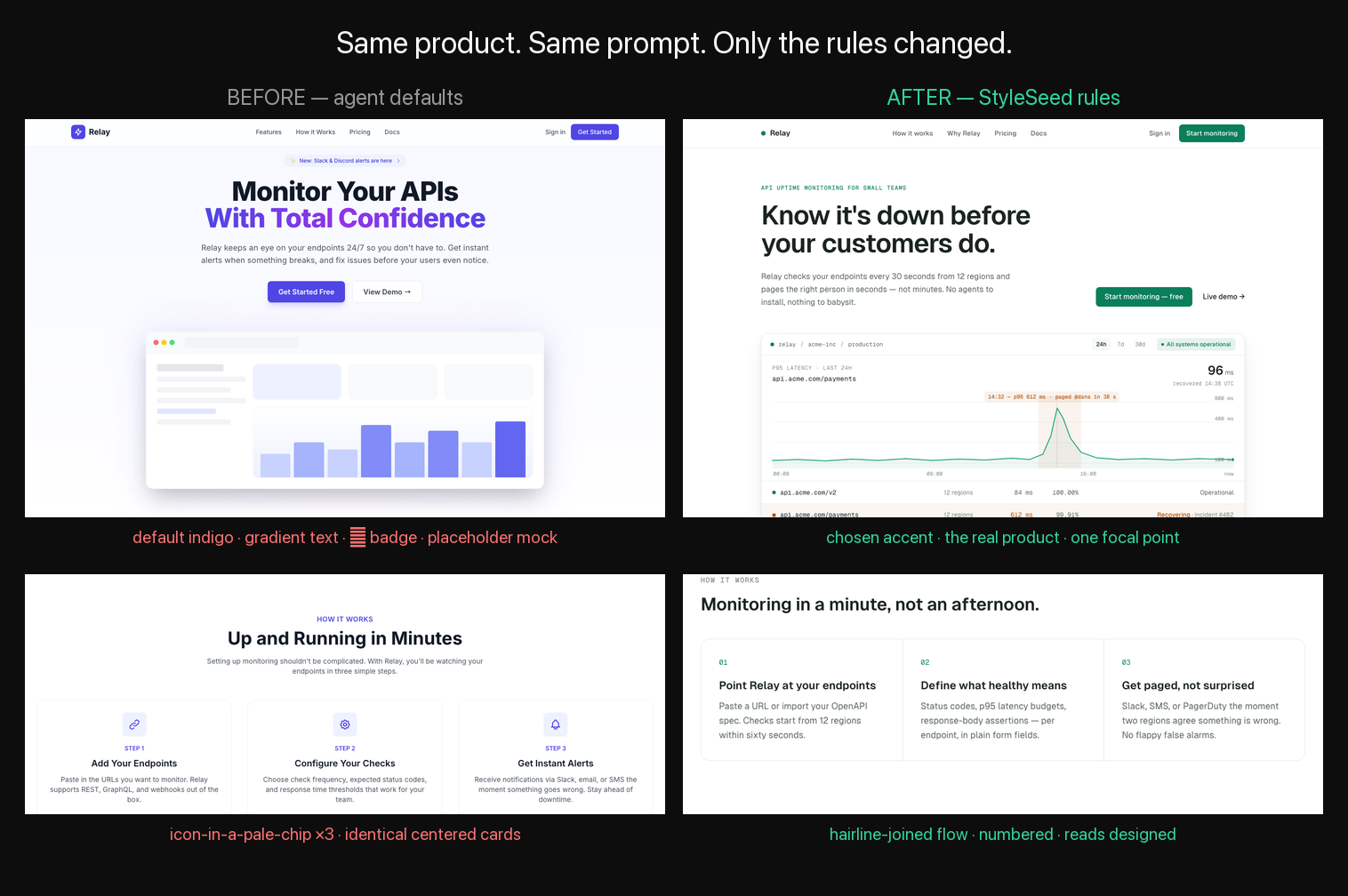
Same product. Same prompt. Only the rules changed.
Measured on 120 rendered benchmark cells: the enforced gate improved both Codex and Claude Code by +5.3 points. Raw rules alone were inconsistent (Codex +1.6, Claude Code −3.7), which is why StyleSeed ships a render → score → revise loop—not a prompt dump. Read BENCH-V1 and inspect the raw evidence →
Our goal is repeatable application of expert judgment, not a claim of expert-level output today. The engine compiles selected rules, preserves project choices, and supports code and rendered checks. A score does not replace human design acceptance. Product principles · Quality-first roadmap
1. Open your project in Claude Code, Codex, Cursor, or another coding agent.
2. Paste this message:
Install StyleSeed with `npx skills add bitjaru/styleseed`, then set it up for this project. Help the agent repeat our design decisions, not replace our design system. First inspect approved tokens, components, and project choices; report unsupported choices instead of silently remapping them. Ask what I am building and only the unresolved decisions you need. Choose a supported output grammar, brand recipe, and semantic palette—or derive a local grammar from my references. For creative exploration use `/ss-studio` in Claude Code or `$ss-studio` in Codex and pause for my selection. Otherwise resolve the approved direction with `/ss-resolve` or `$ss-resolve`, implement, score to at least 80, and inspect the rendered result. Report evidence and remaining human decisions; do not treat a score as my approval.
3. Approve the install, answer the short setup questions, and describe what you want to build. The invoked workflow handles the design lock, build, code gate, and visual check. Bring existing design decisions when you have them; review proposed choices when you do not.
| Agent | If you want to run it manually |
|---|---|
| Claude Code | /ss-studio for exploration, or /ss-setup → /ss-build for a decided screen |
| Codex | $ss-studio for exploration, or $ss-setup → $ss-build from /skills |
| Cursor and others | Paste the message above or use the installed skill picker |
Claude Code guide · Codex guide · See examples · Need help?
Use the three-minute verification path to test a clean public install before trusting the README. The source-level evaluator quickstart then connects that install to the published release manifest, Windows PowerShell evidence, CI, SBOM, benchmark boundary, and production build.
Want a first PR? Fix a doc, add a regression fixture, improve a skin, or claim a
good first issue. Small docs and test fixes need no proposal. See the 15-minute contribution path.
StyleSeed ships 74 craft rules and a 0–100 scored gate that tells an installed agent to revise screens below 80 before presentation. Checks must be interpreted through the selected grammar and project contract, not as universal taste. The workflow must actually be invoked; a markdown file alone cannot block delivery, and 80 points is not expert approval.
| Check | Why |
|---|---|
| Unselected default accent | require an intentional, recorded color role |
| Emoji as UI icons 🚗 🧺 ⭐ | inject random colors, render differently per OS |
| The icon-in-a-chip above every feature card | gen-1 AI tell — decoration pretending to be information |
| All-even grid of same-weight centered cards | the #1 machine-composed tell: no focal point |
| Accidental flat-black backgrounds | use the selected grammar's surface model; explicit supported exceptions differ |
| Type sizes outside the selected scale | prevent unintentional hierarchy drift |
| Hardcoded hex in components | tokens only — otherwise the lock can't hold across screens |
Banning the defaults isn't enough — agents converge on new uniforms once the old ones are blocked. That's why the rules come with an enforced score-then-fix loop, not a checklist. What happens after install ↓

One component. Three token skins. Same chat UI morphing across Toss · Raycast · Arc-inspired token sets. A skin changes color and type material; a StyleSeed brand recipe changes the actual geometry, containment, controls, collections, density, and motion.
Skins are inspired-by token sets, not recreations. Compare the nine structural recipes →


Expert decisions become repeatable instructions — not one universal aesthetic.
Judgment with implementation context — decisions, applicability, and evidence, not just palettes ·
Right grammar for the result — consumer service, operations, technical, editorial,
commerce, institutional, marketing, or sequential story ·
Real morphology choices — nine brand recipes change structure and component selection,
not just palette ·
Generative palette engine — any key color becomes OKLCH ramps, context-fit surfaces,
a scored companion, semantic roles, contrast evidence, CSS tokens, and media anchors; eight
recipes remain maintained product postures ·
Studio pipeline — three directions, human selection, interaction scenes, image/video jobs,
working prototype, and a prototype-first reel ·
References become rules — /ss-reference compiles screenshots, URLs, Figma, or an existing
UI into an evidence-backed project grammar ·
Only the context you need — /ss-resolve compiles the chosen method into a small,
hash-verifiable project bundle ·
Beyond web UI — adapters for product UI, social carousels, decks, documents, and graphics ·
Fights the AI tells — the default indigo, the icon-chip cliché, template layouts, rainbow lists ·
Auxiliary proof gates — code score + rendered pixel verification before you see it ·
Every agent — ships CLAUDE.md + AGENTS.md + .cursorrules ·
A design lock that stops drift ·
Free & MIT
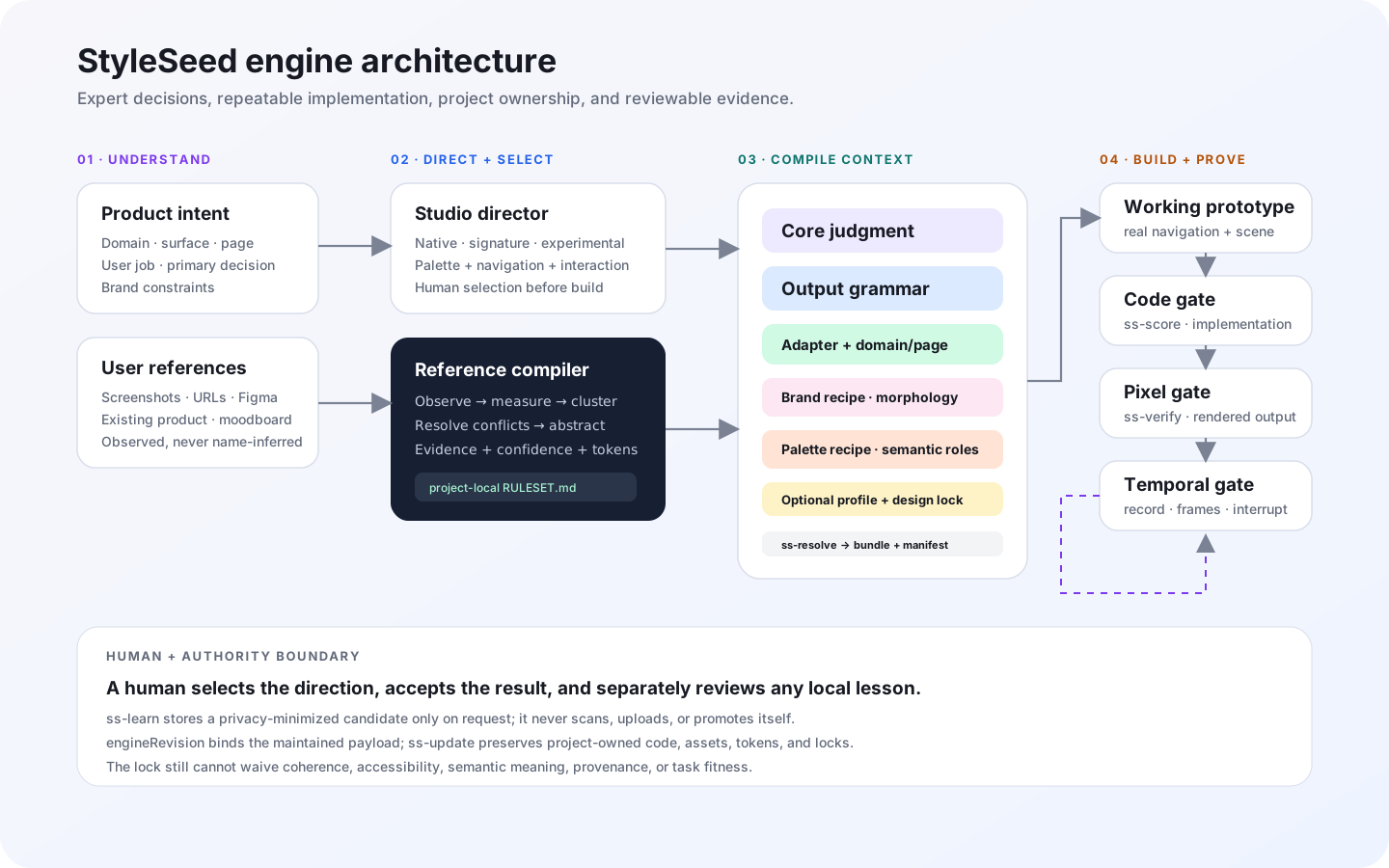
Core judgment × output grammar × surface adapter × domain/page × brand recipe × palette recipe × optional profile. Read the architecture →
Full pages: before · after · more before/afters →
🔥 We ran an early version of this page through our own gate. It scored 58/100 → here's the receipt
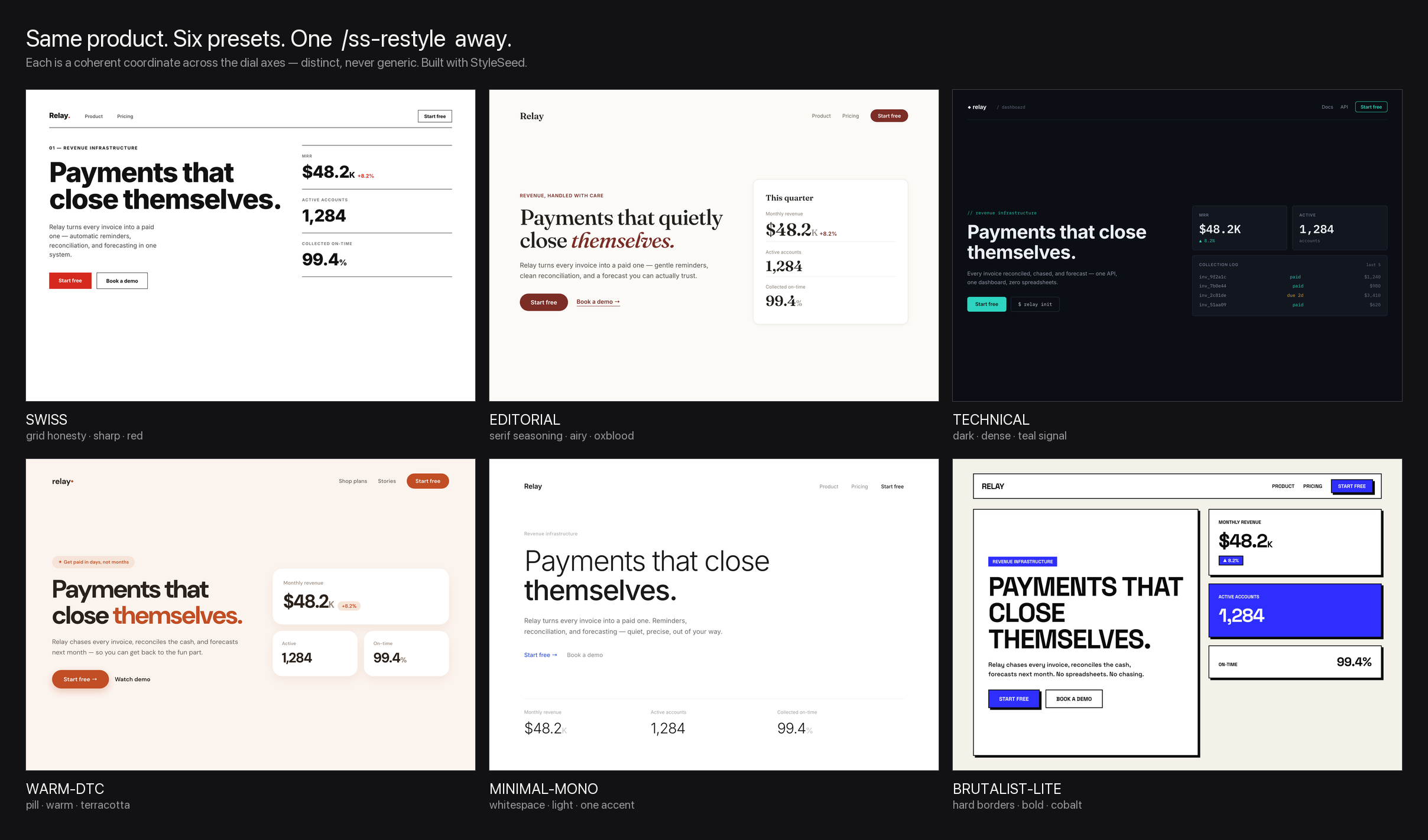
Same product, six looks — each one /ss-restyle <preset> away. Coherent, distinct, never generic.
Easy Start · Studio · Palettes · Claude Code UI guide · Codex UI guide · Brand recipes · Architecture · Engine + Recipes + Skins · Motion · Skills · Wiki · 한국어
Why the prompt installs first: the context compiler and quality gates can only run when the
skills are installed. Installing turns STYLESEED.md into a small source-hashed rule bundle,
then actually scores and fixes the result before you see it. Without installation,
llms.txt still tells any agent how StyleSeed is
structured and where its machine-readable catalog lives, but compilation and gates become a
weaker manual path. Works with Claude Code (CLAUDE.md), Codex / Amp / Gemini CLI
(AGENTS.md), and Cursor (.cursorrules) — StyleSeed ships all three. (Planning first is what
keeps the result from looking random — see Troubleshooting.)
What your agent actually does with StyleSeed loaded:
you    ▸  build me a billing settings page
agent  ▸  (plan mode) key color? for billing I'd go deep teal — #0F766E, mood: sharp · calm ·
          trustworthy (not the default indigo). Motion: Snap. ok?  ▸ y
agent  ▸  ✓ wrote STYLESEED.md — skin, accent, font, radius, motion locked for project-scoped visual work
agent  ▸  building… running the quality gate before I show you anything
gate   ▸  ✗ two accent colors   ✗ "normal" rows colored   ✗ no empty state   → fixing
agent  ▸  ✓ 88/100 — one accent, grey normal states, real empty/error states. here's the page.
The STYLESEED.md lock is the anti-drift mechanic. Your skin, key color, radius, and motion get written once. Installed project instructions and StyleSeed skills re-read it for visual work, so those decisions can survive new screens and sessions. When the build workflow runs, the Quality Gate reviews and fixes the UI (rainbow lists, two accents, missing states) before presentation — and it can retrofit an old generic build too.
The method stays open and portable. The sources are plain markdown; installation adds the deterministic context compiler, manifest, and executable gates. If installation is unavailable,
llms.txtgives any agent the portable routing contract, but it cannot provide the same reproducible local compile by itself.
Want the 23 core agent skills too (the styleseed router plus 22 ss-* workflows for Studio, context resolution, setup, build, review, score, and verification)?
npx skills add bitjaru/styleseed
Installs all 23 canonical core workflow skills into Claude Code, Codex, Cursor, Gemini CLI,
Amp and more. Then run
/ss-setup → /ss-resolve in Claude Code or $ss-setup → $ss-resolve in Codex (you can
also choose them from Codex's /skills picker). The resolver writes a targeted
.styleseed/effective-rules.md bundle plus a source-hash manifest, so the agent does not need
the 220KB full handbook for every task. Your agent may ask you to approve tools on first use.
No install possible? Read llms.txt for the
portable routing contract.
Your agent, its exact path:
| Your agent | Reads | Fastest install |
|---|---|---|
| Claude Code | CLAUDE.md + /ss-* skills | npx skills add bitjaru/styleseed |
| Cursor | .cursorrules | cp engine/.cursorrules .cursorrules — or paste the prompt above |
| Codex | AGENTS.md + $ss-* skills (.agents/skills) | npx skills add bitjaru/styleseed |
| Amp · Gemini CLI | AGENTS.md + skills | npx skills add bitjaru/styleseed |
| Windsurf · Copilot · any other | the paste-prompt above | no install — paste & go |
More paths (manual copy, Cursor, awesome-design-md brands) in Install by hand below.
There are lots of "help your AI design" projects now. Most solve a slice. StyleSeed is the one that targets the whole "looks AI-generated" problem — and enforces the fix.
| StyleSeed | Brand / DESIGN.md collections | "Make-it-prettier" skills | UI generators (Claude Design, v0…) | |
|---|---|---|---|---|
| Teaches design judgment (how designers think) | ✅ | ❌ data only | ⚠️ a few tips | ❌ |
| Fights the AI-look itself — default indigo, icon-chip cliché, template layouts, rainbow lists | ✅ | ❌ | ❌ | ❌ |
| Scored Quality Gate — reviews + fixes the UI before you see it | ✅ | ❌ | ❌ | ❌ |
| Anti-drift design lock — decisions persist across sessions | ✅ | ❌ | ❌ | ❌ |
| Works across every agent (Claude Code · Cursor · Codex · Amp · Gemini) | ✅ | ⚠️ | ⚠️ | ❌ one tool |
| Brand skins + named motion system | ✅ | ⚠️ colors only | ❌ | ⚠️ |
| Free & MIT | ✅ | ✅ | usually | freemium |
They're not all competitors — a DESIGN.md gives StyleSeed a skin; a generator gives it a first
draft. StyleSeed is the judgment + enforcement layer the others don't have.
The kind of specific, named calls a senior designer makes without thinking — written down so an AI applies them every time:
#2A2A2A, not #000 — a 5-step grayscale ramp, never pure blackinner = outer − padding — concentric corners, so a card and its inner button agreeSee all 74 rules → · the craft & coherence laws →
Tokens and components are necessary, but they do not explain every design decision. Agents also need to know when a pattern applies, why it fits the task, which choices are approved, and how to handle exceptions. Expert judgment and implementation material need to travel together.
StyleSeed's goal is to make that judgment repeatable while leaving intent, tradeoffs, and acceptance with people. The current engine is a starting point; component-context experiments and independent human evaluation are the next steps, not completed capabilities.
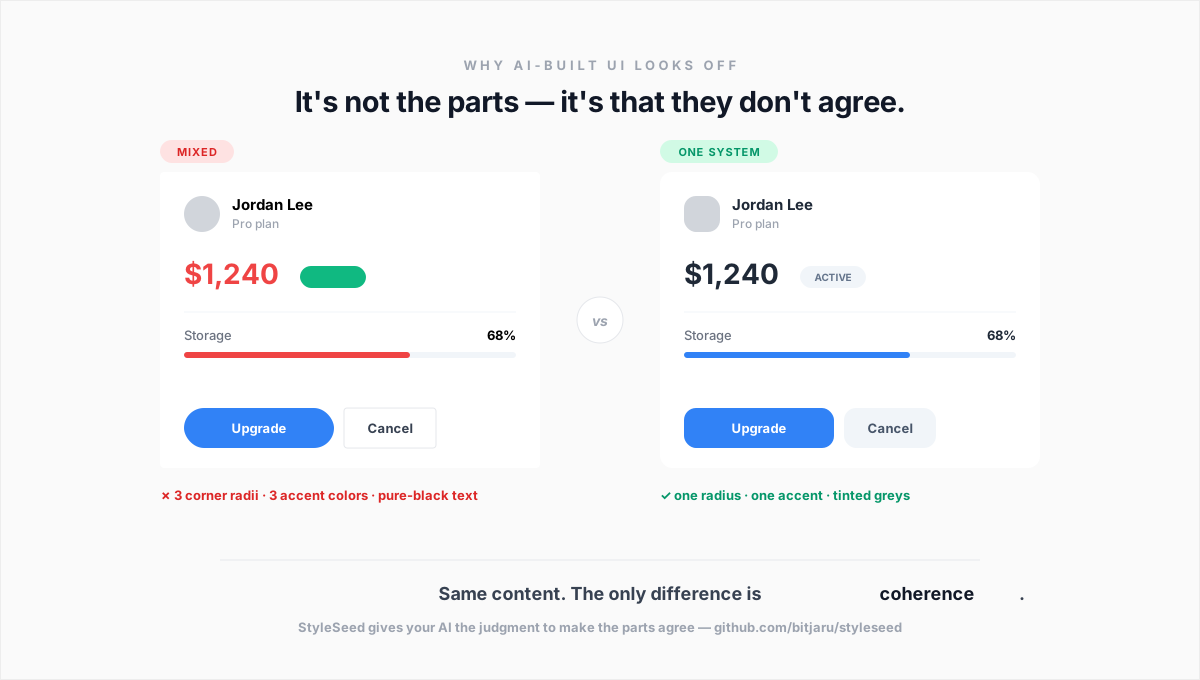
See the before/after → — the same dashboard brief, generated generically vs. with the 74 rules applied. Every fix annotated with the rule behind it.
StyleSeed is a design-method engine — 74 craft rules, 8 output grammars, 5 surface adapters, 48 components, a reference compiler, a named motion system, and 23 agent skills:
"Use the approved semantic roles rather than inventing component-local colors."
"Select grouping and density for the task, not for a favorite template."
"Preserve the project's type and surface system across screens."
"Loading, empty, error, and recovery states are part of the implementation."
"Record unsupported choices instead of silently changing the design system."
StyleSeed organizes maintained guidance by grammar, adapter, domain, and project choices, then compiles the selected context for the agent. Defaults are not universal expert decisions: unsupported project choices need an explicit review, not a silent palette or component swap.
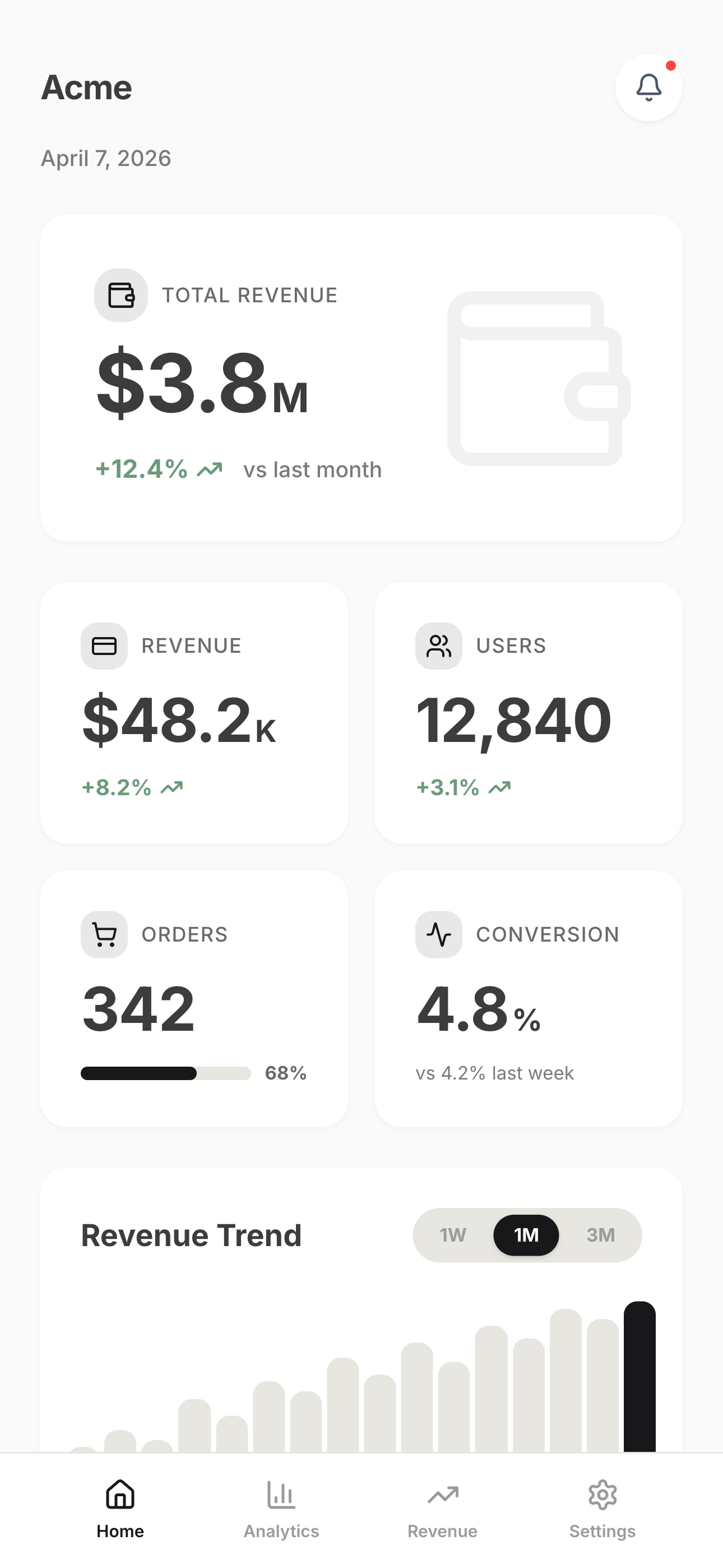
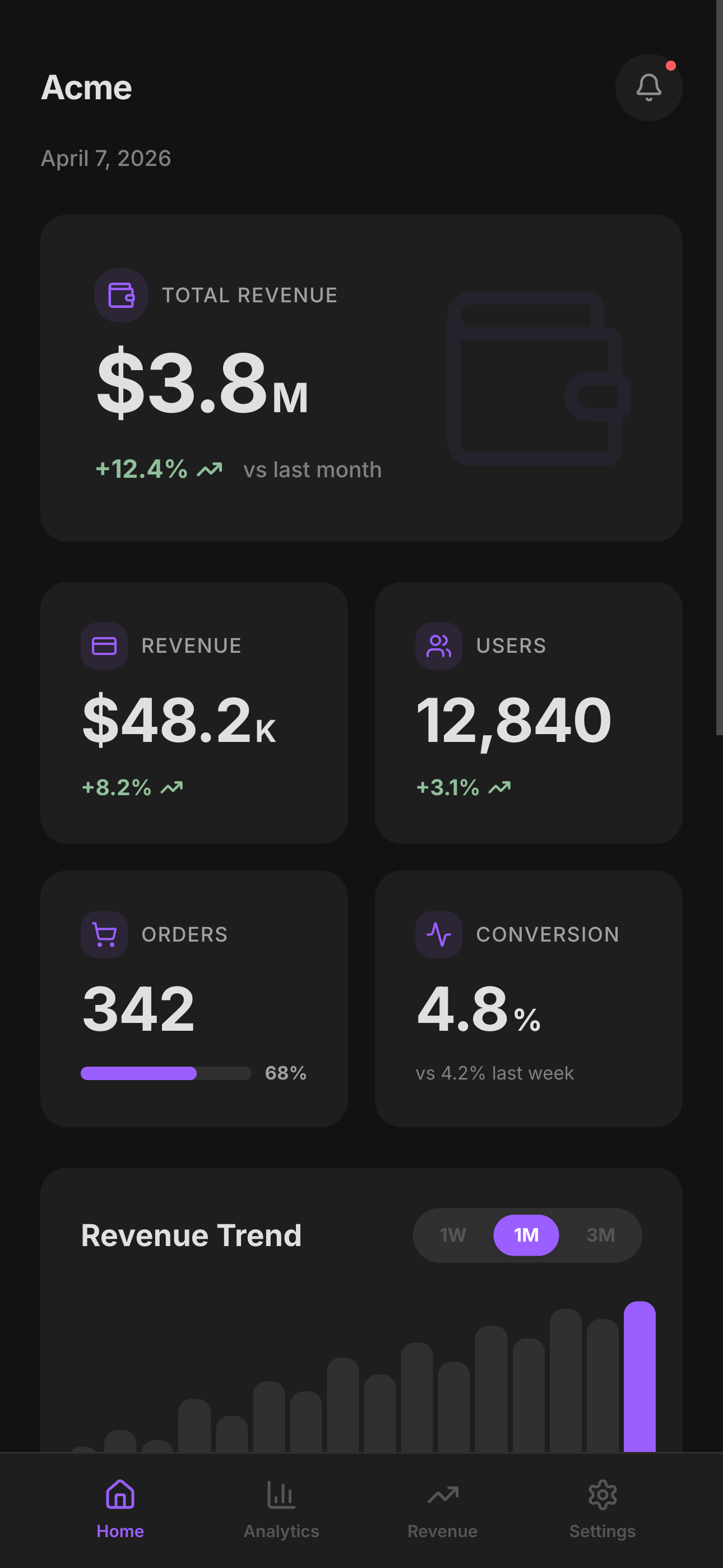
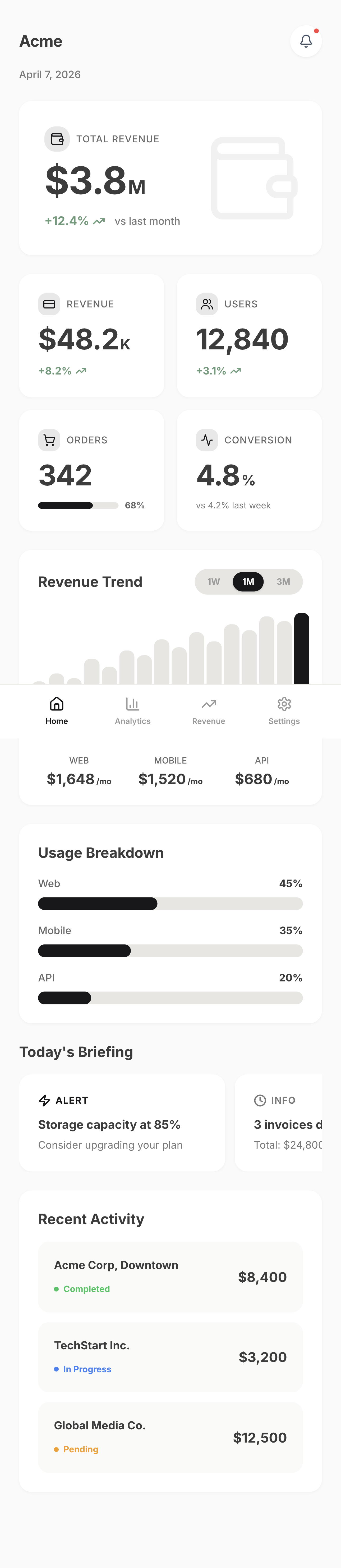
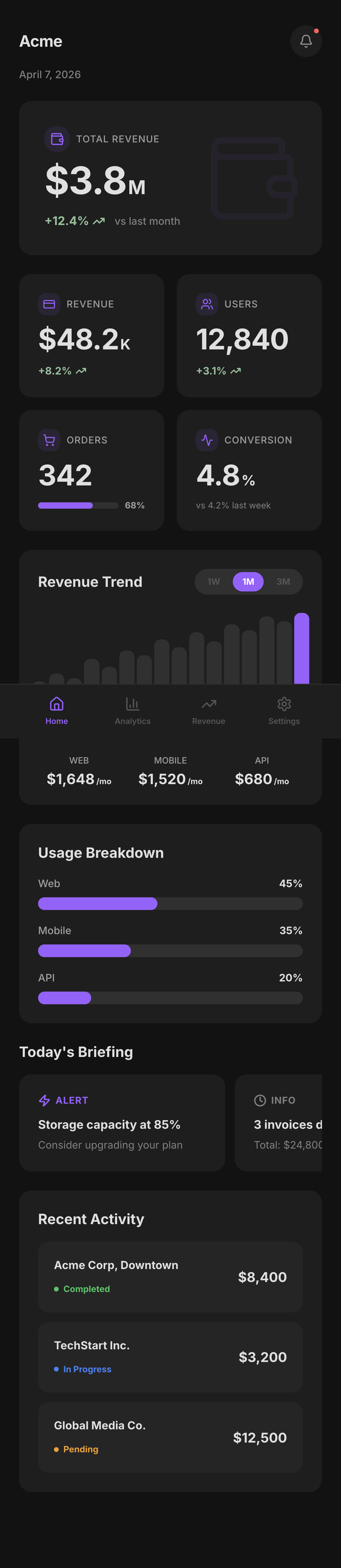
Claude Design generates UI fast — but it still picks #000 for text, reaches for six accent colors, and floats cards with no background separation. The missing piece isn't more templates. It's the 74 rules that tell the model when to use which pattern and why.
StyleSeed + Claude Design together:
Drop DESIGN-LANGUAGE.md into your Claude Design workflow and the same model produces noticeably more refined output — without changing a single prompt.
frontend-design skill?"Use both — they solve different halves of the problem. Anthropic's official frontend-design skill scaffolds a clean screen fast, and it's a great starting point. StyleSeed is the layer on top:
Official frontend-design | StyleSeed | |
|---|---|---|
| Gets you a coherent screen | ✅ | ✅ |
| Names & bans the generic-AI tells | — | ✅ by name (default indigo, icon-chip, rainbow lists…) |
| Scored gate that fixes before you see it | — | ✅ /ss-score loops to ≥80 |
| Locks decisions so they don't drift across prompts | — | ✅ STYLESEED.md |
| Presets + dials to move the whole look at once | — | ✅ /ss-restyle, /ss-dial |
Official gets you coherent. StyleSeed keeps you from looking templated. Run the official skill to scaffold, then let StyleSeed's gate refine and enforce.
The fastest path is at the top — paste one prompt, or run npx skills add bitjaru/styleseed. To wire StyleSeed into an existing project manually, use one of the options below.
New to this? Read top to bottom — every step matters. The most common mistake is expecting setup to work before the skill is installed. Claude Code scans
.claude/skills/; Codex scans.agents/skills/. Windows users can follow the copy-pasteable PowerShell verification path. Reviewers can run the end-to-end evaluator quickstart.
Step 1 — Install the skills. The portable path for every supported agent is:
npx skills add bitjaru/styleseed
For a manual project-local install, clone StyleSeed and copy the canonical skill folders into the path your agent scans:
git clone https://github.com/bitjaru/styleseed.git /tmp/styleseed

# Claude Code
mkdir -p .claude/skills
cp -r /tmp/styleseed/engine/.claude/skills/* .claude/skills/

# Codex (repository-scoped skills)
mkdir -p .agents/skills
cp -r /tmp/styleseed/engine/.claude/skills/* .agents/skills/
Step 2 — Start a fresh agent session, open your project, and invoke setup:
Claude Code: /ss-setup
Codex:       $ss-setup   # or open /skills and choose ss-setup
The wizard then walks you through:
Sign in to join the discussion.
No comments yet. Be the first to say what this is good for.
An agentic skills framework & software development methodology that works.

Turn any codebase, with its docs, SQL schemas, configs, and PDFs, into a queryable knowledge graph. A /graphify skill for Claude Code, Cursor, Codex, and Gemini CLI: local deterministic AST parsing, every edge explained, no vector store.

Topic in, narrated explainer video out. A Claude Code / Codex skill that turns any topic into a black-canvas motion-graphics explainer video with TTS voiceover, subtitles and a chapter progress bar. Chinese or English; every frame drawn in code with Remotion.
Public repository for Agent Skills
Open-source AI job search: scan job portals, evaluate listings into a structured A-H report with a global 1-5 score, tailor your CV, track applications — runs locally in your AI coding CLI (Claude Code, Codex, OpenCode, Antigravity…)

Production-grade engineering skills for AI coding agents.