
affaan-m/
ECC

affaan-m/ECCHarnesses
The agent harness performance optimization system. Skills, instincts, memory, security, and research-first development for Claude Code, Codex, Opencode, Cursor and beyond.
258k
Thrunt God adds a structured hunt workflow to agentic IDEs through commands, agent definitions, and hooks. It gives you a repeatable path from signal to validated findings, with artifacts saved as files in a planning directory.
Builders who run agentic IDEs for threat hunting, detection engineering, and incident analysis.
You can run a full hunt with shared commands, evidence, and validation instead of improvising each step.
Provides commands like `/hunt:new-case`, `/hunt:map-environment`, `/hunt:plan`, `/hunt:run`, `/hunt:validate-findings`, and `/hunt:publish`.
Structures each hunt into signal, hunt, swarm, receipt, and publish phases so work stays explicit.
Includes many agent files such as `thrunt-hunt-planner`, `thrunt-query-writer`, `thrunt-evidence-correlator`, and `thrunt-findings-validator`.
Uses hooks like `thrunt-context-monitor`, `thrunt-prompt-guard`, and `thrunt-workflow-guard` to check behavior around agent actions.
Stores mission, hypotheses, queries, receipts, findings, and environment notes under `.planning/` or a custom planning directory.
Works across Claude Code, Gemini, Codex, Copilot, Cursor, and Windsurf, with a VS Code extension alpha and MCP support.
npx thrunt-god@latest --claude --local
code --install-extension thrunt-god-0.3.0.vsix


From signal, to swarm.
No gods. Only Thrunt.
Threat hunting command system for agentic IDEs.
Claude Code · OpenCode · Gemini · Codex · Copilot · Cursor · Windsurf
/thrunt:autonomous | one command, full hunt
Install · Phases · Commands · Flows · Artifacts
npx thrunt-god@latest --claude --local
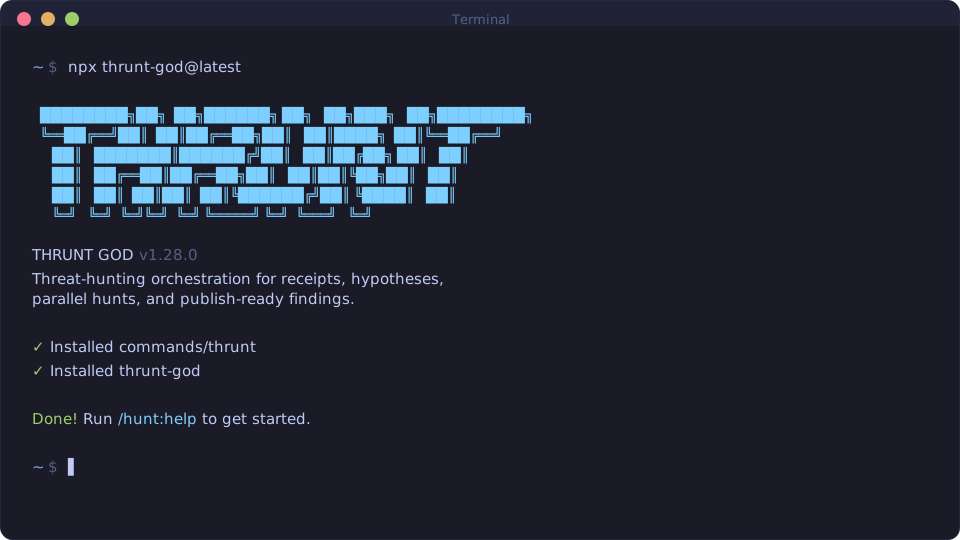
Bootstrap the hunt command surface into your local IDE environment.
| IDE | Command |
|---|---|
| Claude Code / Gemini | /hunt:help |
| OpenCode | /hunt-help |
| Codex | $hunt-help |
| Copilot | /hunt-help |
| Cursor / Windsurf | hunt-help |
Download thrunt-god-0.3.0.vsix from the v0.3.0 release.
Then install it one of two ways:
... menu, choose Install from VSIX..., and select the downloaded file.code --install-extension thrunt-god-0.3.0.vsix
After install, open a folder containing .planning/MISSION.md or .hunt/MISSION.md and the THRUNT sidebar will activate automatically.
Every hunt resolves through five phases. Each step is explicit.
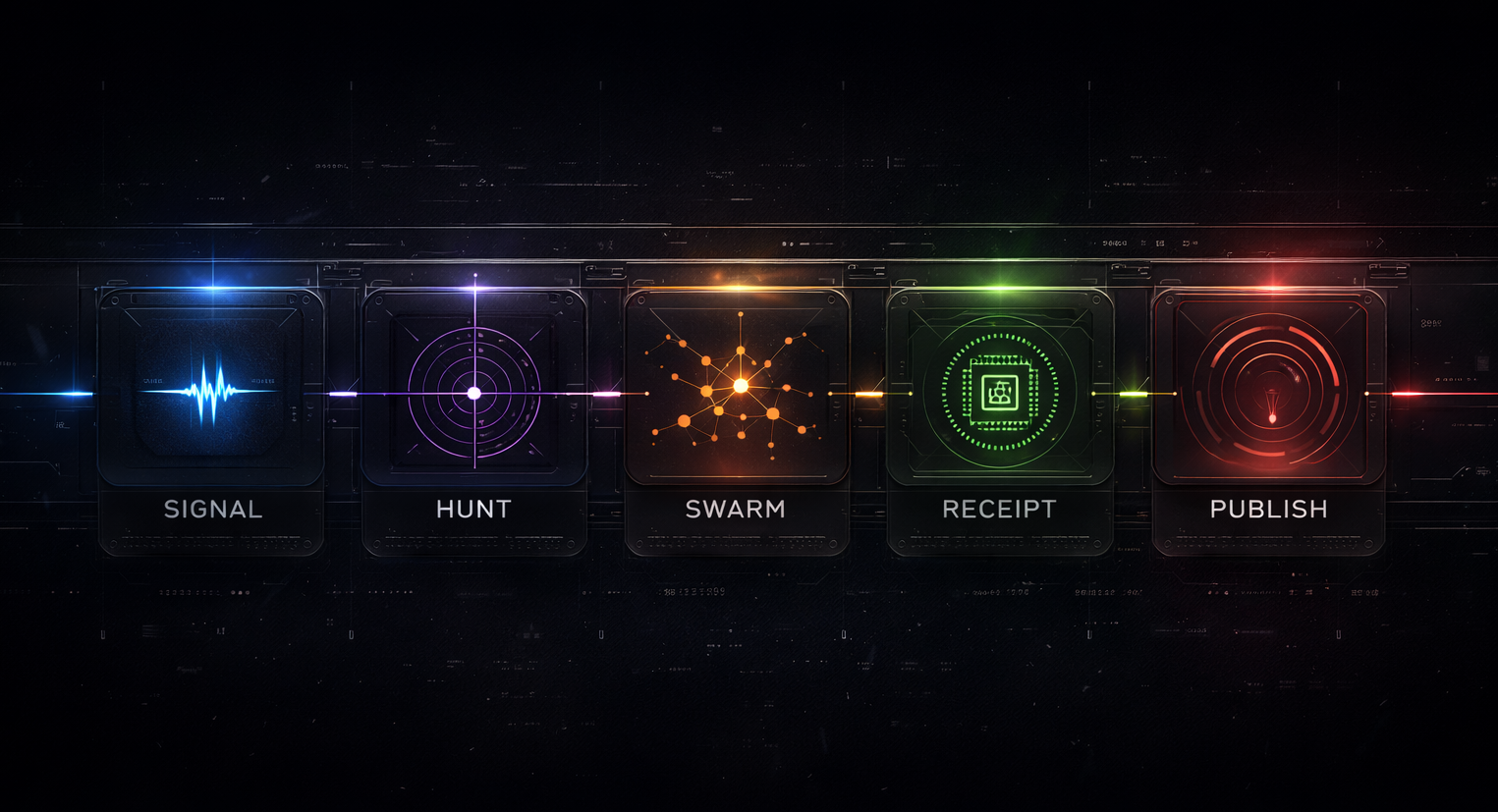
| Phase | |
|---|---|
| Signal | A detection, anomaly, lead, or intel input opens the case |
| Hunt | Hypotheses are formed, scoped, and made testable |
| Swarm | Parallel agents execute structured investigations across available sources |
| Receipt | Every claim is bound to exact queries, timestamps, and evidence lineage |
| Publish | Only validated findings are packaged for downstream consumers |
| Command | Purpose |
|---|---|
/hunt:new-program | Stand up a long-lived hunt program |
/hunt:new-case | Open a case from a signal |
/hunt:map-environment | Inventory data sources, access, and topology |
/hunt:shape-hypothesis | Develop and refine testable hypotheses |
/hunt:plan <phase> | Plan a hunt phase |
/hunt:run <phase> | Execute a hunt phase |
/hunt:validate-findings [phase] | Validate evidence chain for findings |
/hunt:publish [target] | Package and ship findings |
/hunt:help | Show all commands and usage |
Utility and orchestration commands (/thrunt:*) for workspace management, diagnostics, settings, and agent control.
Single signal |
Long-lived program |
Pack-seeded signal |
AutonomousRuns all remaining phases end-to-end: discuss, plan, execute. Pauses only for operator decisions. |
All hunt state lives in a planning directory at the project root (.planning/ by default). Every query, receipt, and finding is a file, not a summary.
.planning/
├── config.json             # Project settings (mode, profile, connectors, workflow toggles)
├── MISSION.md              # Hunt program mission and scope
├── HYPOTHESES.md           # Testable hypotheses with status tracking
├── SUCCESS_CRITERIA.md     # Definition of done for the program
├── HUNTMAP.md              # Phase breakdown and execution roadmap
├── STATE.md                # Current phase, progress, blockers
├── FINDINGS.md             # Validated findings only
├── EVIDENCE_REVIEW.md      # Evidence chain audit
├── QUERIES/                # Exact queries run, with timestamps
├── RECEIPTS/               # Execution receipts per phase task
├── DETECTIONS/             # Detection rules promoted from findings
├── environment/
│   └── ENVIRONMENT.md      # Data source inventory and access map
├── phases/                 # Per-phase plans, research, and results
├── workstreams/            # Parallel hunt cases (optional)
├── milestones/             # Archived completed milestones
└── published/              # Final deliverables
Settings live in .planning/config.json, created by /hunt:new-program and editable via /thrunt:settings. Global defaults in ~/.thrunt/defaults.json are merged into every new project config.
| Setting | Default | What it controls |
|---|---|---|
mode | interactive | interactive confirms at each step, yolo auto-approves |
granularity | standard | Phase count: coarse (3-5), standard (5-8), fine (8-12) |
model_profile | balanced | Model tier per agent: quality, balanced, budget, inherit |
planning.commit_docs | true | Whether .planning/ is committed to git |
git.branching_strategy | none | none, phase (branch per phase), milestone (branch per version) |
Full schema and connector profiles: docs/CONFIGURATION.md
Set THRUNT_PLANNING_DIR to change the directory name. This affects all path resolution, project root detection, and artifact storage.
export THRUNT_PLANNING_DIR=".hunt"
By default, .planning/ is committed to git so hunt artifacts travel with the repo. To keep artifacts local:
.planning/ to .gitignoreplanning.commit_docs: false and planning.search_gitignored: true in configgit rm -r --cached .planning/Workstreams (/thrunt:new-workspace) create isolated artifact trees under .planning/workstreams/{name}/ for parallel hunts in the same project.
Bootstrap fills confirmed fields immediately. TBD only marks live environment or operator-supplied facts that are still unknown.
Sign in to join the discussion.
No comments yet. Be the first to say what this is good for.
The agent harness performance optimization system. Skills, instincts, memory, security, and research-first development for Claude Code, Codex, Opencode, Cursor and beyond.
The job search that runs on your machine. AI job application framework built on Claude Code: evaluate postings, tailor CVs, write cover letters, prep interviews. Fork it and own it.
from vibe coding to agentic engineering - practice makes claude perfect
🌊 The original agent meta-harness. Deploy intelligent multi-player swarms, coordinate autonomous workflows, and build conversational AI systems. Features adaptive memory, self-learning intelligence, RAG integration, and native Claude Code / Codex / Hermes and many more Integrated
Practical patterns, starters & CLI tools for loop engineering with AI coding agents. Design systems that prompt and orchestrate agents (inspired by Addy Osmani and Boris Cherny). Includes loop-audit, loop-init, loop-cost.

Git. Ship. Done - Core