

JuliusBrussee/
caveman

🪨 why use many token when few token do trick — Claude Code skill that cuts 65% of tokens by talking like caveman
105k
1 add
Clave is a local macOS app for managing several coding-agent sessions side by side. It can launch Claude Code, Codex CLI, Antigravity CLI, Pi, and plain terminals, then arrange them in split or grid layouts and let you move between them quickly.
Builders who run Claude Code, Codex, or other coding CLIs and want a single place to manage many sessions.
You can keep parallel agent sessions organized, resume work faster, and use built-in git and remote-host tools without leaving the app.
Open unlimited Claude Code, Codex, Antigravity, and Pi sessions in separate PTYs, plus plain terminals.
Arrange sessions in split or grid views and switch between them instantly.
View diffs and commit history, then pull, stage, write a commit message, commit, and push in one flow.
Attach Markdown, HTML, or email drafts to a session and edit them in a focused two-pane view.
Browse and edit files with syntax highlighting on your machine or over SSH/SFTP.
Connect to a host over SSH and run the same agent UI and shortcuts there.
Generate `.clave` workspace files and recover lost Claude Code sessions with the bundled plugin skills.
npx plugins add codika-io/clave
/plugin marketplace add codika-io/clave
/plugin install clave@clave
npx plugins add codika-io/clave # re-run to pull latest
git clone https://github.com/codika-io/clave.git
cd clave
npm install
npm run dev          # development with hot reload
npm run build:mac    # build macOS .dmg (requires signing credentials)
security: SecKeychainUnlock: The user name or passphrase you entered is not correct.
security import <cert.p12> -k <keychain> -P <certificate password>       # -P: correct
security set-key-partition-list ... -k <certificate password> <keychain> # -k: see below


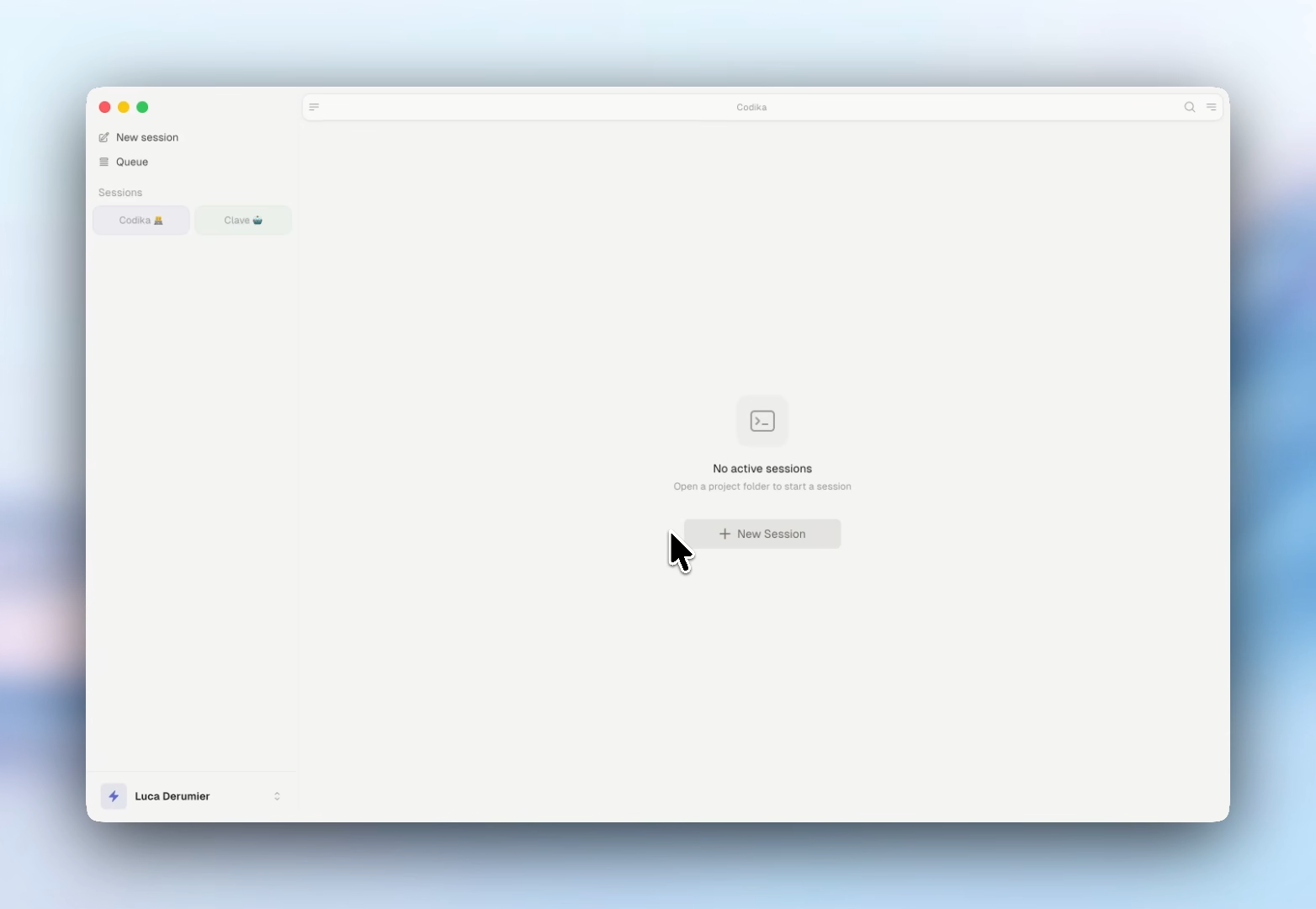
Clave is a macOS desktop app for managing multiple coding-agent sessions in parallel.
Provider-agnostic: run Claude Code, Antigravity CLI, Codex CLI, and Pi sessions side by side. Open as many as you need, arrange them in split or grid layouts, and switch between them instantly.
Download the latest version (macOS Universal — Apple Silicon & Intel) · All releases
Download the .dmg, drag to Applications, done.
Auto-updates are built in — once installed, new versions download silently in the background.
Quit Clave and drag it from /Applications to the Trash. To also remove local settings and cached session data, delete ~/Library/Application Support/clave.
Clave ships a companion agent plugin, in plugin/ in this repo, that lets any Claude Code, Cursor, or other Open-Plugin-compatible coding agent generate .clave workspace files for you. It lives here rather than in a repo of its own so the skill and the .clave format it describes always ship together.
Install (any Open-Plugin-compatible host — auto-detects Claude Code, Cursor, …):
npx plugins add codika-io/clave
Claude Code native alternative:
/plugin marketplace add codika-io/clave
/plugin install clave@clave
Both paths install the same two skills: /clave:create-workspace and /clave:recover-sessions.
Usage: ask your agent something like "create a clave workspace for this repo with 3 sessions". It writes a valid .clave file to your chosen path; open it in Clave. Or, after a crash, "recover the sessions I lost" — it rebuilds your groups from the transcripts Claude Code already stores on disk.
Updating:
npx plugins add codika-io/clave # re-run to pull latest
(Or /plugin update clave@clave in Claude Code native.)
Uninstalling: /plugin uninstall clave@clave in Claude Code, or the equivalent in your host.
Previously distributed as
codika-io/clave-pluginand installed asclave@clave-plugin. That repo is archived; if you installed from it, uninstall and re-run the command above.
Clave is local-first. It has no account or sign-in. Your sessions, history, and settings stay on your machine. The only thing it sends home is one anonymous ping a day, so we can count how many people actually use Clave:
POST https://ping.clave.work/api/ping
{ "id": "<random uuid>", "appVersion": "1.52.0", "platform": "darwin-arm64" }
That is the entire payload — three fields, nothing else, ever. The id is a random UUID generated on your machine; it carries no email, no username, and no hardware fingerprint, and the server stores only a keyed hash of it, never the raw ID. You can turn the ping off in Settings → General → Privacy (the first launch shows a notice with a one-click "Turn off"). The whole client is ~100 lines you can read at src/main/telemetry.ts — it fails silently, never retries within a check, and can never affect app behavior.
The only other network requests Clave makes are:
POST to ping.clave.work described above (optional, toggle in Settings).A "Dangerous Mode" session (Cmd+D) launches Claude Code with
--dangerously-skip-permissions. It is never the default and is clearly labelled in the UI.
git clone https://github.com/codika-io/clave.git
cd clave
npm install
npm run dev          # development with hot reload
npm run build:mac    # build macOS .dmg (requires signing credentials)
scripts/release.sh imports the signing certificate into a keychain of its own
and hands it to electron-builder through CSC_KEYCHAIN, instead of letting
electron-builder create one from CSC_LINK. If you are wiring up your own
pipeline and wondering why, or you hit this error:
security: SecKeychainUnlock: The user name or passphrase you entered is not correct.
That message points at the wrong thing. It is not your CSC_KEY_PASSWORD
secret, and rotating credentials will not help.
electron-builder's importCerts() runs two commands per certificate:
security import <cert.p12> -k <keychain> -P <certificate password>       # -P: correct
security set-key-partition-list ... -k <certificate password> <keychain> # -k: see below
On the second command, -k is the password that unlocks the keychain — but
the certificate's password is passed. Since electron-builder generates a random
keychain password, the two never match. We could not reproduce a green run of
that command locally with mismatched passwords, yet it clearly worked in our CI
for a long time before it stopped, and we have not established what changed. Our
last successful and first failing builds differ only in the GitHub runner image
(macos-26-arm64 20260728.0273 → 20260831.0337) — same code, same
electron-builder 26.7.0, same credentials — so something in the environment is
the trigger, but we cannot say what, and the original build logs have since
expired.
What we did verify, and what the workaround rests on:
security set-key-partition-list -k validates its argument against the
keychain, and rejects the certificate password unless it happens to be the
keychain's password.awaited unguarded, so a failure fails the build.macPackager uses CSC_KEYCHAIN as given when CSC_LINK is unset, which is the
seam release.sh uses: it creates the keychain, imports the certificate,
unlocks it, sets the partition list with the keychain's own password, and runs
the build with CSC_LINK/CSC_KEY_PASSWORD unset so the upstream path is never
entered. Notarization is unaffected — it reads APPLE_ID,
APPLE_APP_SPECIFIC_PASSWORD and APPLE_TEAM_ID only. An EXIT trap restores
the keychain search list and deletes the keychain.
Electron · React 19 · TypeScript · xterm.js · node-pty · Zustand · Tailwind CSS v4 · Framer Motion · shiki · simple-git · ssh2
See CONTRIBUTING.md for guidelines on reporting bugs, suggesting features, and submitting pull requests.
Sign in to join the discussion.
No comments yet. Be the first to say what this is good for.
🪨 why use many token when few token do trick — Claude Code skill that cuts 65% of tokens by talking like caveman

The best-benchmarked open-source AI memory system. And it's free.

Orca is the ADE for working with a fleet of parallel agents. Run any coding agent with your own subscription. Available on desktop, mobile and remote runtime.

A cross-platform desktop All-in-One assistant for Claude Code, Codex, OpenCode, OpenClaw, Grok Build & Hermes Agent. Only official website: ccswitch.io

Never stop coding. Free MIT AI gateway: one endpoint, 352 providers (150+ free), 1200+ models Kimi, Claude, GPT, Gemini, GLM, DeepSeek, MiniMax. Works with Claude Code, Codex, Cursor, OpenCode, Cline & Copilot. Quota-aware auto-fallback, RTK+Caveman compression saves 15-95% tokens, MCP/A2A, Desktop/PWA. Built by 550+ contributors

Compress tool outputs, logs, files, and RAG chunks before they reach the LLM. 20% fewer tokens for coding agents, 60-95% fewer tokens for JSON, same answers. Library, proxy, MCP server.