
obra/
superpowers

obra/superpowersSkills
An agentic skills framework & software development methodology that works.
285k
1 add
Agent Canvas gives your agent commands for drawing shapes, flowcharts, architecture diagrams, and UI mockups in Excalidraw. The agent sends CLI commands to a local server, and the browser canvas updates in real time so you can refine the drawing by conversation or by hand.
Builders who want their agent to create and revise diagrams in Excalidraw instead of writing JSON by hand.
You can turn codebase context or a plain prompt into editable diagrams, then keep refining them with your agent.
The skill is meant for Claude Code, Codex, Cursor, and other agents that can use skills and bash.
The agent can read the codebase and use that context to draw architecture and flow diagrams.
Commands like `agent-canvas add-shape -t rectangle -x 100 -y 100 -l "Hello"` create shapes without generating large Excalidraw JSON.
`agent-canvas start` opens a local canvas and updates it live over WebSocket as commands run.
The agent can export and read the canvas, and you can edit the diagram directly in Excalidraw and continue working.
You can switch between several diagrams from the sidebar or through CLI commands.
Custom drawing tutorials can be added in `references/` to teach domain-specific diagram styles.
npx skills add WHQ25/agent-canvas --skill agent-canvas
npm install -g @agent-canvas/cli
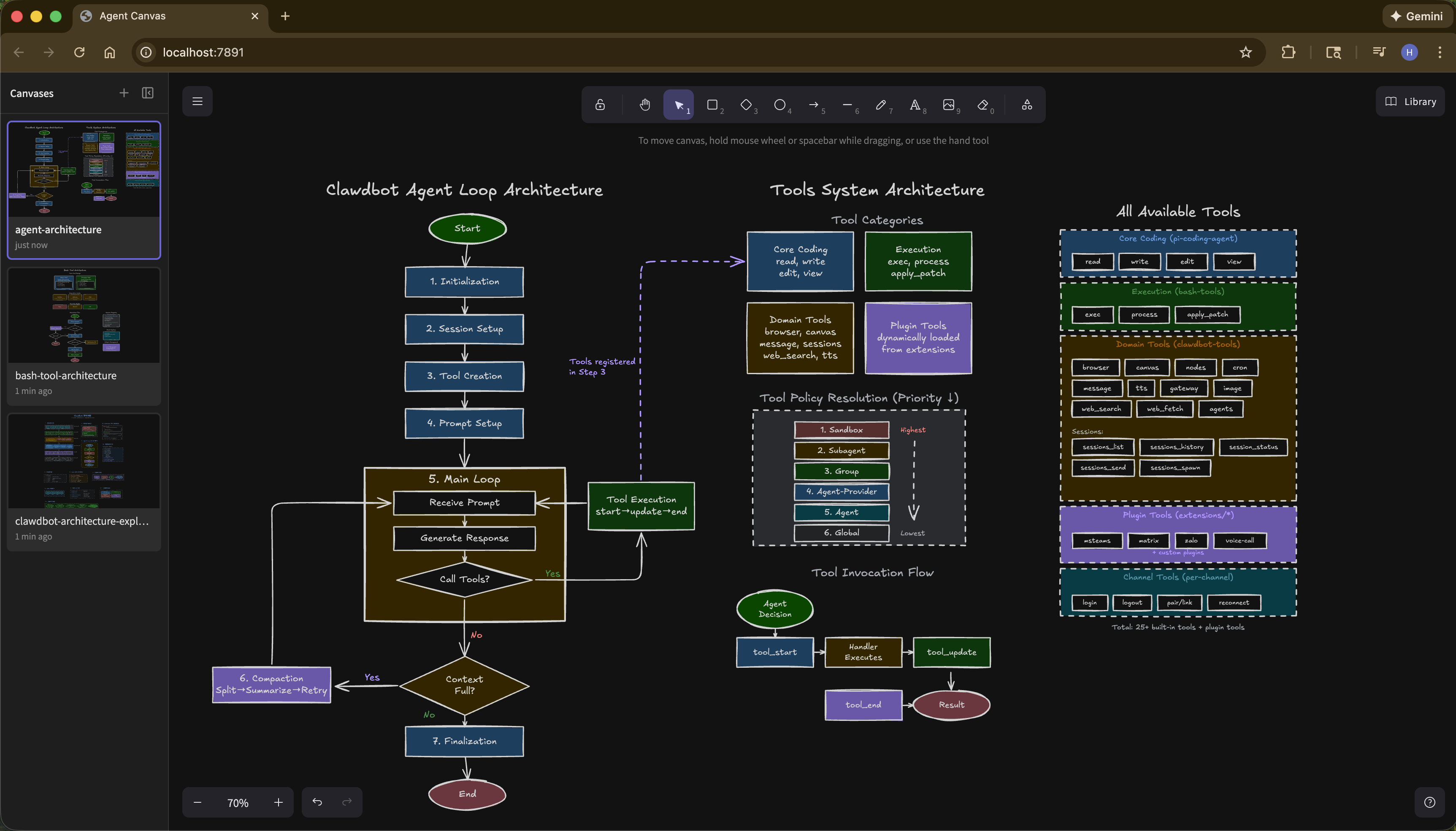
An AI agent skill for drawing diagrams, flowcharts, and visualizations on Excalidraw.
🔌 Works with any AI agent — Claude Code, Codex, Cursor, or any agent that supports skills and bash.
🧠 Context-aware — Unlike web-based drawing tools, your agent sees your entire codebase. Ask it to "draw the architecture of this project" and it will analyze your code structure to generate accurate diagrams.
⚡ Token efficient — CLI commands instead of generating .excalidraw JSON (thousands of tokens per element):
# JSON approach: 500+ tokens per shape
# CLI approach: ~50 tokens
agent-canvas add-shape -t rectangle -x 100 -y 100 -l "Hello"
🔄 Real-time & iterative — See changes instantly in browser. Use --animated to auto-zoom to each new element and watch the diagram being built step by step. Refine through natural conversation: "make the boxes blue", "add a database layer".
👀 Bidirectional — Agent can export and view the canvas anytime. Make manual edits in Excalidraw, then ask the agent to continue — no screenshots needed.
📦 Easy setup — Skill automatically installs and updates the CLI. Just start drawing.
🗂️ Multi-canvas — Work on multiple diagrams simultaneously. Switch between canvases via sidebar or CLI commands.
🧩 Extensible — Add custom drawing tutorials in references/ to teach your agent domain-specific diagram styles.
npx skills add WHQ25/agent-canvas --skill agent-canvas
This installs the skill to your AI coding agent (Claude Code, Codex, Cursor, etc.).
After installation, just ask your agent to draw something:
agent-canvas start opens a local Excalidraw canvas in your browserflowchart LR
A[You] -->|natural language| B[AI Agent]
A -->|edit directly| D
B -->|CLI commands| C[CLI Server]
B -.->|reads| E[Codebase +\nSkill tutorials]
C <-->|WebSocket| D[Browser\nExcalidraw]
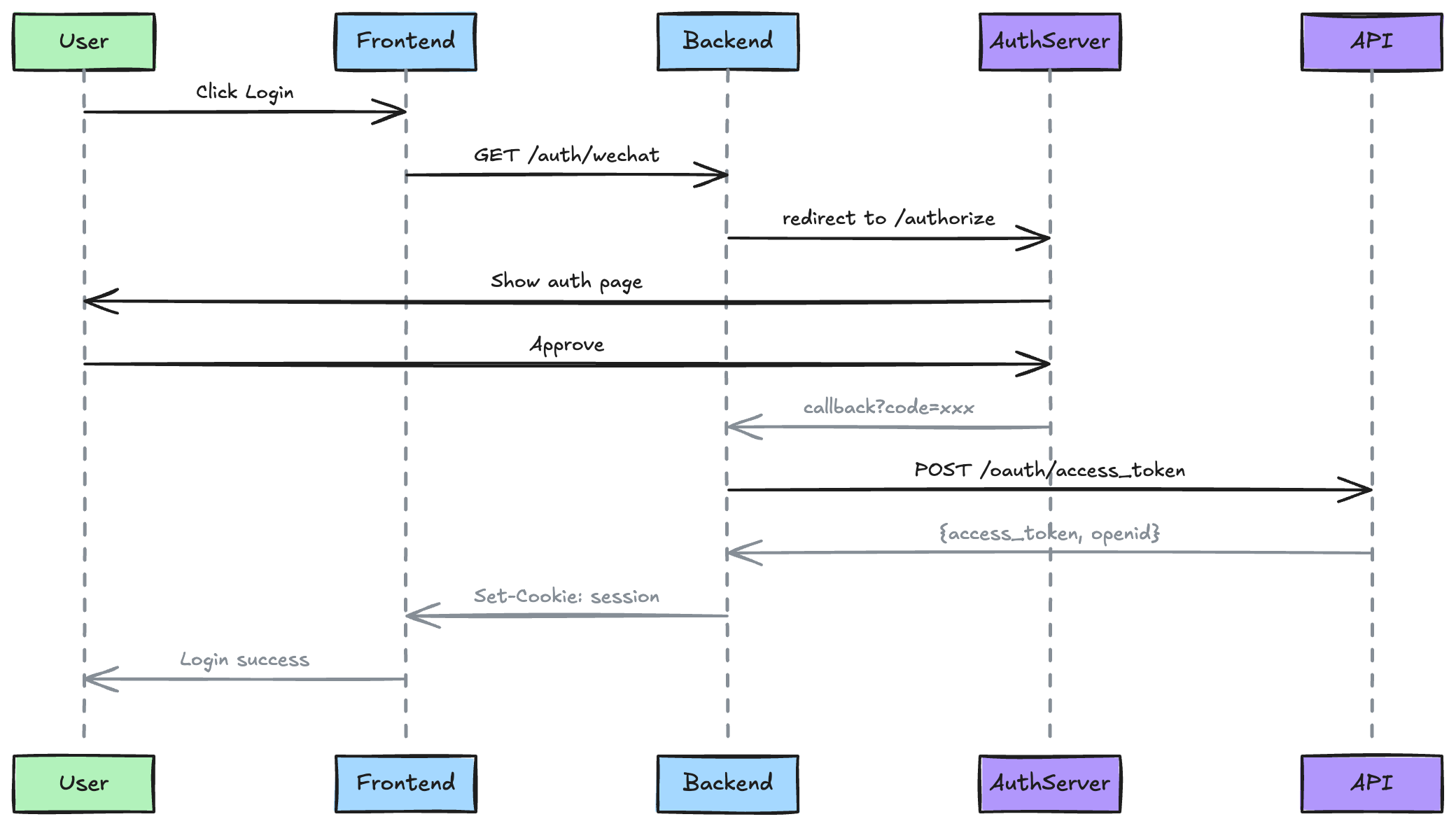
Prompt:
Draw a sequence diagram for WeChat OAuth login flow
Output:
Prompt 1:
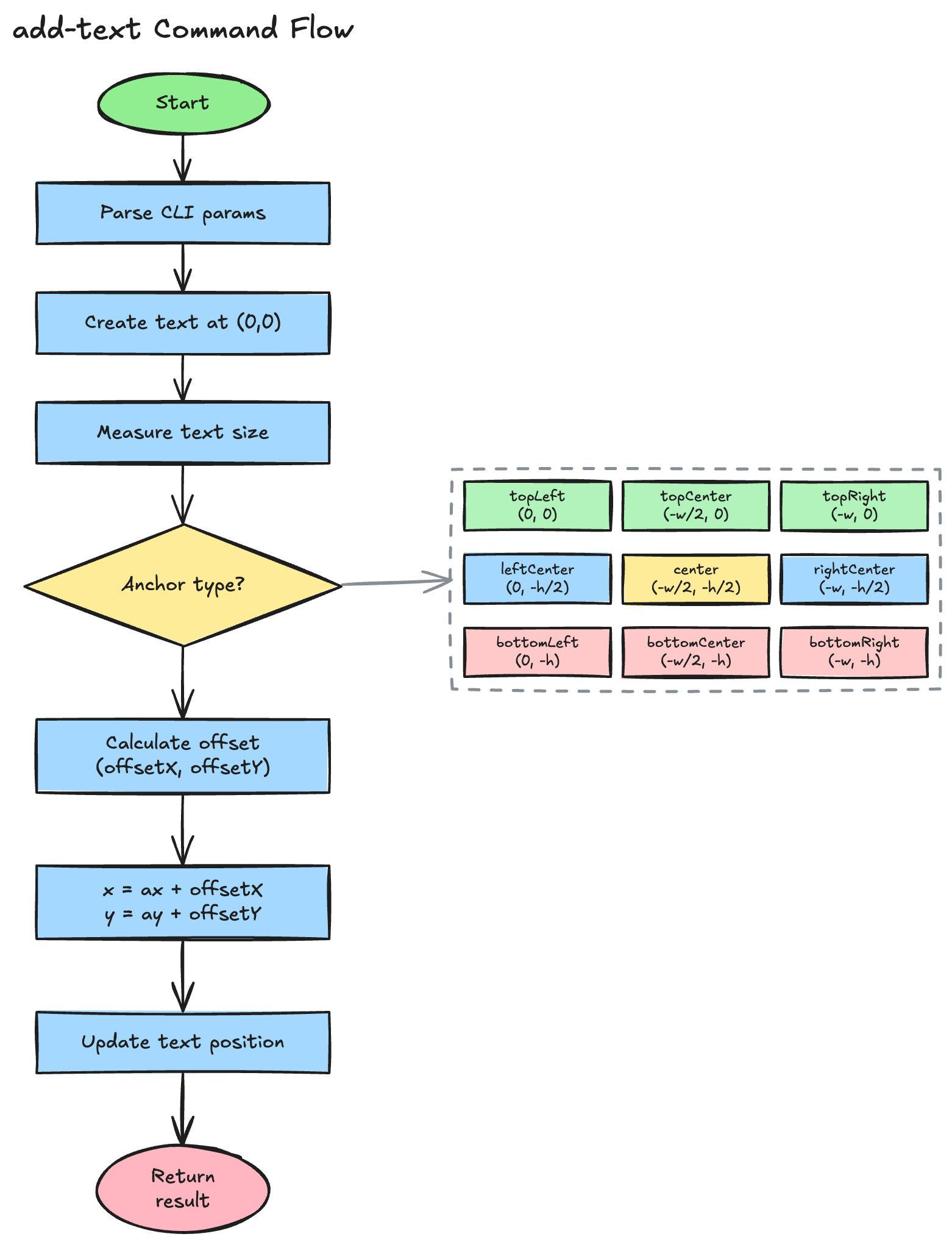
Draw a flowchart for the add-text command processing flow
Prompt 2 (refining):
Show all 9 anchor types in a grid, use dashed rectangle to group them
Output:
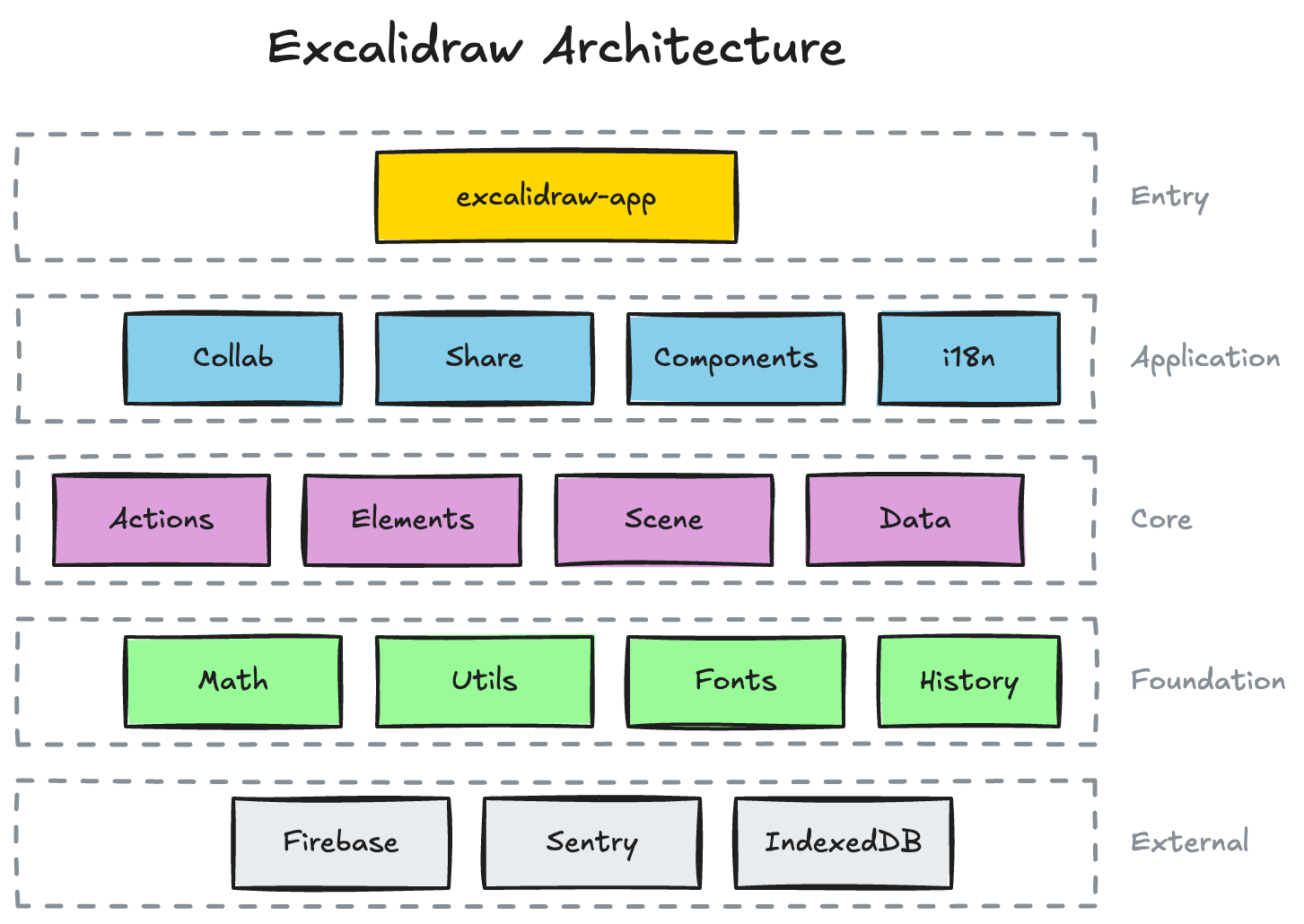
Prompt:
Draw an architecture diagram for the Excalidraw project based on its codebase structure
Output:
Prompt:
Design an e-commerce app with product detail, shopping cart, and checkout pages
Output:
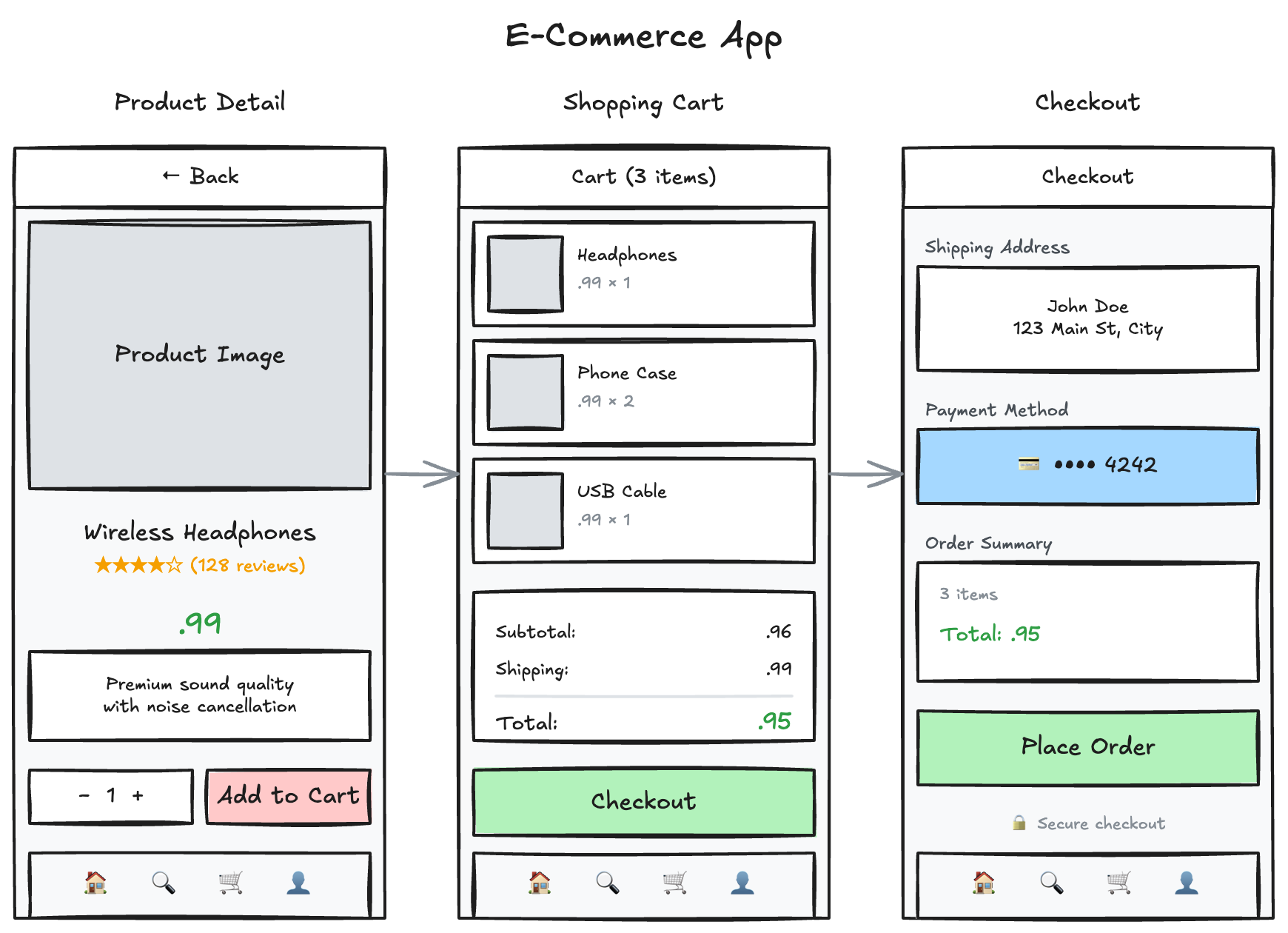
The skill will guide the agent to install the CLI automatically. You can also install it manually:
npm install -g @agent-canvas/cli
Contributions are welcome!
The skill is located in skills/agent-canvas/:
SKILL.md - CLI command reference (how to use each command)references/ - Drawing tutorials for specific diagram types (flowcharts, UI mockups, etc.)How to contribute:
skills/agent-canvas/references/packages/cli/# Install dependencies
bun install
# Start dev server (Vite HMR + WS relay, no build needed)
bun run dev
# Run CLI commands during development
bun dev:cli <command>
# Example: bun dev:cli add-shape -t rectangle -x 100 -y 100
# Build all packages
bun run build
bun run dev starts a Vite dev server with hot module replacement — web-app changes auto-reload in the browser without rebuilding.
Sign in to join the discussion.
No comments yet. Be the first to say what this is good for.
An agentic skills framework & software development methodology that works.

Turn any codebase, with its docs, SQL schemas, configs, and PDFs, into a queryable knowledge graph. A /graphify skill for Claude Code, Cursor, Codex, and Gemini CLI: local deterministic AST parsing, every edge explained, no vector store.

Topic in, narrated explainer video out. A Claude Code / Codex skill that turns any topic into a black-canvas motion-graphics explainer video with TTS voiceover, subtitles and a chapter progress bar. Chinese or English; every frame drawn in code with Remotion.
Public repository for Agent Skills
Open-source AI job search: scan job portals, evaluate listings into a structured A-H report with a global 1-5 score, tailor your CV, track applications — runs locally in your AI coding CLI (Claude Code, Codex, OpenCode, Antigravity…)

Production-grade engineering skills for AI coding agents.