
DietrichGebert/ponytailPlugins
Makes your AI agent think like the laziest senior dev in the room. The best code is the code you never wrote.
138k
1 add
Hush changes how Claude Code talks while it works. It reduces narration and tool-output noise, then gives you a short final answer with the result, the check status, and anything you still need to do. The README also says you can switch voices or define a new one without changing the quiet-session controls.
Builders who use Claude Code and want fewer chat distractions while they finish a task.
You can read a short end result instead of scrolling through long logs and narration.
Reduces narration and tool-output noise while the assistant is working.
Ends with a compact response that focuses on what changed, whether checks passed, and next steps.
Lets you keep the default voice or choose another one for the final answer.
Lets you describe a new voice when the built-in styles do not fit.
Keeps a way to inspect the full command output when a shortened result is not enough.


You asked for a change. Read what changed.
Available on


Codex Claude
Codex is not currently installable.
Get started · What is this? · How it works · What you can do · Evidence
A coding assistant can finish the job and still leave you with a lot to read. Hush reduces that reading: less narration during the work, shorter command output, and a final answer focused on the result.
For a task such as fixing a failing test, the useful answer tells you what was fixed, whether the check passed and anything you still need to do. That is the kind of answer Hush aims for. This is an illustration of the goal, not a recorded result.

The point is to make the work easier to follow. Routine narration gets less space; the outcome, relevant detail and next action should remain. When shortened output is not enough, its reference gives you a way to inspect the full result where supported.
There are two layers. Session controls reduce narration and tool-output noise. A writing style shapes the answer you read at the end. You can change the voice without changing the quiet-session controls.
Choose the assistant you use. Its edition page has the installation steps, commands and compatibility notes for your setup.
| Your assistant | Status | Next step |
|---|---|---|
| Claude Code | Available | Install and get started |
| Codex | Not currently installable | Read the edition status |
Correctness comes before silence. A short answer can still omit something you need, and quieter sessions do not always cost less. Check the result and next action, especially when trying a different voice.
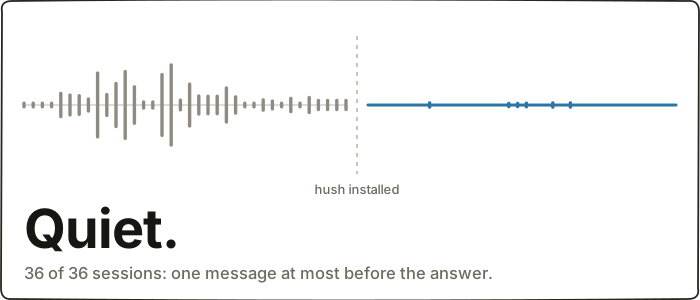
Original Claude Code benchmark visualization. These measurements describe the recorded Claude sessions, not Codex performance. Evidence and methodology.
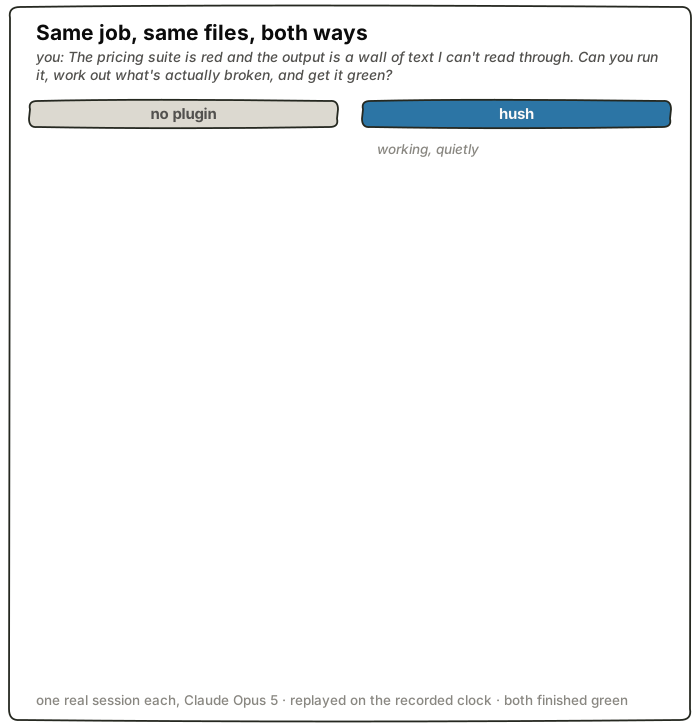
Measurements belong to the model and setup that produced them. Each edition keeps its own results, limitations and any measurements still missing:
Research and validation · Benchmark instruments and retained evidence · Foundry
MIT — see LICENSE.
Sign in to join the discussion.
No comments yet. Be the first to say what this is good for.
Makes your AI agent think like the laziest senior dev in the room. The best code is the code you never wrote.

Graphs that teach > graphs that impress. Turn any code into an interactive knowledge graph you can explore, search, and ask questions about. Works with Claude Code, Codex, Cursor, Copilot, Gemini CLI, and more.

OmO: Just type "mass ulw" keyword with your prompt. Now you are the master of graph engineering.
Persistent Context Across Sessions for Every Agent – Captures everything your agent does during sessions, compresses it with AI, and injects relevant context back into future sessions. Works with Claude Code, OpenClaw, Codex, Gemini, Hermes, Copilot, OpenCode + More
Opinionated Oxlint rules for rejecting low-evidence TypeScript and JavaScript patterns
Teams-first Multi-agent orchestration for Claude Code