

JuliusBrussee/
caveman

🪨 why use many token when few token do trick — Claude Code skill that cuts 65% of tokens by talking like caveman
105k
1 add
Maestro is a desktop app that sits in front of your coding agents and helps you run them in parallel, switch between sessions, and keep tasks organized. It works with your existing agent setup, then adds worktrees, auto-run playbooks, group chat, session history, and a command line for unattended runs.
Builders who use Claude Code, Codex, or Copilot and want a single place to coordinate many agent tasks.
You can manage parallel agent work, resume sessions, and run repeatable task batches without juggling separate terminals.
Run multiple agents and terminal sessions at once, each with its own workspace and conversation history.
Create isolated worktree agents from a branch menu so parallel tasks do not collide with your main work.
Batch markdown checklists through agents, loop them, and track progress with full history.
Let a moderator agent route questions between agents and synthesize answers in one conversation.
Use `maestro-cli` for headless runs, cron jobs, CI/CD, and JSONL output.
Import, search, star, rename, and resume existing sessions from supported providers.
Monitor and control agents from a phone through the built-in web server and QR access.
Retry failed turns, wait through rate limits, and optionally fail over to a backup endpoint.
git clone https://github.com/RunMaestro/Maestro.git
cd Maestro
npm install
npm run dev


"Maestro hones fractured attention into focused intent."
Maestro is a cross-platform desktop app for orchestrating your fleet of AI agents and projects. It's a high-velocity solution for hackers who are juggling multiple projects in parallel. Designed for power users who live on the keyboard and rarely touch the mouse.
Collaborate with AI to create detailed specification documents, then let Auto Run execute them automatically, each task in a fresh session with clean context. Allowing for long-running unattended sessions, my current record is nearly 24 hours of continuous runtime.
Run multiple agents in parallel with a Linear/Superhuman-level responsive interface. Currently supporting Claude Code, OpenAI Codex, OpenCode, Factory Droid, and Copilot-CLI (beta) with plans for additional agentic coding tools (Gemini CLI) based on user demand.
How It Works: Maestro is a pass-through to your AI provider. Whatever MCP tools, skills, permissions, or authentication you have configured in Claude Code, Codex, or OpenCode works identically in Maestro. The only difference is we're not running interactively-each task gets a prompt and returns a response, whether it's a new session or resuming a prior one.
maestro-cli) for headless operation. List agents/groups, run playbooks from cron jobs or CI/CD pipelines, with human-readable or JSONL output for scripting.529 Overloaded or a spent plan quota, Maestro resends the exact prompt on its own, backing off in seconds for a blip or waiting for the real reset time it reads out of the error. One live status card replaces the wall of error dialogs, Auto Run batches resume themselves, and an agent can optionally fail over to a backup endpoint instead of waiting out the window.Cmd+J.Cmd+K quick actions, rapid agent switching, and focus management designed for flow state.@ mentions.ts >= now-7d and price > 100) runs against the whole file while Maestro skips the row groups it can prove cannot match, so a multi-gigabyte file filters instantly and never loads into memory.Opt+Cmd+U (macOS) / Alt+Ctrl+U (Windows/Linux) or the Command K menu.[[wiki-links]] and [markdown](links), visualizes document relationships with interactive nodes and edges. Toggle between force-directed and hierarchical layouts, search/filter documents, navigate via keyboard, and track external link references. Includes mini-map, legend, and pagination for large directories. Access from the File Explorer context menu or Command K menu.Usage Dashboard (Opt+Cmd+U / Alt+Ctrl+U):
| Action | Key |
|---|---|
| Navigate view tabs | Arrow Left/Right/Up/Down |
| Move between sections | Tab / Shift+Tab |
| Jump to first/last section | Home / End |
| Close dashboard | Escape |
On the Agents tab, Escape clears the agent filter first when it holds text, so filtering never costs you the dashboard.
Document Graph (Command K → "Document Graph"):
| Action | Key |
|---|---|
| Navigate to connected node | Arrow Up/Down/Left/Right |
| Cycle through connections | Tab |
| Preview document / open link | Enter |
| Recenter graph on node | Space |
| Cycle preview length | P |
| Step back / close graph | Escape |
| Search documents | Focus search input, type query |
Escape steps back one level at a time: out of the search box first (your query stays, so the matches are still highlighted while you arrow to one), then it clears the query, then it closes the graph.
Additional interactions: Drag nodes to reposition, scroll to zoom, use mini-map for overview.
Note: Maestro supports Claude Code, OpenAI Codex, OpenCode, Factory Droid, and Copilot-CLI (beta). Support for additional agents (Gemini CLI) may be added in future releases based on community demand.
Download the latest release for your platform from the Releases page.
Or build from source:
git clone https://github.com/RunMaestro/Maestro.git
cd Maestro
npm install
npm run dev
| Action | macOS | Windows/Linux |
|---|---|---|
| Quick Actions | Cmd+K | Ctrl+K |
| New Agent | Cmd+N | Ctrl+N |
| Switch AI/Terminal | Cmd+J | Ctrl+J |
| Previous/Next Agent | Cmd+[ / Cmd+] | Ctrl+[ / Ctrl+] |
| Toggle Sidebar | Cmd+B | Ctrl+B |
| New Tab | Cmd+T | Ctrl+T |
| Usage Dashboard | Opt+Cmd+U | Alt+Ctrl+U |
| All Shortcuts | Cmd+/ | Ctrl+/ |
Full keyboard shortcut reference
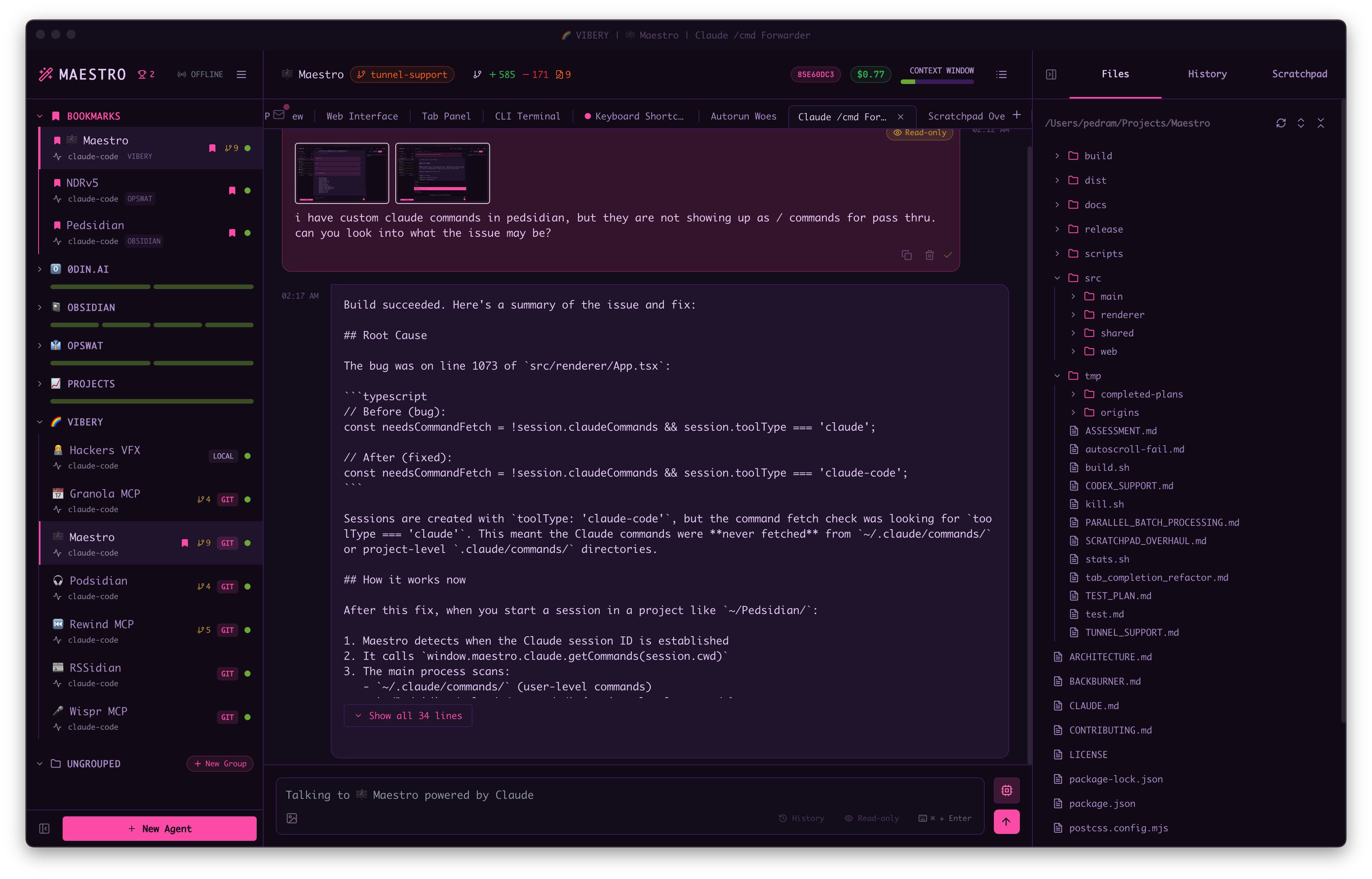
Main screen with multiple agents and conversation
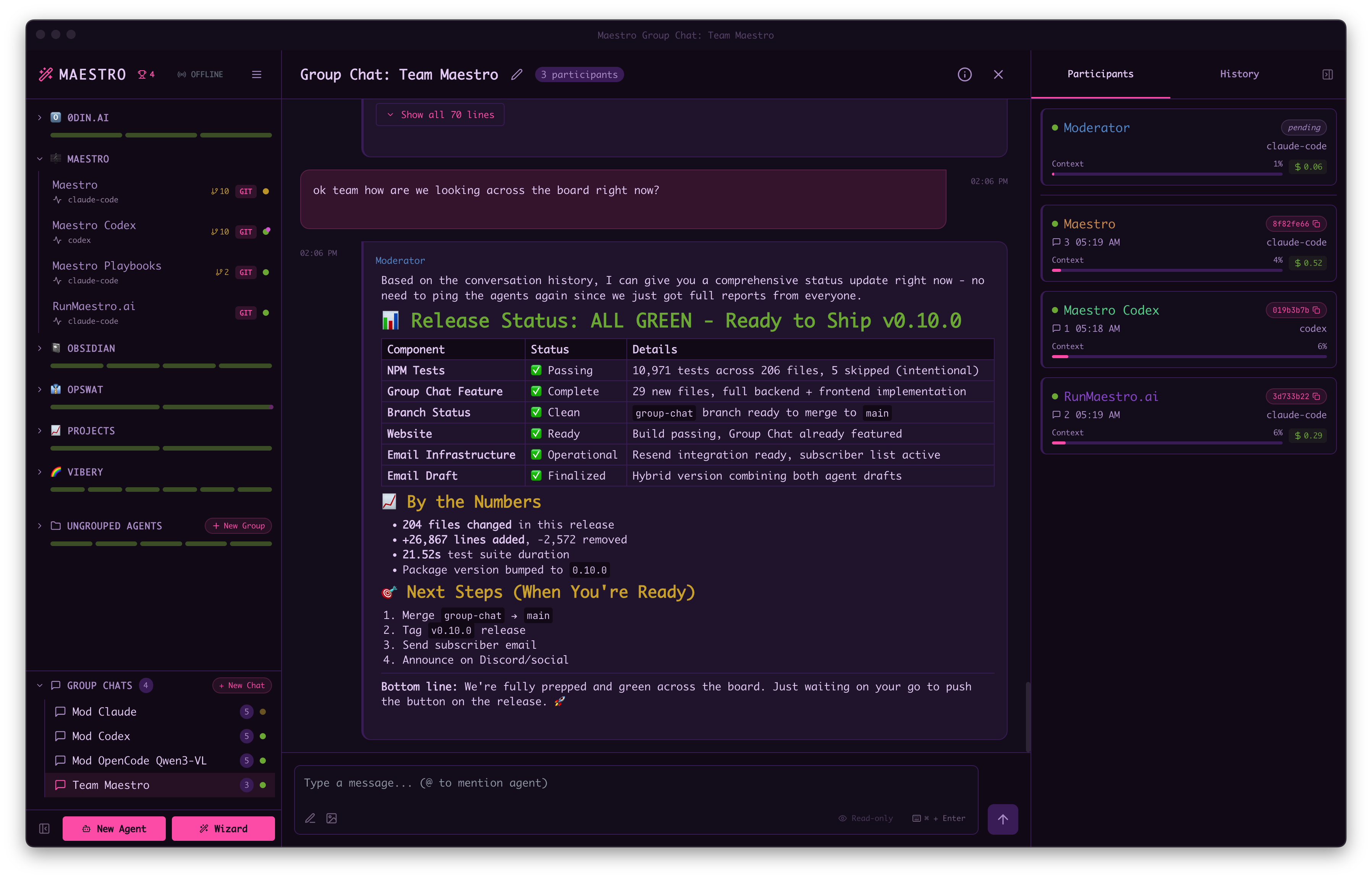
Group Chat coordinates multiple AI agents in a single conversation
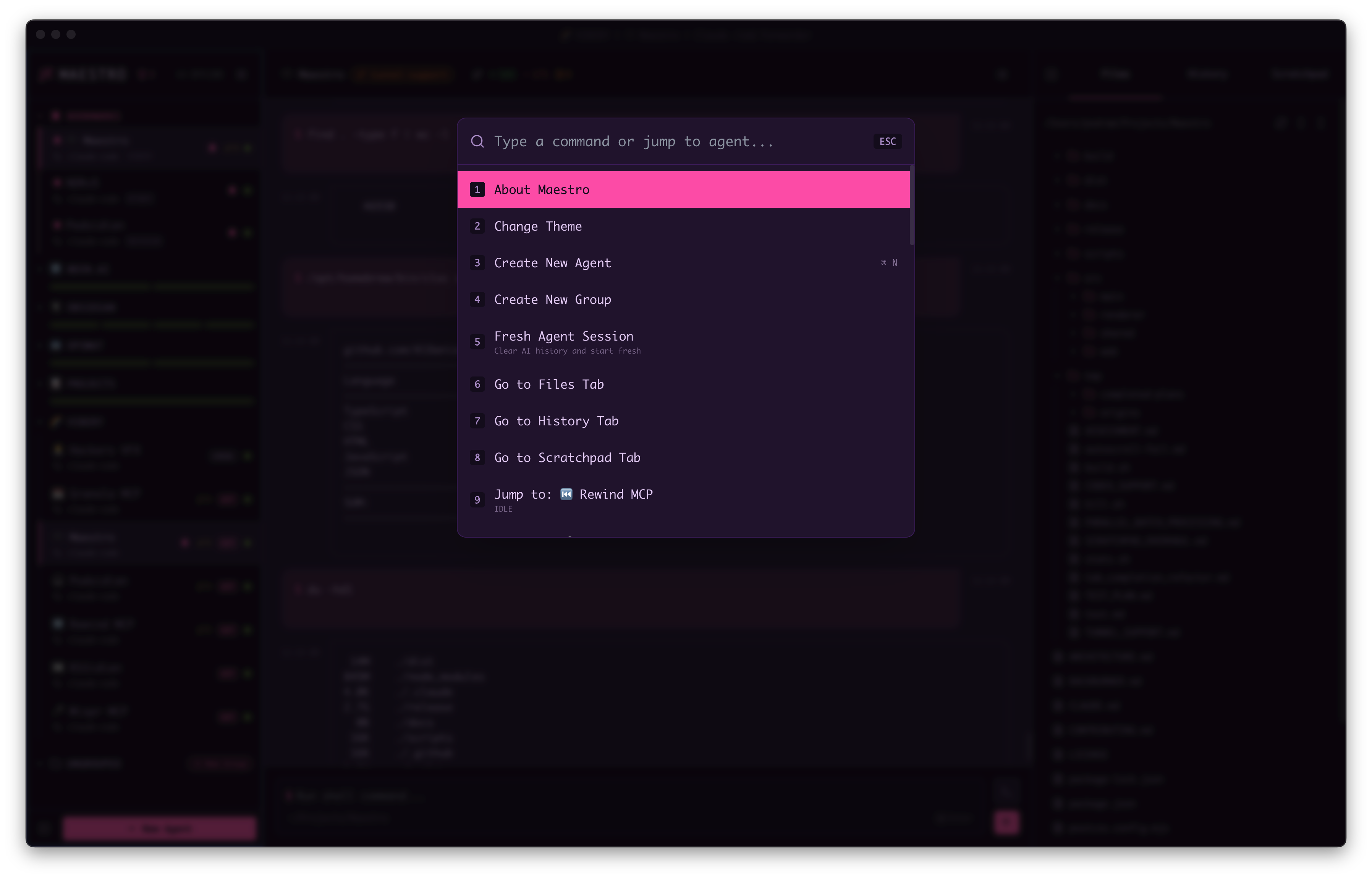
Quick Actions palette for rapid navigation (CTRL/CMD + K)
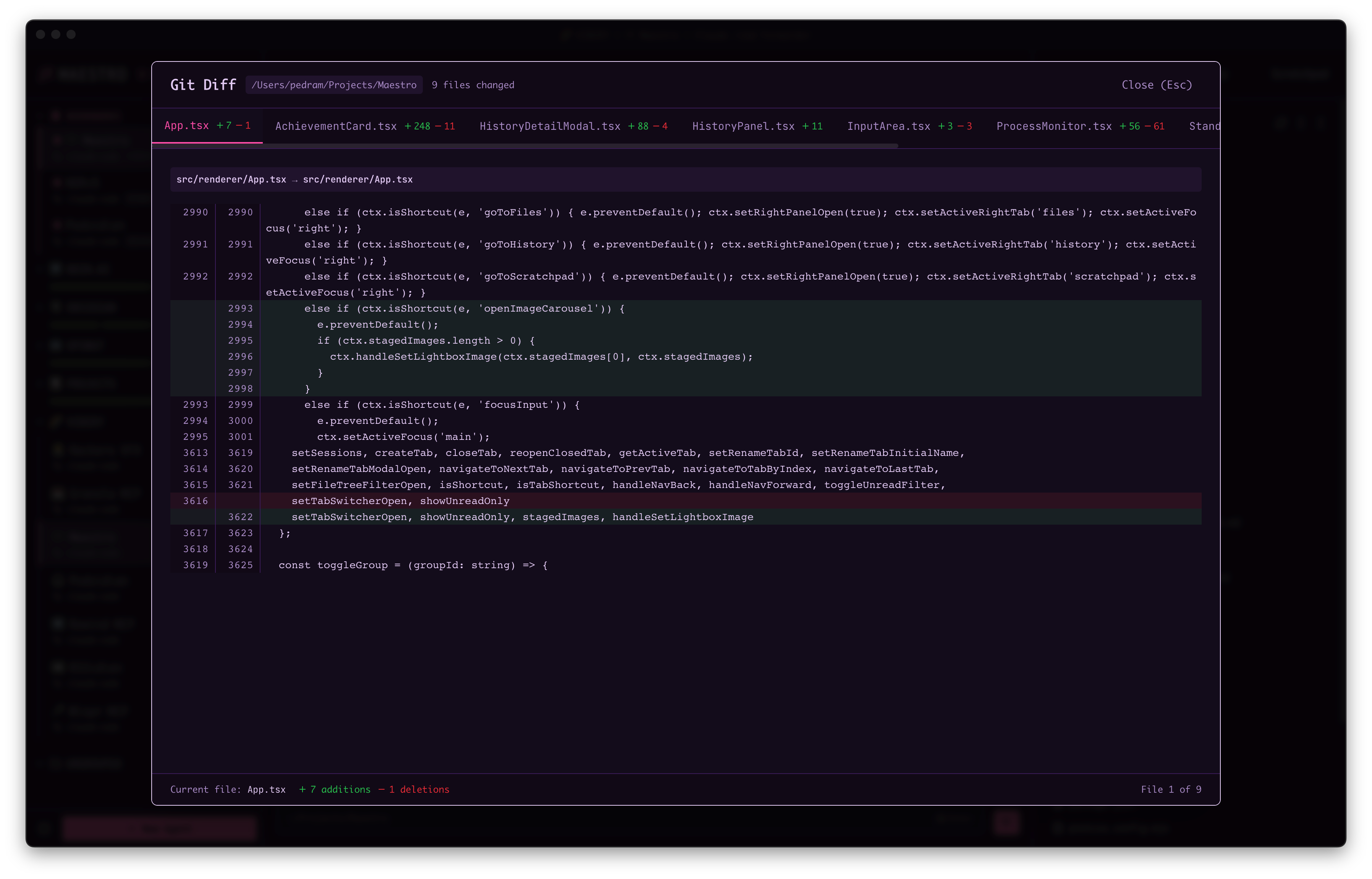
Git diff viewer with syntax highlighting
Full documentation and usage guide available at docs.runmaestro.ai
Meet the team behind Maestro at runmaestro.ai/team.
See CONTRIBUTING.md for development setup, architecture details, and contribution guidelines.
Sign in to join the discussion.
No comments yet. Be the first to say what this is good for.
🪨 why use many token when few token do trick — Claude Code skill that cuts 65% of tokens by talking like caveman

The best-benchmarked open-source AI memory system. And it's free.

Orca is the ADE for working with a fleet of parallel agents. Run any coding agent with your own subscription. Available on desktop, mobile and remote runtime.

A cross-platform desktop All-in-One assistant for Claude Code, Codex, OpenCode, OpenClaw, Grok Build & Hermes Agent. Only official website: ccswitch.io

Never stop coding. Free MIT AI gateway: one endpoint, 352 providers (150+ free), 1200+ models Kimi, Claude, GPT, Gemini, GLM, DeepSeek, MiniMax. Works with Claude Code, Codex, Cursor, OpenCode, Cline & Copilot. Quota-aware auto-fallback, RTK+Caveman compression saves 15-95% tokens, MCP/A2A, Desktop/PWA. Built by 550+ contributors

Compress tool outputs, logs, files, and RAG chunks before they reach the LLM. 20% fewer tokens for coding agents, 60-95% fewer tokens for JSON, same answers. Library, proxy, MCP server.