

JuliusBrussee/
caveman

🪨 why use many token when few token do trick — Claude Code skill that cuts 65% of tokens by talking like caveman
105k
1 add
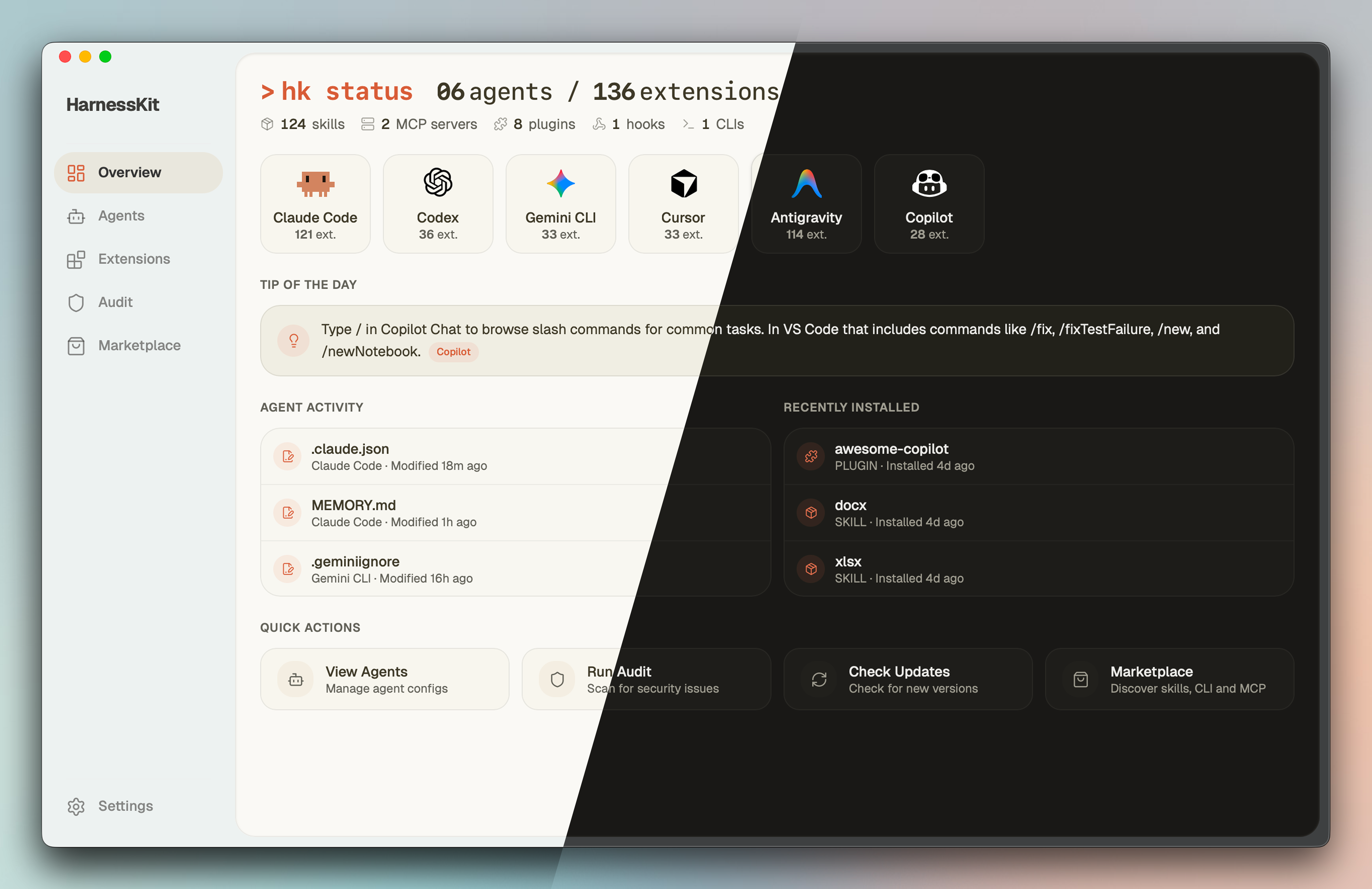
HarnessKit keeps agent-specific skills, MCP servers, plugins, hooks, CLIs, configs, memory, and rules in one place. It works directly in each agent’s native directories, so you can manage, audit, enable, disable, and deploy setups without copying them into a separate folder.
Builders who use multiple AI coding agents and want one place to manage their files and extensions.
You can keep every agent’s setup organized, audit it, and deploy it across projects without redoing the same work by hand.
Lists and manages skills, MCP servers, plugins, hooks, and agent-first CLIs across supported agents.
Finds global and project config files, memory, rules, subagents, and ignore files, then shows them in per-agent dashboards.
Scans extensions with static rules, shows a trust score, and surfaces permissions, findings, and file paths.
Browses skills from skills.sh, MCP servers from Smithery, and agent-first CLI tools, with install and preview support.
Bundles skills, MCP servers, rules, and memory files into portable `.hk-kit.zip` packages for reuse across projects.
Uses the `hk` command for terminal work and `hk serve` to open the same app in a browser.
# macOS / Linux
curl -fsSL https://raw.githubusercontent.com/RealZST/HarnessKit/main/install.sh | sh
# Windows (PowerShell)
irm https://raw.githubusercontent.com/RealZST/HarnessKit/main/install.ps1 | iex
hk serve
# macOS / Linux server
ssh user@your-server
curl -fsSL https://raw.githubusercontent.com/RealZST/HarnessKit/main/install.sh | sh
exit
# Windows server
ssh user@your-server
irm https://raw.githubusercontent.com/RealZST/HarnessKit/main/install.ps1 | iex
exit
ssh -L 7070:localhost:7070 user@your-server
hk serve
English · 简体中文
One home for every agent.
A free, open-source app to manage all your AI coding agents — desktop, CLI, or web.




Why • Features • Get Started • Roadmap
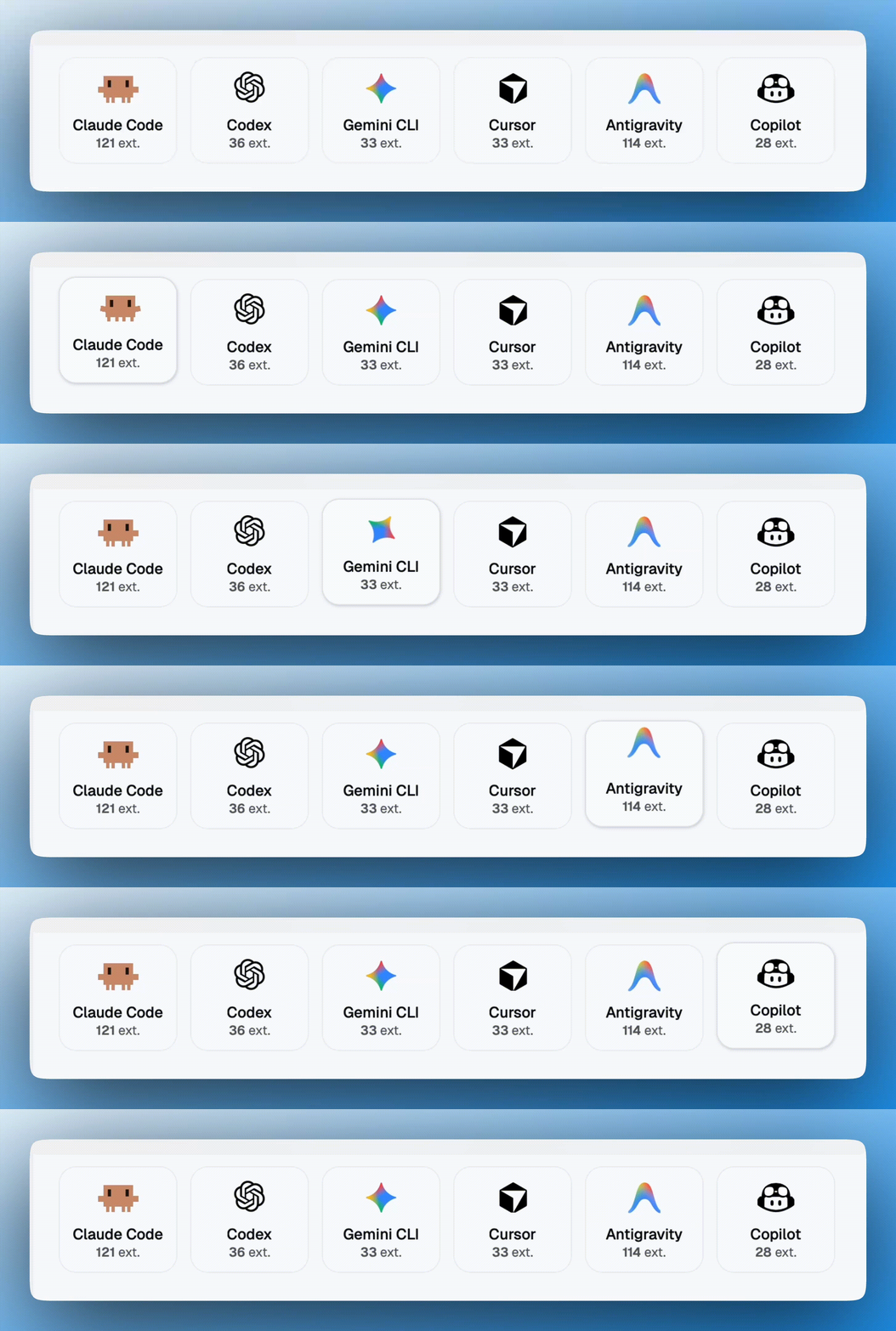
Every supported agent shows on the Overview by default, installed or not. In Settings → Agent Paths, switch to "Detected only" to hide and disable undetected agents, or flip a single agent's "Enabled" toggle off.
Every agent, a different world. Extensions, configs, memory, and rules — scattered across different directories, in different formats, with different conventions.
HarnessKit brings them all under one roof — see, secure, and manage everything across every agent, from one place.
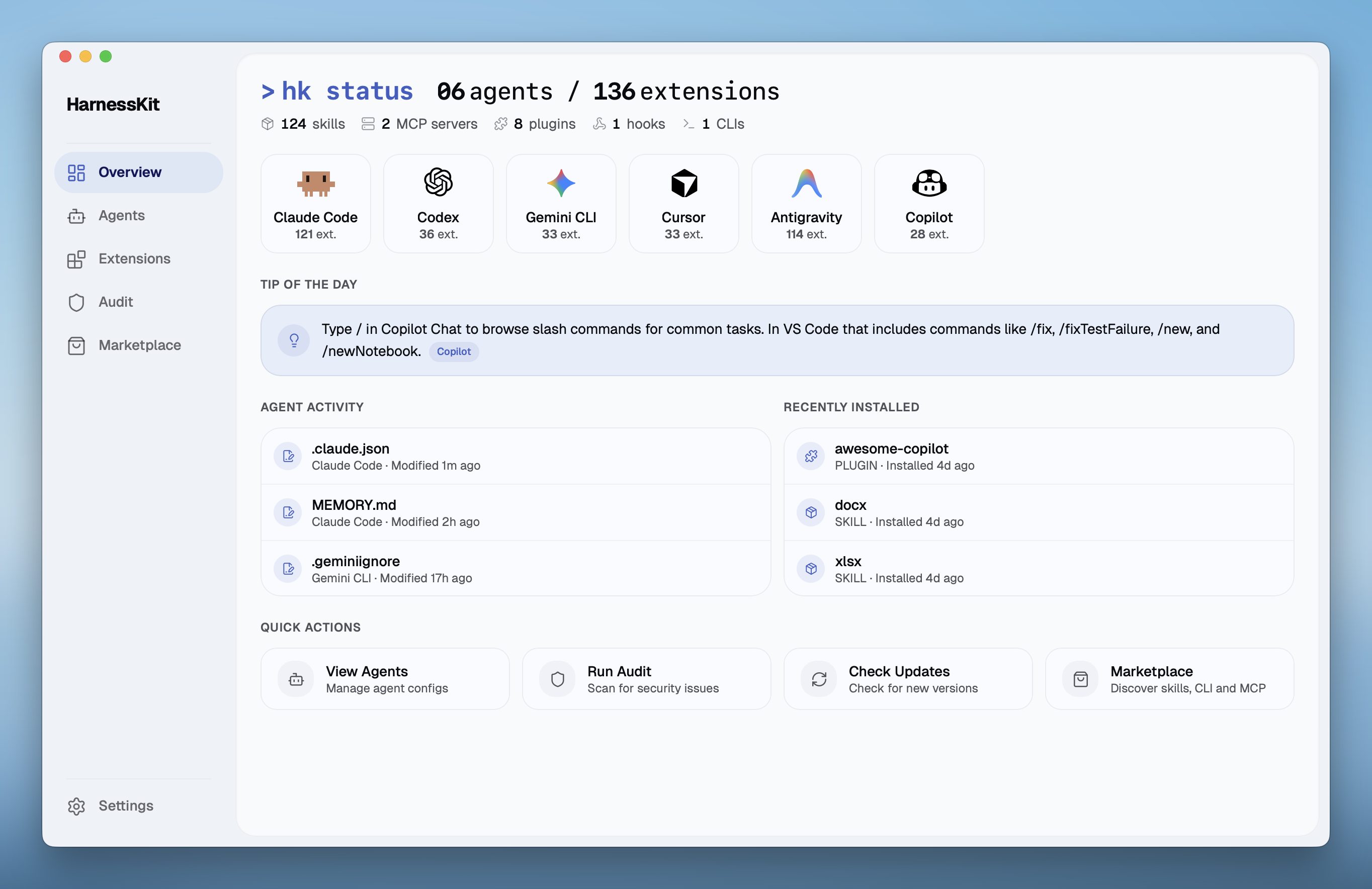
HarnessKit manages all five extension types from a unified interface — Skills, MCP Servers, Plugins, Hooks, and Agent-first CLIs.
| Agent | Skills | MCP | Plugins | Hooks | Agent-first CLIs |
|---|---|---|---|---|---|
| Claude Code | ✓ | ✓ | ✓ | ✓ | ✓ |
| Codex | ✓ | ✓ | ✓ | ✓ | ✓ |
| Gemini CLI | ✓ | ✓ | ✓ | ✓ | ✓ |
| Cursor | ✓ | ✓ | ✓ | ✓ | ✓ |
| Antigravity | ✓ | ✓ | — | — | ✓ |
| Copilot | ✓ | ✓ | ✓ | ✓ | ✓ |
| Devin Desktop | ✓ | ✓ | — | ✓ | ✓ |
| OpenCode | ✓ | ✓ | ✓ | — | ✓ |
| Hermes | ✓ | ✓ | ✓ | ✓ | ✓ |
| Kiro | ✓ | ✓ | — | ✓ | ✓ |
| Oh My Pi | ✓ | ✓ | ✓ | — | ✓ |
| DeepSeek Harness | ✓ | ✓ | ✓ | — | ✓ |
| Grok Build | ✓ | ✓ | ✓ | ✓ | ✓ |
* "—" indicates the agent currently does not support this extension type. Devin Desktop support keeps legacy Windsurf paths compatible.
HarnessKit manages every agent's Configs, Memory, Rules, Subagents, and Ignore files from one place. Currently supporting 13 agents: Claude Code, Codex, Gemini CLI, Cursor, Antigravity, Copilot, Devin Desktop, OpenCode, Hermes, Kiro, Oh My Pi, DeepSeek Harness, and Grok Build.
Every extension is scanned by a built-in security engine with 18 static analysis rules and receives a Trust Score (0–100), grouped into three tiers — Safe (80+), Low Risk (60–79), and Needs Review (below 60). A dedicated Audit page lets you search, filter by tier, and drill into every finding.
Discover, evaluate, and install — three marketplaces in one, each with trending lists and search:
Every listing shows its description, install count, and source. For skills, you can preview the documentation, check third-party security audit scores before installing, and install to any agent with one click — HarnessKit tracks the source so you always know where each extension came from.
The sidebar scope picker switches between Global, All scopes, or any registered project. Agents, Extensions, and Audit all filter by the active scope — per-project setups are managed independently of your global config.
Pack a curated set of skills, MCP servers, rules and memory files into a portable Kit — then deploy the whole bundle to any project with one click. Skip the setup churn every time you spin up a new project.
.hk-kit.zip to share with teammates or carry across machines. Import is one click.
HarnessKit works directly with your agents' native directories instead of copying them into a managed folder — no shadow copies, no sync conflicts.
HarnessKit ships a standalone command-line interface (hk) for terminal-first workflows, available on macOS, Linux, and Windows:
$ hk status
  Agents        13 detected (claude · codex · gemini · cursor · antigravity · copilot · windsurf · opencode · hermes · kiro · omp · dsh · grok)
  Extensions    136 total (124 skills · 2 mcp · 8 plugins · 1 hooks · 1 clis)

$ hk list --kind skill --agent claude    # filter by type and agent
$ hk list --kind mcp --agent grok        # Grok Build MCP servers
$ hk audit                               # security audit with trust scores
$ hk enable my-skill                     # enable by name
$ hk disable --pack owner/repo           # batch disable by source
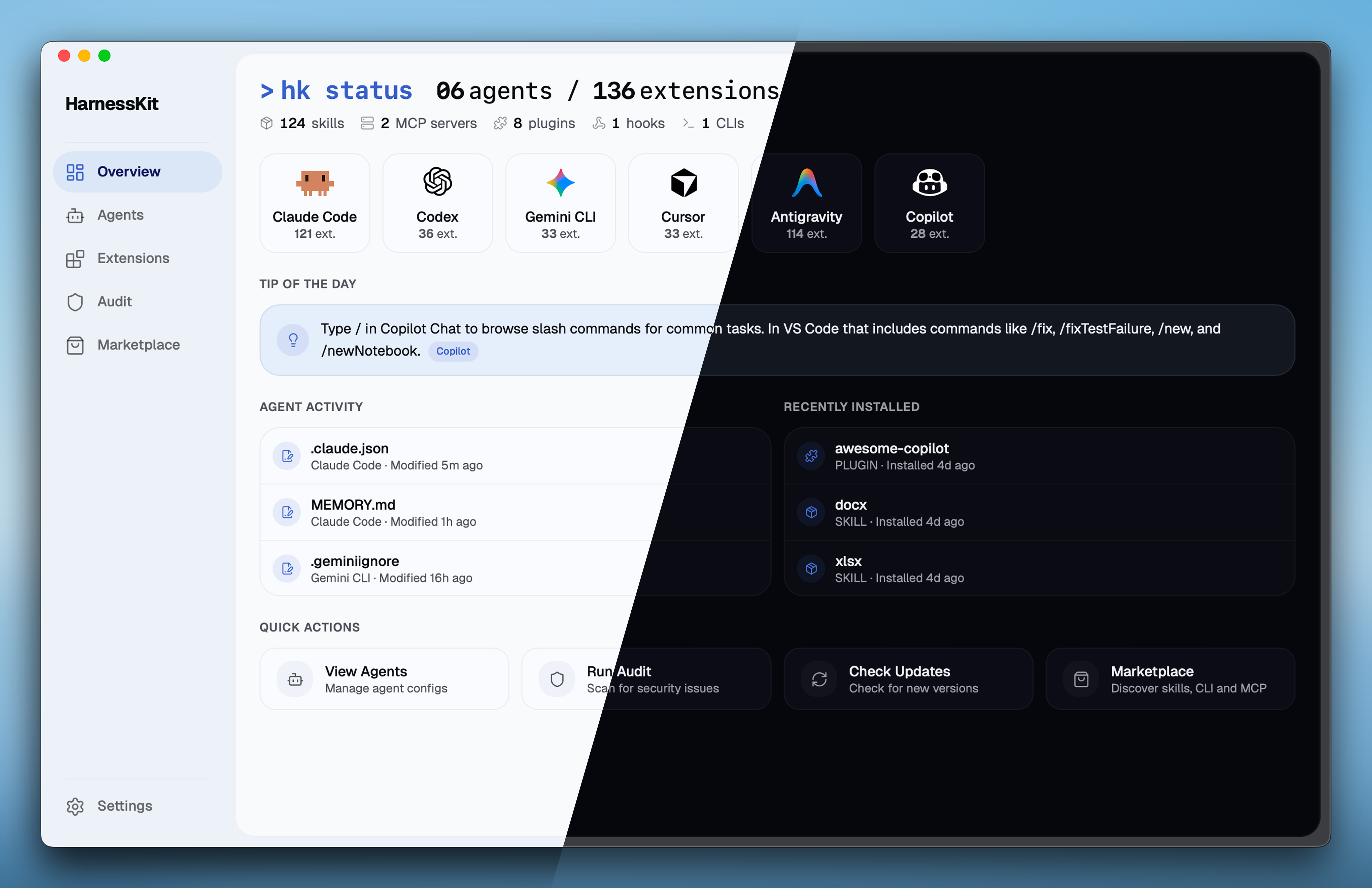
The same full-featured UI that runs in the desktop app is also available as a web interface — served directly from the hk CLI binary. No extra dependencies, no separate install.
$ hk serve
HarnessKit Web UI [my-host] running at http://127.0.0.1:7070/?token=a1b2c3…
This makes HarnessKit usable on Linux servers, HPC clusters, or any headless machine where a desktop app isn't an option. Web mode has full feature parity with the desktop app — the only difference is that file-system operations (like "Open in Finder") are desktop-only. See Getting Started for setup instructions.
Requirements: At least one supported AI coding agent installed.
Download the DMG for your architecture from the latest release:
| Chip | File |
|---|---|
| Apple Silicon (M1/M2/M3/M4) | HarnessKit_x.x.x_aarch64.dmg |
| Intel | HarnessKit_x.x.x_x64.dmg |
Open the DMG and drag HarnessKit to the Applications folder.
Launch HarnessKit. It will automatically detect your installed agents and scan their extensions.
Already installed? Open Settings → Check for Updates to upgrade in-app.
Install HarnessKit:
# macOS / Linux
curl -fsSL https://raw.githubusercontent.com/RealZST/HarnessKit/main/install.sh | sh
# Windows (PowerShell)
irm https://raw.githubusercontent.com/RealZST/HarnessKit/main/install.ps1 | iex
Start the web interface:
hk serve
Then open the http://localhost:7070/?token=… URL that hk serve prints. Auth is on by default; the token is saved, so next time http://localhost:7070 just works. On a trusted single-user machine, hk serve --no-token skips the token entirely.
Install HarnessKit on the server:
# macOS / Linux server
ssh user@your-server
curl -fsSL https://raw.githubusercontent.com/RealZST/HarnessKit/main/install.sh | sh
exit
# Windows server
ssh user@your-server
irm https://raw.githubusercontent.com/RealZST/HarnessKit/main/install.ps1 | iex
exit
Start the web interface:
ssh -L 7070:localhost:7070 user@your-server
hk serve
Then open the http://localhost:7070/?token=… URL that hk serve prints, in your local browser. Auth is on by default; the token is saved, so next time http://localhost:7070 just works. Keep the SSH session running while you use HarnessKit.
Tip: Managing several remote nodes? Start each with
hk serve --name <label>(e.g.--name my-macbook). The label shows in the sidebar and the browser tab title, so multiple tabs are easy to tell apart. Defaults to the machine hostname.
curlDownload the binary for your platform from the latest release (referred to as <file> below):
| Platform | File |
|---|---|
| macOS (Apple Silicon) | hk-macos-arm64 |
| macOS (Intel) | hk-macos-x64 |
| Linux (x64) | hk-linux-x64 |
| Linux (ARM64) | hk-linux-arm64 |
| Windows | hk-windows-x64.exe |
Local machine:
Install HarnessKit:
# macOS / Linux
chmod +x <file>
mkdir -p ~/.local/bin
mv <file> ~/.local/bin/hk
# Windows (PowerShell)
New-Item -ItemType Directory -Force -Path "$env:USERPROFILE\.local\bin" | Out-Null
Move-Item <file> "$env:USERPROFILE\.local\bin\hk.exe"
Start the web interface:
hk serve
Then open the http://localhost:7070/?token=… URL that hk serve prints. Auth is on by default; the token is saved, so next time http://localhost:7070 just works. On a trusted single-user machine, hk serve --no-token skips the token entirely.
Remote server:
Upload and install the binary on the server:
scp <file> user@your-server:~/
ssh user@your-server
chmod +x ~/<file>
mkdir -p ~/.local/bin
mv ~/<file> ~/.local/bin/hk
exit
Start the web interface:
ssh -L 7070:localhost:7070 user@your-server
hk serve
Then open the http://localhost:7070/?token=… URL that hk serve prints, in your local browser. Auth is on by default; the token is saved, so next time http://localhost:7070 just works. Keep the SSH session running while you use HarnessKit.
Re-run the install script from Local machine or Remote server above — both scripts overwrite the existing hk binary. After updating, restart hk serve to pick up the new version.
If you installed via manual download, grab the latest binary from releases and replace your existing hk (or hk.exe).
If you've already installed HarnessKit via the Web Mode steps above, the CLI is ready to use — it's the same hk binary.
See CLI Support above for the full list of commands.
hkContributions are welcome! See CONTRIBUTING.md for local setup, project structure, and PR guidelines.
This project is licensed under Apache-2.0.
Artwork (public/icons/ and src/components/shared/agent-mascot/) is All Rights Reserved and is not covered by the Apache-2.0 license.
All product names, logos, and trademarks are property of their respective owners. HarnessKit is an independent project, not affiliated with or endorsed by any agent vendor.
Sign in to join the discussion.
No comments yet. Be the first to say what this is good for.
🪨 why use many token when few token do trick — Claude Code skill that cuts 65% of tokens by talking like caveman

The best-benchmarked open-source AI memory system. And it's free.

Orca is the ADE for working with a fleet of parallel agents. Run any coding agent with your own subscription. Available on desktop, mobile and remote runtime.

A cross-platform desktop All-in-One assistant for Claude Code, Codex, OpenCode, OpenClaw, Grok Build & Hermes Agent. Only official website: ccswitch.io

Never stop coding. Free MIT AI gateway: one endpoint, 352 providers (150+ free), 1200+ models Kimi, Claude, GPT, Gemini, GLM, DeepSeek, MiniMax. Works with Claude Code, Codex, Cursor, OpenCode, Cline & Copilot. Quota-aware auto-fallback, RTK+Caveman compression saves 15-95% tokens, MCP/A2A, Desktop/PWA. Built by 550+ contributors

Compress tool outputs, logs, files, and RAG chunks before they reach the LLM. 20% fewer tokens for coding agents, 60-95% fewer tokens for JSON, same answers. Library, proxy, MCP server.