

JuliusBrussee/
caveman

🪨 why use many token when few token do trick — Claude Code skill that cuts 65% of tokens by talking like caveman
105k
1 add
llmwiki collects transcripts from supported agent and editor sessions, converts them into markdown, and builds a linked wiki plus a static site. It also produces search, graph, and export files so you can browse the knowledge base yourself or let another agent query it.
Builders who want to turn Claude Code, Codex CLI, Cursor, Gemini CLI, Copilot, or Obsidian sessions into a reusable knowledge base.
You can keep past agent work searchable and connected instead of digging through raw session logs.
Reads session logs from Claude Code, Codex CLI, Cursor, Gemini CLI, Copilot, and Obsidian.
Creates linked wiki sections like sources, entities, concepts, syntheses, comparisons, and questions.
Builds a browsable site plus sibling `.txt` and `.json` pages, `llms.txt`, `llms-full.txt`, and `graph.jsonld`.
Exposes query, search, lint, sync, export, and dashboard tools through MCP.
Can write into an Obsidian vault and ships templates and Dataview dashboard queries.
Includes a SessionStart hook to auto-sync new Claude Code sessions in the background.
git clone https://github.com/Pratiyush/llm-wiki.git
cd llm-wiki
./setup.sh
git clone https://github.com/Pratiyush/llm-wiki.git
cd llm-wiki
setup.bat
pip install -e .                # basic — everything you need
pip install -e '.[graph]'       # + graphifyy AI-powered graph engine
pip install -e '.[dev]'         # + pytest + ruff
pip install -e '.[e2e]'         # + Playwright + pytest-bdd + pytest-html (E2E)
pip install -e '.[all]'         # graph + everything
LLM-powered knowledge base from your Claude Code, Codex CLI, Cursor, Gemini CLI, and Obsidian sessions. Built on Andrej Karpathy's LLM Wiki pattern.
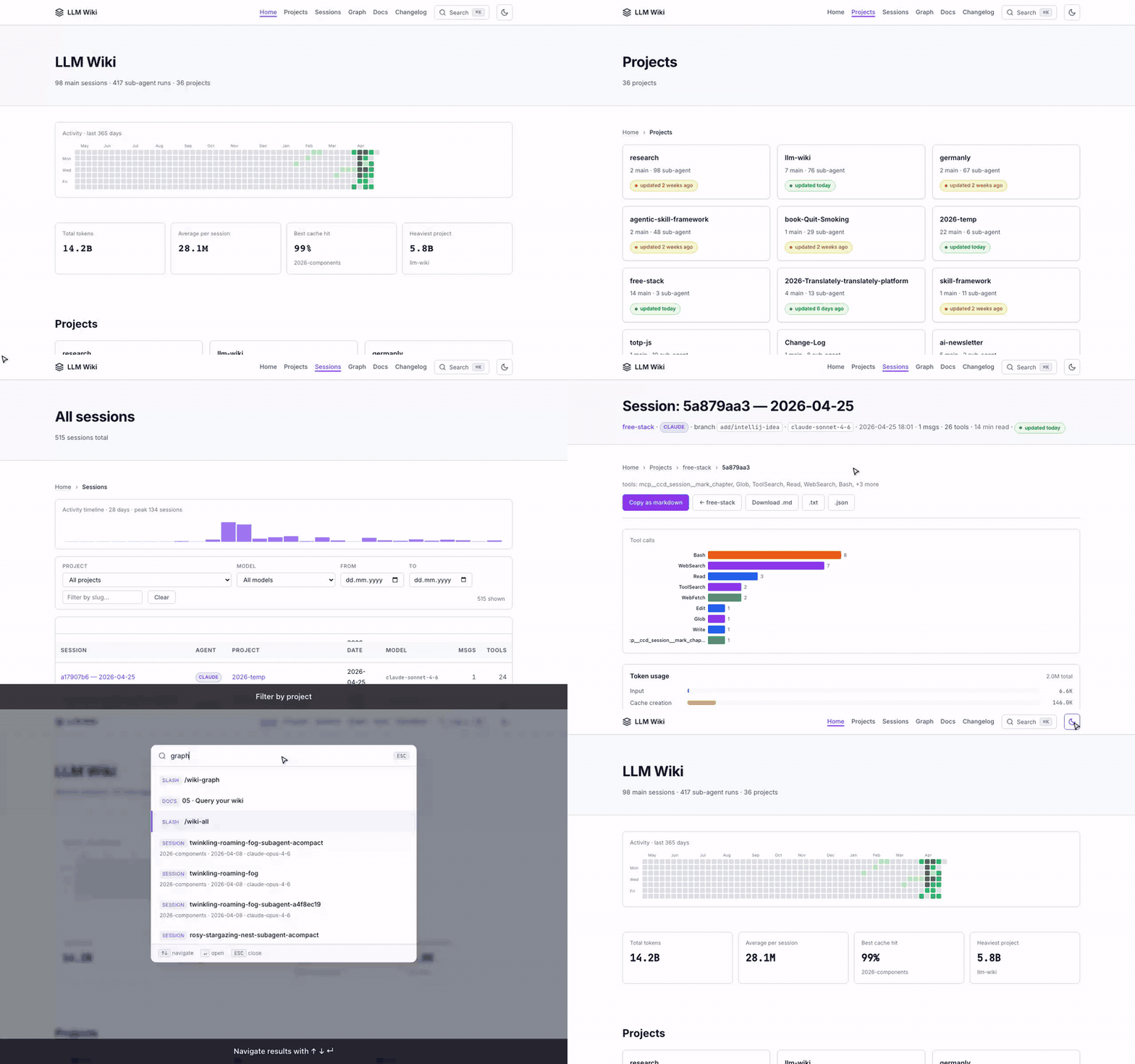
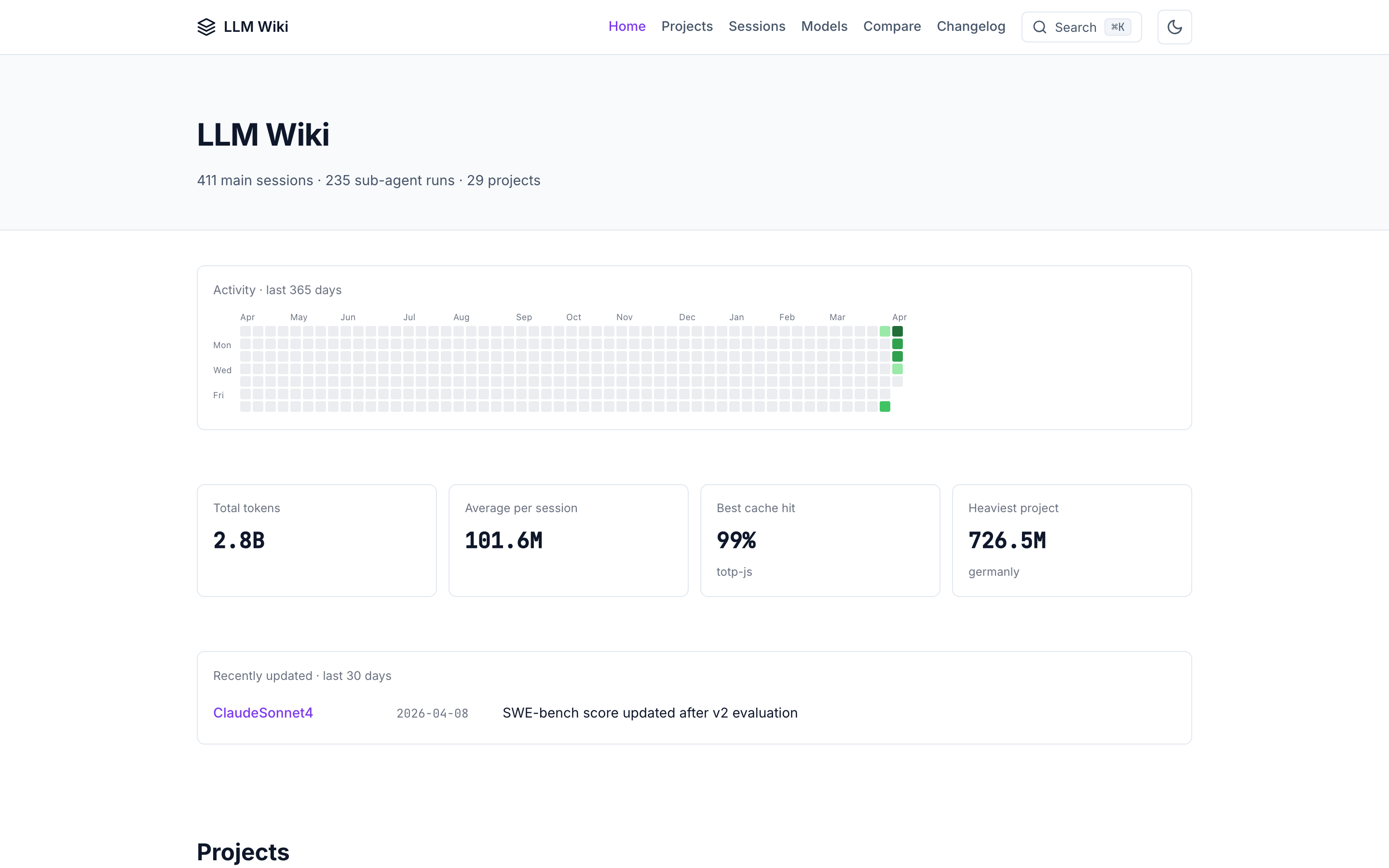
Rebuilt on every master push from the synthetic sessions in examples/demo-sessions/. No personal data. Shows every feature of the real tool (activity heatmap, tool charts, token usage, model info cards, vs-comparisons, project topics) running against safe reference data.









Every Claude Code, Codex CLI, Copilot, Cursor, and Gemini CLI session writes a full transcript to disk. You already have hundreds of them and never look at them again.
llmwiki turns that dormant history into a beautiful, searchable, interlinked knowledge base — locally, in two commands. Plus, it produces AI-consumable exports (llms.txt, llms-full.txt, JSON-LD graph, per-page .txt + .json siblings) so other AI agents can query your wiki directly.
./setup.sh                         # one-time install
./build.sh && ./serve.sh           # build + serve at http://127.0.0.1:8765
Want LLM-enriched wiki pages from the CLI? After ./setup.sh, llmwiki sync only fills raw/. To populate wiki/sources/ (semantic summaries), set synthesis.backend in examples/sessions_config.json (ollama for local Ollama, or keep dummy for stubs), then run llmwiki synthesize or chain it with llmwiki all --with-synth. See docs/modes/api/ and llmwiki sync --status for the current backend hint.
llmwiki sync
llmwiki all --with-synth --graph-engine builtin   # synthesize → build → graph → export → lint
Contributing in one line: read CONTRIBUTING.md, keep PRs focused (one concern each), use feat: / fix: / docs: / chore: / test: commit prefixes, never commit real session data (raw/ is gitignored), no new runtime deps. CI must be green to merge.
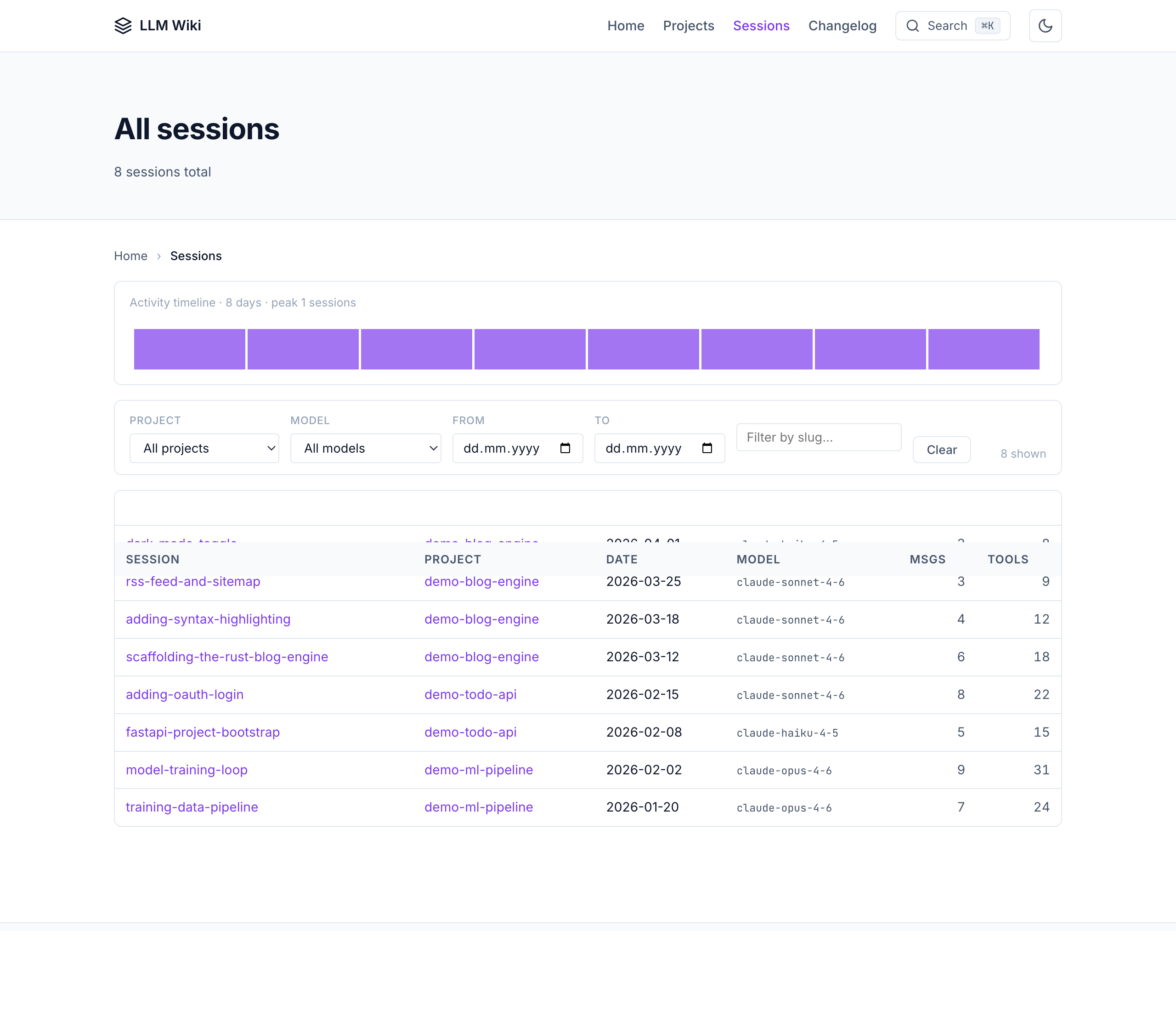
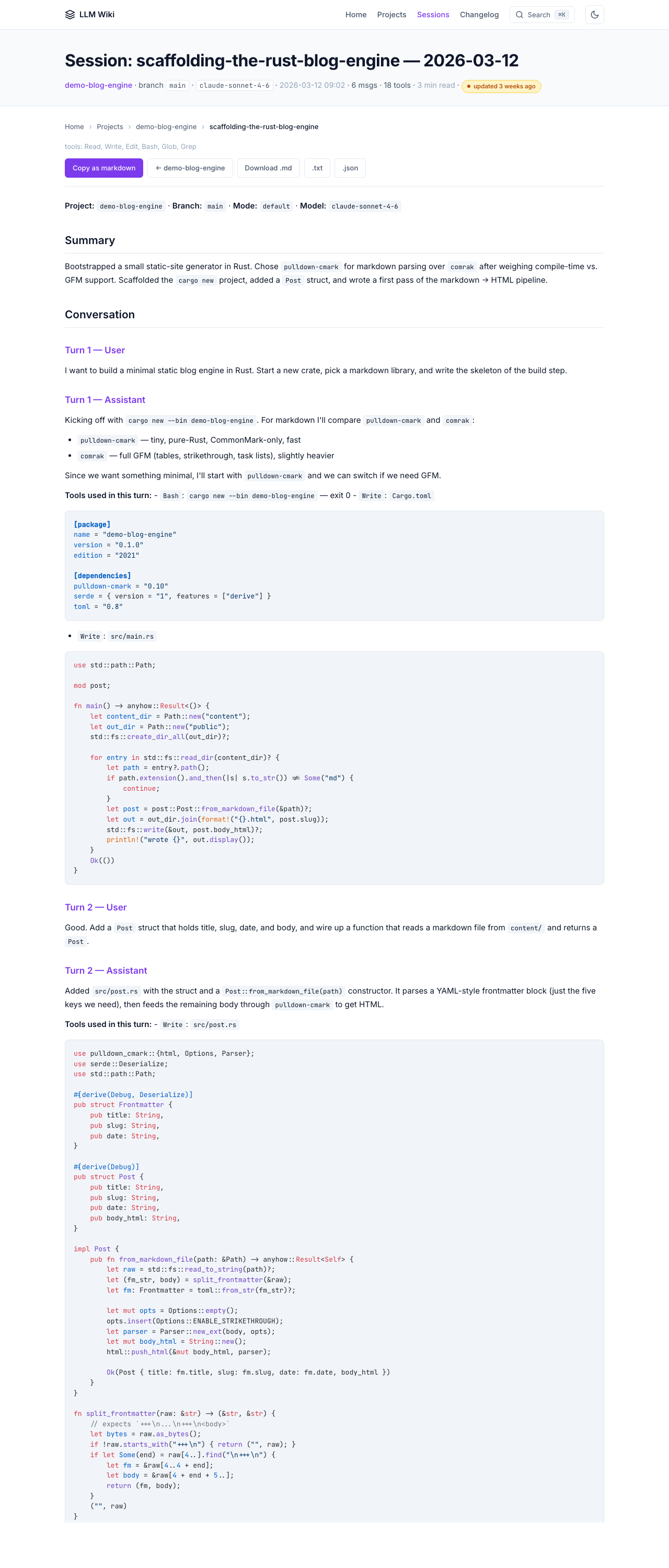
All screenshots below are from the public demo site which is built on every master push from the dummy example sessions. Your own wiki will look identical — just with your real work.
CHANGELOG.md as a first-class page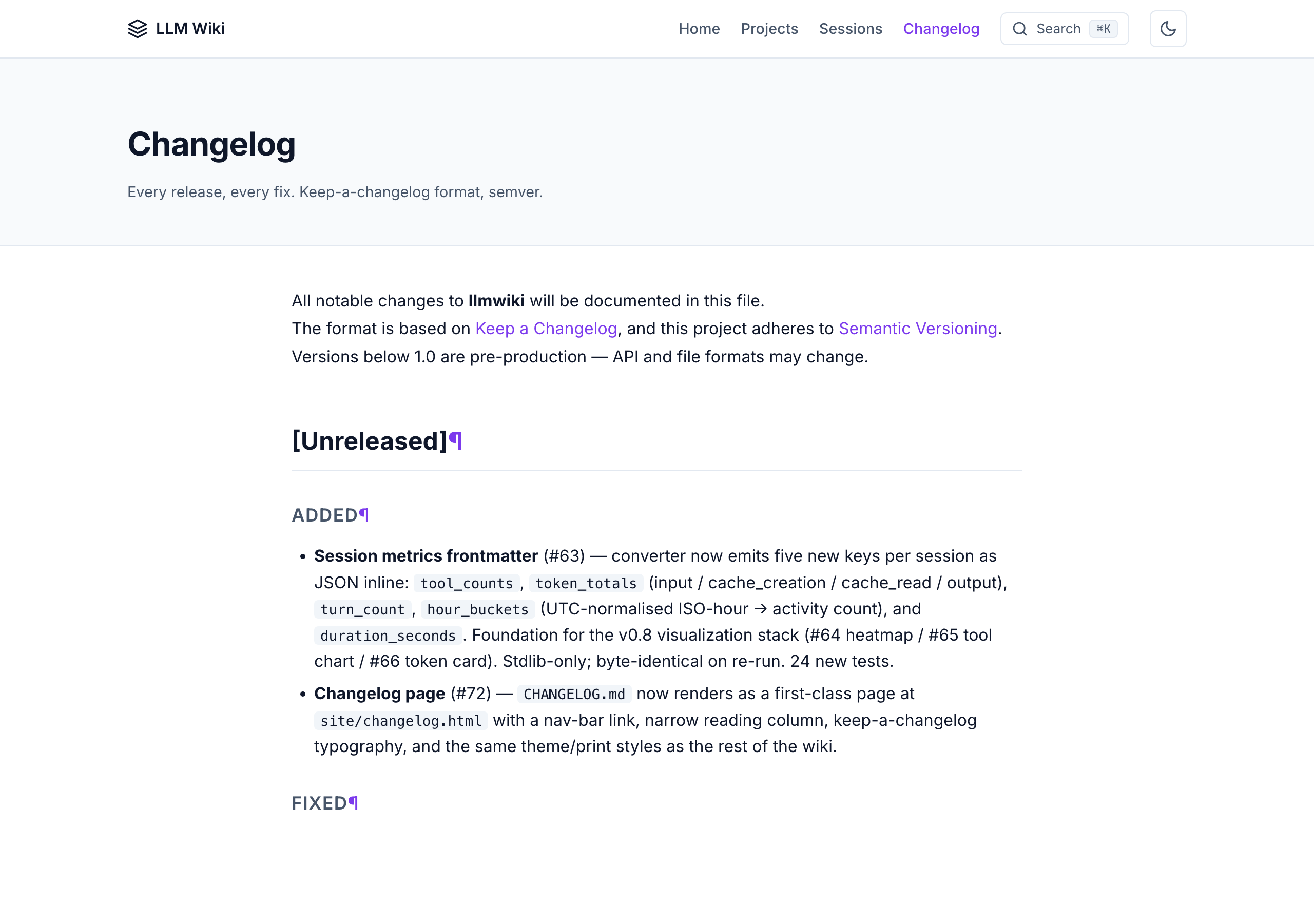
.jsonl to clean, redacted markdownsources/, entities/, concepts/, syntheses/, comparisons/, questions/ linked with [[wikilinks]]data-theme)/ search · g h/p/s nav · j/k rows · ? helpX min read)Every HTML page has sibling machine-readable files at the same URL:
<page>.html — human HTML with schema.org microdata<page>.txt — plain text version (no HTML tags)<page>.json — structured metadata + bodySite-level AI-agent entry points:
| File | What |
|---|---|
/llms.txt | Short index per llmstxt.org spec |
/llms-full.txt | Flattened plain-text dump (~5 MB cap) — paste into any LLM's context |
/graph.jsonld | Schema.org JSON-LD entity/concept/source graph |
/sitemap.xml | Standard sitemap with lastmod |
/rss.xml | RSS 2.0 feed of newest sessions |
/robots.txt | AI-friendly robots with llms.txt reference |
/ai-readme.md | AI-specific navigation instructions |
/manifest.json | Build manifest with SHA-256 hashes + perf budget |
Every page also includes an <!-- llmwiki:metadata --> HTML comment that AI agents can parse without fetching the separate .json sibling.
graph.jsonld from your terminalThe JSON-LD graph isn't just for crawlers — you can ask quick questions about your wiki without leaving the shell. Example: print every session as a tree, grouped by project:
python3 examples/scripts/tree_from_graph.py
Output:
📚 8 sessions across 3 projects
   (site/graph.jsonld v1.3.0)

llmwiki/
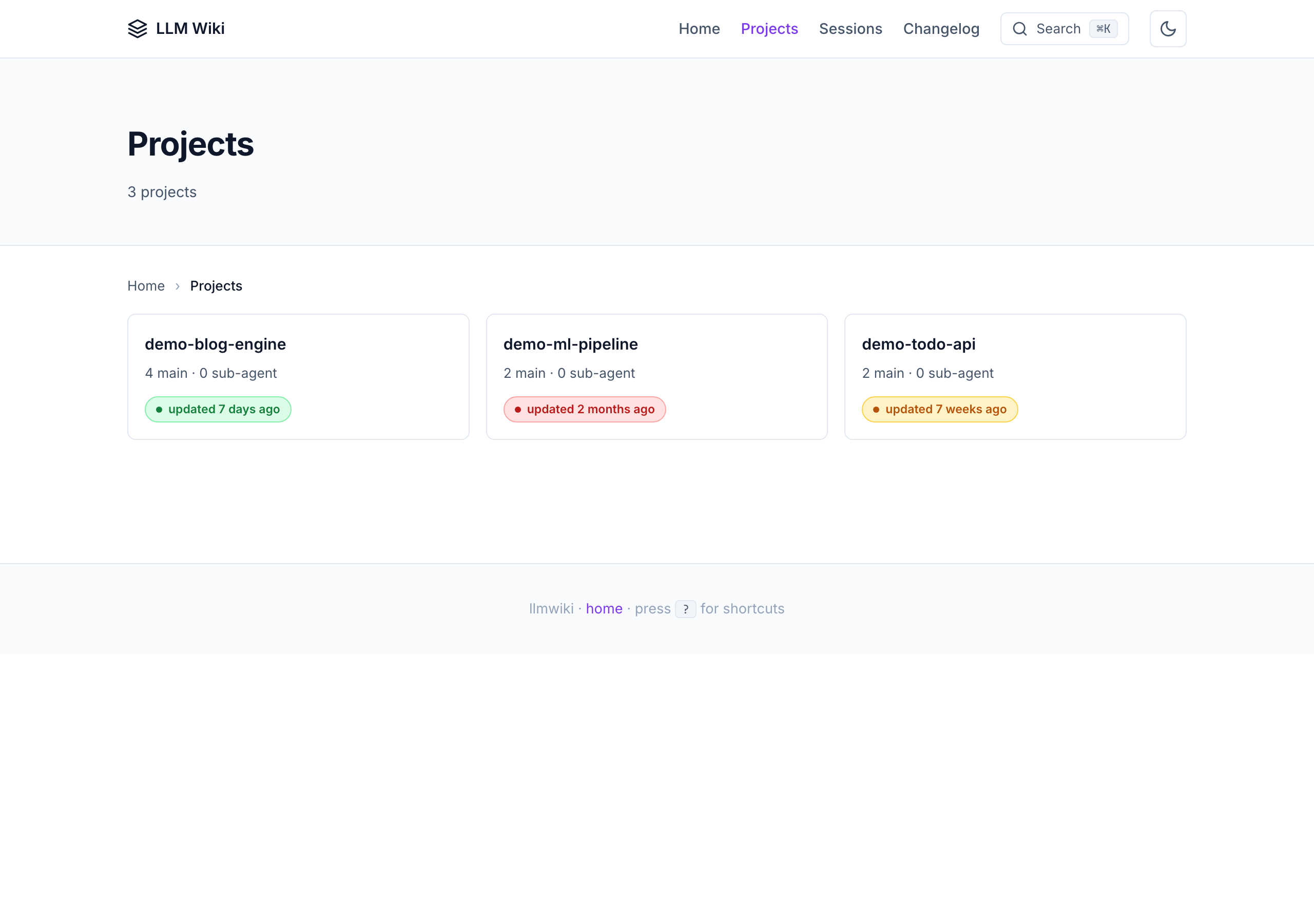
├── demo-blog-engine/  (4 sessions)
│   ├── 2026-03-12  scaffolding-the-rust-blog-engine
│   ├── 2026-03-18  adding-syntax-highlighting
│   ├── 2026-03-25  rss-feed-and-sitemap
│   └── 2026-04-01  dark-mode-toggle
├── demo-ml-pipeline/  (2 sessions)
│   ├── 2026-01-20  training-data-pipeline
│   └── 2026-02-02  model-training-loop
└── demo-todo-api/  (2 sessions)
    ├── 2026-02-08  fastapi-project-bootstrap
    └── 2026-02-15  adding-oauth-login
The full script is stdlib-only at examples/scripts/tree_from_graph.py. Same recipe pattern works for any aggregation question — count sessions per model, find the largest project by token usage, list every entity that appears in 3+ sessions, etc. The graph is yours to slice.
link-obsidian CLI — symlinks the whole project into an Obsidian vault; graph view + backlinks + full-text search just workdocs/obsidian-integration.md covers 6 recommended plugins with per-plugin configs/wiki-sync triggers /wiki-build (configurable; default on)llmwiki all runs build → graph → export → lint in a single command (--strict for CI)/wiki-sync processes queuemarkdown. Syntax highlighting loads from a highlight.js CDN at view time.A guided tour. Run these in order and you'll have a fully working wiki at http://127.0.0.1:8765/ by the end. Each command is idempotent and prints what it did.
A scripted recording of the same flow ships at docs/videos/cli-tutorial.gif (31 seconds against an 8-session sandbox). The reproducible source is docs/videos/cli-tutorial.tape — re-render anytime with vhs docs/videos/cli-tutorial.tape.
# 1. One-time scaffold (≈1 sec). Creates raw/, wiki/, site/, seed nav files.
llmwiki init

# 2. Pull in your sessions (≈1 sec / 100 sessions). Walks every adapter
#    that's "available" on this machine (Claude Code, Codex CLI, Cursor,
#    Gemini, Obsidian, Copilot Chat / CLI), converts new .jsonl files to
#    raw/sessions/*.md, then runs build + lint by default.
llmwiki sync

# 3. Compile the static HTML site (≈3 sec on a 500-session corpus).
#    Already runs as part of `sync`; call directly when you're iterating
#    on a wiki/ page and don't need a fresh sync.
llmwiki build

# 4. Browse it locally. Cmd+K opens the search palette; / focuses the
#    filter bar on /sessions/. Press Ctrl+C to stop.
llmwiki serve

# 5. (Optional) Generate the knowledge graph + AI-consumable exports.
#    `all` runs build → graph → export → lint in one shot.
llmwiki graph
llmwiki export all
llmwiki all     # one-shot equivalent of build + graph + export + lint
That's the entire happy path. Two more commands you'll reach for occasionally:
# Inspect what's installed + configured. Prints a per-adapter table:
# (available: yes/no, configured: yes/no, session-store path).
llmwiki adapters

# Lint the wiki. 16 rules — broken wikilinks, orphaned pages, stale
# summaries, duplicate detection, freshness, missing entities, etc.
# Runs as part of `sync` by default; call directly for a one-shot check.
llmwiki lint
Three optional flags you'll discover later:
--adapter <name> — limit sync to one adapter (e.g. --adapter claude_code)--vault PATH — write into an Obsidian / Logseq vault overlay instead of wiki/ (#54)--synthesize — call out to a local Claude / Ollama backend during build for an LLM-generated overview pageEach subcommand has its own --help with the rest. The CLI reference table below is the full list.
┌─────────────────────────────────────┐
│  ~/.claude/projects/*/*.jsonl       │  ← Claude Code sessions
│  ~/.codex/sessions/**/*.jsonl       │  ← Codex CLI sessions
│  ~/Library/.../Cursor/workspaceS…   │  ← Cursor
│  ~/Documents/Obsidian Vault/        │  ← Obsidian
│  ~/.gemini/                         │  ← Gemini CLI
└──────────────┬──────────────────────┘
               │
               ▼   python3 -m llmwiki sync
┌─────────────────────────────────────┐
│  raw/sessions/<project>/            │  ← immutable markdown (Karpathy layer 1)
│     2026-04-08-<slug>.md            │
└──────────────┬──────────────────────┘
               │
               ▼   /wiki-ingest  (your coding agent)
┌─────────────────────────────────────┐
│  wiki/sources/<slug>.md             │  ← LLM-generated wiki (Karpathy layer 2)
│  wiki/entities/<Name>.md            │
│  wiki/concepts/<Name>.md            │
│  wiki/syntheses/<Name>.md           │
│  wiki/comparisons/<Name>.md         │
│  wiki/questions/<Name>.md           │
│  wiki/index.md, overview.md, log.md │
└──────────────┬──────────────────────┘
               │
               ▼   python3 -m llmwiki build
┌─────────────────────────────────────┐
│  site/                              │  ← static HTML + AI exports
│  ├── index.html, style.css, ...     │
│  ├── sessions/<project>/<slug>.html │
│  ├── sessions/<project>/<slug>.txt  │  (AI sibling)
│  ├── sessions/<project>/<slug>.json │  (AI sibling)
│  ├── llms.txt, llms-full.txt        │
│  ├── graph.jsonld                   │
│  ├── sitemap.xml, rss.xml           │
│  ├── robots.txt, ai-readme.md       │
│  ├── manifest.json                  │
│  └── search-index.json              │
└─────────────────────────────────────┘
See docs/architecture.md for the full 3-layer Karpathy + 8-layer build breakdown.
Full production documentation lives under docs/. The editorial
hub is docs/index.md — tutorials, per-agent guides,
reference, and deployment, all in one place.
Start here:
| Goal | Read |
|---|---|
| Install and build your first site in 10 minutes | Tutorial 01 → 02 |
| Use llmwiki with Claude Code | Tutorial 03 |
| Use llmwiki with Codex CLI | Tutorial 04 |
| Query / lint / review your wiki daily | Tutorial 05 |
| Point llmwiki at an existing Obsidian / Logseq vault | Tutorial 06 |
| See four real end-to-end workflows | Tutorial 07 |
Contributing to docs? See the style guide.
git clone https://github.com/Pratiyush/llm-wiki.git
cd llm-wiki
./setup.sh
git clone https://github.com/Pratiyush/llm-wiki.git
cd llm-wiki
setup.bat
pip install -e .                # basic — everything you need
pip install -e '.[graph]'       # + graphifyy AI-powered graph engine
pip install -e '.[dev]'         # + pytest + ruff
pip install -e '.[e2e]'         # + Playwright + pytest-bdd + pytest-html (E2E)
pip install -e '.[all]'         # graph + everything
Syntax highlighting is now powered by highlight.js, loaded from a CDN at view time — no optional deps required.
raw/, wiki/, site/ data directoriesllmwiki Python package in-placeSessionStart hook into ~/.claude/settings.json for auto-syncRunning the project? The governance scaffold lives under docs/maintainers/ and is loaded by a dedicated skill:
| File | What it's for |
|---|---|
CONTRIBUTING.md | Short rules for contributors — read this first |
CODE_OF_CONDUCT.md | Contributor Covenant 2.1 |
SECURITY.md | Disclosure process for redaction bugs, XSS, data leaks |
docs/maintainers/ARCHITECTURE.md | One-page system diagram + layer boundaries + what NOT to add |
docs/maintainers/REVIEW_CHECKLIST.md | Canonical code-review criteria |
docs/maintainers/RELEASE_PROCESS.md | Version bump → CHANGELOG → tag → build → publish |
docs/maintainers/TRIAGE.md | Label taxonomy + stale-issue policy |
docs/maintainers/ROADMAP.md | Near-term plan + release themes |
docs/maintainers/DECLINED.md | Graveyard of declined ideas with reasons |
Four Claude Code slash commands automate the common ops:
/review-pr <N> — apply the REVIEW_CHECKLIST to a PR and post findings/triage-issue <N> — label + milestone + priority a new issue/release <version> — walk the release process step by step/maintainer — meta-skill that loads every governance doc as contextThe unit suite (pytest tests/ — 2,651 tests) runs in seconds and
covers every module. The end-to-end suite under tests/e2e/ is
separate: it builds a minimal demo site, serves it on a random port,
drives a real browser via Playwright,
and runs scenarios written in Gherkin
via pytest-bdd.
Why both? Unit tests lock the contract at the module boundary; E2E locks the contract at the user's browser. A diff that passes unit tests but breaks the Cmd+K palette will fail E2E.
Install the extras (one-time, several hundred MB for the Chromium binary):
pip install -e '.[e2e]'
python -m playwright install chromium
Run the suite:
pytest tests/e2e/ --browser=chromium
Run a single feature:
pytest tests/e2e/test_command_palette.py --browser=chromium -v
The E2E suite is excluded from the default pytest tests/ run
(see the --ignore=tests/e2e addopt in pyproject.toml) so you
can iterate on the unit suite without waiting for browser installs.
CI runs the E2E job as a separate workflow (.github/workflows/e2e.yml)
that only fires on PRs touching build.py, the viz modules, or
tests/e2e/**.
Feature files live under tests/e2e/features/ — one per UI area
(homepage, session page, command palette, keyboard nav, mobile nav,
theme toggle, copy-as-markdown, responsive breakpoints, edge
cases, accessibility, visual regression). Step definitions
are all in tests/e2e/steps/ui_steps.py. Adding a new scenario is
usually a 2-line change to a .feature file plus maybe one new step.
Run locally with an HTML report:
pytest tests/e2e/ --browser=chromium \
  --html=e2e-report/index.html --self-contained-html
open e2e-report/index.html     # macOS — opens the browseable report
Where to see test reports:
| What | Where |
|---|---|
| Unit test results | GitHub Actions → ci.yml → latest run → lint-and-test job logs |
| E2E HTML report | GitHub Actions → e2e.yml → latest run → Artifacts → e2e-html-report (14-day retention) |
| Visual regression screenshots | Same run → Artifacts → e2e-screenshots |
| Playwright traces (failed runs only) | Same run → Artifacts → playwright-traces (open with playwright show-trace <zip>) |
| Demo site deploy status | GitHub Actions → pages.yml → latest run |
Locally, the HTML report is one file (e2e-report/index.html) that
you can open in any browser — pass/fail per scenario, duration,
stdout/stderr, screenshot on failure.
For a daily / weekly cron-style sync, schedule llmwiki sync directly via your OS's native job runner (launchd on macOS, systemd on Linux, Task Scheduler on Windows). Paths and adapter selection come from examples/sessions_config.json.
llmwiki init                    # scaffold raw/ wiki/ site/ + seed nav files
llmwiki sync                    # convert .jsonl → markdown (auto-build + auto-lint if configured)
llmwiki build                   # compile static HTML + AI exports
llmwiki serve                   # local HTTP server on 127.0.0.1:8765
llmwiki adapters                # list available adapters + configured state (v1.0)
llmwiki graph                   # build knowledge graph (v0.2)
llmwiki lint                    # 16-rule wiki lint (v1.2)
llmwiki export <format>         # AI-consumable exports (v0.4)
llmwiki synthesize              # auto-ingest synthesis pipeline (v0.5)
llmwiki all                     # build → graph → export → lint in one shot (v1.2)
llmwiki version
Each subcommand has its own --help. All commands are also wrapped in one-click shell/batch scripts: sync.sh/.bat, build.sh/.bat, serve.sh/.bat, upgrade.sh/.bat.
| Agent | Adapter | Status | Added in |
|---|---|---|---|
| Claude Code | llmwiki.adapters.claude_code | ✅ Production | v0.1 |
| Obsidian (input) | llmwiki.adapters.obsidian | ✅ Production | v0.1 |
| Obsidian (output) | llmwiki.obsidian_output | ✅ Production | v0.2 |
| Codex CLI | llmwiki.adapters.codex_cli | ✅ Production | v0.3 |
| Cursor | llmwiki.adapters.cursor | 🧪 Beta — needs verification against current Cursor session format | v0.5 |
| Gemini CLI | llmwiki.adapters.gemini_cli | 🧪 Beta — layout TBC | v0.5 |
| Copilot Chat | llmwiki.adapters.copilot_chat | 🧪 Beta | v0.9 |
| Copilot CLI | llmwiki.adapters.copilot_cli | 🧪 Beta | v0.9 |
| OpenCode / OpenClaw | — | ⏸ Deferred | — |
Adding a new agent is one small file — subclass BaseAdapter, declare SUPPORTED_SCHEMA_VERSIONS, ship a fixture + snapshot test.
llmwiki ships its own MCP server (stdio transport, no SDK dependency) so any MCP client can query your wi
Sign in to join the discussion.
No comments yet. Be the first to say what this is good for.
🪨 why use many token when few token do trick — Claude Code skill that cuts 65% of tokens by talking like caveman

The best-benchmarked open-source AI memory system. And it's free.

Orca is the ADE for working with a fleet of parallel agents. Run any coding agent with your own subscription. Available on desktop, mobile and remote runtime.

A cross-platform desktop All-in-One assistant for Claude Code, Codex, OpenCode, OpenClaw, Grok Build & Hermes Agent. Only official website: ccswitch.io

Never stop coding. Free MIT AI gateway: one endpoint, 352 providers (150+ free), 1200+ models Kimi, Claude, GPT, Gemini, GLM, DeepSeek, MiniMax. Works with Claude Code, Codex, Cursor, OpenCode, Cline & Copilot. Quota-aware auto-fallback, RTK+Caveman compression saves 15-95% tokens, MCP/A2A, Desktop/PWA. Built by 550+ contributors

Compress tool outputs, logs, files, and RAG chunks before they reach the LLM. 20% fewer tokens for coding agents, 60-95% fewer tokens for JSON, same answers. Library, proxy, MCP server.