
JuliusBrussee/
caveman

🪨 why use many token when few token do trick — Claude Code skill that cuts 65% of tokens by talking like caveman
105k
1 add
AI Badger scans your repo, picks the relevant files, and turns them into prompts you can paste into an AI chat. It is designed for a local, copy-and-paste workflow, so you keep control over what leaves your machine.
Builders who want their agent chat to work with a smaller, more relevant slice of a codebase.
You can give an AI chat precise repo context without wasting tokens on unrelated files.
Builds a first prompt from your goal, then a second prompt from the files the AI asks for, so you can move from orientation to action in steps.
Keeps everything on your machine until you copy it, with no cloud upload, API keys, or telemetry.
Supports `review` and `design` workflows, plus `badger code`, `badger review`, and `badger design` entry points.
Includes `handoff` and `badger-review` skills for continuing a session or asking for an independent review.
Provides docs for API usage, editor integration, browser handoff, and clipboard support.
brew install pvrlabs/tap/badger
curl -fsSL https://raw.githubusercontent.com/PVRLabs/aibadger/main/install.sh | sh
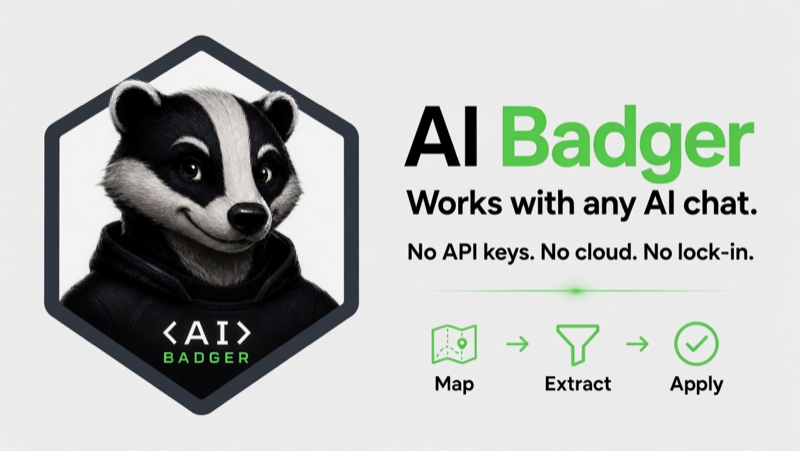
Local-first codebase context extraction for any AI chat (Claude, ChatGPT, Grok, DeepSeek, etc.).
Get precise, token-efficient context on demand without uploading your entire repo or wasting tokens on irrelevant files.



No cloud • No API keys • No telemetry • Fully local
▶ Try Interactive Demo • Install
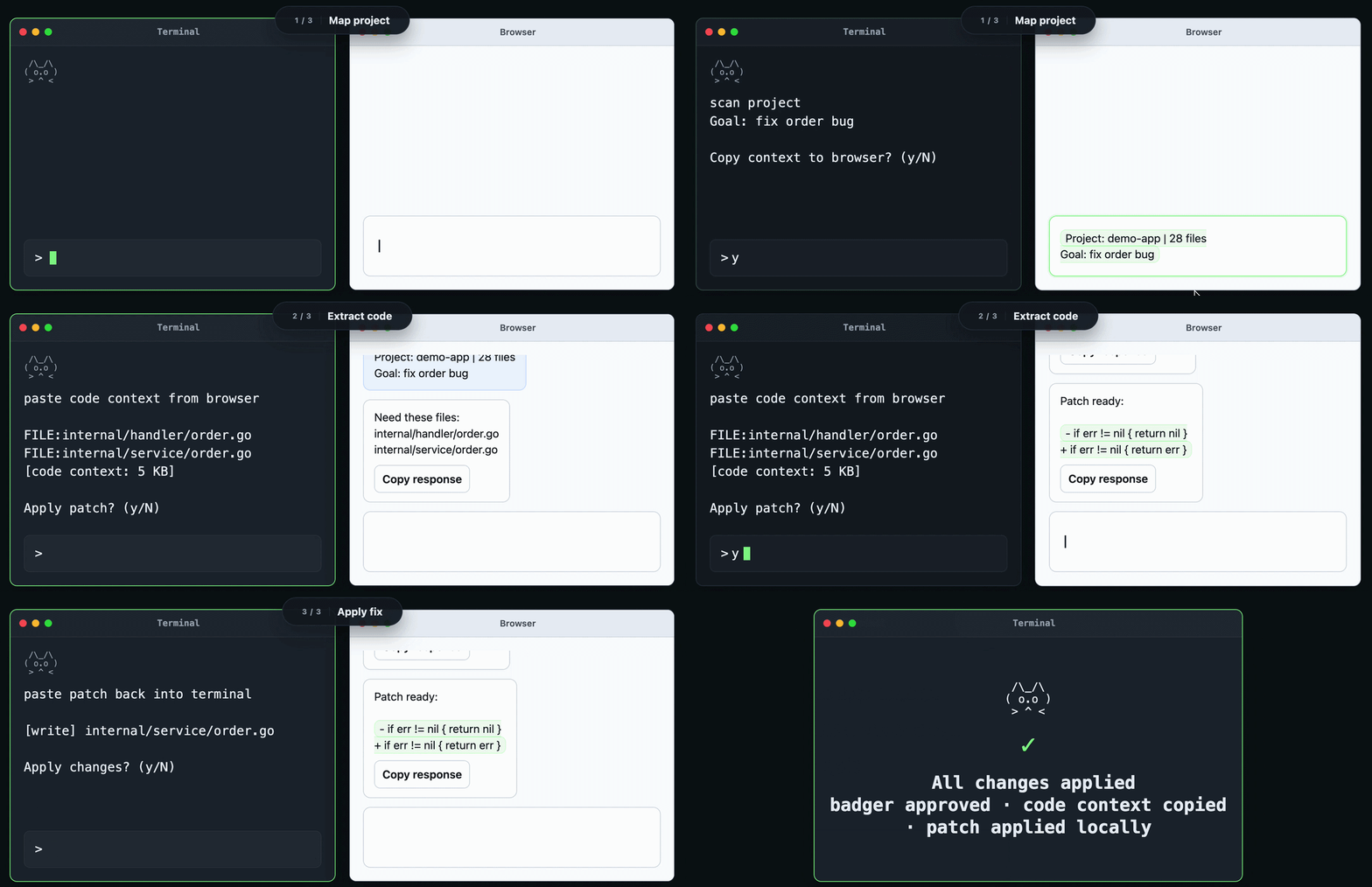
Map → Extract → Apply: Smart local context bridge that prepares focused codebase snippets for any LLM chat.
1. Map
Enter your goal. Badger builds a prompt.
↳ You copy it → paste into your AI chat
2. Extract
AI replies asking for specific files.
↳ You copy that → paste back into Badger
3. Apply
Badger fetches those files, builds a second prompt.
↳ You copy it → paste into AI → review before writing
✓ Fully local — nothing leaves your machine until you copy it
✓ You control every paste and every write
review and design for common workflowsbrew install pvrlabs/tap/badger
curl -fsSL https://raw.githubusercontent.com/PVRLabs/aibadger/main/install.sh | sh
See docs/install.md for Windows, source builds, and more.
Also available as an official VS Code companion (GitHub).
Badger includes the handoff and badger-review skills for continuing an AI
coding session or requesting an independent review. See the Agent Skills
guide for installation, usage, and details.
badger in your project root. Interactive sessions start in Design focus.badger code — explicitly start in Code focusbadger review — Git changes and bounded supporting context for immediate findingsbadger design — explicitly start in Design focus with an empty editorFull usage: docs/usage.md
If AI Badger makes your coding workflow simpler, consider starring the repo ⭐
Sign in to join the discussion.
No comments yet. Be the first to say what this is good for.
🪨 why use many token when few token do trick — Claude Code skill that cuts 65% of tokens by talking like caveman

The best-benchmarked open-source AI memory system. And it's free.

Orca is the ADE for working with a fleet of parallel agents. Run any coding agent with your own subscription. Available on desktop, mobile and remote runtime.

A cross-platform desktop All-in-One assistant for Claude Code, Codex, OpenCode, OpenClaw, Grok Build & Hermes Agent. Only official website: ccswitch.io

Never stop coding. Free MIT AI gateway: one endpoint, 352 providers (150+ free), 1200+ models Kimi, Claude, GPT, Gemini, GLM, DeepSeek, MiniMax. Works with Claude Code, Codex, Cursor, OpenCode, Cline & Copilot. Quota-aware auto-fallback, RTK+Caveman compression saves 15-95% tokens, MCP/A2A, Desktop/PWA. Built by 550+ contributors

Compress tool outputs, logs, files, and RAG chunks before they reach the LLM. 20% fewer tokens for coding agents, 60-95% fewer tokens for JSON, same answers. Library, proxy, MCP server.