
MadsLorentzen/ai-job-searchHarnesses
The job search that runs on your machine. AI job application framework built on Claude Code: evaluate postings, tailor CVs, write cover letters, prep interviews. Fork it and own it.
42k
Dr. Claw gives agents a structured research workspace with stages for survey, ideation, experiments, paper writing, and promotion. The harness wires those stages to a skill library and multiple execution backends, so you can keep the same process while switching between Claude Code, Gemini CLI, Codex, or OpenRouter models.
Builders who want their agent to handle literature review, experiments, and paper drafting in one workflow.
You can move from research idea to paper draft with reusable skills and a consistent agent workflow.
Runs a staged workflow across Survey, Ideation, Experiment, Publication, and Promotion.
Ships more than 100 research skills for ideation, analysis, writing, rebuttals, and delivery.
Lets you switch between Claude Code, Gemini CLI, Codex, and OpenRouter models.
Provides the `drclaw` CLI for login, project control, chat, and workflow status.
Exposes JSON commands and watcher events for mobile or chat-based control.
npx dr-claw
npm install -g dr-claw
dr-claw
git clone https://github.com/OpenLAIR/dr-claw.git
cd dr-claw
npm install
cp .env.example .env
# Edit .env with your preferred settings (port, etc.)
# Development mode (with hot reload)
npm run dev

Full-stack research workspace.
🎉 Accepted to EMNLP 2026 System Demonstrations









[!NOTE] Excited about Anthropic's Claude Science (launched June 30, 2026)? Dr. Claw has been shipping the same vision since February 2026 — and it's fully open source, model-agnostic (Claude Code, Gemini CLI, Codex, plus hundreds of models via OpenRouter), and runs on your own machine with your own data and GPUs. It also covers the full research lifecycle — survey → ideation → experiments → paper writing → slides & promotion — not just computational analysis. Free to use; no subscription required.
Dr. Claw is a general-purpose AI research assistant designed to help researchers and builders execute end-to-end projects across different domains. From shaping an initial idea to running experiments and preparing publication-ready outputs, Dr. Claw keeps the full workflow in one place so teams can focus on research quality and iteration speed.
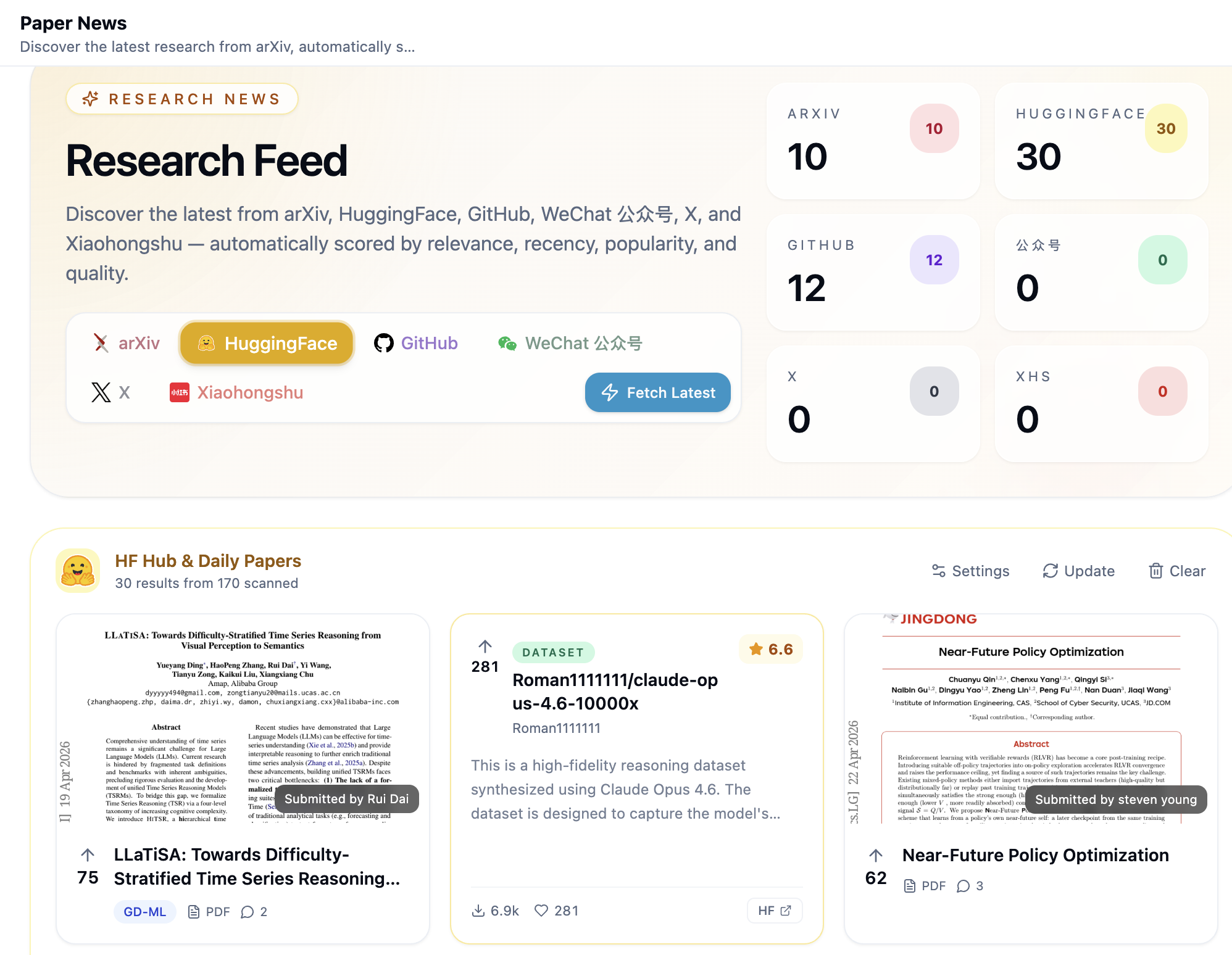
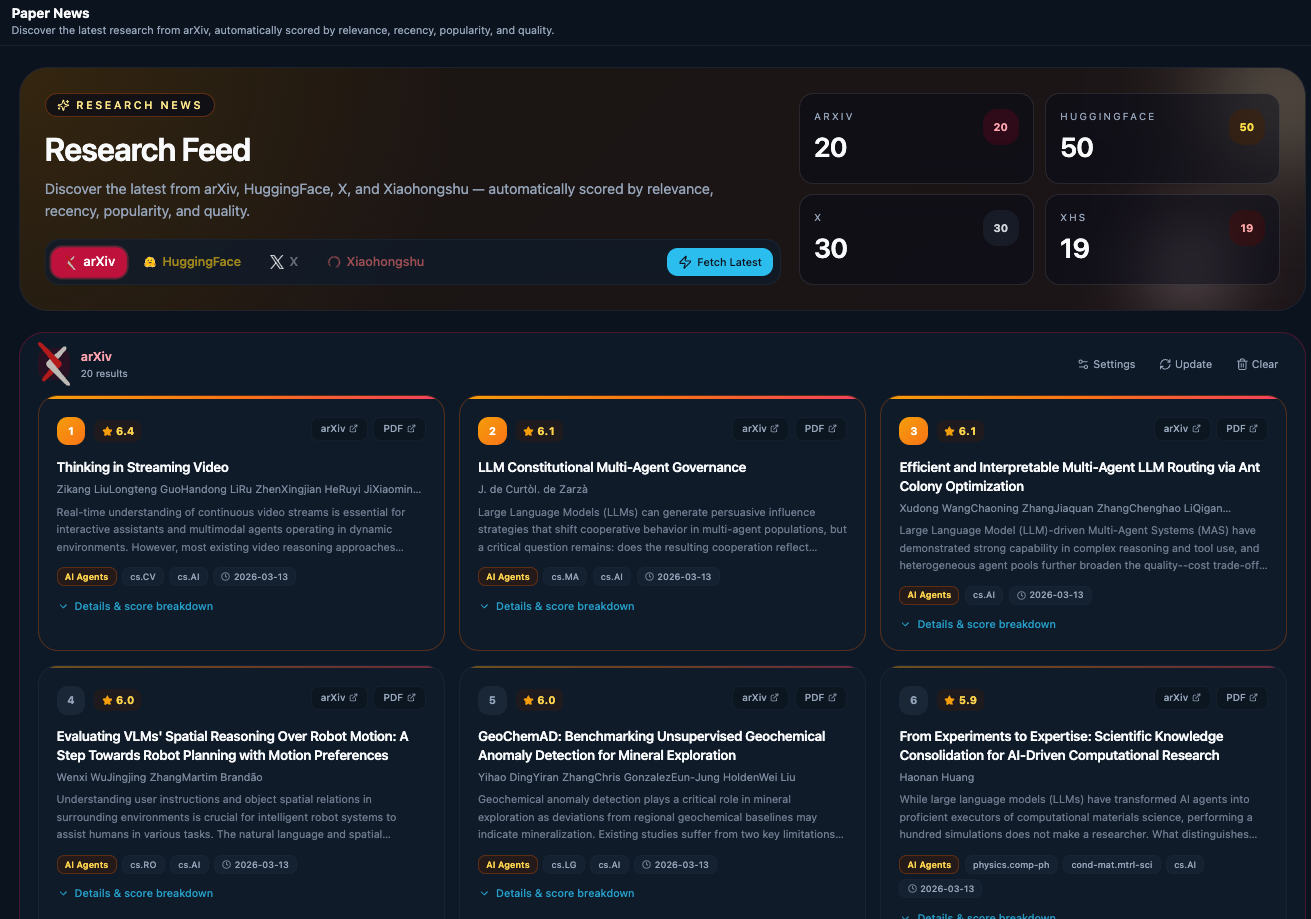
Filter by source, configure your research domains, and never leave your workspace to keep up with the field — covers arXiv, HuggingFace (Daily Papers + Models / Datasets / Spaces), GitHub trending & new repos, WeChat 公众号 (via RSSHub), X, and Xiaohongshu.
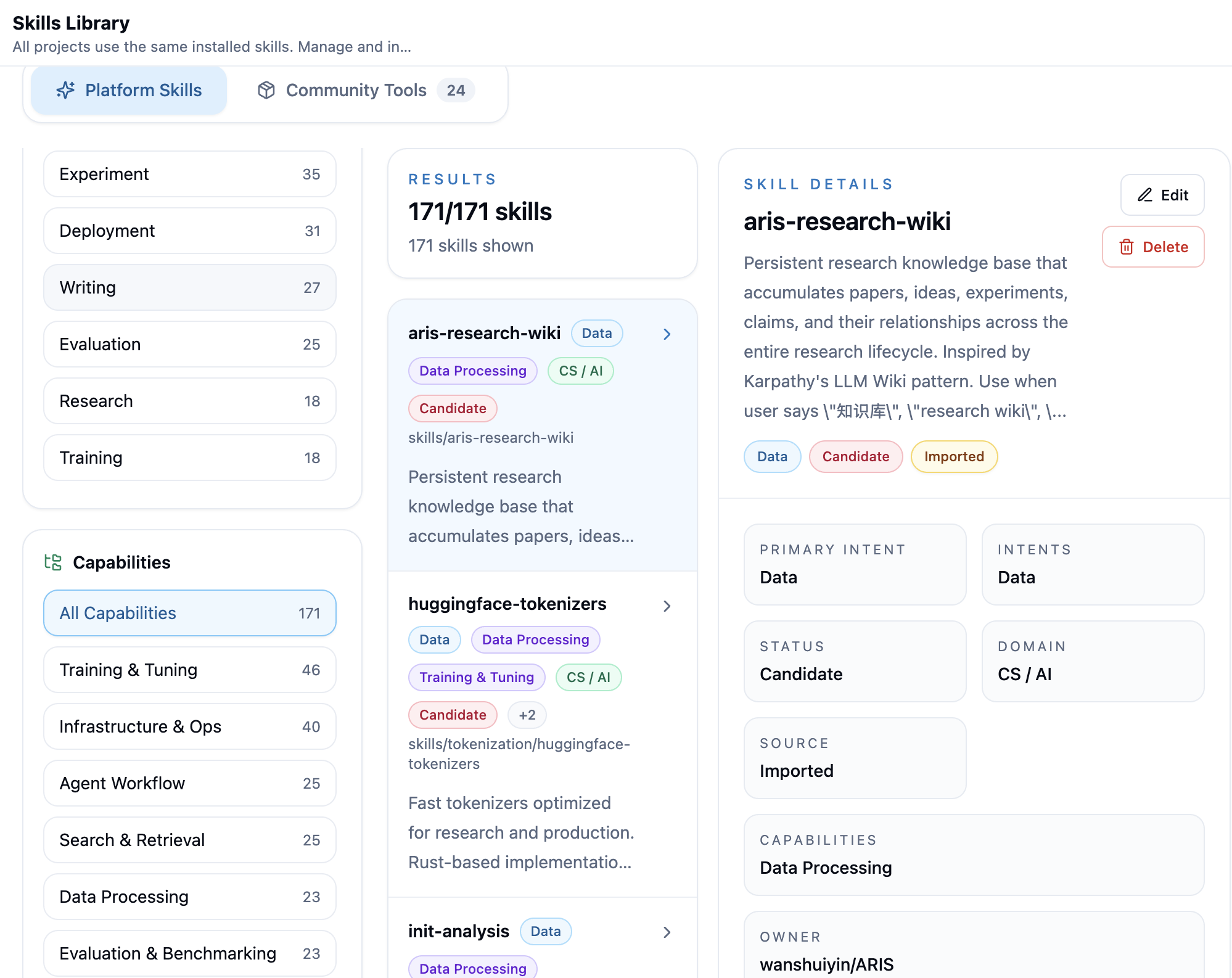
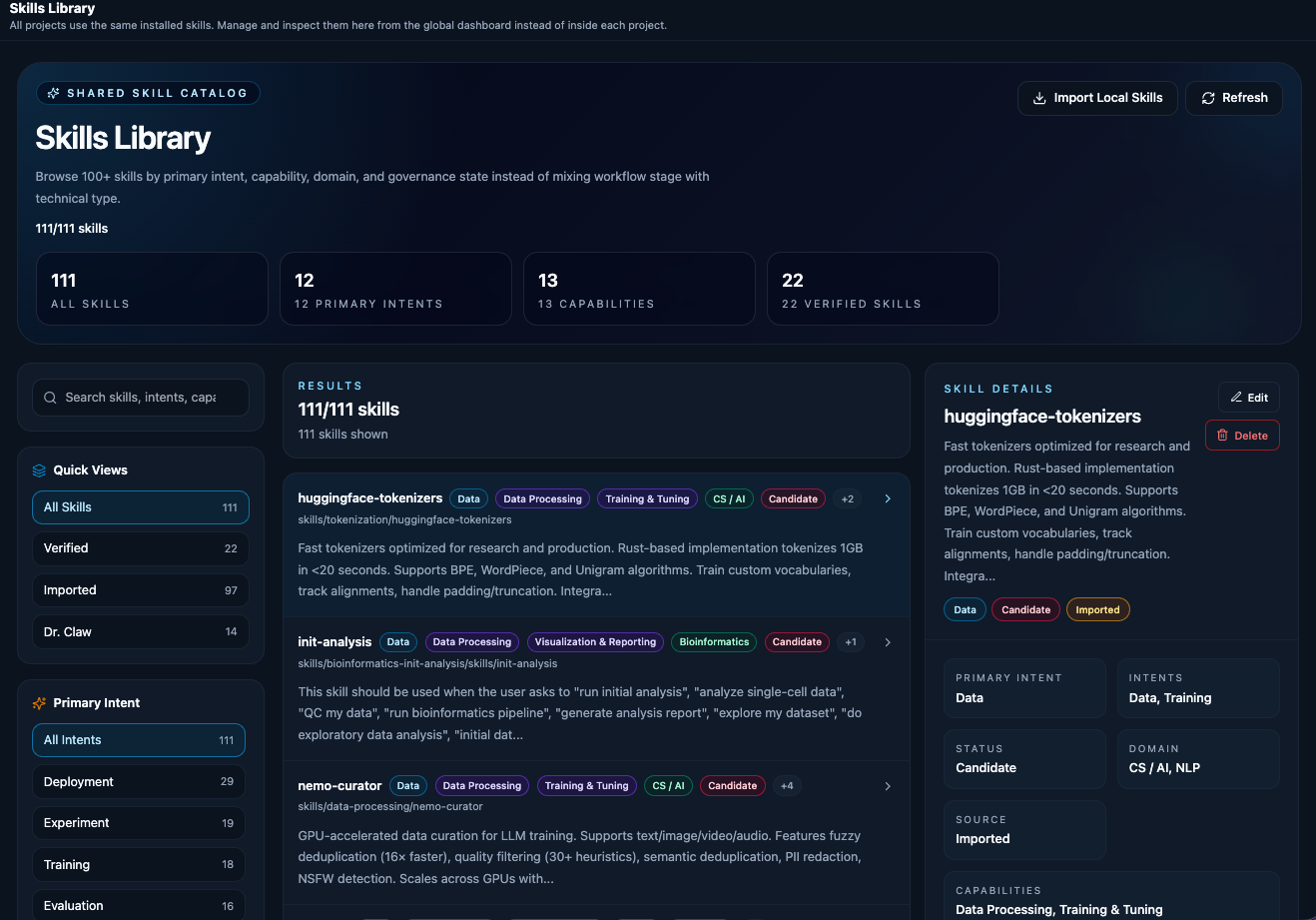
Browse skills spanning ideation, code survey, experiment development & analysis, paper writing, review response, and delivery — agents auto-discover and apply them as task-level assistance throughout the pipeline.
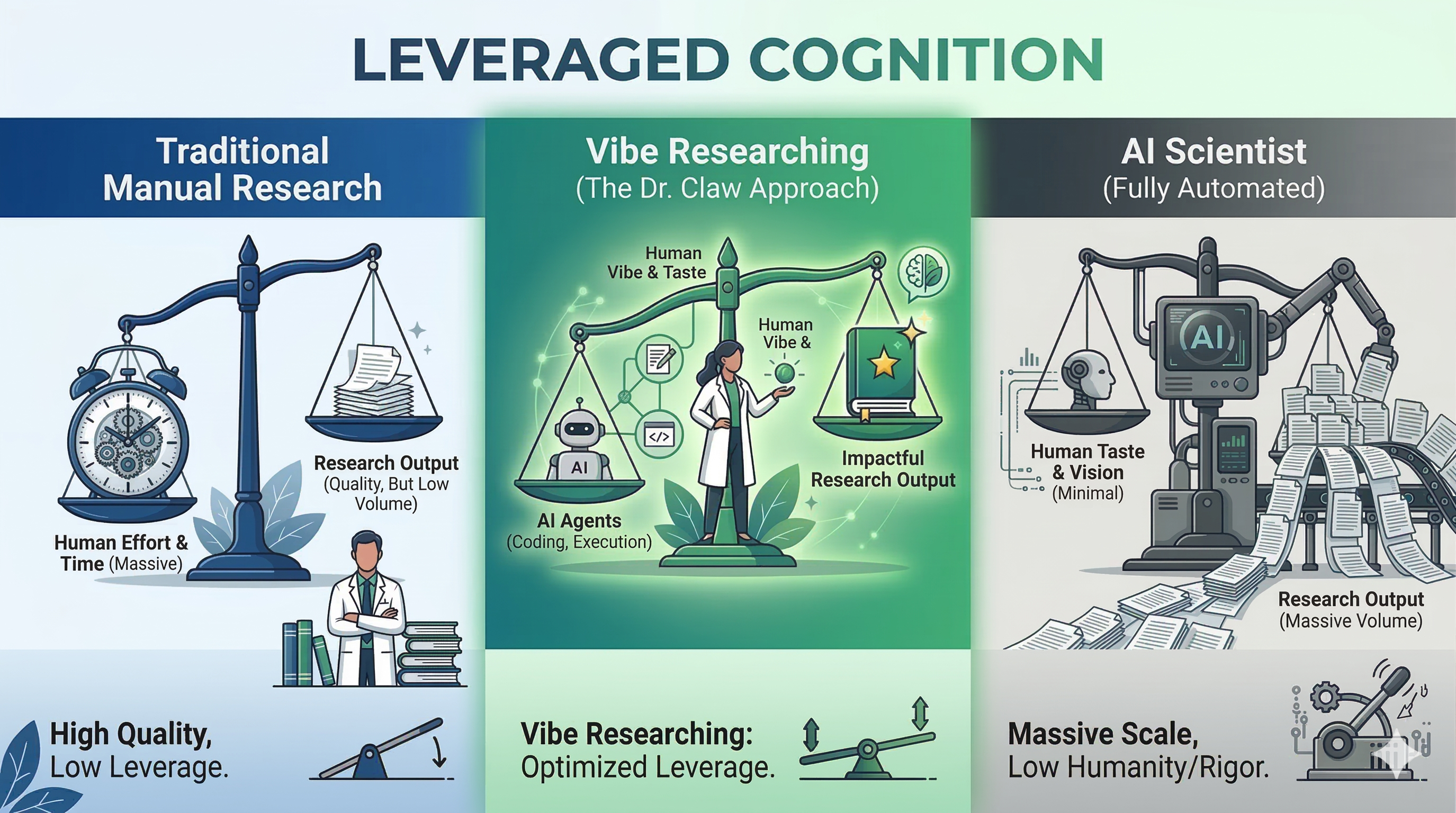
Manual work is too slow. Fully automated AI is too generic. Vibe Researching is the new frontier. Dr. Claw turns your Research Taste into outsized outcomes with Agentic Execution--so you can move faster, think bigger, and still hold the line on scientific rigor.
2026-08-22 — Our paper Dr. Claw: An AI Scientist Workspace for Vibe Research has been accepted to the EMNLP 2026 System Demonstrations track! Catch the live demo in Budapest, Hungary, October 24–29, 2026.2026-04-08 — One click to launch fully autonomous research! Pick a tool pack (ARIS, Autoresearch, DeepScientist), hit configure, choose a workflow in Chat — and watch the agent run your entire research pipeline from idea to paper while you sleep.2026-04-06 — Dr. Claw now runs as a native desktop app! Grab the .dmg / .exe from GitHub Releases, or run npx dr-claw for zero-setup instant start.2026-04-06 — Research Lab and Files now live side-by-side as switchable tabs in the right sidebar — everything you need, one glance away.2026-04-06 — Preview any project file inline with a sleek pill toggle and sidebar browser — no more context-switching!2026-04-06 — Love the terminal? Run dr-claw chat for a fully agentic session with any OpenRouter model — zero browser required.2026-03-30 — Fine-tune your AI's thinking! Codex reasoning effort and Gemini thinking strength selectors are now right in Chat.2026-03-30 — Dr. Claw automatically detects your local GPU resources — ready to put that hardware to work.2026-03-28 — Unlock hundreds of models (GPT-5, Claude, Gemini, DeepSeek, Llama, Kimi, and more) with a single API key. The world's models at your fingertips!2026-03-26 — Crashed mid-session? No sweat — hit the retry button and pick up right where you left off.2026-03-26 — Port already taken? Dr. Claw finds a free one automatically. One less thing to worry about.2026-03-26 — Tasks auto-load into Chat with a handy badge dropdown — just click and go!2026-03-26 — Sessions are now auto-tagged by research stage — instantly see where each conversation stands.2026-03-24 — New skill for crafting review rebuttals — turn reviewer feedback into publication-ready responses.2026-03-21 — Run multiple sessions in parallel with smart naming — juggle projects like a pro!2026-03-21 — Accidentally deleted a project? Relax — it's in the trash, ready to be restored.2026-03-21 — Full CLI control plus an OpenClaw integration for mobile-friendly, voice-ready research management.2026-03-20 — Manage your papers with a streamlined picker and local Zotero support — your literature, organized.2026-03-20 — Stage, commit, diff, and switch branches without ever leaving the app. Version control, built in.2026-03-14 — Stay on top of research-relevant updates right inside your workspace — never miss a trending paper!inno-pipeline-planner skill to interactively generate a structured research brief and task list — no manual templates needed| Artifact | Location | Description | |
|---|---|---|---|
| 📚 | Survey reports | Survey/reports/ | Literature reviews with citations from arXiv, Semantic Scholar, and web sources |
| 💡 | Research ideas | Ideation/ideas/ | Brainstorming outputs with multi-persona evaluation scores |
| 🔬 | Experiment code | Experiment/core_code/ | Implementation from the plan → implement → judge loop |
| 📊 | Analysis results | Experiment/analysis/ | Statistical analysis, tables, and paper-ready figures |
| 📝 | Paper draft | Publication/paper/ | Academic manuscript (IEEE/ACM format) with citations and LaTeX math |
| 🎞️ | Presentation | Promotion/slides/ | Slide deck, TTS narration audio, and demo video |
See docs/pipeline-outputs.md for the full artifact list and project directory structure.
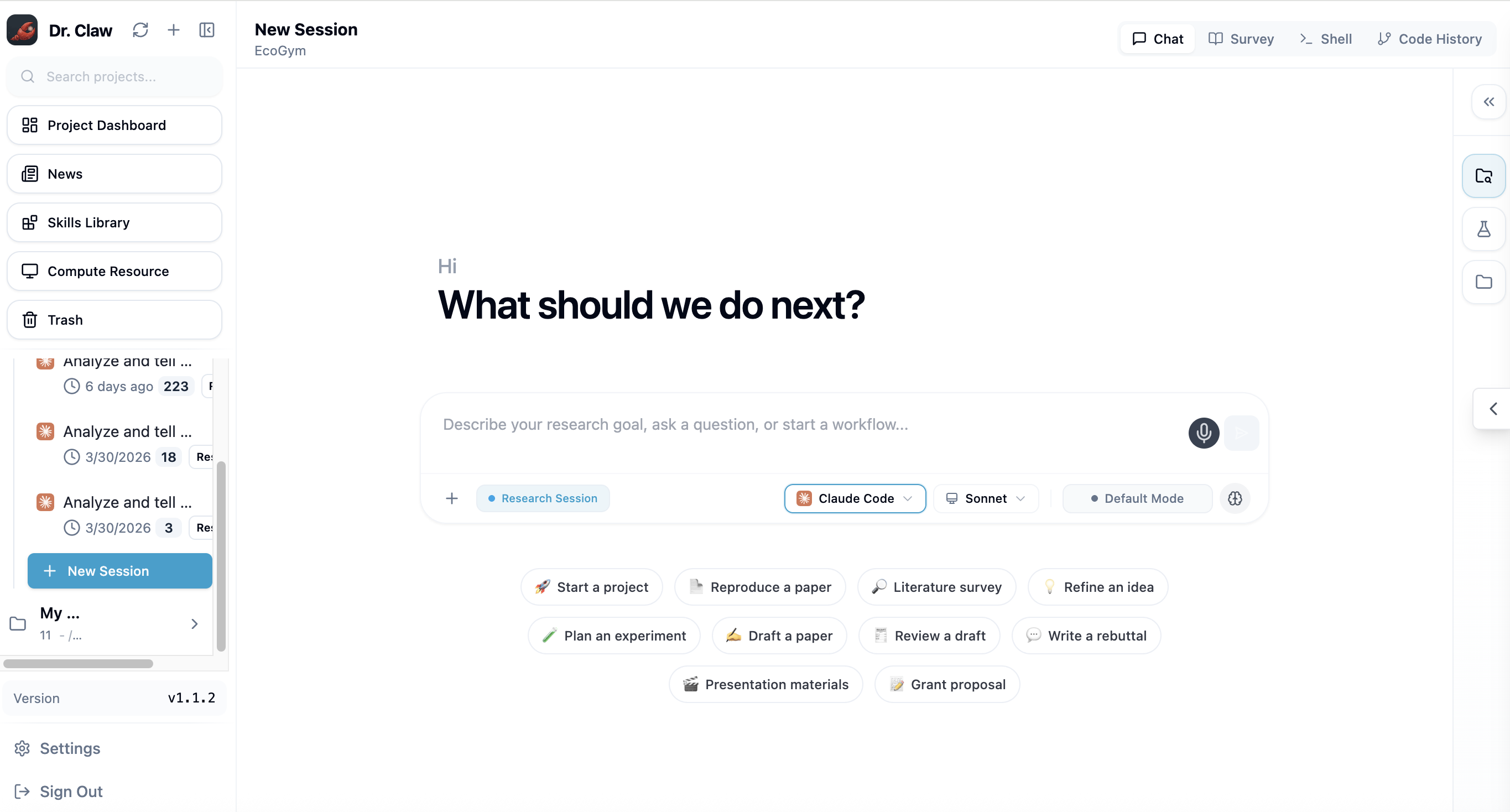
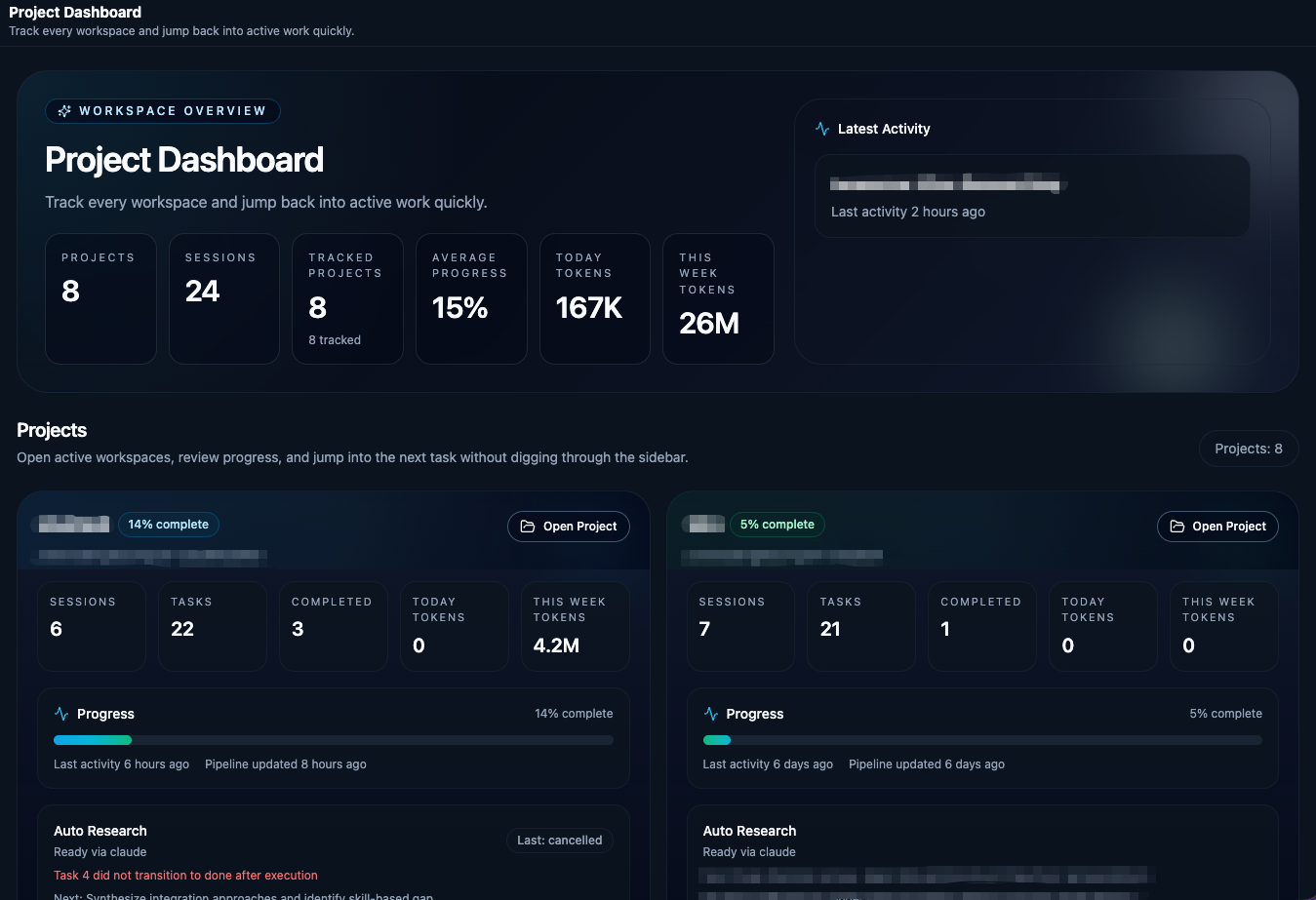
Project Dashboard — Start from the project overview, review status, and launch end-to-end automation.
Skill Library — Browse reusable research skills across ideation, experimentation, and writing.
News Dashboard — Follow research-relevant updates without leaving the workspace.
Desktop App (Beta): Want to skip the setup below? Download the latest
.dmg(macOS) or.exe(Windows) installer from GitHub Releases and run it directly. The desktop app is currently in beta — for a more stable experience, follow the full installation steps below.
.nvmrc)node-pty and better-sqlite3. If npm install fails, see FAQ.Cursor agent support is in progress and coming soon.
No cloning or manual setup required — just run:
npx dr-claw
Or install globally for repeated use:
npm install -g dr-claw
dr-claw
Then open your browser at http://localhost:3001 to create your account and start using Dr. Claw.
git clone https://github.com/OpenLAIR/dr-claw.git
cd dr-claw
npm install
cp .env.example .env
# Edit .env with your preferred settings (port, etc.)
Need custom ports, auth, or workspace settings? See docs/configuration.md.
# Development mode (with hot reload)
npm run dev
Then create your account via the browser http://localhost:5173.
There are two ways to interact with Dr. Claw: the frontend UI workflow or the terminal-only. The UI provides richer visualization but may encounter occasional bugs; the terminal approach is more stable and lightweight.
Open your browser at http://localhost:5173 (or the port you configured in .env).
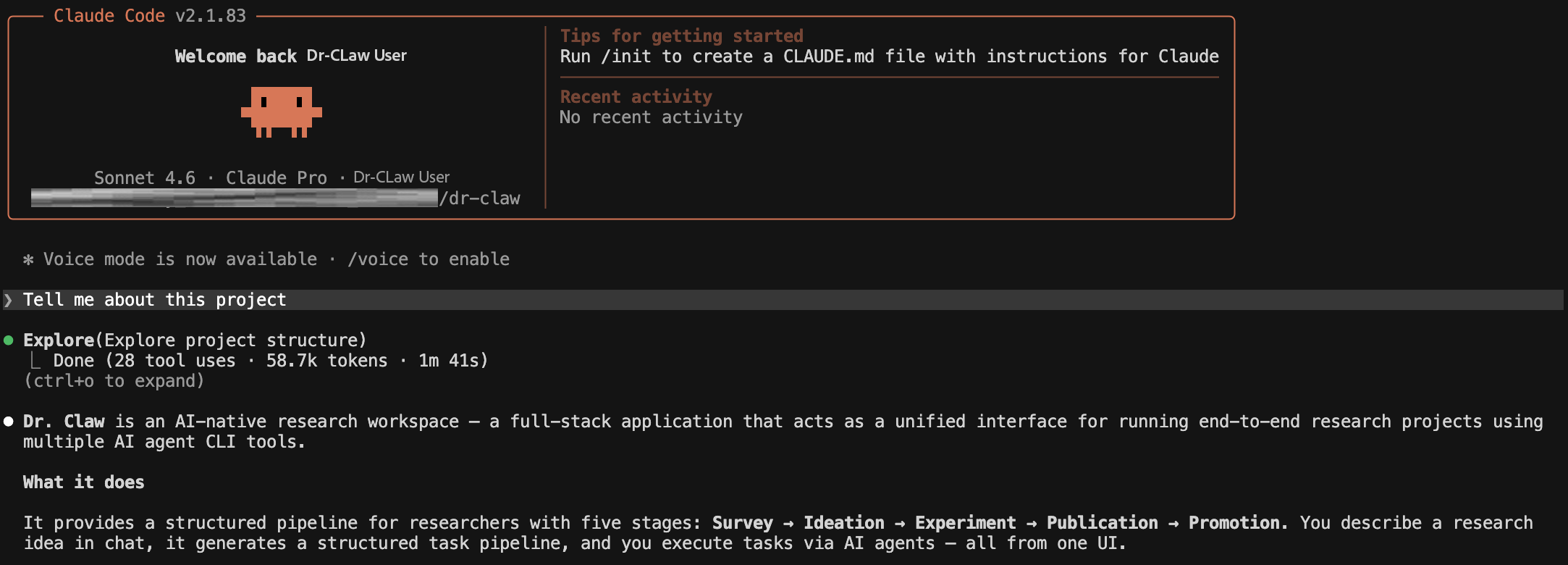
Open a second terminal (keep npm run dev running in the first) and install the drclaw CLI harness:
pip install -e ./agent-harness
Then log in with the credentials you created during setup:
drclaw auth login --username YOUR_USERNAME --password YOUR_PASSWORD
Install at least one agent CLI (if you haven't already):
| Agent | Install | Auth |
|---|---|---|
| Claude Code | npm install -g @anthropic-ai/claude-code@2.1.170 | claude → follow OAuth prompt |
| Gemini CLI | npm install -g @google/gemini-cli@0.46.0 | gemini → Google sign-in, or export GOOGLE_API_KEY=... |
| Codex CLI | npm install -g @openai/codex | codex login, or export OPENAI_API_KEY=... |
| OpenRouter | No CLI needed | export OPENROUTER_API_KEY=sk-or-... (get a key at openrouter.ai/keys) |
OpenRouter lets you use any model (GPT-5, Claude, Gemini, DeepSeek, Llama, Mistral, Qwen, etc.) through a single API key. Select your model in the UI or set
OPENROUTER_MODELin.env.
Navigate to the project directory you want to work in and launch any of the agents:
cd /path/to/your/project
claude    # or: gemini | codex
Skills from dr-claw/skills/ are automatically symlinked into each project's .claude/skills/ directory when the project is created, so the agent discovers them without extra configuration. You can also reference any skill manually inside a session:
> Read .claude/skills/inno-experiment-analysis/SKILL.md and follow it to analyze my results.
For a lightweight terminal-only experience using any OpenRouter model, use the built-in dr-claw chat command. No browser or UI required — just an interactive agentic session with full tool-calling capabilities (file I/O, shell, grep, glob, web search/fetch).
# Make sure OPENROUTER_API_KEY is set (or pass --key)
export OPENROUTER_API_KEY=sk-or-...

# Launch a chat session with any model
node server/cli.js chat --model moonshotai/kimi-k2.5
You can also pass the API key inline:
node server/cli.js chat --model anthropic/claude-sonnet-4 --key sk-or-your-key
| Flag | Description |
|---|---|
--model <slug> | OpenRouter model slug (e.g., moonshotai/kimi-k2.5, anthropic/claude-sonnet-4, deepseek/deepseek-r1) |
--key <key> | OpenRouter API key (defaults to OPENROUTER_API_KEY env var). Prefer the env var over --key to avoid exposing secrets in shell history. |
Browse all available models at openrouter.ai/models.
# Development mode (launches Electron with hot reload)
npm run desktop:dev

# Build distributable installer (.dmg / .exe)
npm run desktop:dist
For details on the desktop architecture, IPC bridge, and CI/CD release process, see electron/README.md.
If agent web search does not work later, see Troubleshooting Web Search below.
OpenClaw connects to Dr. Claw through the
drclawCLI, giving you project control, smart digests, and proactive notifications — all from your phone or chat app.
┌─────────────────────────────────────────────────────────────┐
│  User  (mobile / chat / voice)                              │
│    ↕                                                        │
│  OpenClaw  ── secretary layer ──────────────────────────┐   │
│    │  runs local `drclaw ...`       receives push msgs  │   │
│    ↓                                        ↑           │   │
│  drclaw CLI  ── stable control plane ──────────────┐    │   │
│    │  JSON + openclaw.* schema          WebSocket   │    │   │
│    ↓                                        │       │    │   │
│  Dr. Claw Server                        Watcher ────┘    │   │
│    (projects, sessions, pipelines, artifacts)            │   │
└─────────────────────────────────────────────────────────────┘
The integration has three layers:
| Layer | What it does |
|---|---|
| Control plane | OpenClaw executes drclaw --json ... commands locally |
| Structured contract | JSON responses carry a versioned openclaw.* schema payload |
| Proactive delivery | An event-driven watcher pushes important changes to Feishu / Lark |
npm run dev or drclaw server on)exec capability1. Start the server
npm install && npm run dev       # or: drclaw server on
drclaw --json auth status        # verify reachability
drclaw server statusonly reports the daemon fromdrclaw server on. If you started Dr. Claw withnpm run dev, it may showSTOPPEDeven thoughhttp://localhost:3001is working — useauth statusas the real check.
2. Install the CLI
pip install -e ./agent-harness
drclaw --help
If drclaw is not on your PATH:
PYTHONPATH=agent-harness python3 -m cli_anything.drclaw.drclaw_cli --help
3. Authenticate
drclaw auth login --username <user> --password <pass>
drclaw --json projects list      # should return your projects
4. Link OpenClaw
drclaw install --server-url http://localhost:3001
# with push channel:
drclaw install --server-url http://localhost:3001 --push-channel feishu:<chat_id>
This copies the Dr. Claw skill, installs wrapper scripts, and saves the server URL and CLI path.
5. Verify the core loop
Run these four commands from OpenClaw — if they all return valid JSON, the integration is live:
drclaw --json projects list                            # resolve projects
drclaw --json chat waiting                             # find sessions needing input
drclaw --json digest portfolio                         # cross-project summary
drclaw --json workflow status --project <project>      # single-project status
6. Reply into a session
drclaw --json chat waiting                             # pick a session
drclaw --json chat reply --project <proj> --session <sid> -m “Continue with option B.”
drclaw --json chat waiting --project <proj>            # confirm it cleared
For multi-turn discussion within the same project:
drclaw --json chat project --project <proj> --session <sid> -m “Summarize blockers.”
Machine-facing commands return a versioned openclaw field. Current families:
| Schema | Purpose |
|---|---|
openclaw.turn.v1 | Single chat turn summary |
openclaw.project.v1 | Project digest with status, counts, and next actions |
openclaw.portfolio.v1 | Cross-project overview with recommendations |
openclaw.daily.v1 | Daily digest |
openclaw.report.v1 | Mobile-ready report payload |
openclaw.event.v1 | Watcher event with derived signals |
Client rendering tips:
| When you need to... | Read this field |
|---|---|
| Decide whether to interrupt the user | openclaw.decision.needed |
| Show quick actions or voice suggestions | openclaw.next_actions |
| Render a compact summary | openclaw.turn.summary or openclaw.focus |
| Handle watcher notifications | openclaw.event.v1.event.signals |
Always prefer the
openclawpayload over rawreplytext when both are present.
Full contract: agent-harness/cli_anything/drclaw/SCHEMA.md
The watcher is event-driven — it subscribes to Dr. Claw WebSocket events and only notifies on attention-worthy changes.
# Configure push channel
drclaw openclaw configure --push-channel feishu:<chat_id>

# Manage the watcher
drclaw --json openclaw-watch on --to feishu:<chat_id>
drclaw --json openclaw-watch status
drclaw --json openclaw-watch off
How it works:
WebSocket event → project resolution → snapshot diff → signal derivation
                                                          ↓
                         dedup (6h TTL) ← stable signature + signal kinds
                                                          ↓
                         openclaw agent --deliver → Feishu / Lark summary
                                (fallback: plain bridge push)
Derived signals:
| Signal | Meaning |
|---|---|
human_decision_needed | Agent requests permission for a tool call |
waiting_for_human | Session is blocked on user input |
blocker_detected | A task transitioned to blocked state |
| `b |
Sign in to join the discussion.
No comments yet. Be the first to say what this is good for.
The job search that runs on your machine. AI job application framework built on Claude Code: evaluate postings, tailor CVs, write cover letters, prep interviews. Fork it and own it.

The most RAM efficient harness

Open-source agentic workspace enterprises can make their own. Connect the systems you already run — 100+ integrations, MCP, chat tools, apps, browser, local files — with shared memory. Any agent (Claude Code, Codex), any model, or BYOK. Set up in clicks, not months. Local-first: your data never leaves your machines.

Annotate and review coding agent plans and code diffs visually, share with your team, send feedback to agents with one click.

Public results and task definitions for FrontierHarness Eval

Comet: agent skill harness for turning ideas into evaluated workflows