

JuliusBrussee/
caveman

🪨 why use many token when few token do trick — Claude Code skill that cuts 65% of tokens by talking like caveman
105k
1 add
Festival is a CLI suite that organizes long-running agent work into camps and festivals. `camp` holds projects and context, `fest` runs the next-step loop for a goal, and `festival` installs and manages the suite. It saves the work record in files and Git, so a later agent can read the same plan, decisions, and progress. That lets you hand off work across sessions, agents, and even long gaps without starting over.
Builders who want their agent to keep working from the same plan, context, and review history across sessions.
You can hand off a multi-step goal and come back to work that still has its plan, decisions, checks, and history.
Stores plans, progress, decisions, and commits in files and Git so the next agent can continue from the same state.
Uses `fest next` to find the next actionable step, do the work, check the result, and record progress.
Groups projects, research, intents, and work items into a camp so related work stays connected over time.
Adds validation and review points with commands like `fest validate` and `fest commit` before work is accepted.
Works with Claude Code, Codex, Grok Build, Cursor, OpenCode, Gemini, and other file-reading command-running agents.
Includes CLI plugins, agent integrations, hooks, skills, and templates for extending the workflow.
brew install --cask Obedience-Corp/tap/festival
npm install -g @obedience-corp/festival
festival doctor
AI can generate the pieces.
Festival keeps the work coherent.
Hand off a goal, approve the plan, and focus on other work while your agent runs. Come back to results you can trace through the plan, decisions, checks, and commits that produced them.
Festival is an operating environment for long-running agent work. It keeps the context and progress in files and Git, so the work can continue across sessions, agents, and months or years of development.
Use it with Claude Code, Codex, Grok Build, Cursor, OpenCode, or another agent that can read files and run commands. Your agent calls fest next for its next step, does the work, and records the result.
Get started · Explore the demos · Video quick start · Website · 简体中文
In the camp-hardening festival, agents worked on safeguards against data loss in the Camp CLI over four days while the operator did other work in parallel. The saved plan and progress let the next agent continue the same work after a tool change. The resulting safeguards for project removal and worktree cleanup were reviewed and merged.
Drafted by Fathom. Execution started with Grok, finished with Codex.

This is a replay of the festival's recorded progress, not a CLI recording. Read the actual plan and work record.
Try your own handoff, or star this repository to keep it handy.
Start with a real outcome that you can review. For example:
The goal, constraints, and success criteria come from you. Your agent works through the plan and returns when it reaches a review point or a decision that needs you.
Explore the use cases · See example camps and festivals
Choose one method. Both install camp, fest, and the festival manager. Git is required.
macOS with Homebrew
brew install --cask Obedience-Corp/tap/festival
macOS or Linux with Node.js
npm install -g @obedience-corp/festival
Then check the install:
festival doctor
Linux packages, WSL2, and other install methods. Native Windows support is being hardened; use WSL2 for now.
A camp holds the context for one part of your life: your job, a side project, or a hobby. It can contain several projects, along with their research, plans, and decisions.
Run this from the directory where you keep your work, then answer the prompts for the camp's description and mission:
camp init my-camp
cd my-camp
Link a repository you already use. Replace the path with its full local path:
camp project link /path/to/your-existing-repo
Your repository stays where it is. Camp links it under projects/ and adds a .camp attachment file to the repository. You can also clone a project into the camp.
Open your coding agent at the camp root, my-camp/. The agent setup guides cover skills and integrations for your tool. Skills are optional; the CLI can teach your agent the workflow.
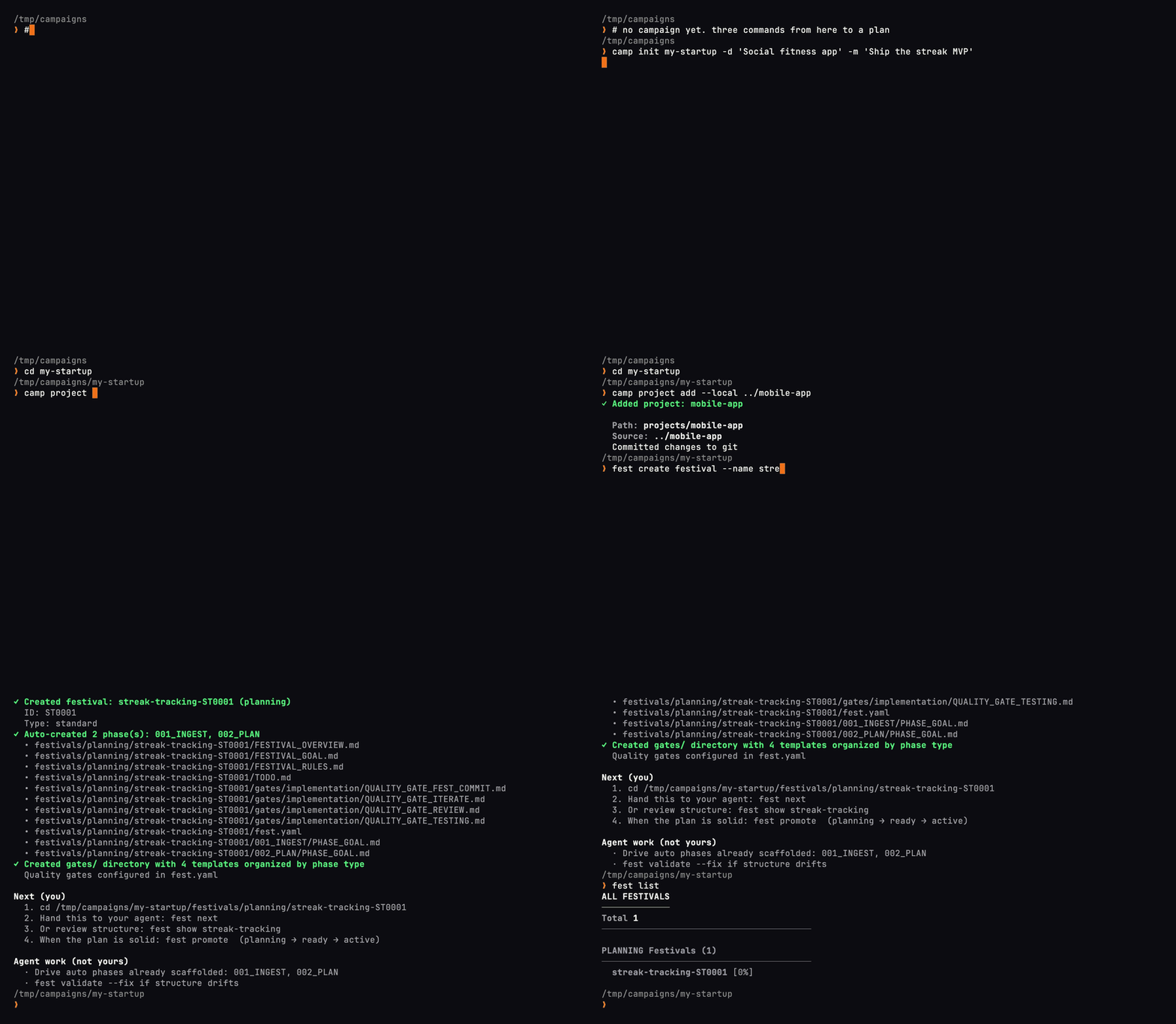
Watch a camp take shape. This recording uses camp project add --local; the instructions above link an existing repository without moving it.
A festival is the structured plan and work record for a goal. Tell your agent what you want done and ask it to create a festival for the work:
I want [what you want done]. Create a festival for it and run the
fest nextloop.
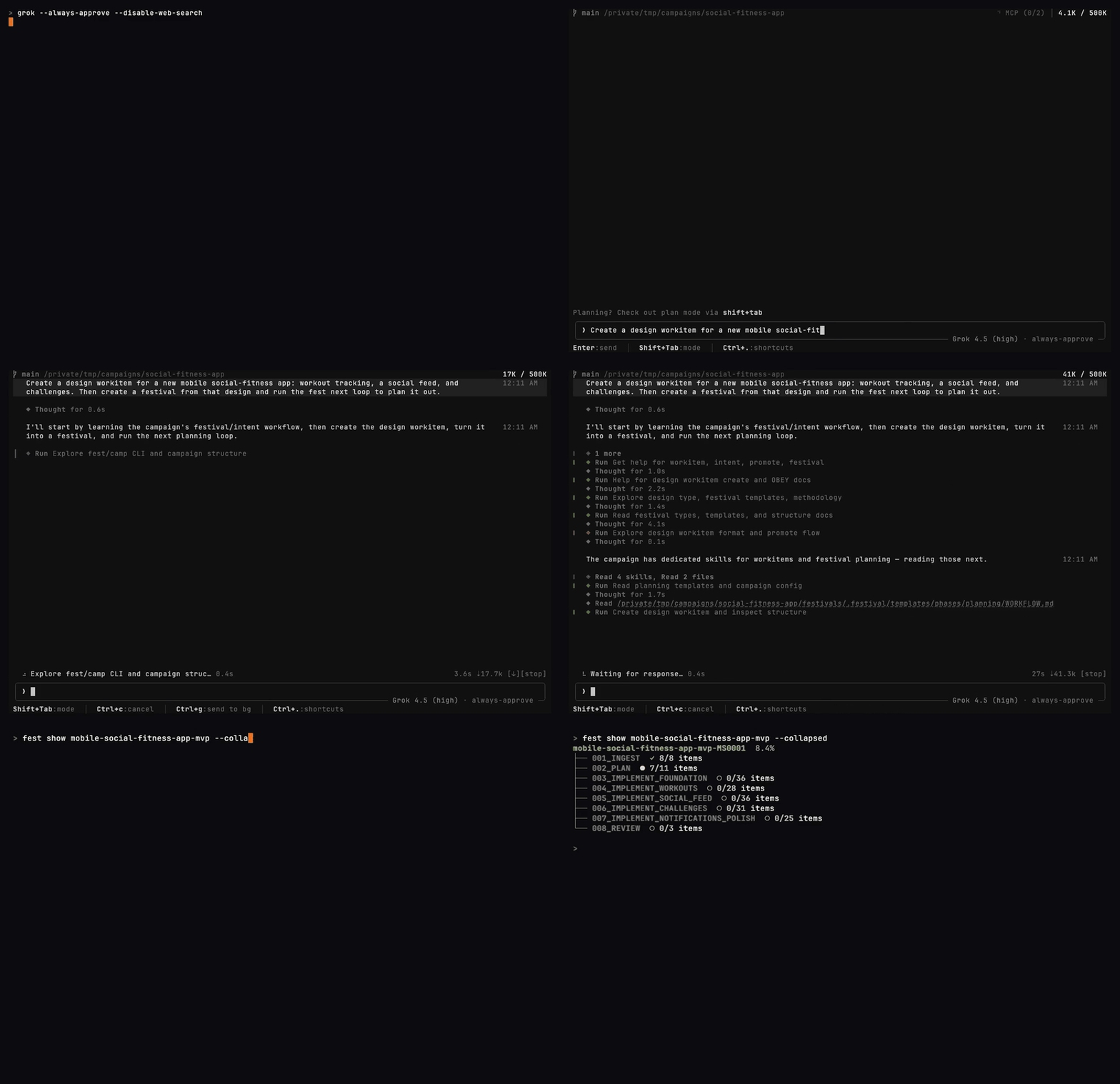
A real Grok Build session planning a sample app feature. The agent handles the planning commands; you review the proposed work.
Your agent handles planning and execution, asking you when it reaches an approval point or needs a decision. You can focus on other work and review the results when they're ready.
To check progress along the way, open another terminal in the festival directory and run fest watch.
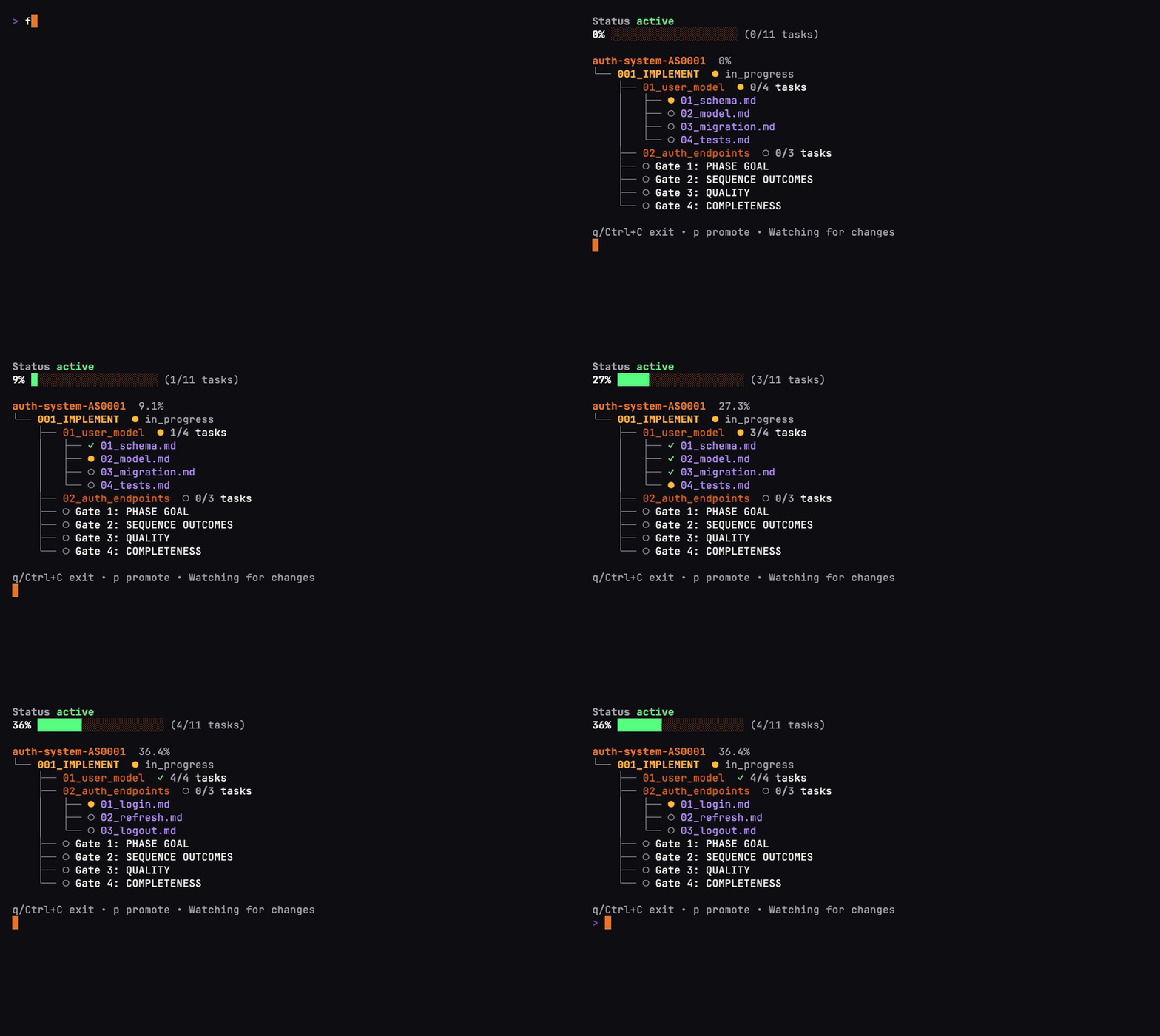
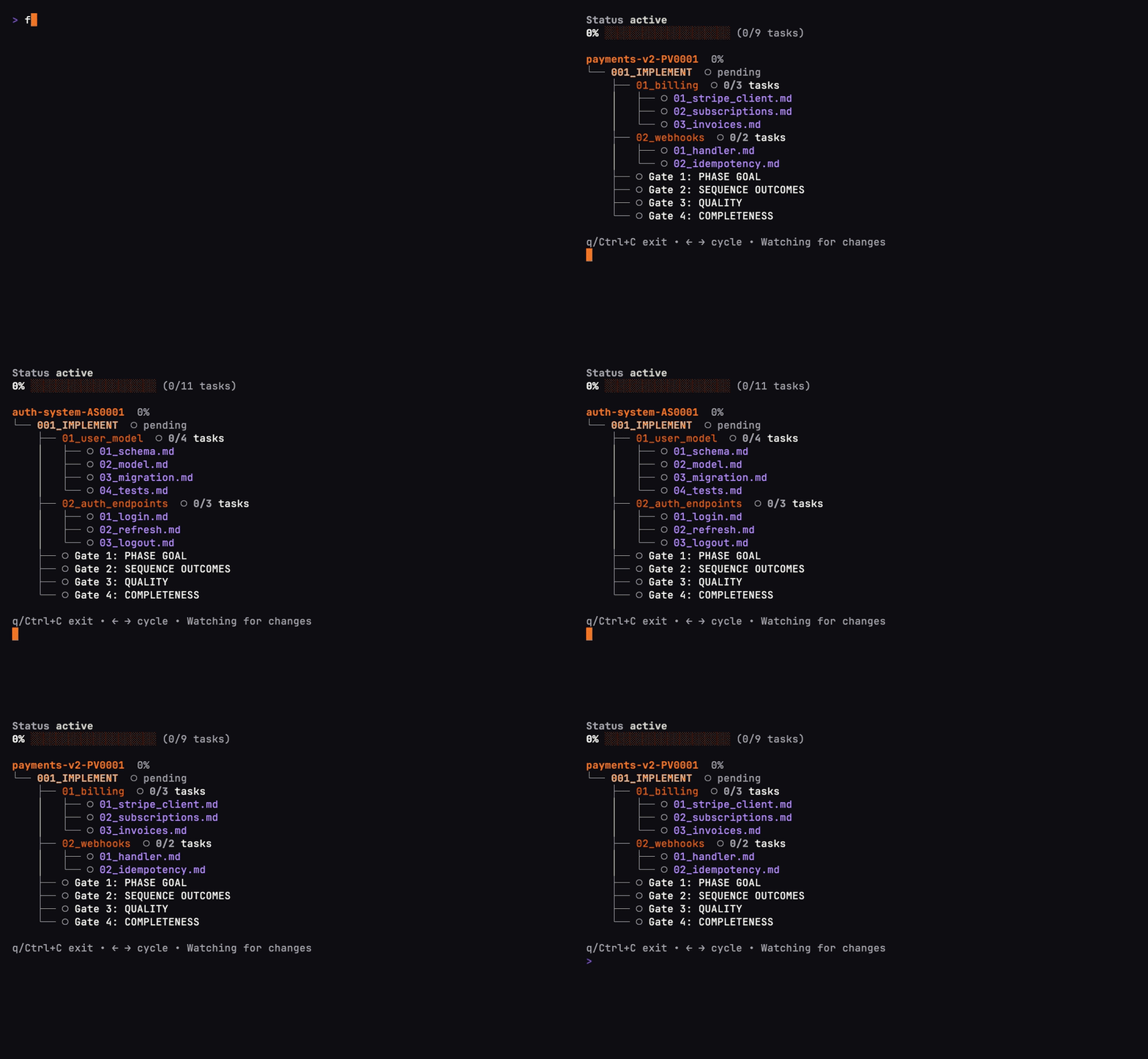
The progress view you can open alongside your agent. This recording demonstrates the real fest watch interface with scripted progress updates in a sample festival.
If the session ends: point your next agent at the saved festival and ask it to continue from the linked project. The recorded plan, progress, and decisions give it a starting point.
Follow the video quick start to see setup, planning with Grok Build, and the progress view.
A festival is a graph of work, organized into phases, sequences, and tasks. Each task has context and completion criteria. Your agent uses fest next to find the next actionable step, does the work, checks the result, and records progress before continuing.
That is the basis for loop engineering with Festival: repeatable planning, execution, review, and handoff loops. You can start with a lightweight WORKFLOW.md, build a full festival for a larger goal, or run separate festivals with agents in separate worktrees.
The camp holds the context around those goals over the life of the work. Research can inform a design; that design can become a festival; its results and decisions remain available for the next goal.
Quality gates provide places to test and review. fest validate checks plan structure, and fest commit links commits to festival tasks. You review the actual output and verification evidence before accepting the result.
Loops & orchestration · Festival methodology · Work items
| Tool | What it handles |
|---|---|
| camp | Projects, context, navigation, and the work queue across your camp. |
| fest | Goal-based plans, the next-step loop, progress, and review checkpoints. |
festival | Installing and updating the suite, browsing CLI plugins, and checking your installation. |
Run festival browse to explore available CLI plugins. See suite and plugin management for installation, updates, and how CLI plugins differ from agent integrations.
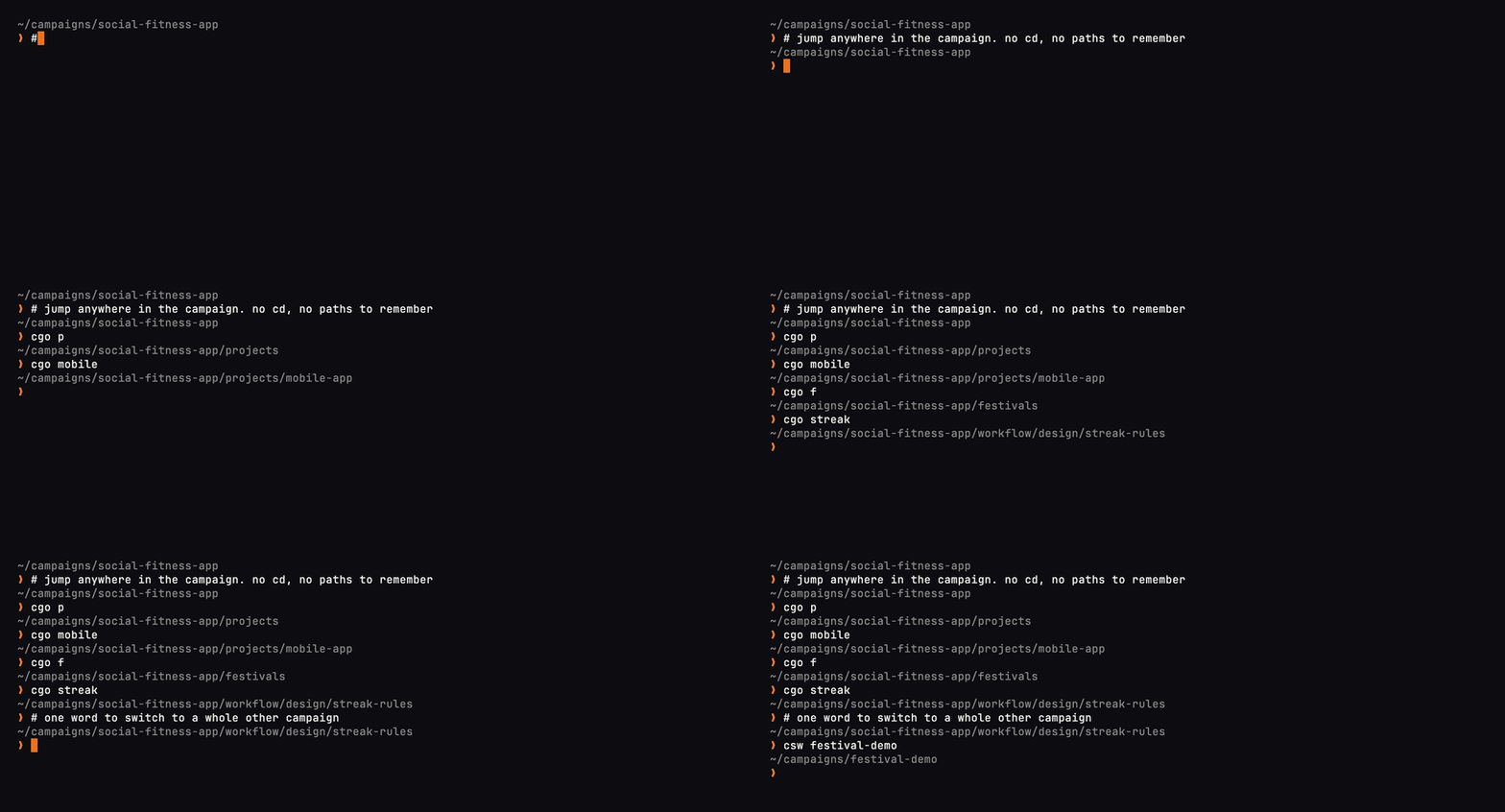
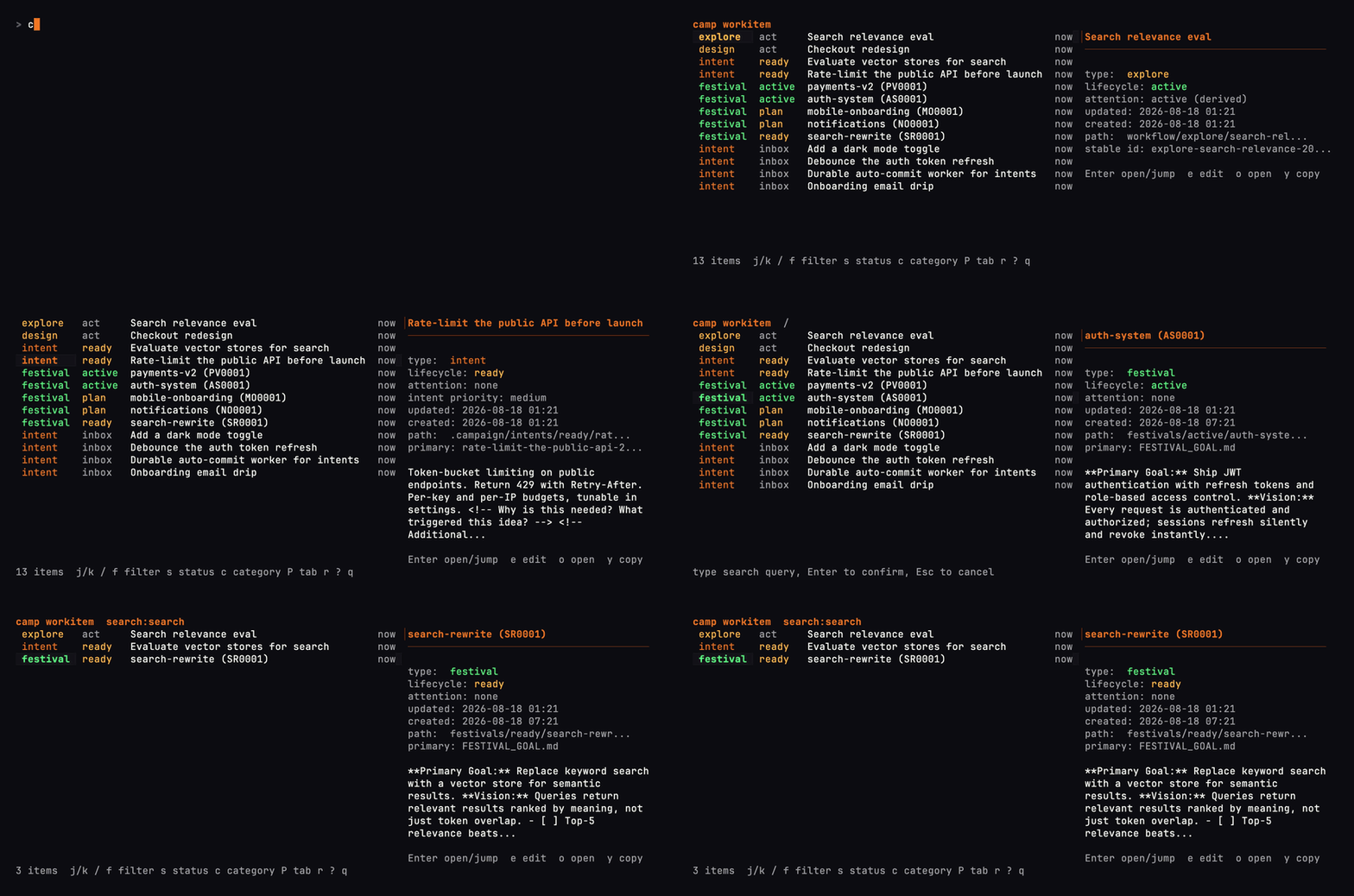
cgo p api finds a matching project; cgo f takes you to festivals. Add the shell integration to enable these shortcuts.camp workitem brings intents, research, designs, and festivals into one work queue.camp fresh syncs a project to its default branch and prunes merged branches. Preview with camp fresh --dry-run from that project first, including any configured branch creation or follow-up commands.Everyday development with cgo and camp fresh
Open a section to see the commands in use. The recordings stay on this page, at a readable size.
cgo jumps to a project or planning directory; csw switches camps.
Find work across the camp. camp workitem brings intents, research, designs, and festivals into one searchable list.
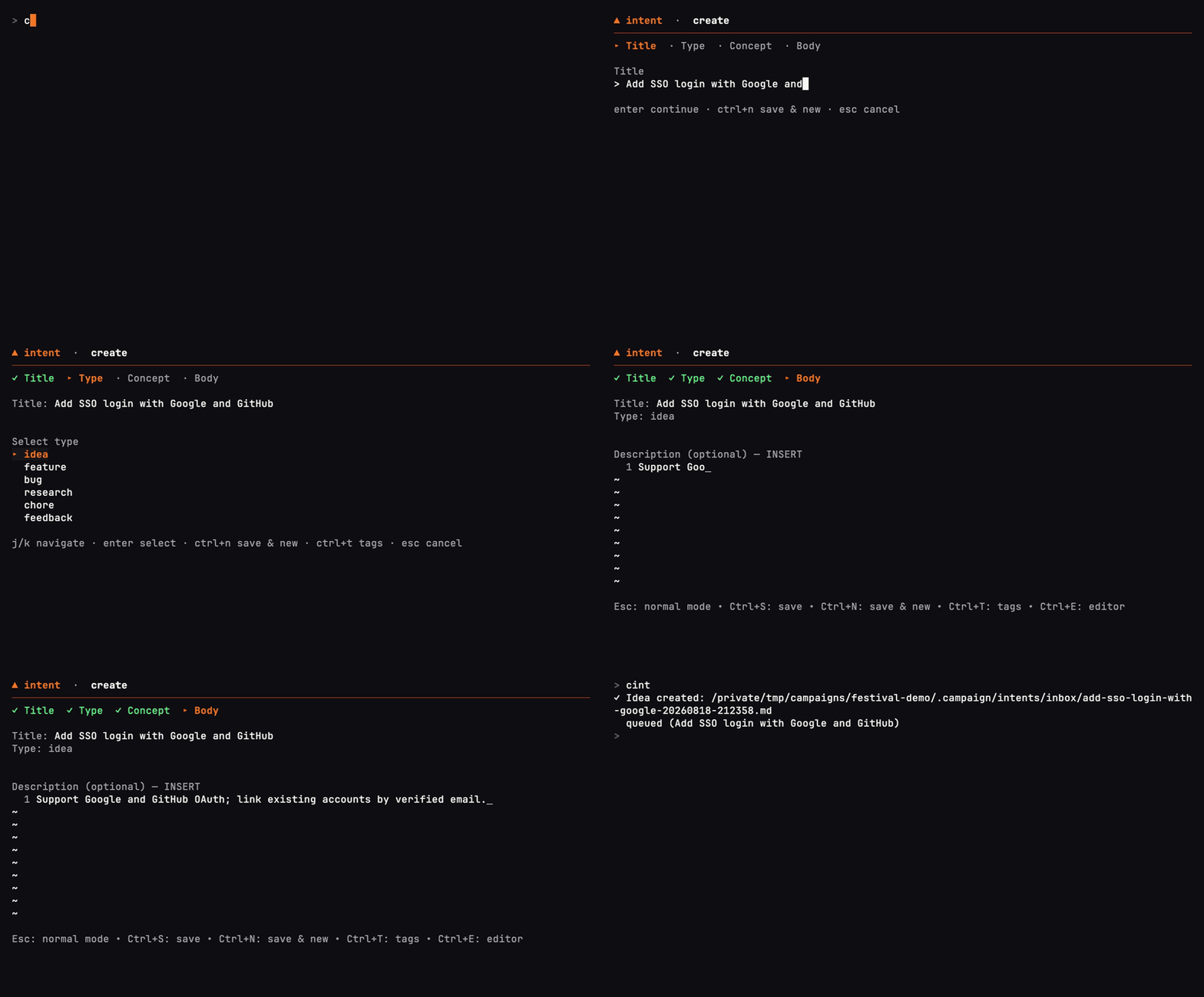
Capture an idea. camp intent add saves it to the inbox for later.
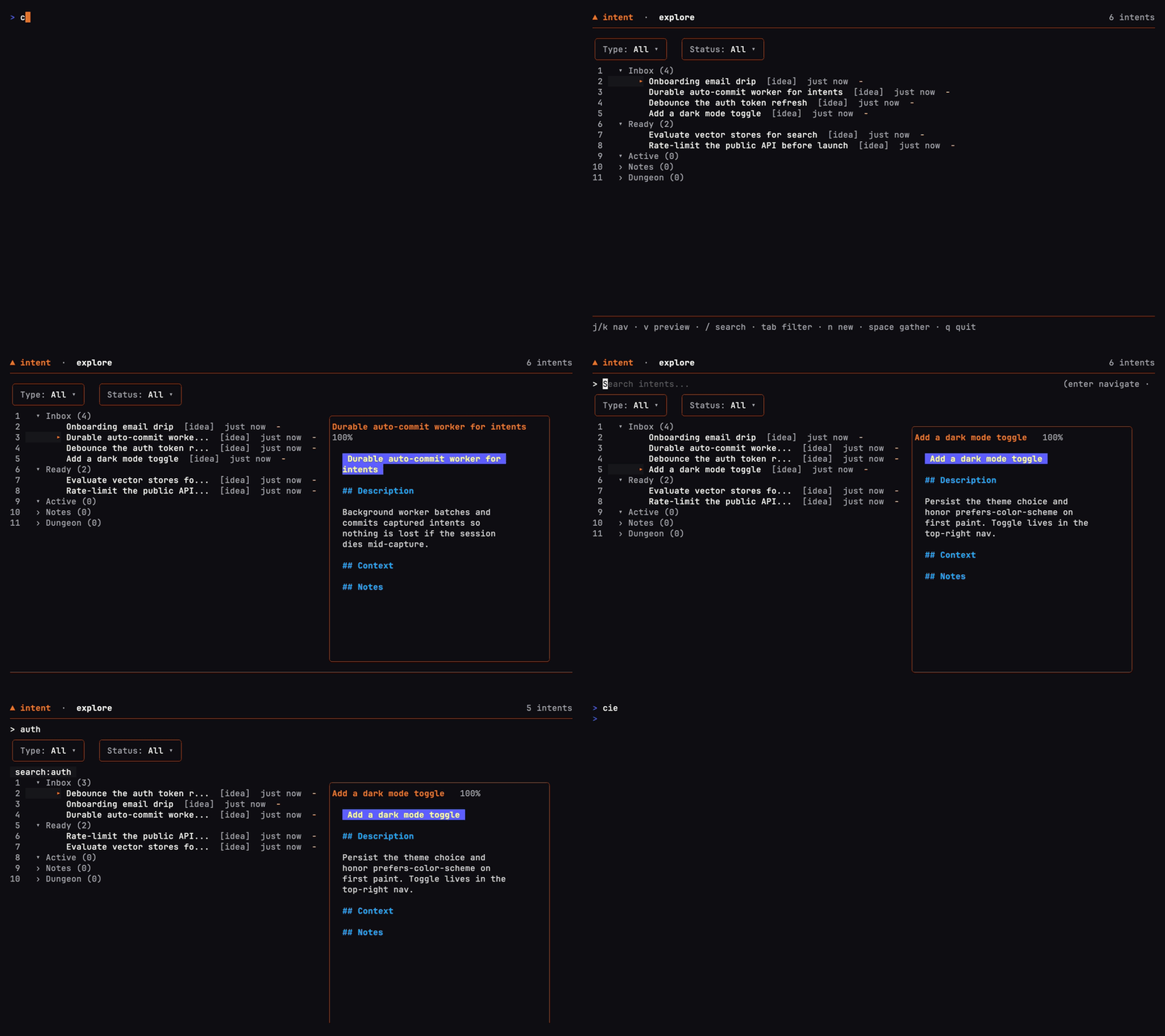
Sort the inbox. camp intent explore lets you browse intents by status and read their details.
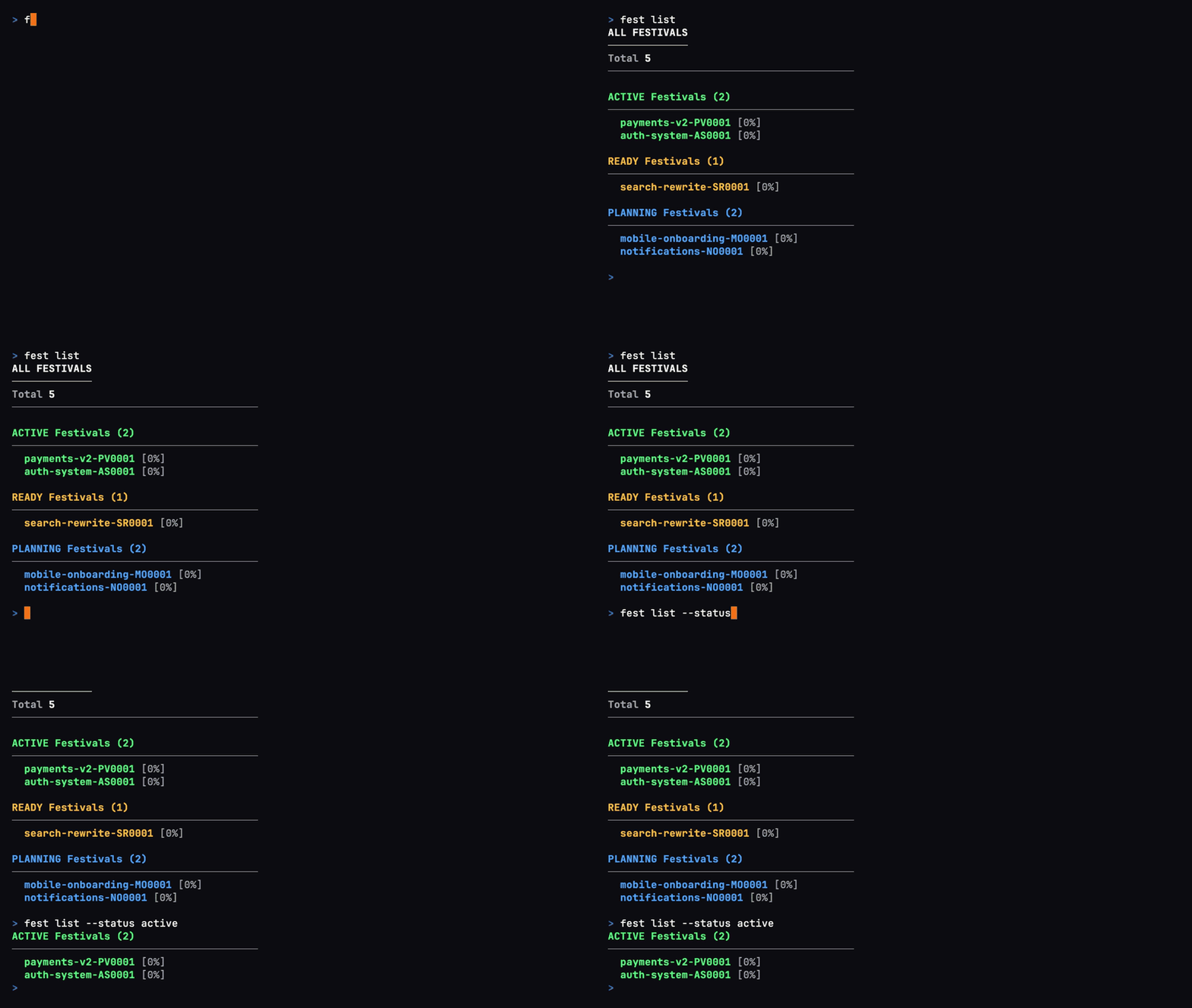
fest list groups festivals by status, so you can see what's active, ready, or still being planned.
fest show opens the structure of a plan, from its phases down to individual tasks.
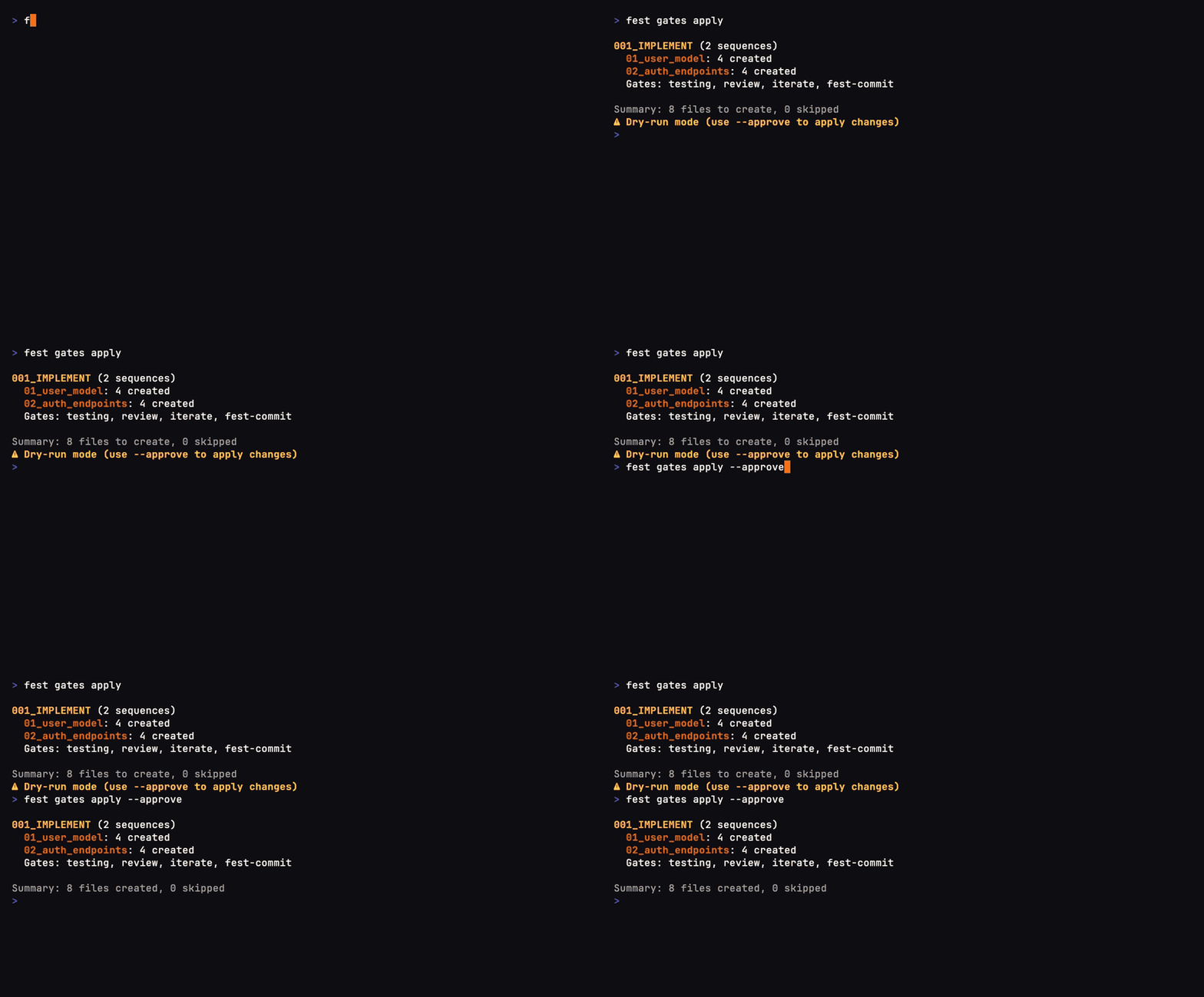
fest gates apply previews the quality gates it will add before applying them with approval.
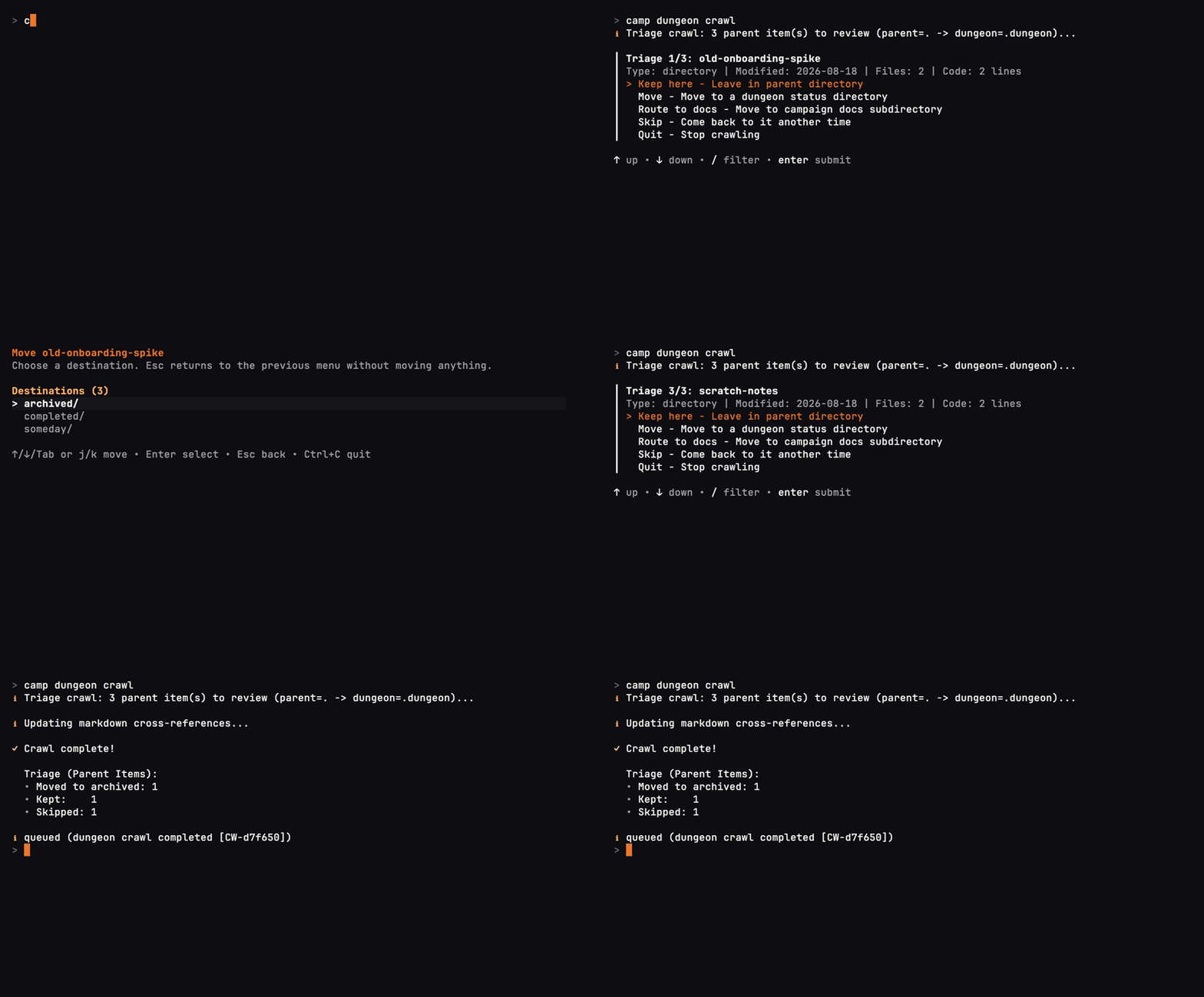
camp dungeon crawl walks through stale work so you can choose what to keep or archive.
An earlier Festival workflow recording at 16× playback speed. Use the setup instructions above for the current first-run path.
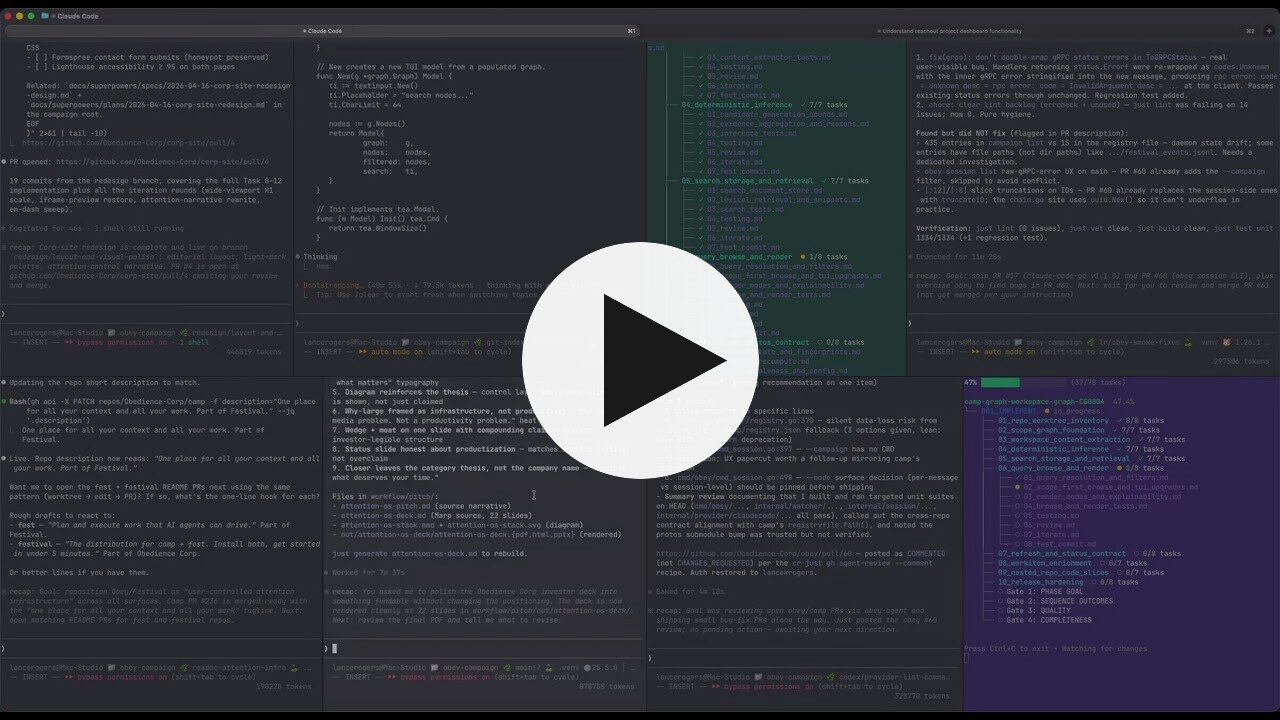
More video walkthroughs and demos
Can I keep my issue tracker?
Yes. Keep issues where your team coordinates, and use Festival for the agent's plan and work record. Intents and other work items live in files, so scripts or justfiles can connect them to an external service's API. Ask your agent to help build the connection you need. See the workflow.
Can I change agents partway through?
Yes. The next agent can read the same saved plan, decisions, and progress. Give it the festival location and access to the linked project. Agent handoff guide.
Do I need a Festival account?
The CLI tools are free to use and run locally without a Festival account. Your agent's account, model costs, and permissions remain with the provider you choose.
camp and fest with your own commands.Festival App is in development. The CLI tools are available now. See what's coming.
If Festival is useful to you, star this repository to help other developers discover it. A bug report, a workflow you share, or an example of work you've handed off helps us improve it.
Apache License 2.0 · Built by Obedience Corp.
Sign in to join the discussion.
No comments yet. Be the first to say what this is good for.
🪨 why use many token when few token do trick — Claude Code skill that cuts 65% of tokens by talking like caveman

The best-benchmarked open-source AI memory system. And it's free.

Orca is the ADE for working with a fleet of parallel agents. Run any coding agent with your own subscription. Available on desktop, mobile and remote runtime.

A cross-platform desktop All-in-One assistant for Claude Code, Codex, OpenCode, OpenClaw, Grok Build & Hermes Agent. Only official website: ccswitch.io

Never stop coding. Free MIT AI gateway: one endpoint, 352 providers (150+ free), 1200+ models Kimi, Claude, GPT, Gemini, GLM, DeepSeek, MiniMax. Works with Claude Code, Codex, Cursor, OpenCode, Cline & Copilot. Quota-aware auto-fallback, RTK+Caveman compression saves 15-95% tokens, MCP/A2A, Desktop/PWA. Built by 550+ contributors

Compress tool outputs, logs, files, and RAG chunks before they reach the LLM. 20% fewer tokens for coding agents, 60-95% fewer tokens for JSON, same answers. Library, proxy, MCP server.