Sandbox
@Nikunj2003/LLaMa-MCP-Streamlit

Streamlit chat app for MCP tools and local LLMs

This project is a browser-based AI assistant built with Streamlit, NVIDIA NIM or Ollama, and Model Control Protocol. It lets the chat app call external MCP tools while you switch model backends and API settings from the interface.

43 starsโ€ข18 forksโ€ขPythonโ€ขUpdated 1y ago
Who it's for

Builders who want to try an MCP-connected chat assistant with Streamlit.

What it delivers

You can chat with an LLM that can call external tools instead of staying inside plain text responses.

What it does

Model backend switching

Lets you choose between NVIDIA NIM and Ollama for the LLM backend.

MCP tool integration

Connects the assistant to external tools through MCP client and server settings.

Streamlit chat interface

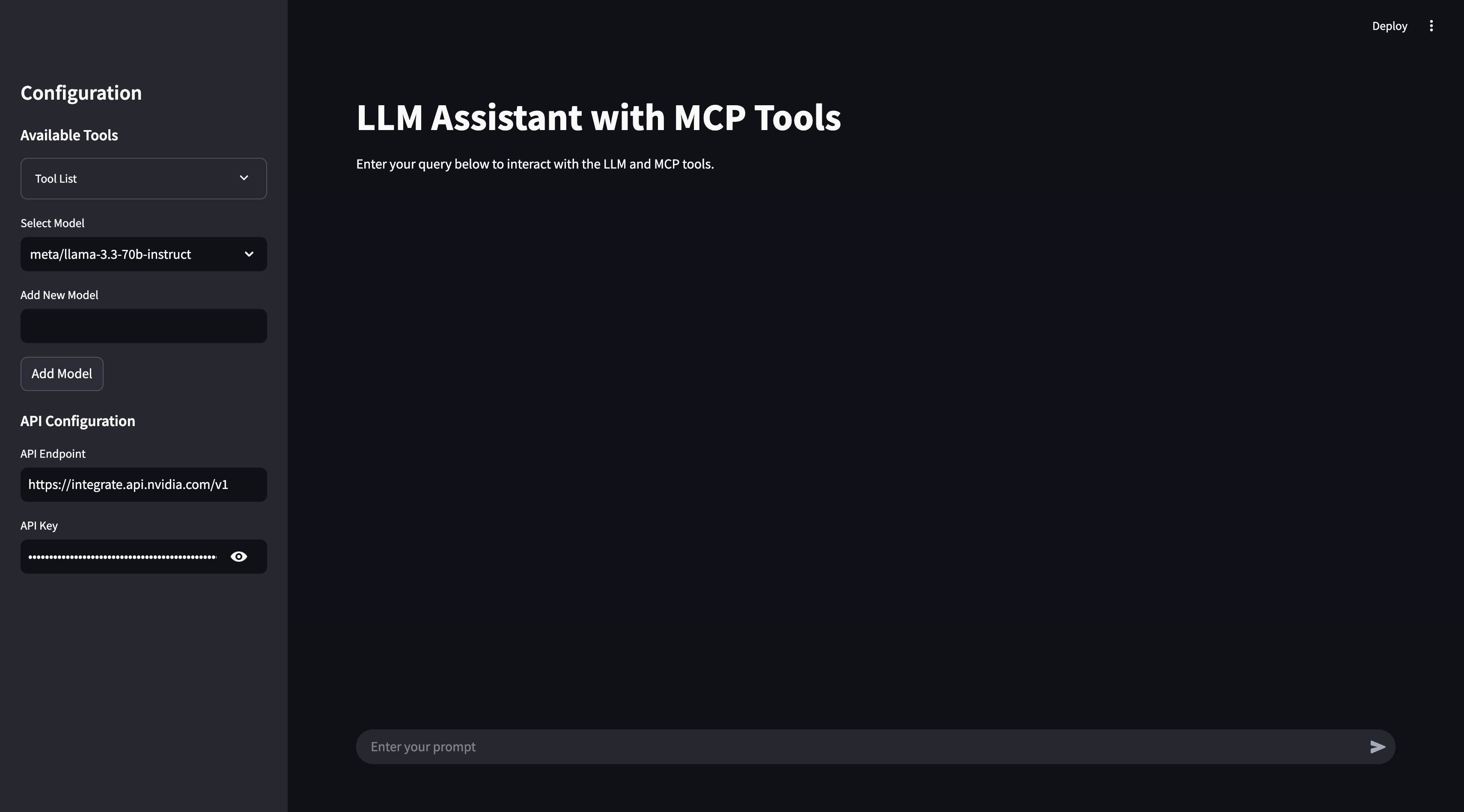
Provides a browser UI with sidebar controls and chat components.

Docker deployment

Includes a Dockerfile and `docker-compose.yml` for containerized runs.

How to get it

  1. 1Before running the project, configure the .env file with your API keys
    # Endpoint for the NVIDIA Integrate API
    API_ENDPOINT=https://integrate.api.nvidia.com/v1
    API_KEY=your_api_key_here
    
    # Endpoint for the Ollama API
    API_ENDPOINT=http://localhost:11434/v1/
    API_KEY=ollama
  2. 2Install dependencies
    poetry install
  3. 3Run the Streamlit app
    poetry run streamlit run llama_mcp_streamlit/main.py
  4. 4Build the Docker image
    docker build -t llama-mcp-assistant .
  5. 5Run the container
    docker compose up

README

Llama MCP Streamlit

This project is an interactive AI assistant built with Streamlit, NVIDIA NIM's API (LLaMa 3.3:70b)/Ollama, and Model Control Protocol (MCP). It provides a conversational interface where you can interact with an LLM to execute real-time external tools via MCP, retrieve data, and perform actions seamlessly.

The assistant supports:

  • Custom model selection (NVIDIA NIM / Ollama)
  • API configuration for different backends
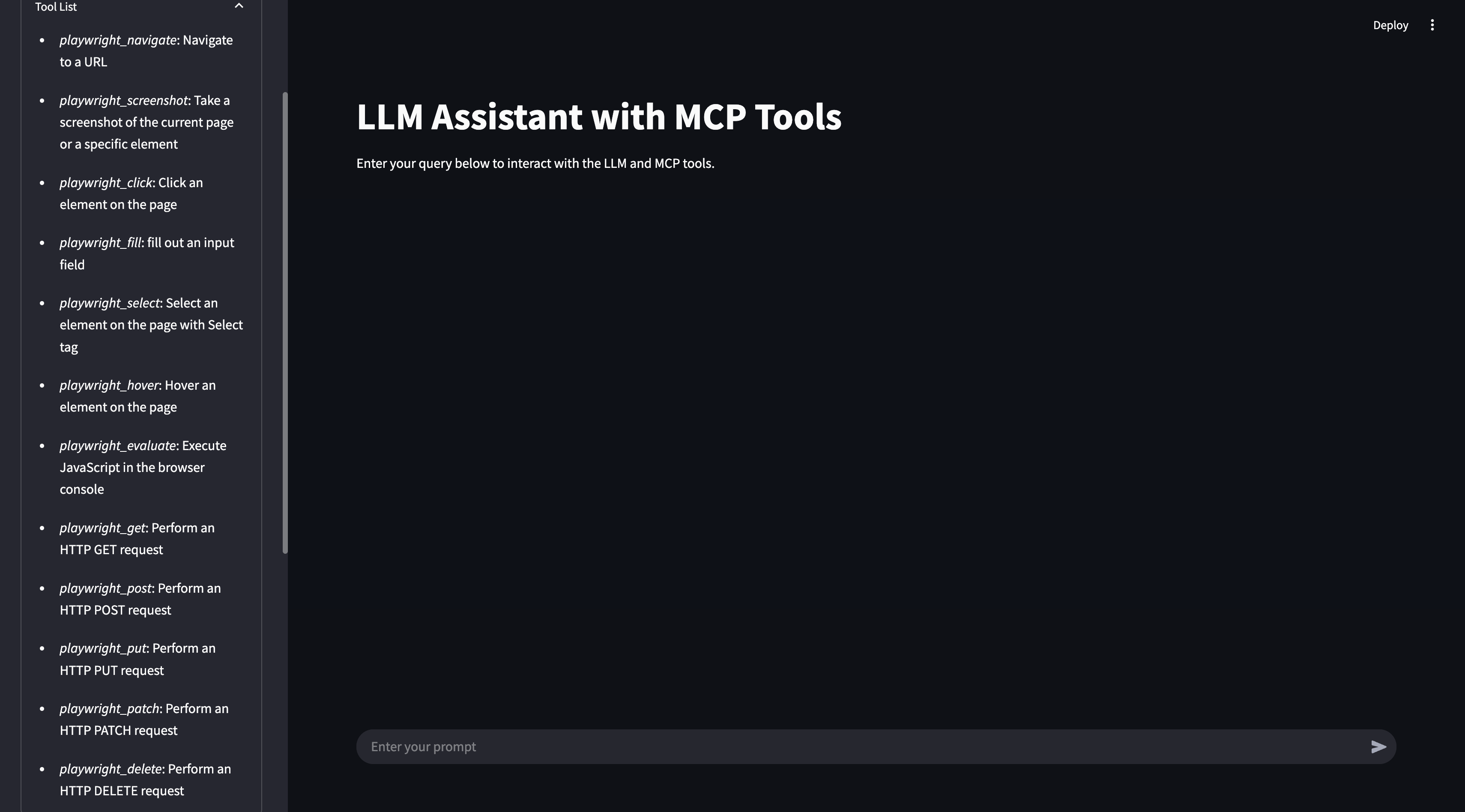
  • Tool integration via MCP to enhance usability and real-time data processing
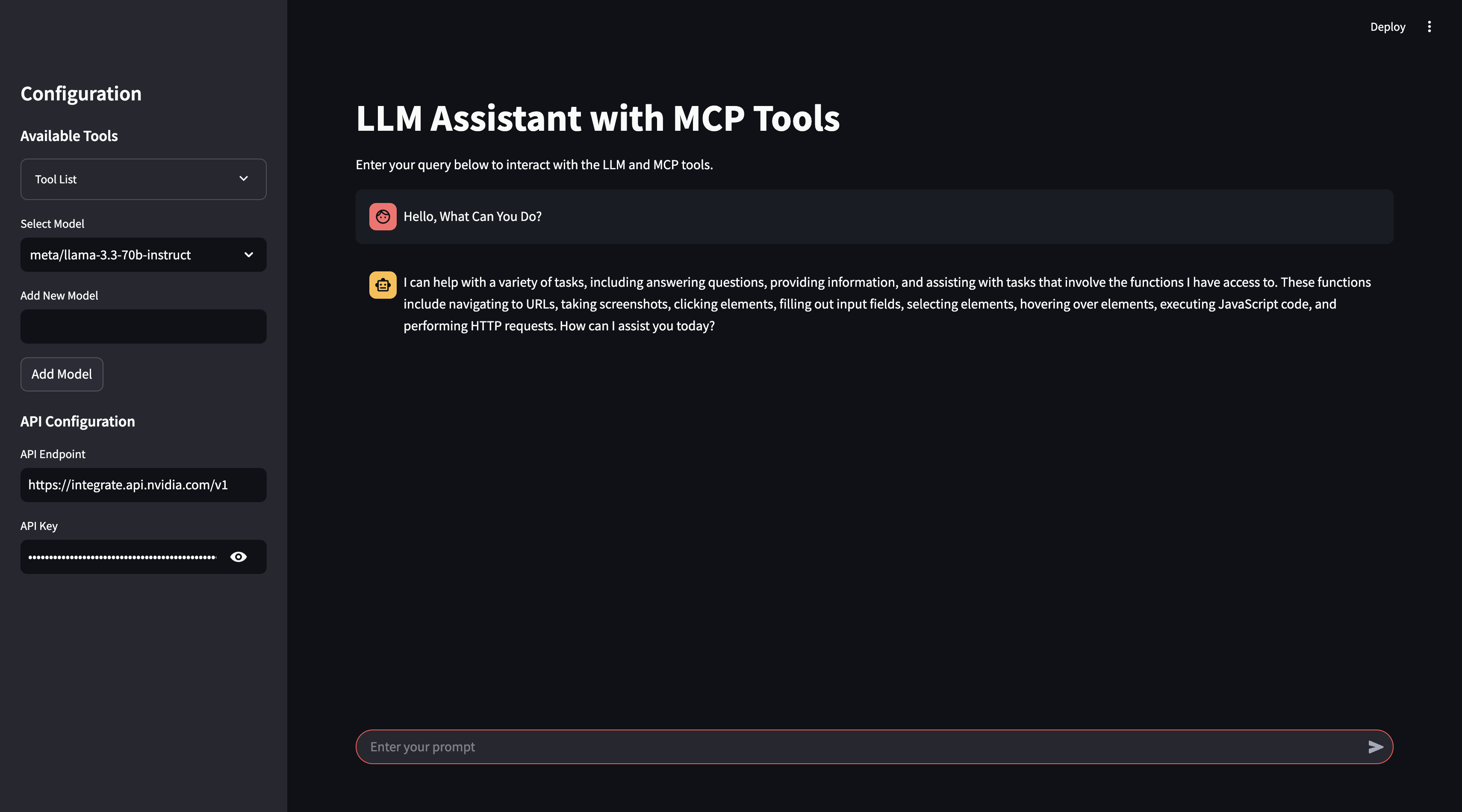
  • A user-friendly chat-based experience with Streamlit

๐Ÿ“ธ Screenshots

Homepage Screenshot

Tools Screenshot

Chat Screenshot

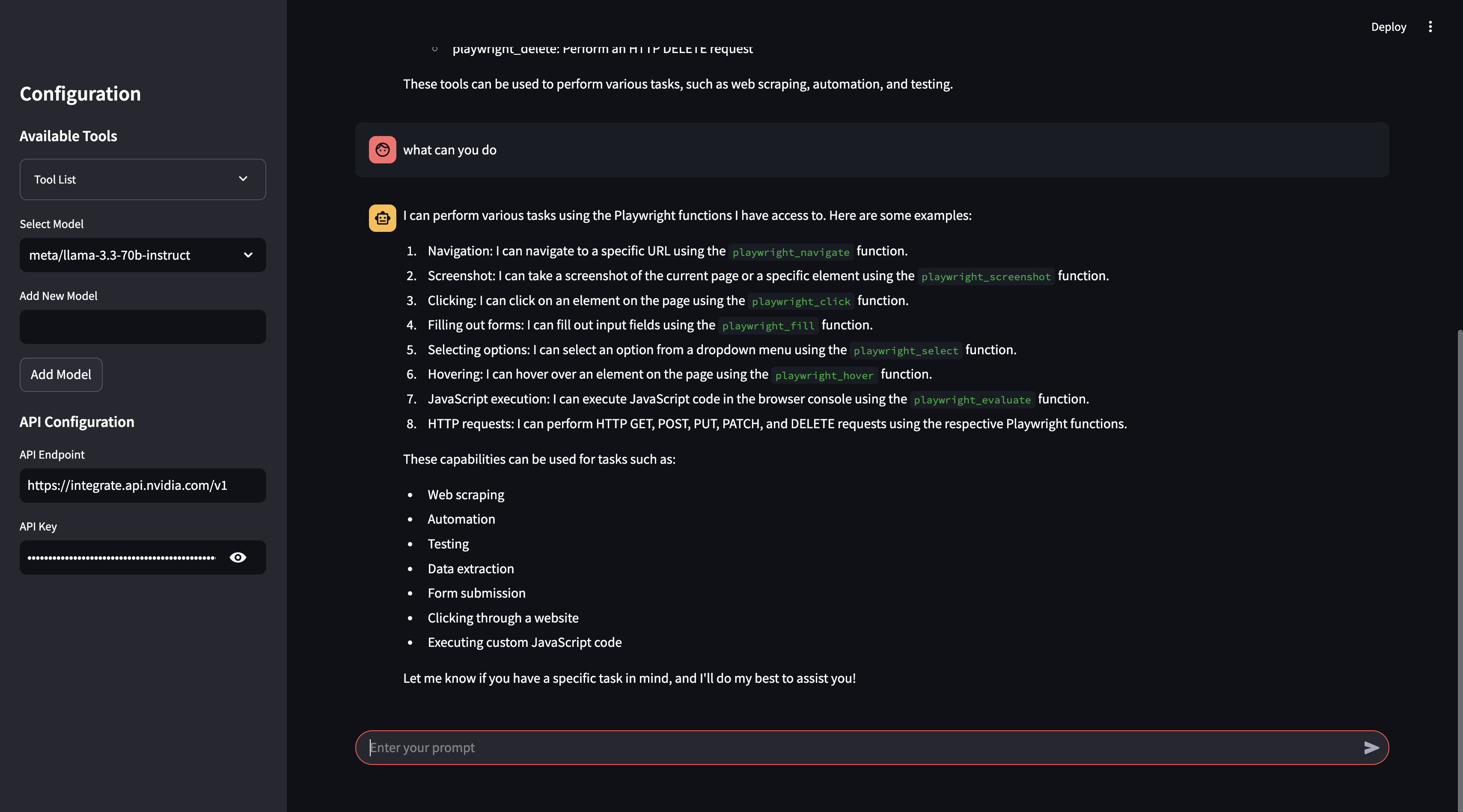
Chat (What can you do?) Screenshot

๐Ÿ“ Project Structure

llama_mcp_streamlit/
โ”‚โ”€โ”€ ui/
โ”‚   โ”œโ”€โ”€ sidebar.py       # UI components for Streamlit sidebar
โ”‚   โ”œโ”€โ”€ chat_ui.py       # Chat interface components
โ”‚โ”€โ”€ utils/
โ”‚   โ”œโ”€โ”€ agent.py         # Handles interaction with LLM and tools
โ”‚   โ”œโ”€โ”€ mcp_client.py    # MCP client for connecting to external tools
โ”‚   โ”œโ”€โ”€ mcp_server.py    # Configuration for MCP server selection
โ”‚โ”€โ”€ config.py            # Configuration settings
โ”‚โ”€โ”€ main.py              # Entry point for the Streamlit app
.env                      # Environment variables
Dockerfile                # Docker configuration
pyproject.toml            # Poetry dependency management

๐Ÿ”ง Environment Variables

Before running the project, configure the .env file with your API keys:

# Endpoint for the NVIDIA Integrate API
API_ENDPOINT=https://integrate.api.nvidia.com/v1
API_KEY=your_api_key_here

# Endpoint for the Ollama API
API_ENDPOINT=http://localhost:11434/v1/
API_KEY=ollama

๐Ÿš€ Running the Project

Using Poetry

  1. Install dependencies:
    poetry install
    
  2. Run the Streamlit app:
    poetry run streamlit run llama_mcp_streamlit/main.py
    

Using Docker

  1. Build the Docker image:
    docker build -t llama-mcp-assistant .
    
  2. Run the container:
    docker compose up
    

๐Ÿ”„ Changing MCP Server Configuration

To modify which MCP server to use, update the utils/mcp_server.py file. You can use either NPX or Docker as the MCP server:

NPX Server

server_params = StdioServerParameters(
    command="npx",
    args=[
        "-y",
        "@modelcontextprotocol/server-filesystem",
        "/Users/username/Desktop",
        "/path/to/other/allowed/dir"
    ],
    env=None,
)

Docker Server

server_params = StdioServerParameters(
    command="docker",
    args=[
        "run",
        "-i",
        "--rm",
        "--mount", "type=bind,src=/Users/username/Desktop,dst=/projects/Desktop",
        "--mount", "type=bind,src=/path/to/other/allowed/dir,dst=/projects/other/allowed/dir,ro",
        "--mount", "type=bind,src=/path/to/file.txt,dst=/projects/path/to/file.txt",
        "mcp/filesystem",
        "/projects"
    ],
    env=None,
)

Modify the server_params configuration as needed to fit your setup.


๐Ÿ“Œ Features

  • Real-time tool execution via MCP
  • LLM-powered chat interface
  • Streamlit UI with interactive chat elements
  • Support for multiple LLM backends (NVIDIA NIM & Ollama)
  • Docker support for easy deployment

๐Ÿ›  Dependencies

  • Python 3.11+
  • Streamlit
  • OpenAI API (for NVIDIA NIM integration)
  • MCP (Model Control Protocol)
  • Poetry (for dependency management)
  • Docker (optional, for containerized deployment)

๐Ÿ“œ License

This project is licensed under the MIT License.


๐Ÿค Contributing

Feel free to submit pull requests or report issues!


๐Ÿ“ฌ Contact

For any questions, reach out via GitHub Issues.


Files in the repo

Repository payloadโ€ข10 top-level entries
  • .devcontainer
  • llama_mcp_streamlit
  • screenshot
  • .env.example
  • .gitignore
  • docker-compose.yml
  • Dockerfile
  • poetry.lock
  • pyproject.toml
  • README.md

Discussion (0)

Ask about usage, or say what you built with it

Sign in to join the discussion.

No comments yet. Be the first to say what this is good for.

More other

๐ŸŽจ Best DeepSeek Harness Design Plugin. The open-source Claude Design alternative. ๐Ÿ–ฅ๏ธ Local-first desktop app. ๐Ÿ–ผ๏ธ Your coding agent becomes the design engine: prototypes, landing pages, dashboards, slides, images & video โ€” real files, HTML/PDF/PPTX/MP4 export. ๐Ÿค– Claude Code / Codex / Cursor / DeepSeek Harness / OpenCode & 20+ CLIs via BYOK.

95k
HKUDS/
Vibe-Trading

"Vibe-Trading: Your Personal Trading Agent"

33k
tinyhumansai/
openhuman

OpenHuman is an open source personal AI for Mac, Windows and Linux โ€” local-first memory, agent orchestration, and deep research.

40k

Your Personal AI Assistant; easy to install, deploy on your own machine or on the cloud; supports multiple chat apps with easily extensible capabilities.

35k

AIPOCH Open-Science is an open-source, local-first, model-agnostic AI research workbench for macOS, Windows, and Linux, with scientific agents, Python/R notebooks, data connectors, and reproducible provenance.

4k