

JuliusBrussee/
caveman

🪨 why use many token when few token do trick — Claude Code skill that cuts 65% of tokens by talking like caveman
105k
1 add
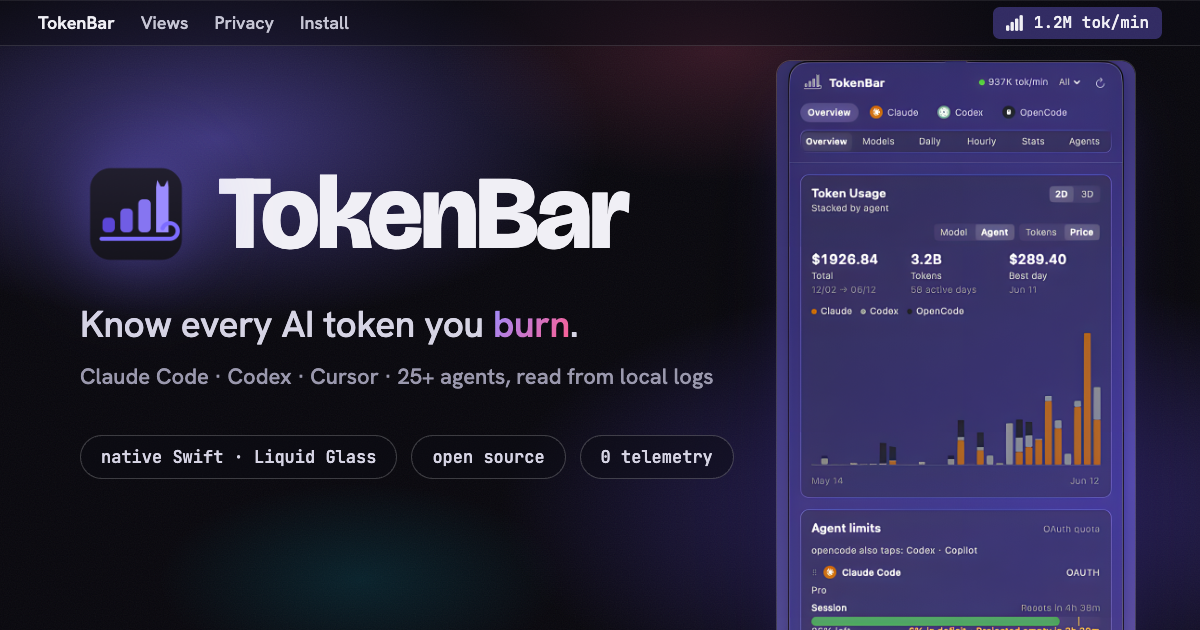
TokenBar sits in the macOS menu bar and reads local logs from 25+ AI agents to show token usage, cost, and remaining quota. The app uses Rust for parsing and aggregation, then SwiftUI for the menu bar shell and dashboard views.
Builders who want a live view of token spend and quota while they work in Claude Code, Codex, Cursor, or similar tools.
You can check token burn and quota at a glance instead of digging through logs or guessing from memory.
Shows today’s tokens, cost, live tokens per minute, or quota left in the menu bar title.
Opens a popover with app tabs, view switching, and seven usage lenses including overview, models, monthly, daily, hourly, stats, and agents.
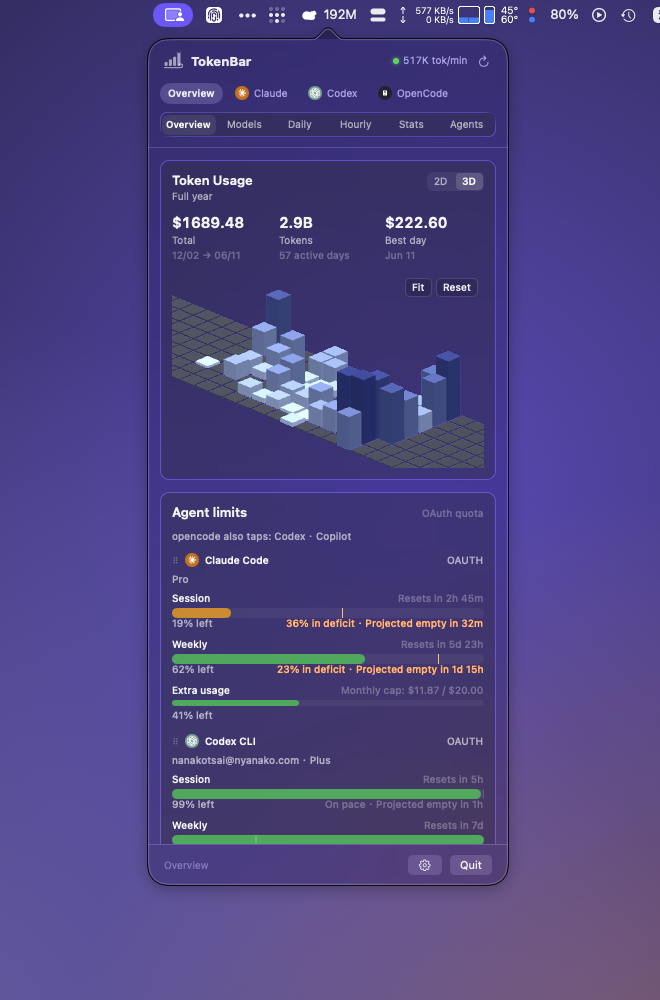
Displays a year of usage as an orbitable 3D contribution graph.
Shows OAuth quota cards with pace projections and live session trace details.
Reads session data on-device from local logs for 25+ agents instead of sending telemetry.
Uses Sparkle for in-app updates and supports an opt-in beta channel.
brew install --cask nanako0129/tokenbar/tokenbar
AI token usage & quota monitor for the macOS menu bar — native Swift, Liquid Glass.





TokenBar sits in your menu bar and shows what you're spending across 25+ AI coding agents — Claude Code, Codex, Cursor, OpenCode, Gemini CLI and more — read on-device from your local session logs. No Dock icon, no telemetry, no account.
The menu-bar title shows today's tokens, cost, live tokens/min, or how much subscription quota is left — as signal bars, a ring, or a popsicle that melts as your window drains. And the cat sprints faster the more you burn, tracing back to RunCat by Takuto Nakamura.
Click the icon and a Liquid Glass popover opens. A row of app tabs filters which agents you're looking at; a view switch picks how that data is broken down — seven lenses, plus the same year of usage as an orbitable 3D graph.
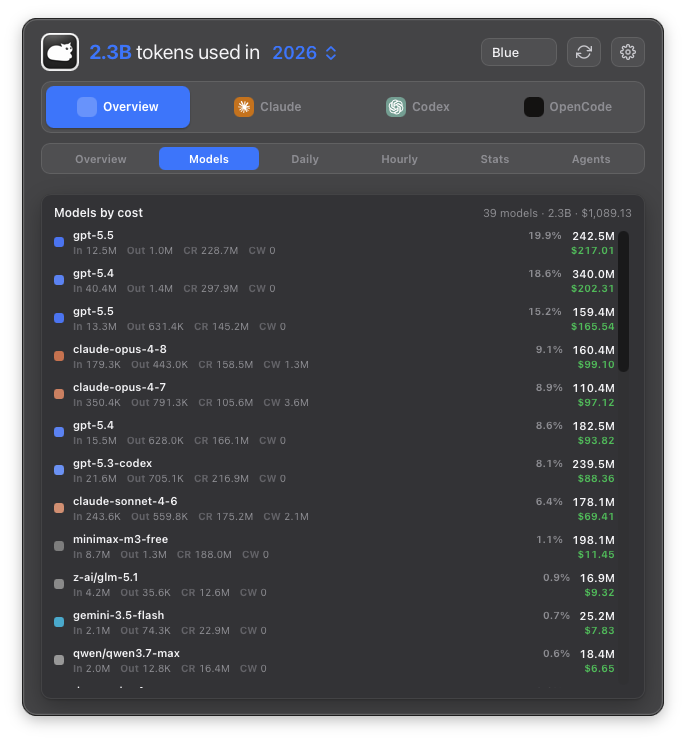 Models — every model ranked by cost | 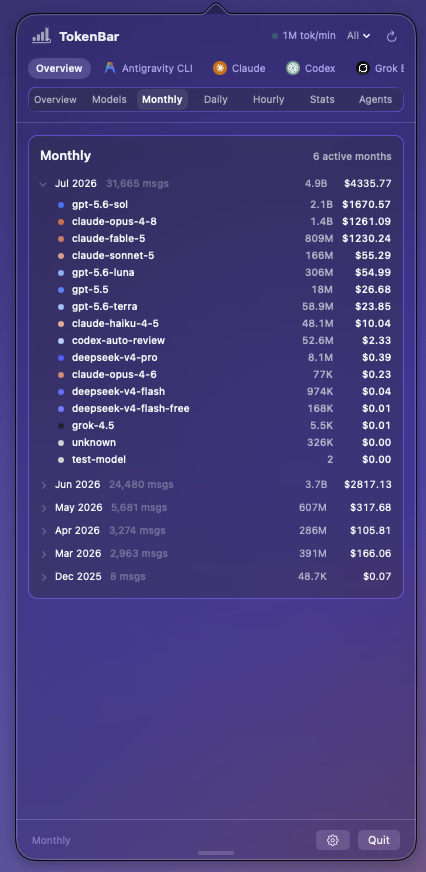 Monthly — active months, with month drill-down |
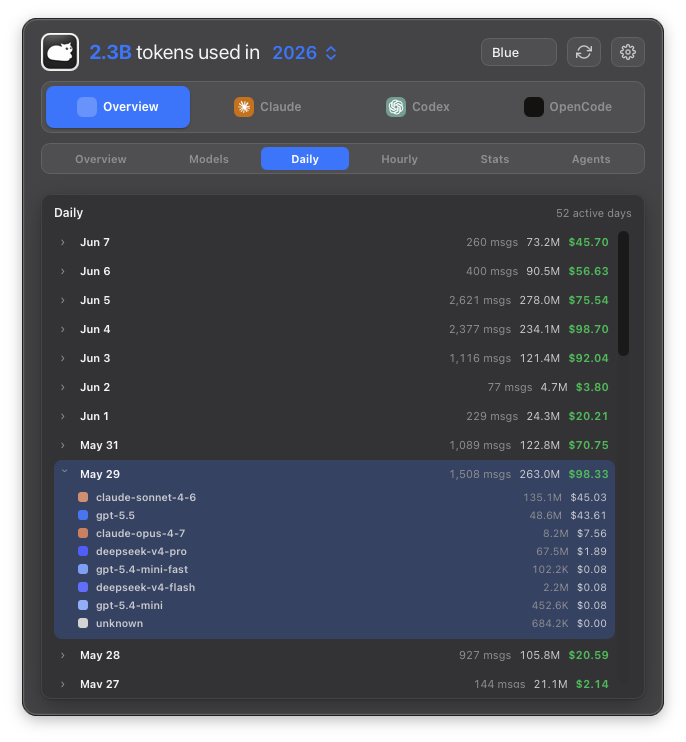 Daily — active days, with day drill-down | 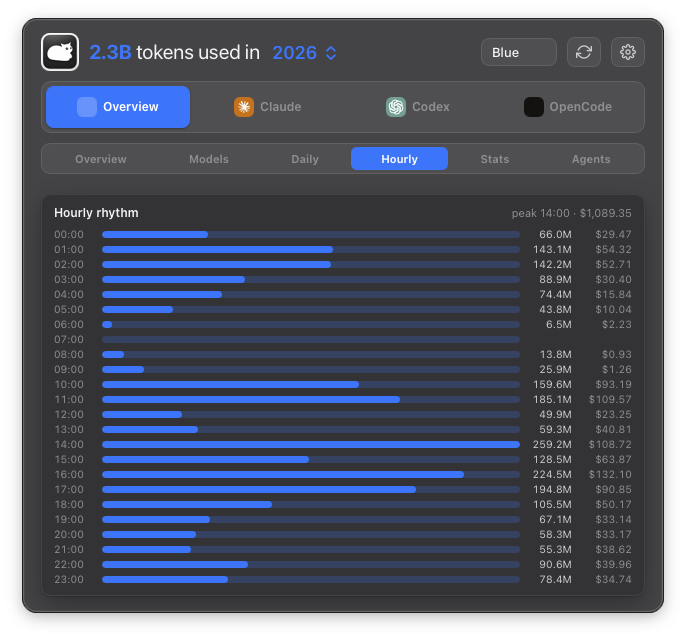 Hourly — when in the day you burn tokens |
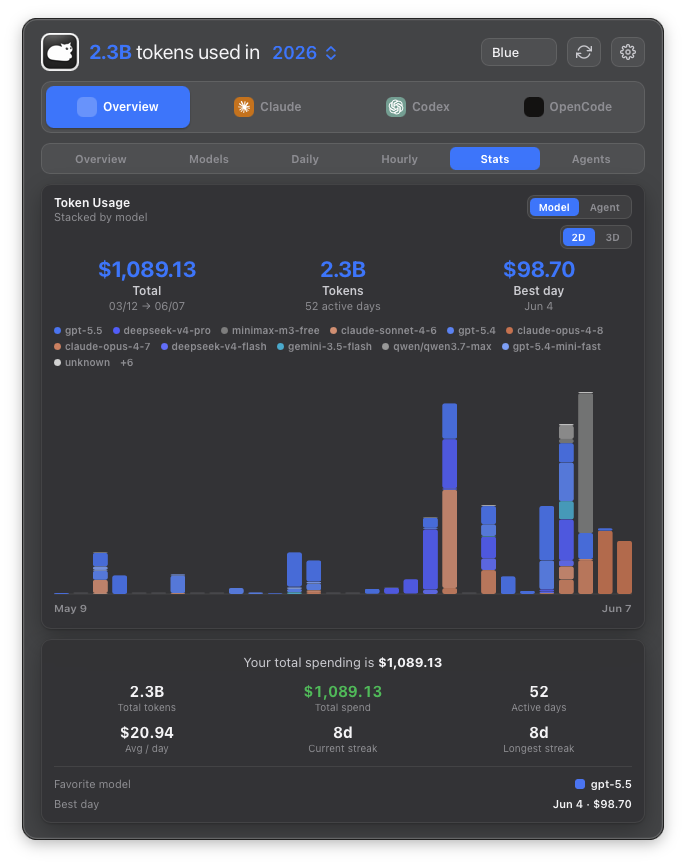 Stats — headline summary & streaks | 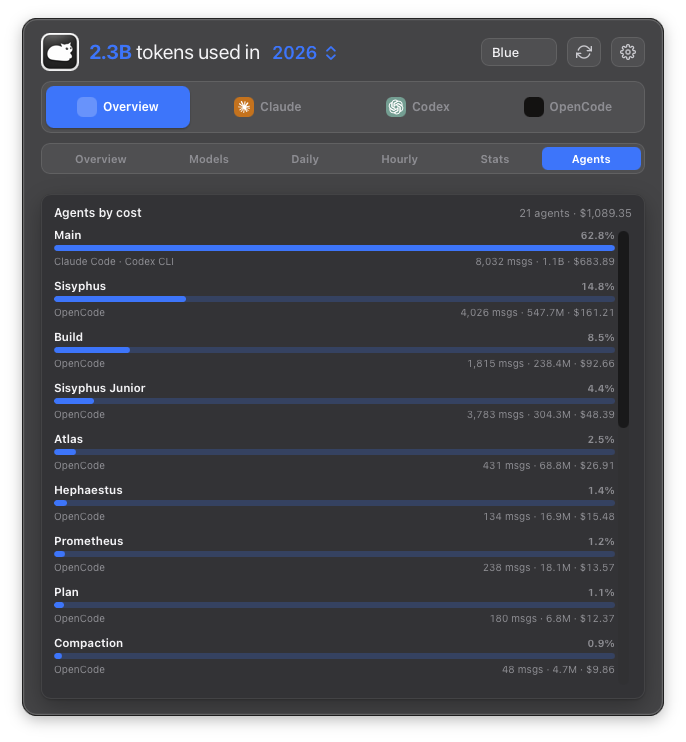 Agents — sub-agents ranked by cost |
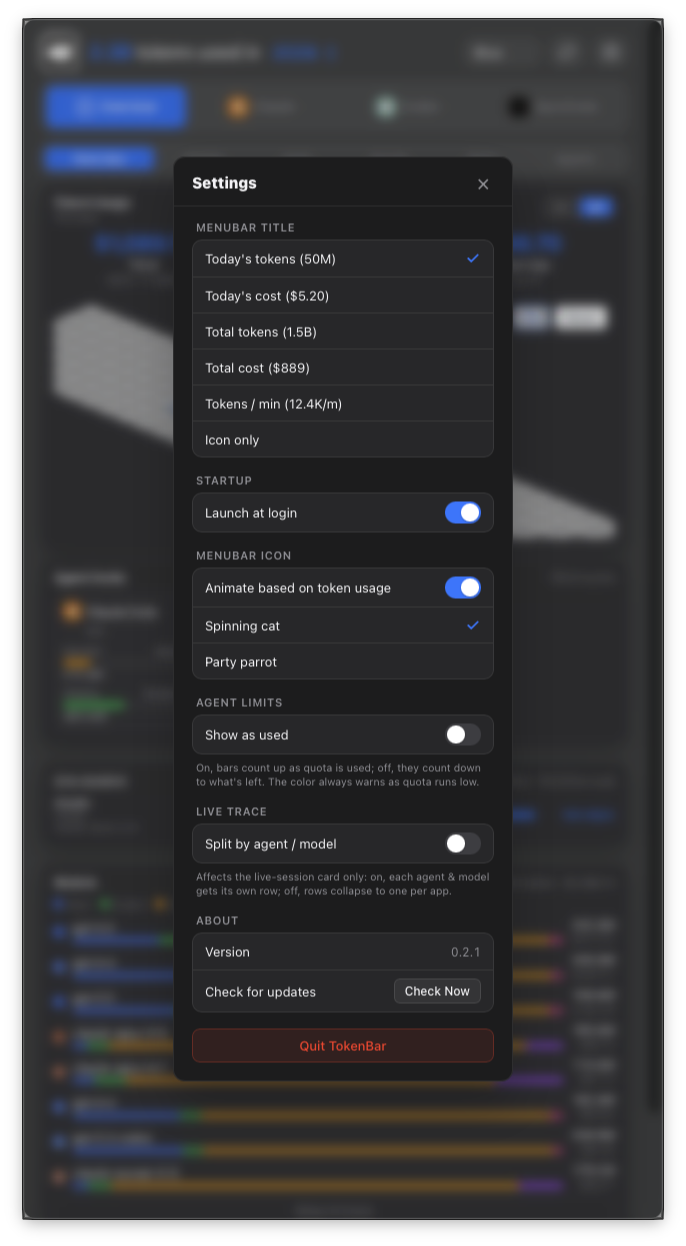 Settings — menu-bar title, icon & quota source | |
Plus OAuth quota cards with pace projections, a live session trace, streaks, and full keyboard control (⌘1–9 tabs, ⌘G chart toggle, ⌘, settings). A failed refresh never blanks a reading — the last known value stays until a fresh one lands.
brew install --cask nanako0129/tokenbar/tokenbar
In-app updates arrive via Sparkle; betas ride an opt-in channel
(Settings → "Receive beta updates"). The app is ad-hoc signed (not notarized) —
the cask clears the quarantine attribute on install, as disclosed. Requires an
Apple Silicon Mac on macOS 14+ (Liquid Glass needs macOS 26; earlier systems get
a vibrancy fallback). Still on macOS 11–13? The final Tauri build stays as
tokenbar@legacy.
Rust owns the data: the public
tokscale-core shared engine,
pinned as a Git submodule, handles session parsing, aggregation, and pricing;
the app-owned crates/tb_core_ffi adds quota fetching and exposes the C ABI.
Swift owns the rest: SwiftUI views, the NSStatusItem shell, Sparkle updates.
make                        # cargo build --release, then swift build
make run                    # build + launch TokenBar
swift run TokenBar --smoke  # run the FFI smoke test
The project knowledge base is the canonical guide to the Rust-to-Swift architecture, verification gates, shared-engine boundary, release chain, and maintenance state.
Run
swift buildfrom the repo root — the linker's-L target/releasepath inPackage.swiftis relative.
TokenBar is local-first and needs no TokenBar account, but maintaining trustworthy numbers across 25+ AI coding agents is a wide compatibility job. Parser changes cross Rust, FFI, Swift, and the Windows sibling; live quota cards require real OAuth or subscription accounts and provider APIs; releases cover native macOS behavior, Sparkle signing and appcasts, Homebrew, and legacy migration metadata.
Sponsorship helps cover test accounts, CI and release infrastructure, and the maintainer time required to keep readings accurate as upstream formats change. If TokenBar helps you understand where your AI budget goes, you can support its continued development on Patreon.
See CONTRIBUTING.md for setup, change-specific guardrails, verification, and pull-request requirements.
TokenBar is built on tokscale by
Junho Yeo. TokenBar's shared
tokscale-core engine derives
from that core and handles session parsing, dedup, and pricing across 25+
agents. The tokscale interactive TUI is also the blueprint for the whole
dashboard: the seven lenses (Overview, Models, Monthly, Daily, Hourly, Stats,
Agents) and their In · Out · CR · CW column breakdown are modeled on it.
The product line began as a fork of tokcat by handlecusion — the original Tauri menu-bar monitor (itself built on tokscale). This native app is a ground-up Swift rewrite that carries no tokcat code, but the menu-bar form and the spinning-cat signature are theirs; the cat traces back to RunCat by Takuto Nakamura. The quota-pace cards reference CodexBar by Peter Steinberger.
All MIT. Licensed under MIT.
Sign in to join the discussion.
No comments yet. Be the first to say what this is good for.
🪨 why use many token when few token do trick — Claude Code skill that cuts 65% of tokens by talking like caveman

The best-benchmarked open-source AI memory system. And it's free.

Orca is the ADE for working with a fleet of parallel agents. Run any coding agent with your own subscription. Available on desktop, mobile and remote runtime.

A cross-platform desktop All-in-One assistant for Claude Code, Codex, OpenCode, OpenClaw, Grok Build & Hermes Agent. Only official website: ccswitch.io

Never stop coding. Free MIT AI gateway: one endpoint, 352 providers (150+ free), 1200+ models Kimi, Claude, GPT, Gemini, GLM, DeepSeek, MiniMax. Works with Claude Code, Codex, Cursor, OpenCode, Cline & Copilot. Quota-aware auto-fallback, RTK+Caveman compression saves 15-95% tokens, MCP/A2A, Desktop/PWA. Built by 550+ contributors

Compress tool outputs, logs, files, and RAG chunks before they reach the LLM. 20% fewer tokens for coding agents, 60-95% fewer tokens for JSON, same answers. Library, proxy, MCP server.