Watch how it works
See how Meridian turns a day of screen activity into a timeline, a daily summary, and updated tickets, without anything typed in by hand.
https://github.com/user-attachments/assets/5cc26036-3842-4748-85c8-097a8b71f20d
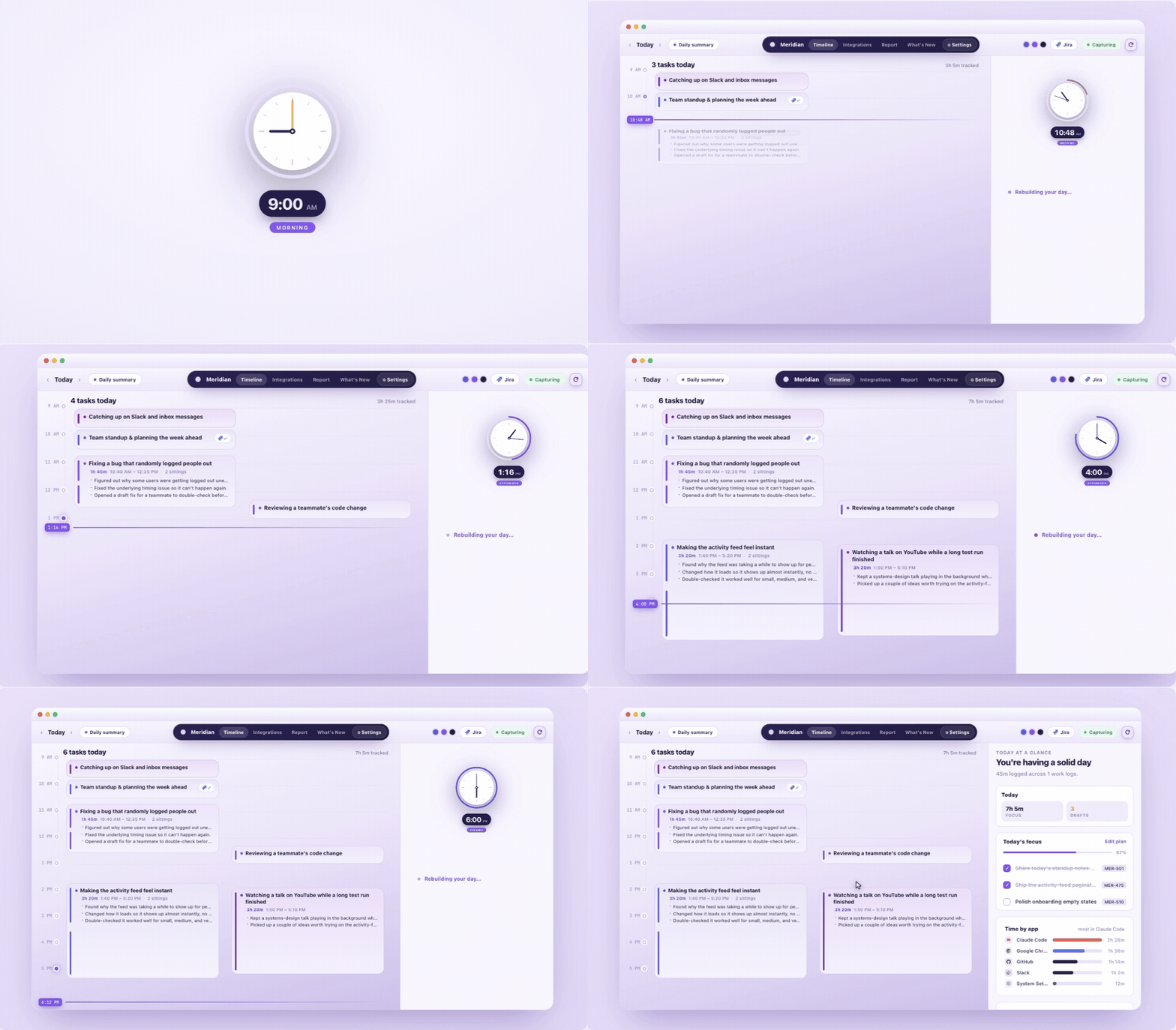
Meridian automatically reconstructs your day
Meridian rebuilds your day from what actually happened on screen, so you can scrub back through it like a recording instead of trying to remember.
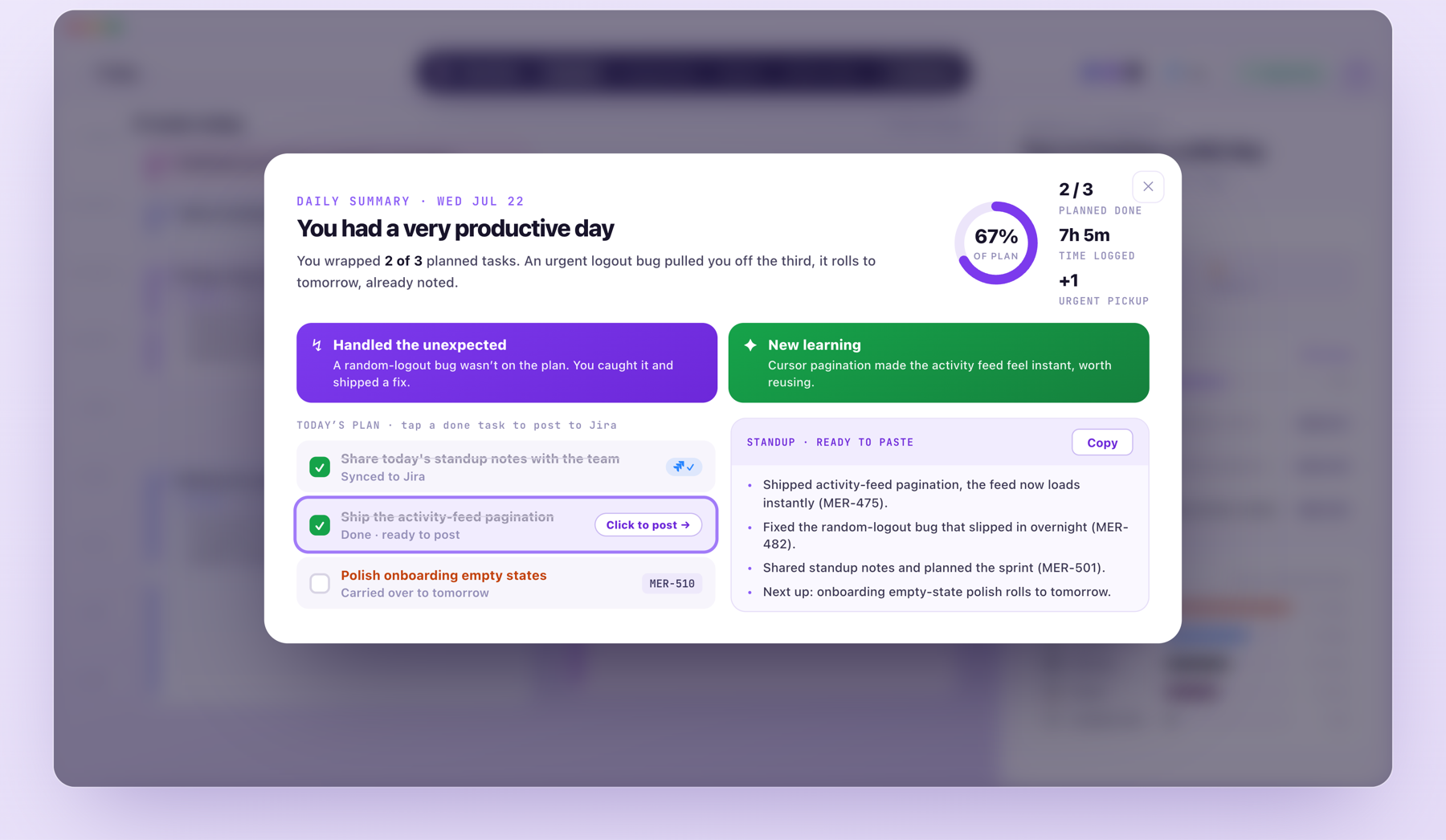
Your Day, Summarised
At the end of the day, Meridian tells you what you actually got done, what pulled you off plan, and hands you a standup already written and ready to paste into Jira.
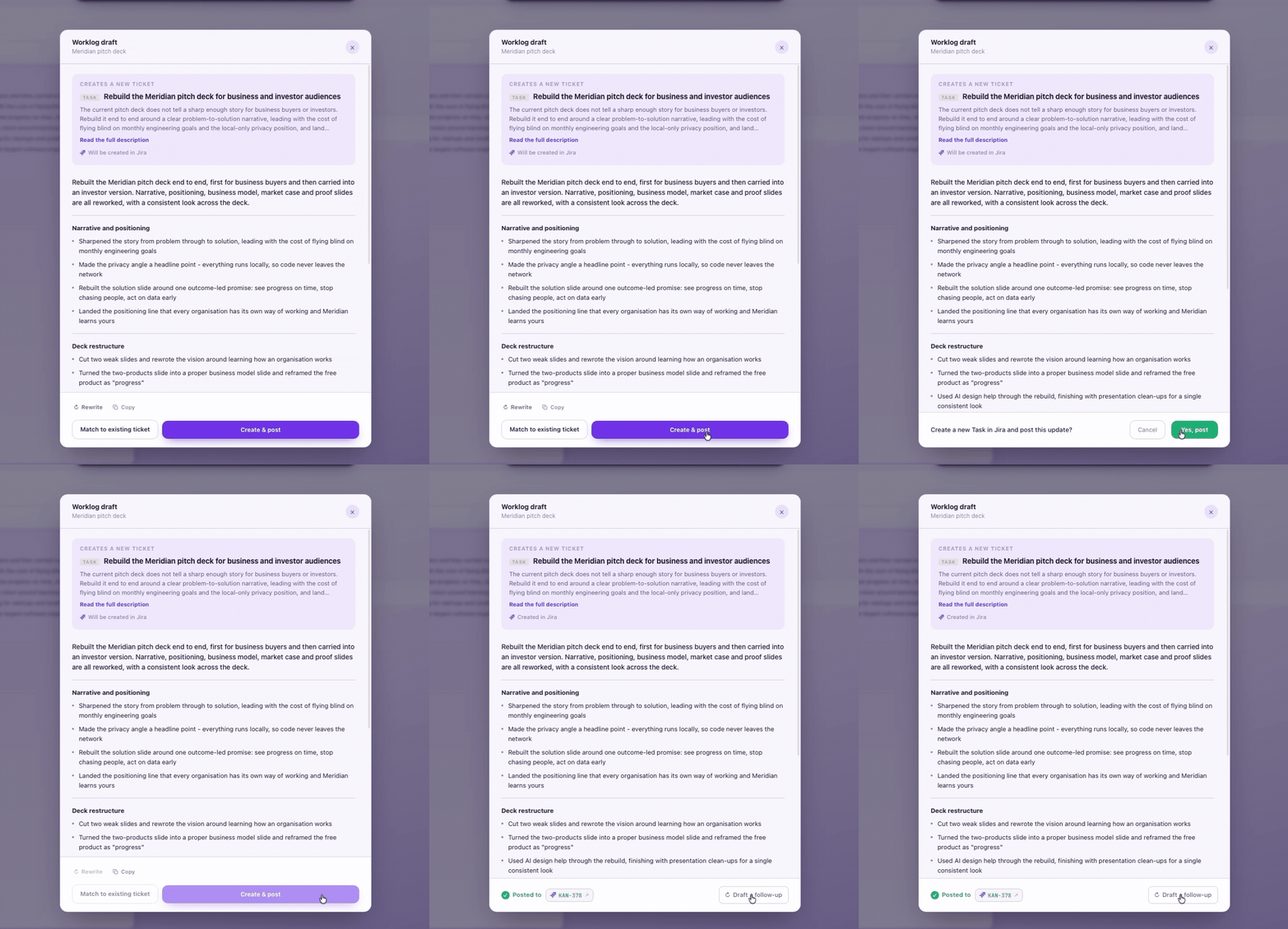
Your Worklog Updates, Drafted for You
Meridian writes your worklog update and gets it ready to post. You just review it and hit send.
Questions Meridian Already Answers
| You ask | What Meridian does |
|---|
| "What did I actually do on this ticket?" | Drafts the update from what you actually did, ready to post. |
| "What was I even working on three months ago today?" | Saves every day as it happens, so you can pull any of them back up. |
| "What did I get done yesterday?" | Writes your standup overnight from what you actually did. |
| "Why did this take five days when we estimated two?" | Logs what actually happened, so you can see exactly where the estimate went wrong. |
| "Where does my time actually go?" | Tracks where every hour actually went, so you're looking at data, not a guess. |
Privacy
Your activity stays in one encrypted database on your machine. Analysis runs through whichever AI provider you connect, and only what a summary needs is sent to it. Diagnostics are opt-out and stripped of anything identifying before they ever leave your device.
System Requirements
| |
|---|
| Platform | macOS (Apple Silicon only, Intel is not supported) or Windows 10/11 |
| CPU | 5 to 10% average, running quietly in the background |
| Memory | 0.5 to 3 GB |
| Storage | About 20 GB a month, older capture is pruned automatically after 30 days |
| Database | Encrypted at rest |
Build from Source
Requirements: macOS (Apple Silicon or Intel) or Windows 10/11, Rust 1.93.1 (pinned via rust-toolchain.toml, installs automatically), Node 20+, and bun.
git clone https://github.com/Meridiona/meridian
cd meridian
cp .env.example .env
bash install-dev.sh          # builds all dependencies
bash scripts/setup-hooks.sh  # install git hooks, run this before your first commit
bash dev-start.sh            # starts the daemon and the tray in watch mode
dev-start.sh opens two terminal windows, the Rust daemon and the Tauri tray, both of which rebuild automatically when you save a file. Capture runs in-process inside the tray, so nothing else needs to be installed or registered separately.
Full setup details, including how to reset onboarding, re-download the embedder, and the exact checks CI runs before a pull request, are in CONTRIBUTING.md.
Contributing
See CONTRIBUTING.md for guidelines, maintainers, and how to submit PRs.
Thanks to all contributors:

License
Meridian is licensed under the MIT License.