
JuliusBrussee/
caveman

🪨 why use many token when few token do trick — Claude Code skill that cuts 65% of tokens by talking like caveman
105k
1 add
Memmy gives your agents a shared local memory so they can keep using the same project context, preferences, and notes. It runs as a memory service plus a gateway, and you can use it through the `memmy` CLI, the `memmy-memory` CLI, or the desktop app.
Builders who want their agent tools to remember the same context across sessions and across apps.
You can stop re-explaining your project and let different agents continue from the same memory.
Stores context locally so multiple agents can read and write the same memory base.
Works with Claude Code, Codex, Cursor, OpenClaw, Hermes Agent, and other compatible tools.
Use `memmy` for onboarding, status, single-turn tasks, and an interactive terminal UI.
Use `memmy-memory init`, `health`, `search`, `add`, and `get` to inspect and update memory directly.
Includes a desktop app plus a local gateway and service setup for ongoing access.
Can start an API on localhost for tools that want an OpenAI-style endpoint.
curl -fsSL https://raw.githubusercontent.com/MemTensor/memmy-agent/main/scripts/install.sh | bash
memmy
systemctl --user status memmy-memory.service
systemctl --user status memmy-gateway.service
memmy-memory init
memmy-memory health
memmy-memory search "memory policies in this project"
memmy-memory add "a piece of knowledge worth saving"
memmy-memory get <id>
git clone https://github.com/MemTensor/memmy-agent.git
cd memmy-agent
cp .env.example .env
npm install
npm run build
bash scripts/dev-start.sh






Overview · Quick Start · Technical Overview · Roadmap · Acknowledgements · Contributors
English • 简体中文
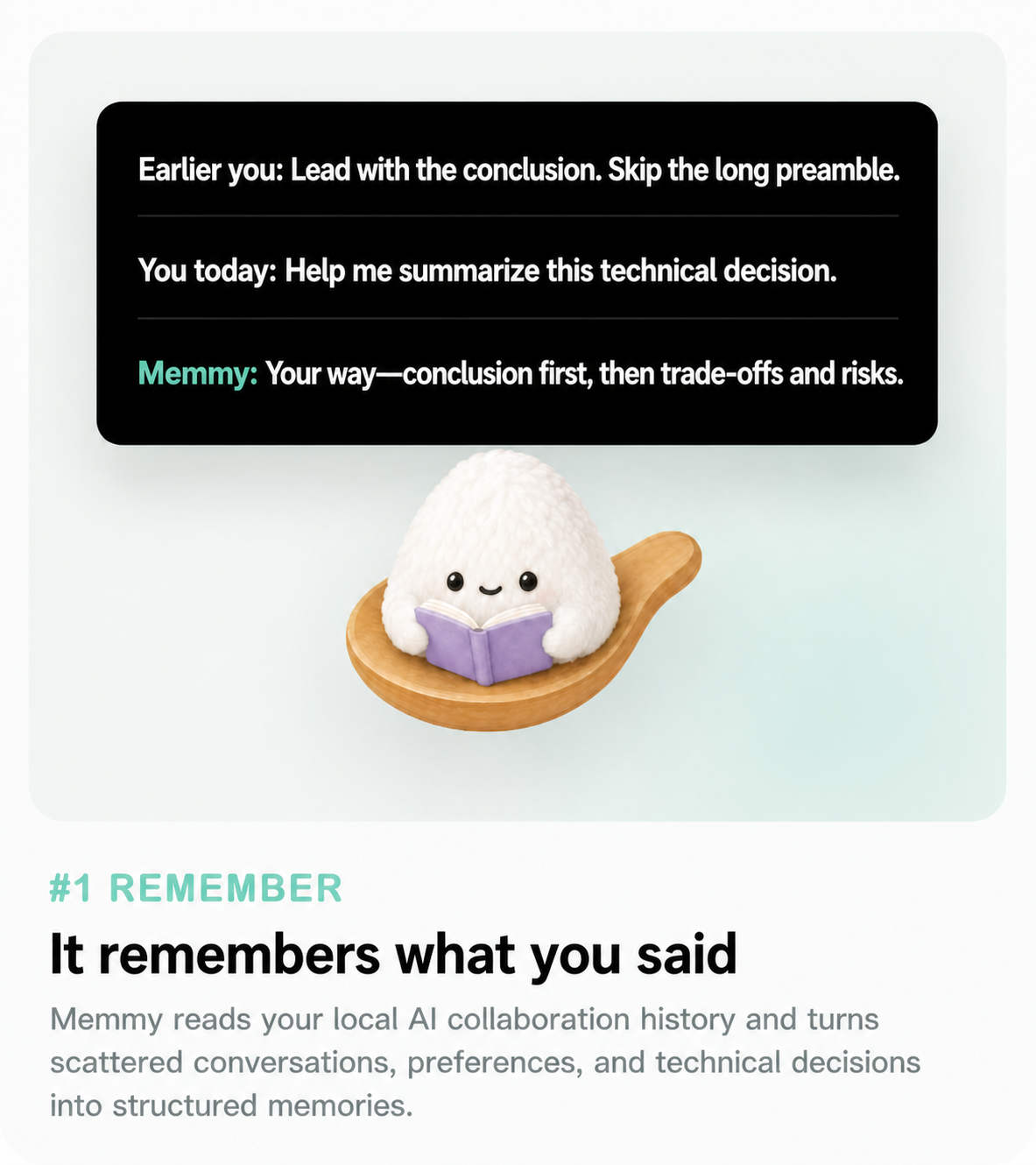
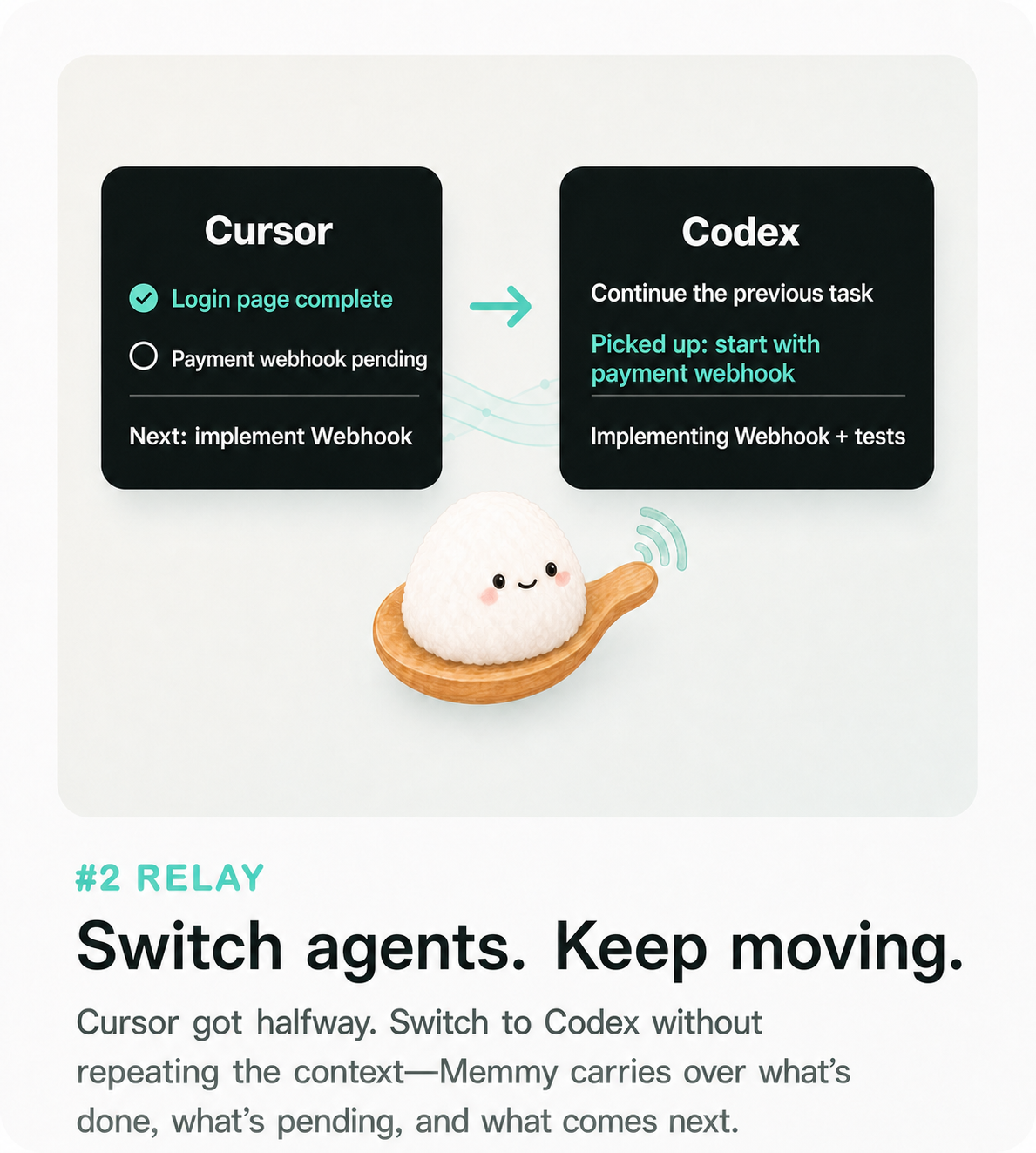
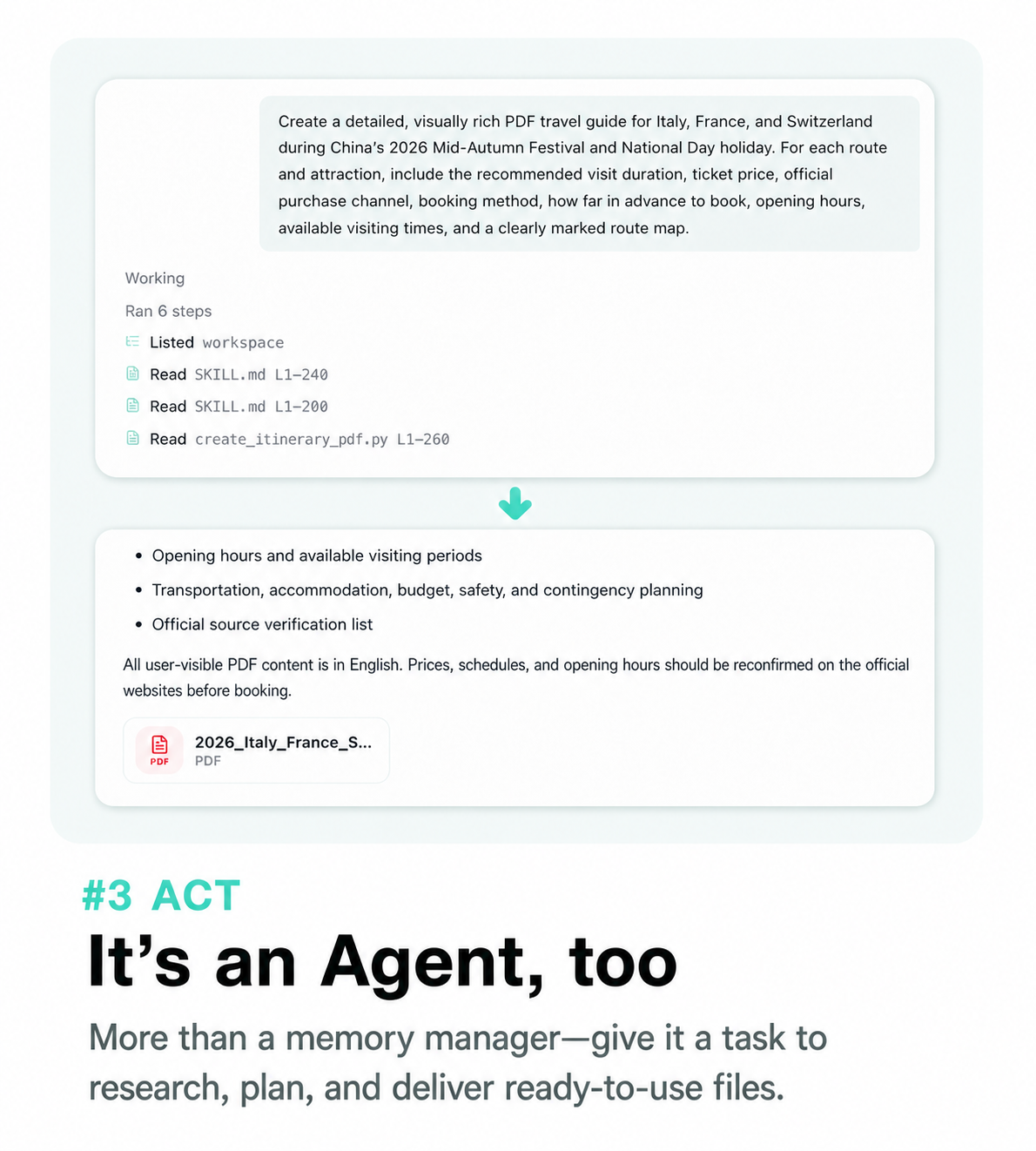
DeepSeek Harness, OpenClaw, Hermes, Claude Code, Codex, Cursor, WorkBuddy, OpenCode, Pi...they all work!
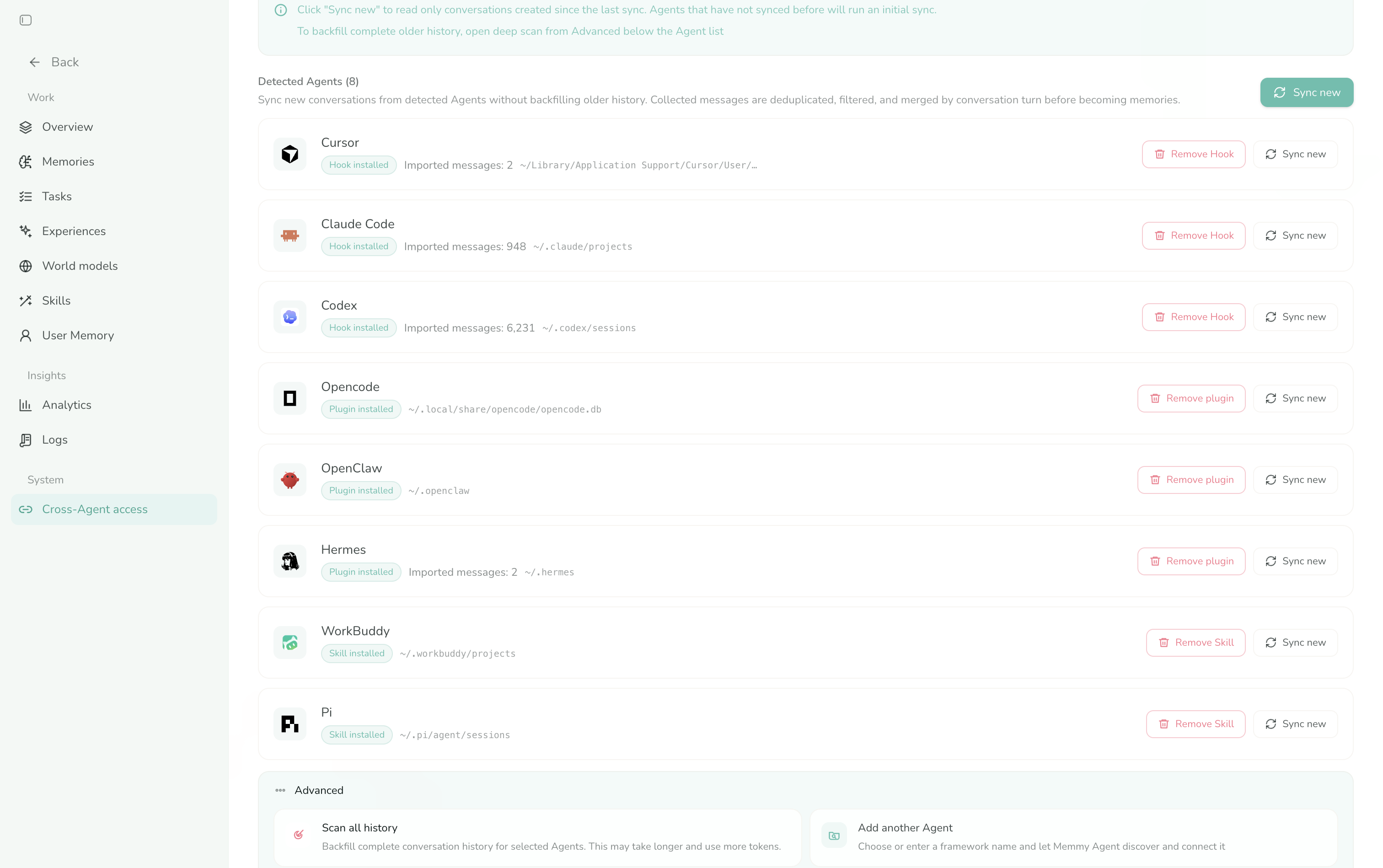
For complete installation and configuration instructions, see the Getting Started guide.
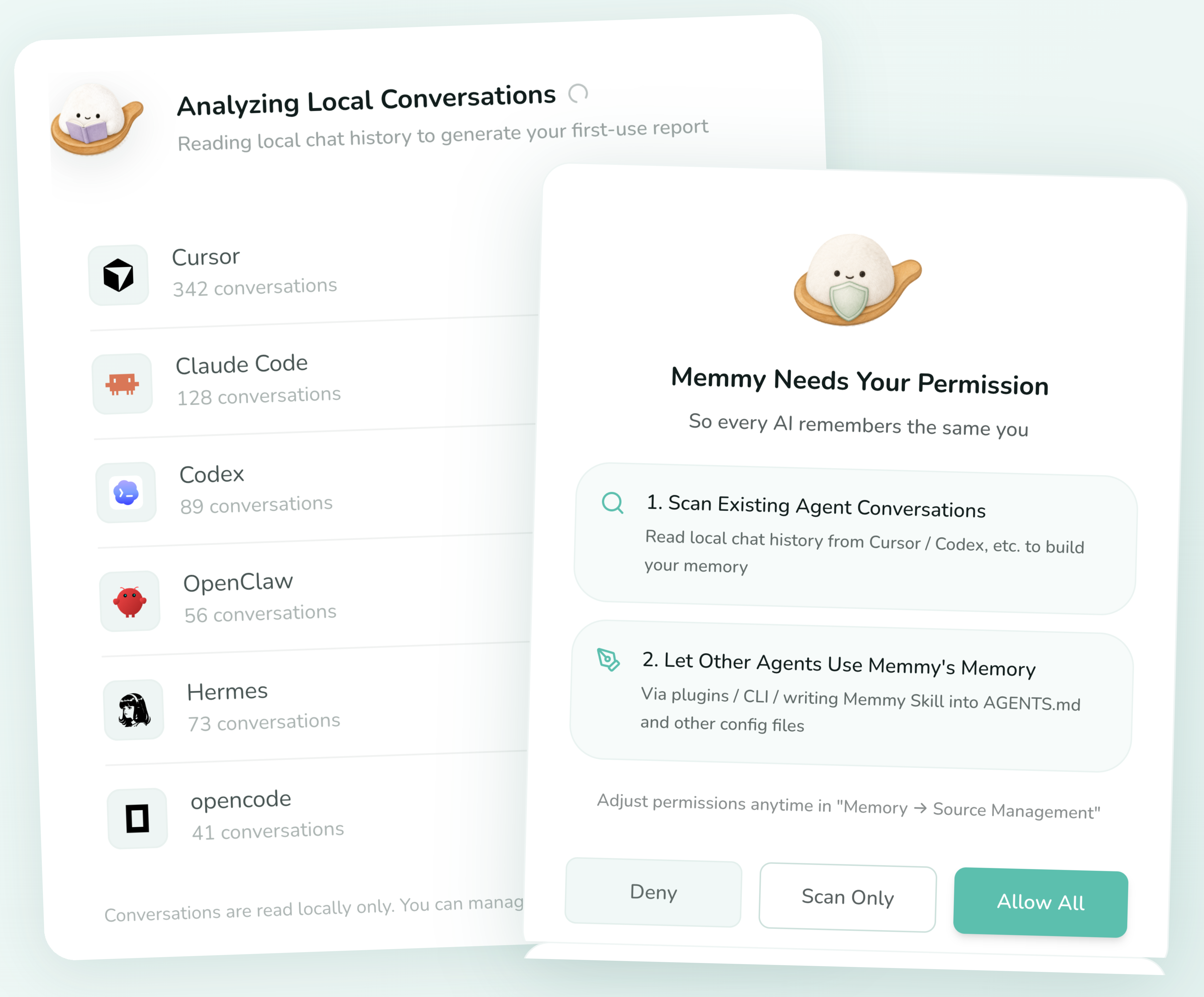
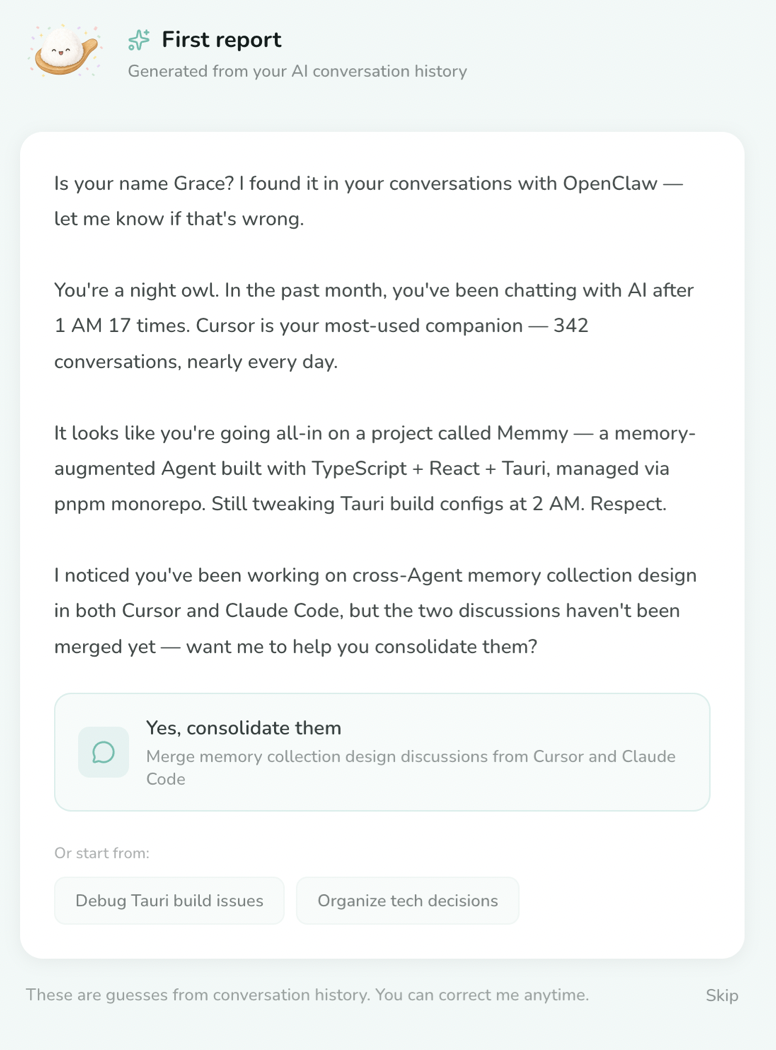
Download Memmy from the official website or GitHub Releases.
[!TIP] Sign up for Memmy to receive free tokens and try the complete Memory + Agent Runtime.
Trial credits:
Registration grants Agent task trial tokens; the current balance and usage are shown in the app.
When the trial credits run out, switch to BYOK mode and use your own model API.
memmy CLI / TUI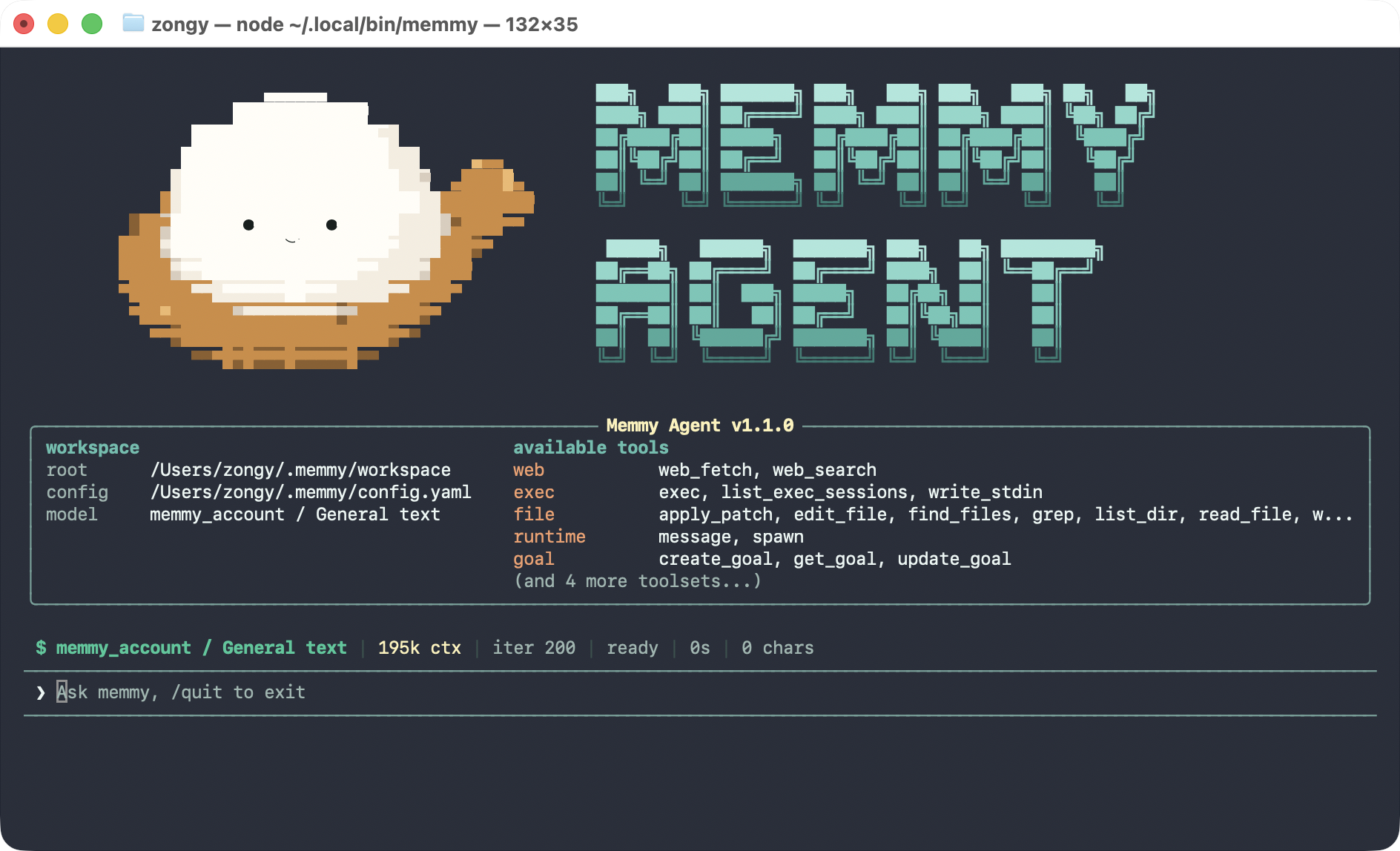
On Linux x64 or arm64 with Node.js 22 or newer and an available systemd user session:
curl -fsSL https://raw.githubusercontent.com/MemTensor/memmy-agent/main/scripts/install.sh | bash
memmy
The installer enables the local Memory Service immediately as memmy-memory.service. The first bare memmy invocation opens the model setup wizard when needed, then enables memmy-gateway.service, waits for it to become ready, and enters the TUI. Both are systemd --user services bound to localhost and remain available after the TUI or terminal exits. They start again on later logins; the installer does not enable linger. Only the installer launcher activates this service management, so source-built Linux CLIs keep their existing behavior.
Before starting or reconnecting to the Gateway, memmy refreshes a private ~/.memmy/systemd/gateway.env file (mode 0600) with configuration-referenced environment variables, common Provider credentials, and the terminal PATH. If those values change, the next bare memmy invocation restarts the user service with the new environment.
systemctl --user status memmy-memory.service
systemctl --user status memmy-gateway.service
The installer initializes Memory without changing Codex, Claude Code, Cursor, or other agents. Run memmy-memory init (all detected agents) or memmy-memory init --agent <agent> when you explicitly want to install the Memory Skill and the supported Hook/plugin for an agent.
memmy onboard                              # Configure models, providers, gateway, memory, and tools interactively
memmy onboard --defaults                   # Initialize ~/.memmy/config.yaml and the workspace with defaults
memmy status                               # Check the configuration, model, and provider
memmy agent --message "Introduce the current workspace"  # Run a single-turn task
memmy                                      # Enter the interactive TUI
memmy serve                                # Start the OpenAI-compatible API (:18990)
The minimal BYOK configuration is located at ~/.memmy/config.yaml:
agents:
  defaults:
    model: openai/gpt-4.1
    provider: openai
    timezone: "+08:00"
providers:
  openai:
    apiKey: ${OPENAI_API_KEY}
memmy-memory CLIUse it to access the local memory service from agents, scripts, and debugging workflows:
memmy-memory init
memmy-memory health
memmy-memory search "memory policies in this project"
memmy-memory add "a piece of knowledge worth saving"
memmy-memory get <id>
It connects to http://127.0.0.1:18960 by default. Use --url, --token, --config, --source, and --user-id to specify the service and namespace.
git clone https://github.com/MemTensor/memmy-agent.git
cd memmy-agent
cp .env.example .env
npm install
npm run build
bash scripts/dev-start.sh
The script installs dependencies, builds the services, and starts the development environment. Node.js >=22 and npm are required; use Git Bash on Windows.
For details about the architecture, memory service, and integration methods, see the Memmy documentation.
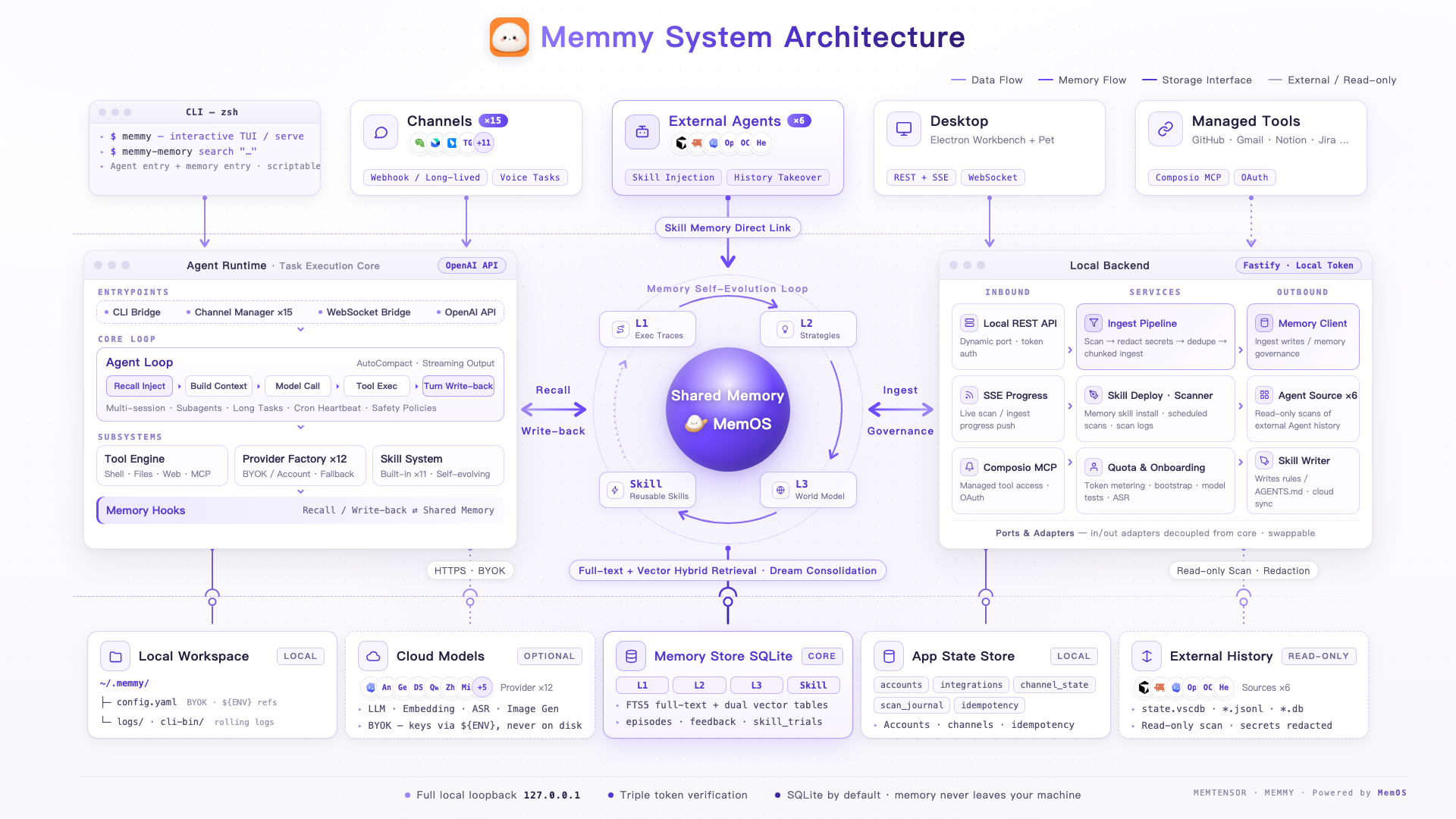
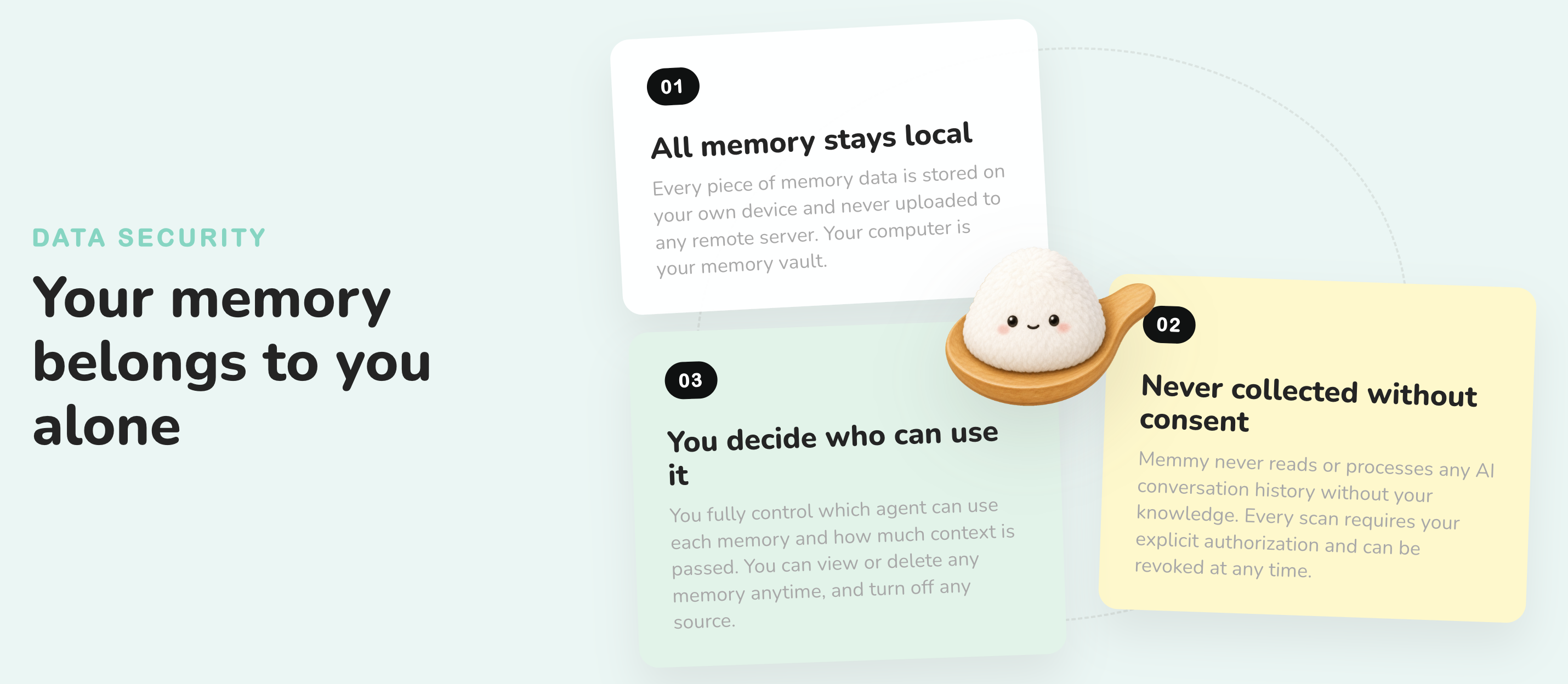
Memmy is building personal memory infrastructure, and its scope goes beyond coding Agents:
Memmy stands on the shoulders of a group of excellent open-source projects, and we are deeply grateful.
The point of open source is to let good ideas flow, and we hope Memmy becomes part of that river.
Thanks to every contributor who makes Memmy better ❤️
Sign in to join the discussion.
No comments yet. Be the first to say what this is good for.
🪨 why use many token when few token do trick — Claude Code skill that cuts 65% of tokens by talking like caveman

The best-benchmarked open-source AI memory system. And it's free.

Orca is the ADE for working with a fleet of parallel agents. Run any coding agent with your own subscription. Available on desktop, mobile and remote runtime.

A cross-platform desktop All-in-One assistant for Claude Code, Codex, OpenCode, OpenClaw, Grok Build & Hermes Agent. Only official website: ccswitch.io

Never stop coding. Free MIT AI gateway: one endpoint, 352 providers (150+ free), 1200+ models Kimi, Claude, GPT, Gemini, GLM, DeepSeek, MiniMax. Works with Claude Code, Codex, Cursor, OpenCode, Cline & Copilot. Quota-aware auto-fallback, RTK+Caveman compression saves 15-95% tokens, MCP/A2A, Desktop/PWA. Built by 550+ contributors

Compress tool outputs, logs, files, and RAG chunks before they reach the LLM. 20% fewer tokens for coding agents, 60-95% fewer tokens for JSON, same answers. Library, proxy, MCP server.