
JuliusBrussee/
caveman

🪨 why use many token when few token do trick — Claude Code skill that cuts 65% of tokens by talking like caveman
105k
1 add
This repo swaps Codex Desktop auth files so one Windows install can use multiple ChatGPT logins while keeping a shared workspace. It ships PowerShell scripts for install, profile launching, routing, repair, diagnostics, and uninstall, plus a skill file for Codex and Cursor.
Builders who use Codex Desktop and Cursor and need separate accounts for the same workspace.
You can switch between your own ChatGPT accounts in Codex Desktop without redoing your workspace setup.
Moves `auth.json` between the main profile and saved local profile copies so Codex Desktop opens the chosen account.
Provides a Windows app and shortcuts to list accounts and open one with a click or Enter.
Includes `pool`, `stick`, `route`, and `depleted` commands for choosing the next profile by workspace and recency.
Uses `install.ps1` and PowerShell scripts in `scripts/` to add or remove the tool on Windows.
Installs `SKILL.md` into Codex and Cursor skill folders so agents avoid the wrong launch path and wrapper issues.
Adds doctor, verify, repair, sync-check, and diagnostics actions for checking and fixing local setup problems.
irm https://raw.githubusercontent.com/Hung2124/codex-multi-profile/main/install.ps1 | iex
irm https://raw.githubusercontent.com/Hung2124/codex-multi-profile/feature/windows-codex-accounts-app/install.ps1 | iex
git clone https://github.com/Hung2124/codex-multi-profile.git
cd codex-multi-profile
powershell -NoProfile -ExecutionPolicy Bypass -File .\scripts\Install-CodexMultiProfile.ps1
$m = "$env:LOCALAPPDATA\CodexParallelDesktop\CodexProfile.ps1"
powershell -NoProfile -ExecutionPolicy Bypass -File $m -Action doctor
powershell -NoProfile -ExecutionPolicy Bypass -File $m -Action verify
powershell -NoProfile -ExecutionPolicy Bypass -File $m -Action pool
$root = "$env:LOCALAPPDATA\CodexParallelDesktop"
$m    = "$root\CodexProfile.ps1"
powershell -NoProfile -ExecutionPolicy Bypass -File .\tests\Run-All.ps1



One Windows app to see and pick your ChatGPT accounts in Codex Desktop.
One shared workspace. One window (AuthSwap).
Tiếng Việt · Router · Recipes · Troubleshooting · Support
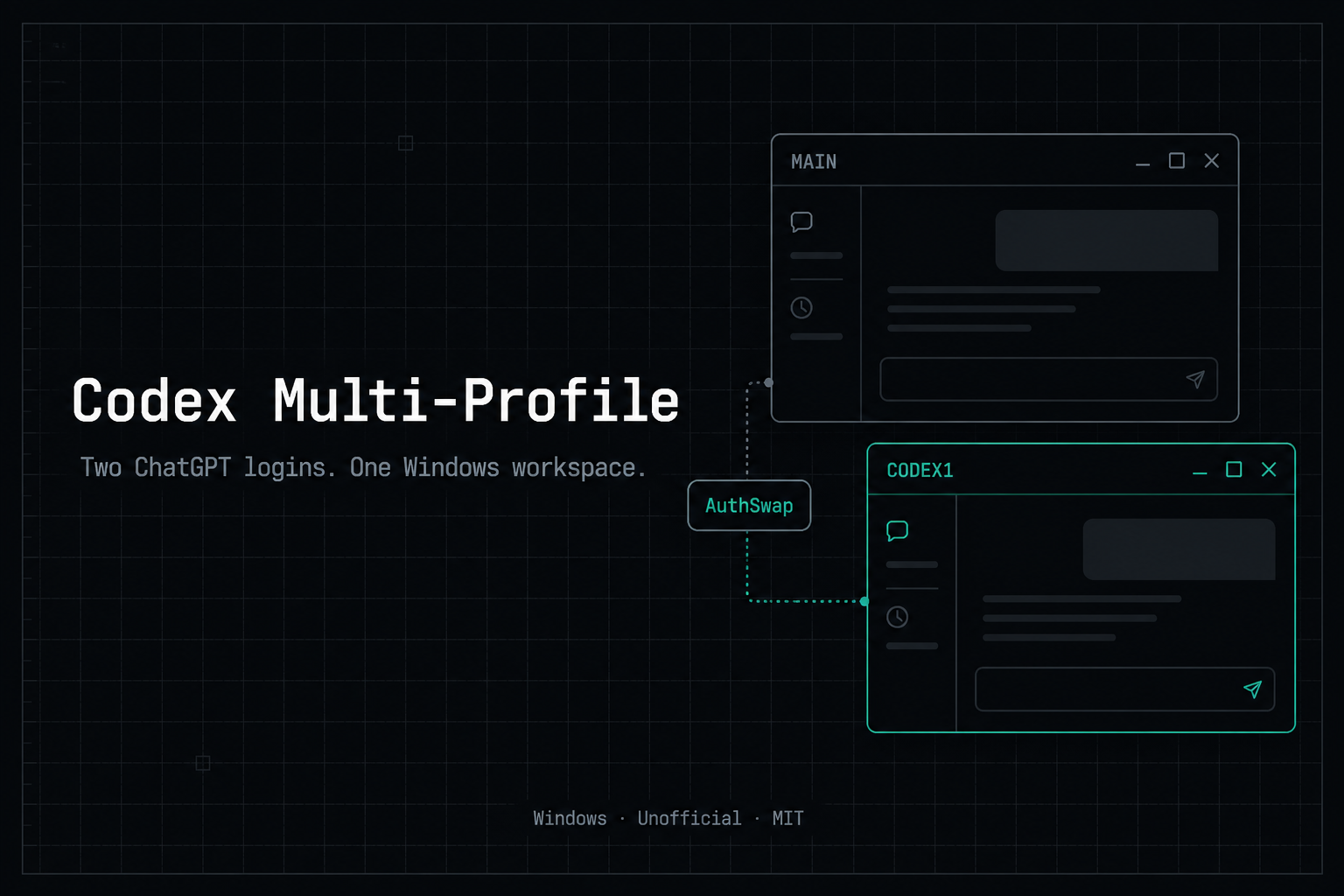
Unofficial helper. Not affiliated with OpenAI. Needs Codex Desktop from the Microsoft Store.
After install, open Codex Accounts on the Desktop. That is the product: a dark account list (name, masked email, last-used, depleted, sticky paths). Click a row or press Enter to launch that login via AuthSwap.
If a Codex window is already open, the app closes it and switches to the saved login. No password prompt when auth.json is present and not poisoned. First-run sign-in still happens inside Codex (this app does not collect a ChatGPT login).
Agents keep using the CLI: pool / stick / route / depleted.
One command. It downloads this repo and runs the Windows installer (AuthSwap + Codex Accounts):
irm https://raw.githubusercontent.com/Hung2124/codex-multi-profile/main/install.ps1 | iex
Until 0.2.0 is merged, that main URL still installs 0.1.4. Use the PR branch:
irm https://raw.githubusercontent.com/Hung2124/codex-multi-profile/feature/windows-codex-accounts-app/install.ps1 | iex
That is the Windows counterpart of b-nnett/codex-subscription-router curl | bash -- without patching ChatGPT.exe or unpacking app.asar.
scripts\Install-CodexMultiProfile.ps1).| Shortcut | What it does |
|---|---|
| Codex Accounts | See every login. Click / Enter to open that profile |
| Codex1 | Jump straight to the first secondary account |
| Codex Main | Restore the original account and open Store Codex |
| Codex Profiles | Legacy text picker |
Rule: close one Codex UI before opening the other.
From a git clone instead of the one-liner:
git clone https://github.com/Hung2124/codex-multi-profile.git
cd codex-multi-profile
powershell -NoProfile -ExecutionPolicy Bypass -File .\scripts\Install-CodexMultiProfile.ps1
Quick check after install:
$m = "$env:LOCALAPPDATA\CodexParallelDesktop\CodexProfile.ps1"
powershell -NoProfile -ExecutionPolicy Bypass -File $m -Action doctor
powershell -NoProfile -ExecutionPolicy Bypass -File $m -Action verify
powershell -NoProfile -ExecutionPolicy Bypass -File $m -Action pool
Humans: open Codex Accounts. Agents: CodexProfile.ps1 -Action route (and pool / stick / depleted).
Windows routing in the spirit of b-nnett/codex-subscription-router. Still one Codex window because AuthSwap uses a single ~\.codex\auth.json. Full table: docs/router.md.
| Situation | Behaviour |
|---|---|
| New chat / new folder | Least-recently-used non-depleted profile |
| Follow-up in the same git repo or workspace | Sticky owner |
| Sticky owner marked depleted | Fail over to another non-depleted profile |
| Every profile depleted | One combined message (masked emails). Nothing launches |
| A Codex window is already open | Print the choice. Do not open a second window |
$m = "$env:LOCALAPPDATA\CodexParallelDesktop\CodexProfile.ps1"
powershell -NoProfile -ExecutionPolicy Bypass -File $m -Action pool
powershell -NoProfile -ExecutionPolicy Bypass -File $m -Action stick -Name codex1
powershell -NoProfile -ExecutionPolicy Bypass -File $m -Action route
powershell -NoProfile -ExecutionPolicy Bypass -File $m -Action depleted -Name codex1
powershell -NoProfile -ExecutionPolicy Bypass -File $m -Action depleted -Name codex1 -Disable
Use only authorized personal / work accounts you own. Marking depleted is a local flag. This is not a quota-bypass product and not a live multi-account mux.
This repository is a local, open-source utility for Windows developers who already hold multiple authorized ChatGPT accounts (for example personal and work) and need to switch between them in Codex Desktop while keeping one shared workspace.
It is not intended for:
Use only accounts you own or are explicitly allowed to use. Changes that enable abuse are out of scope (CONTRIBUTING.md).
A second CODEX_HOME often does not switch accounts. The Desktop app-server still reads ~\.codex\auth.json, so you land on the main ChatGPT user.
| You try... | What actually happens |
|---|---|
Copy ~\.codex + set CODEX_HOME | UI still shows the main account |
Start-Process with $env:CODEX_HOME | Env is dropped -> wrong account |
Run ChatGPT.exe from WindowsApps | Access Denied |
Launch Codex.exe | Process exits with code 1 |
AuthSwap keeps sessions, skills, MCP, and memories in ~\.codex. Only auth.json moves for the profile window, then restores on close.
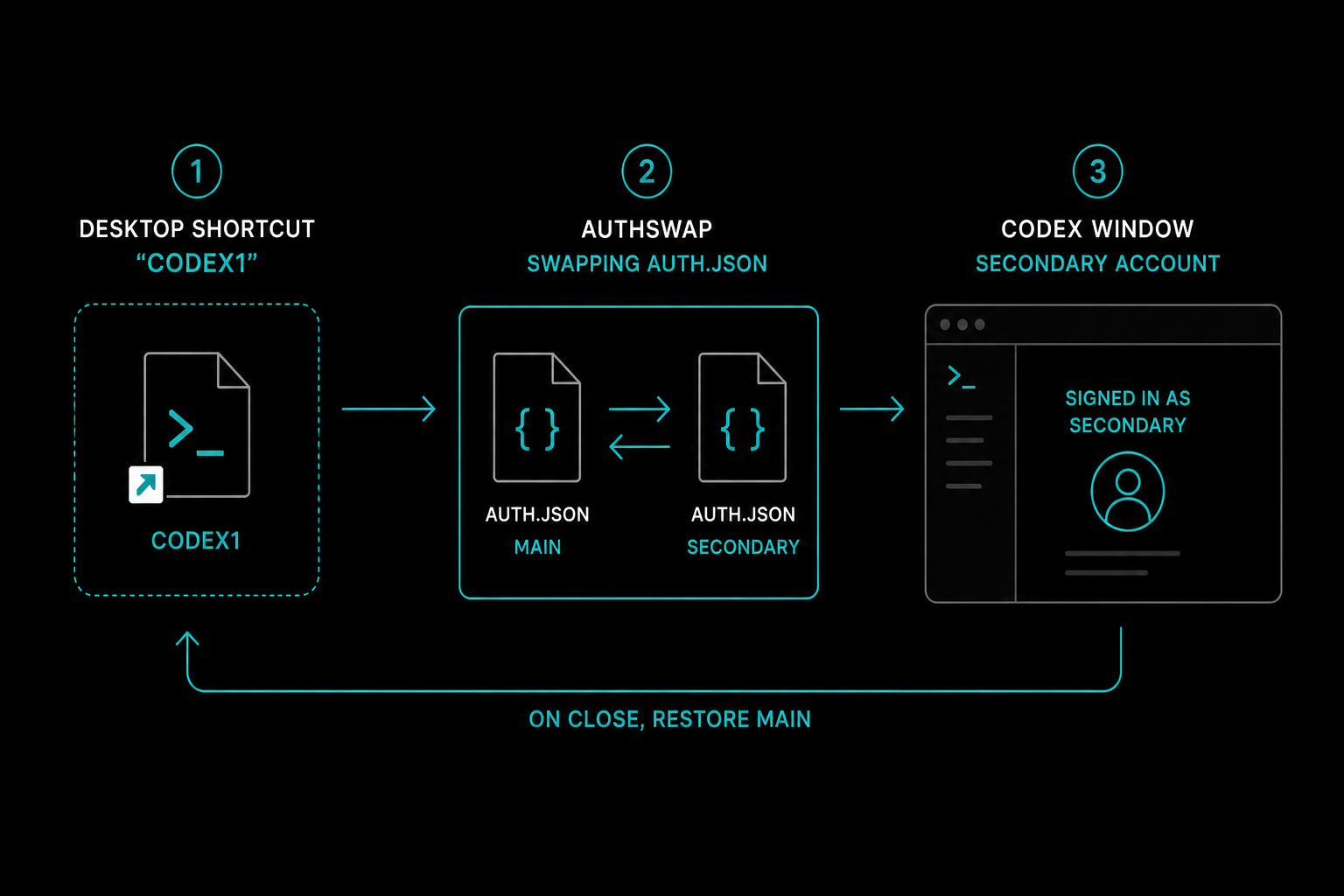
Set $root once, then call the actions you need:
$root = "$env:LOCALAPPDATA\CodexParallelDesktop"
$m    = "$root\CodexProfile.ps1"
| Goal | Command |
|---|---|
| Open the account picker | ...\Show-CodexAccountApp.ps1 (or -Action accounts) |
| Open secondary account | ...\Launch-CodexProfile.ps1 -Name codex1 |
| Restore main + Store app | ...\Launch-CodexMain.ps1 |
Create codex2 | -Action new -Name codex2 |
| List / status / doctor | -Action list / status / doctor |
| Pool / stick / route / depleted | -Action pool / stick / route / depleted |
| Repair stale AuthSwap lock | -Action repair |
| Install file sync check | -Action sync-check |
| JSON status | -Action status -AsJson |
| Running processes | -Action processes |
| Diagnostic bundle | -Action diagnostics |
| Verify install | -Action verify |
| Remove a profile | -Action remove -Name codex2 -Force |
| Optional clone layer | -Action layer / layer -Disable |
| Optional ChatGPT Web models | -Action models / models -Disable |
| Safe bug-report log | ...\Redact-LaunchTrace.ps1 |
| Update from git clone | .\scripts\Update-CodexMultiProfile.ps1 |
Existing 0.1.4 launch (Codex1 / Codex Main / doctor / verify / AuthSwap) is unchanged until you opt in to router, layer, or models.
Tests (no Codex UI required):
powershell -NoProfile -ExecutionPolicy Bypass -File .\tests\Run-All.ps1
~\.codex\config.toml (UTF-8, no BOM) with chatgpt-web/luna|light|medium|high|xhigh|pro pointing at a local Responses bridge you already run on 127.0.0.1 (default http://127.0.0.1:1455/v1). This repo does not log you into chatgpt.com and does not ship or name a companion scraper.Install also copies SKILL.md to:
%USERPROFILE%\.codex\skills\codex-multi-profile\%USERPROFILE%\.cursor\skills\codex-multi-profile\So Codex / Cursor agents know not to launch Codex.exe, not to use WindowsApps, and not to Start-Process without a .cmd wrapper.
| Does | Does not |
|---|---|
Copy auth.json locally between ~\.codex and profiles\<name> | Upload tokens or set a permanent CODEX_HOME |
Clone ChatGPT.exe out of the Store package | Run the Store binary in-place |
| Restore main auth on close; refuse to save if active email == main | Delete ~\.codex history |
| Choose among your profiles (sticky / LRU / depleted) | Mux many accounts in one window, patch asar, or bypass quotas |
Do not commit auth.json or *.bak. Prefer Redact-LaunchTrace.ps1 before pasting logs.
powershell -NoProfile -ExecutionPolicy Bypass -File .\scripts\Uninstall-CodexMultiProfile.ps1
# add -PurgeProfiles to also delete local profile auth copies
~\.codex is never deleted.
| Doc | Topic |
|---|---|
| Router | Codex Accounts app + pool / stick / route / depleted |
| Layer | Optional clone-only desktop tweaks |
| Architecture | Why AuthSwap exists |
| Troubleshooting | Wrong account, locks, BOM |
| FAQ | Common questions |
| Recipes | Daily command cards |
| Support | Before opening an issue |
| Changelog | Releases |
| Contributing | PR rules |
| Security | Token handling |
MIT © Hung Nguyen
Sign in to join the discussion.
No comments yet. Be the first to say what this is good for.
🪨 why use many token when few token do trick — Claude Code skill that cuts 65% of tokens by talking like caveman

The best-benchmarked open-source AI memory system. And it's free.

Orca is the ADE for working with a fleet of parallel agents. Run any coding agent with your own subscription. Available on desktop, mobile and remote runtime.

A cross-platform desktop All-in-One assistant for Claude Code, Codex, OpenCode, OpenClaw, Grok Build & Hermes Agent. Only official website: ccswitch.io

Never stop coding. Free MIT AI gateway: one endpoint, 352 providers (150+ free), 1200+ models Kimi, Claude, GPT, Gemini, GLM, DeepSeek, MiniMax. Works with Claude Code, Codex, Cursor, OpenCode, Cline & Copilot. Quota-aware auto-fallback, RTK+Caveman compression saves 15-95% tokens, MCP/A2A, Desktop/PWA. Built by 550+ contributors

Compress tool outputs, logs, files, and RAG chunks before they reach the LLM. 20% fewer tokens for coding agents, 60-95% fewer tokens for JSON, same answers. Library, proxy, MCP server.