
obra/
superpowers

obra/superpowersSkills
An agentic skills framework & software development methodology that works.
285k
1 add
This repo converts HTML decks into `.pptx` while keeping text editable and searchable in PowerPoint. It parses the page, maps supported HTML and CSS into native PPT objects, embeds fonts, and uses local snapshots only for effects PowerPoint cannot express cleanly. It also creates audit material so you can compare the HTML source with the PowerPoint result and fix tricky slides iteratively.
Builders who make slide decks in HTML and want a PowerPoint file they can still edit.
You can ship an editable `.pptx` instead of a flat image deck, with a review loop for hard layouts.
Converts text into native PowerPoint textboxes instead of screenshots.
Renders complex effects like gradients, shadows, filters, and blend modes as local underlays while keeping text vector-based.
Subsets Google Fonts to the characters used and can embed fonts for better cross-machine rendering.
Generates side-by-side HTML and PPT comparison images, contact sheets, and review prompts.
Supports rerunning only selected slides during audit and fix iterations.
Includes `SKILL.md` so the repo can be installed and used as an agent skill.
Install this skill for me: https://github.com/Hasasasa/claude-skill-html-to-pptx
Convert D:\path\to\deck.html to pptx
git clone https://github.com/Hasasasa/claude-skill-html-to-pptx.git
cd claude-skill-html-to-pptx
pip install -r requirements.txt
python -m playwright install chromium
python convert.py path/to/deck.html
python -m pytest tests -q




📖 English | 中文
Convert HTML slide decks into editable .pptx: text stays as native PowerPoint textboxes, fonts are subset on demand, complex CSS decorations fall back to local snapshots, and HTML/PPT side-by-side audit material is generated for review.
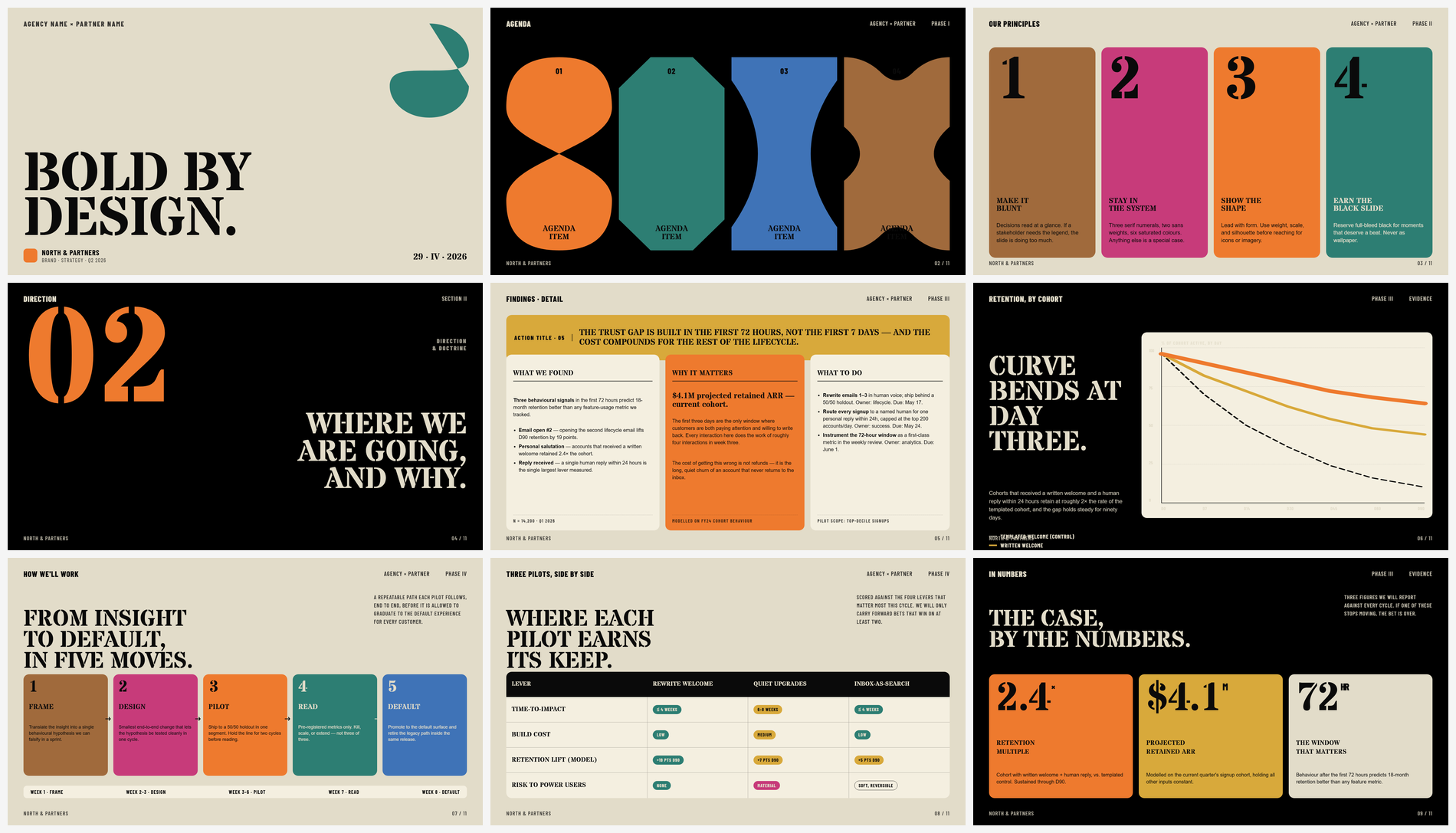 | 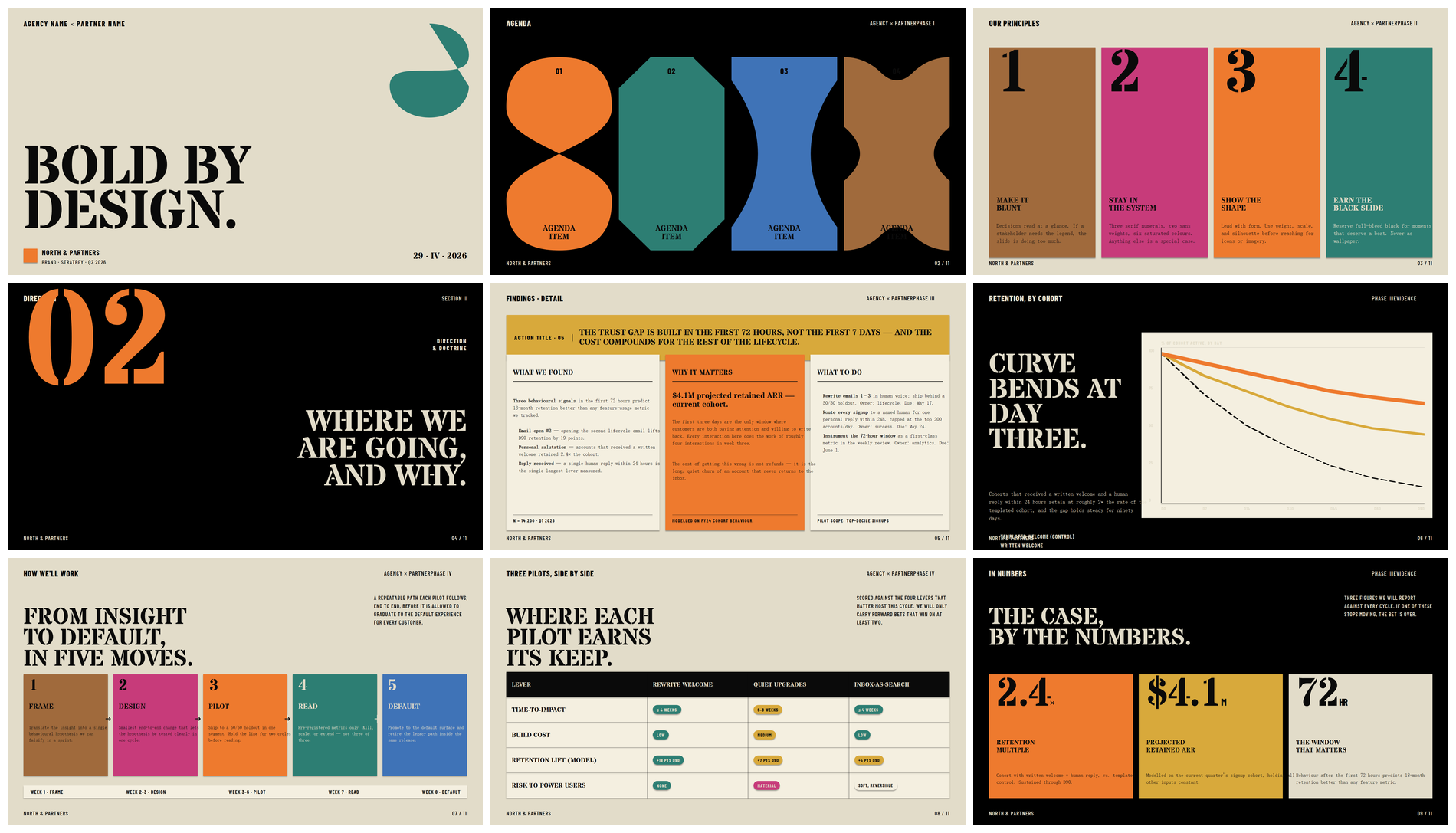 |
| Original HTML | html-to-pptx output, opened in PowerPoint |
Text stays as editable vectors; complex decorations are rasterized locally.
HTML is a great medium for slide decks — layout, typography, animation, and complex visuals are all more flexible than in PowerPoint. But delivery often requires .pptx, and most "HTML → PPT" tools flatten each page into a single image, leaving text uneditable, unsearchable, and pixelated when zoomed.
html-to-pptx avoids the "whole-page screenshot" route. It decomposes HTML into objects PowerPoint understands: text becomes editable textboxes; simple geometry becomes native shapes / lines; effects PPT can't express natively (gradients, shadows, filters, blend modes) are snapshotted locally and placed as a decoration layer behind the vector text.
The result: the output stays close to the HTML source while remaining searchable, editable, and rescalable in PowerPoint / WPS — not a stack of immutable images.
Each install keeps a private references/lessons-learned.md — seeded once from the committed template, then gitignored. When the audit loop turns up a generalizable HTML anti-pattern or OOXML boundary, the fix recipe gets appended there. Every subsequent convert re-reads the file, so decks sharing traits with ones you've already audited tend to land cleaner on the first pass.
The local copy is never overwritten by upstream — git pull updates the template, not your accumulated notes.
Supports single-file HTML decks from beautiful-html-templates / guizang-ppt-skill / Reveal.js / hand-written decks / browser fullscreen pages, with automatic slide detection.
CSS → PPT routing:
| HTML element / CSS | What it becomes in PPT |
|---|---|
| Text, rich text, color, size, tracking, line-height, alignment | Editable textboxes — searchable and scalable |
| Background color, border, border-radius, lines | Native OOXML geometry |
gradient, box-shadow, filter, backdrop-filter, mix-blend-mode, complex transforms | Local snapshot underlay; text still drawn on top as vector |
| SVG, images, canvas | Embedded directly |
| Google Fonts | Subset by characters actually used; CJK content auto-seeds Noto Sans SC / Noto Serif SC |
For the full CSS coverage matrix, see references/supported-css.md.
In a Claude Code session, just hand Claude the repo URL:
Install this skill for me: https://github.com/Hasasasa/claude-skill-html-to-pptx
Claude will git clone it into the right skills directory for your platform (macOS / Linux: ~/.claude/skills/; Windows: %USERPROFILE%\.claude\skills\) and walk you through installing Python 3.10+, Playwright, and dependencies. System-level steps will still ask for your confirmation.
After install, ask in plain language:
Convert D:\path\to\deck.html to pptx
Full skill invocation rules, audit mode, and fix discipline are in SKILL.md.
If you're not using Claude Code, clone the repo and run the CLI directly.
Requires Python 3.10+ and pip.
git clone https://github.com/Hasasasa/claude-skill-html-to-pptx.git
cd claude-skill-html-to-pptx
pip install -r requirements.txt
python -m playwright install chromium
The visual audit step renders .pptx to PNG. Either of the following works:
requirements.txt already includes pywin32 (Windows-only) and pdf2image. For the LibreOffice route, you also need LibreOffice installed on the system; on Windows, pdf2image typically needs Poppler too. The .pptx itself still generates without a renderer — only the HTML/PPT side-by-side audit images are skipped.
python convert.py path/to/deck.html
Output goes to path/to/deck.pptx next to the input. On first run, a working copy at path/to/deck.audited.html is created automatically; all subsequent audit fixes modify this copy, leaving the original HTML untouched.
Common flags:
| Flag | What it does |
|---|---|
--out <path> | Custom output .pptx path |
--keep-screenshots | Keep per-slide HTML reference screenshots and measurement files |
--install-user-fonts | Install non-CJK fonts into the user font directory so WPS / PowerPoint COM can render them |
--no-embed-fonts | Skip font embedding — smaller file but may fall back to system fonts on other machines |
--no-preflight | Skip the Stage 1 risk pre-scan |
--no-verify | Skip the Stage 5a structural self-check |
--no-visual-audit | Skip the Stage 5b visual audit material generation |
--only-slides 2,7,12 | Re-run only the listed slides (incremental mode for audit iteration) |
--cleanup | Clean up audit / measurement / preflight intermediate artifacts |
Regression tests cover OOXML invariants (assemble), font-resolver caching semantics, and browser-based measure/discovery checkpoints (auto-skipped if Playwright/Chromium is unavailable):
python -m pytest tests -q
Each pair: HTML rendering on the left, html-to-pptx output (rendered in PowerPoint) on the right.
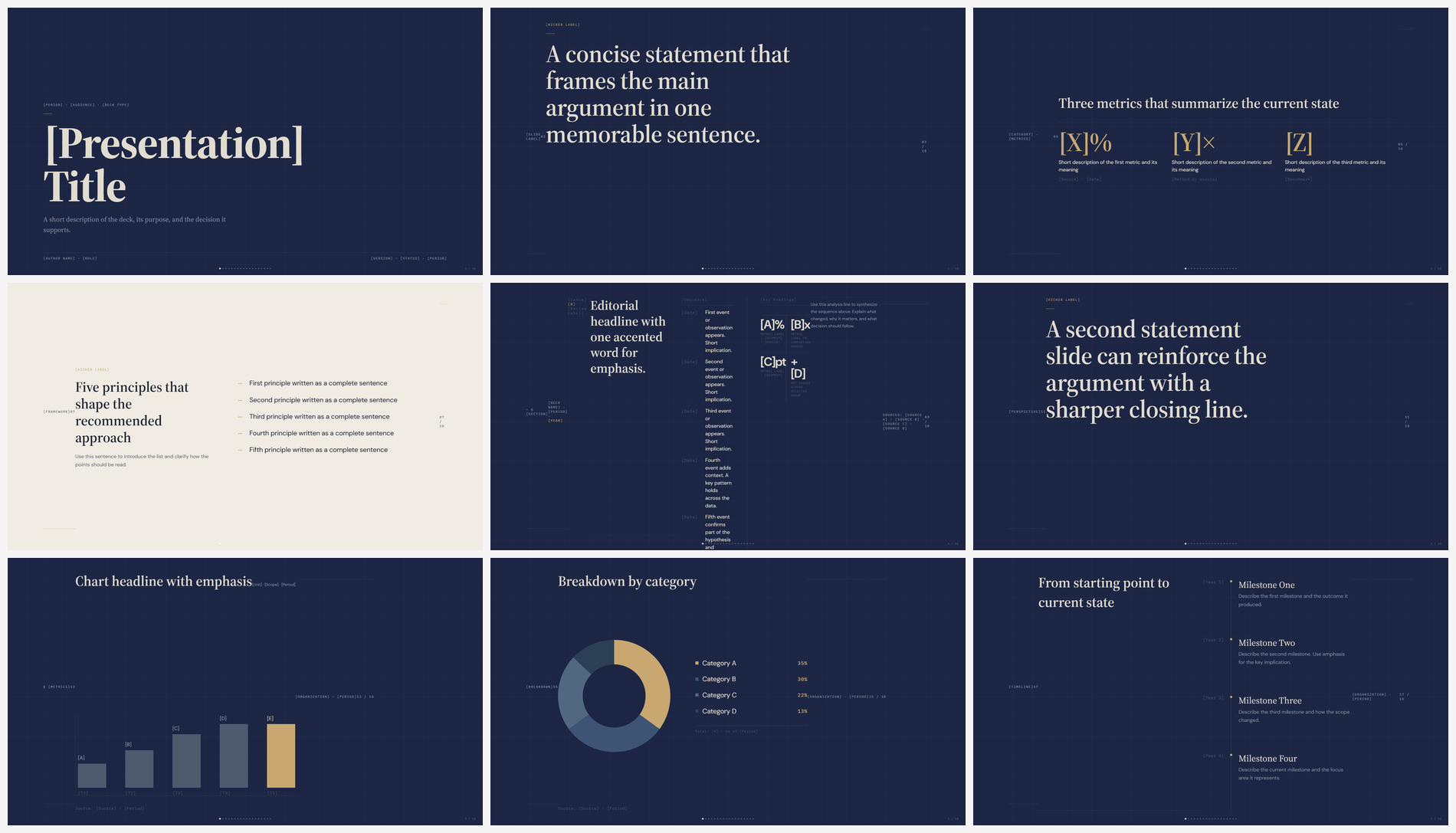 | 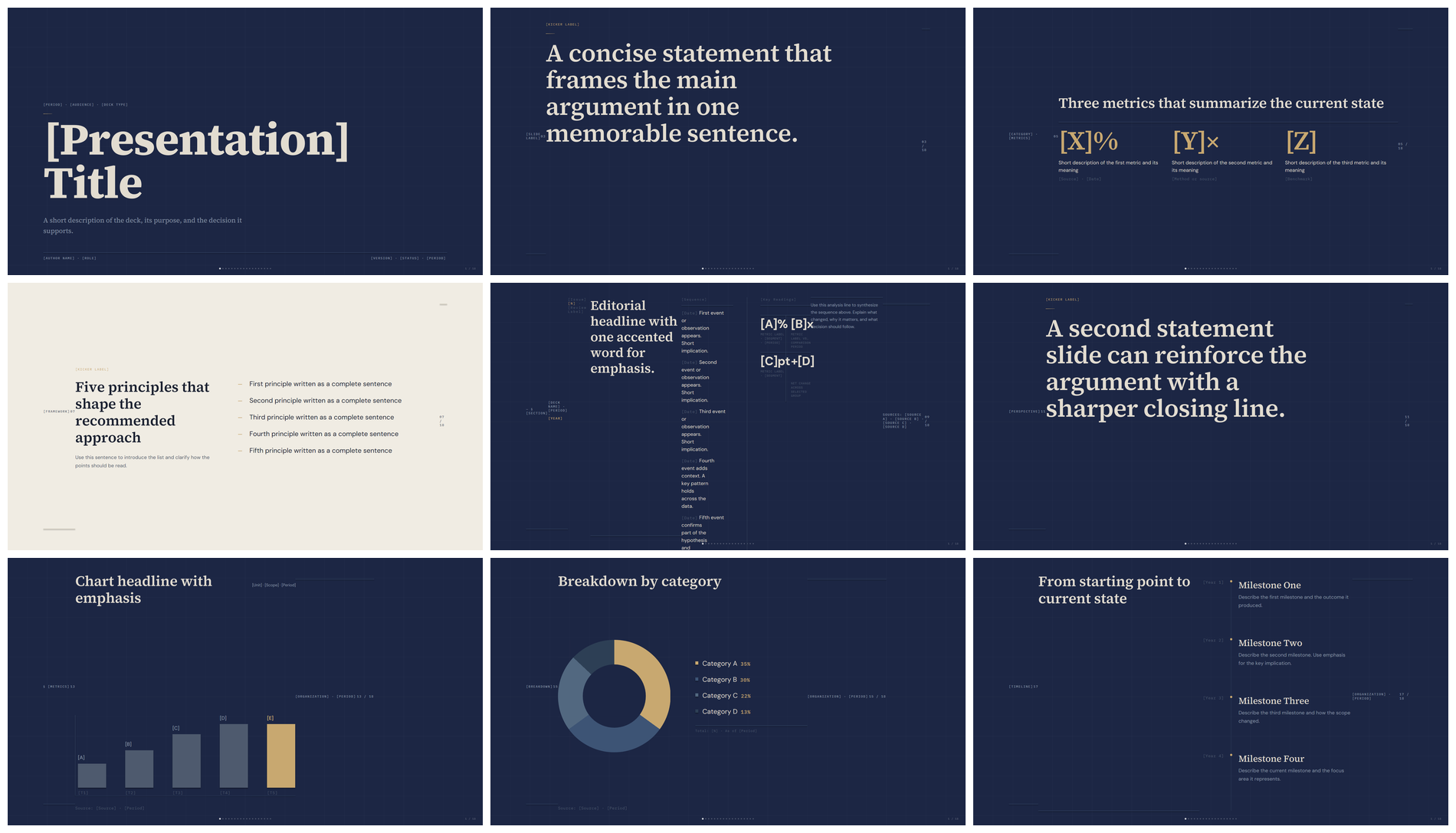 |
| HTML | html-to-pptx output |
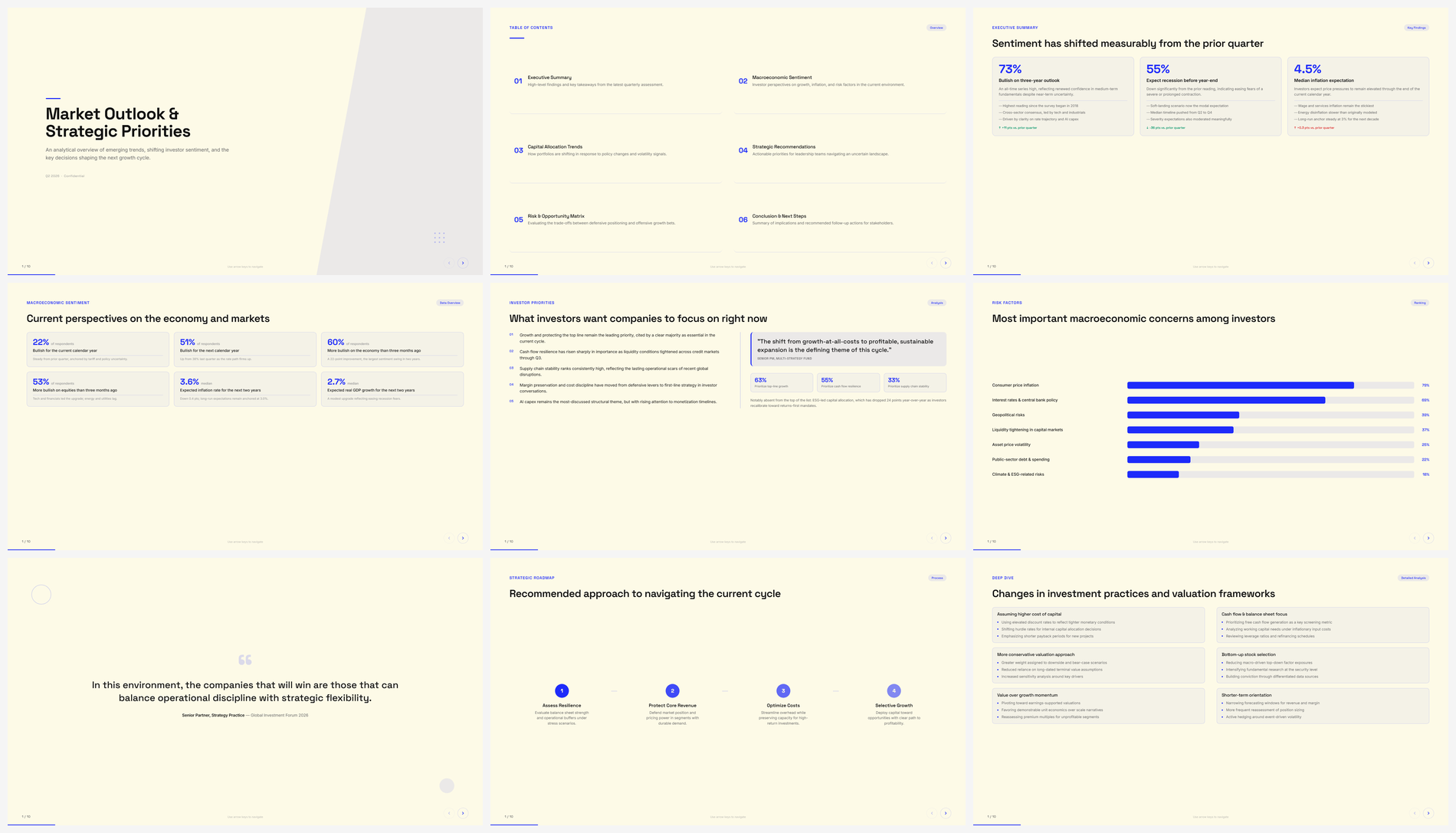 | 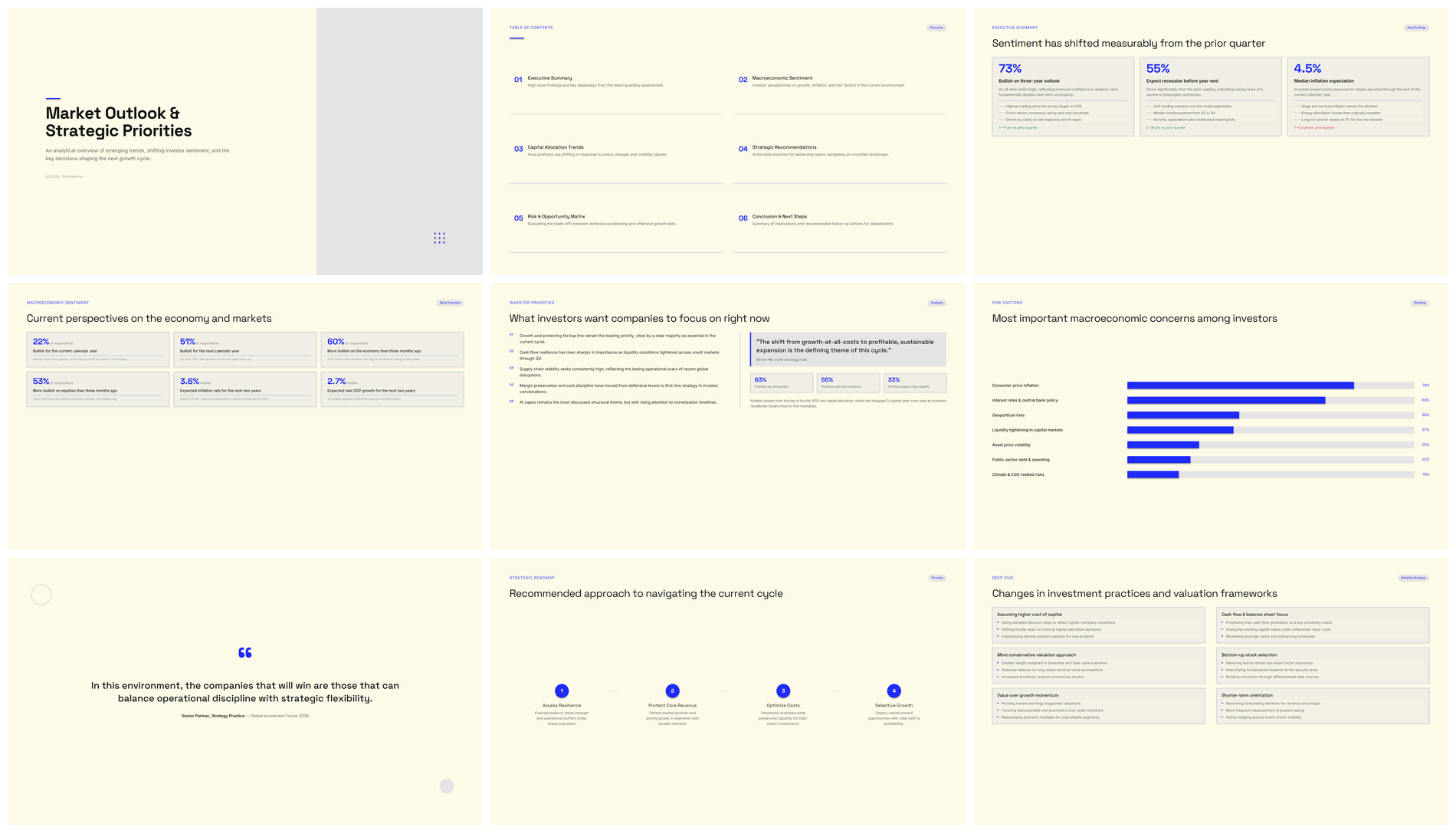 |
| HTML | html-to-pptx output |
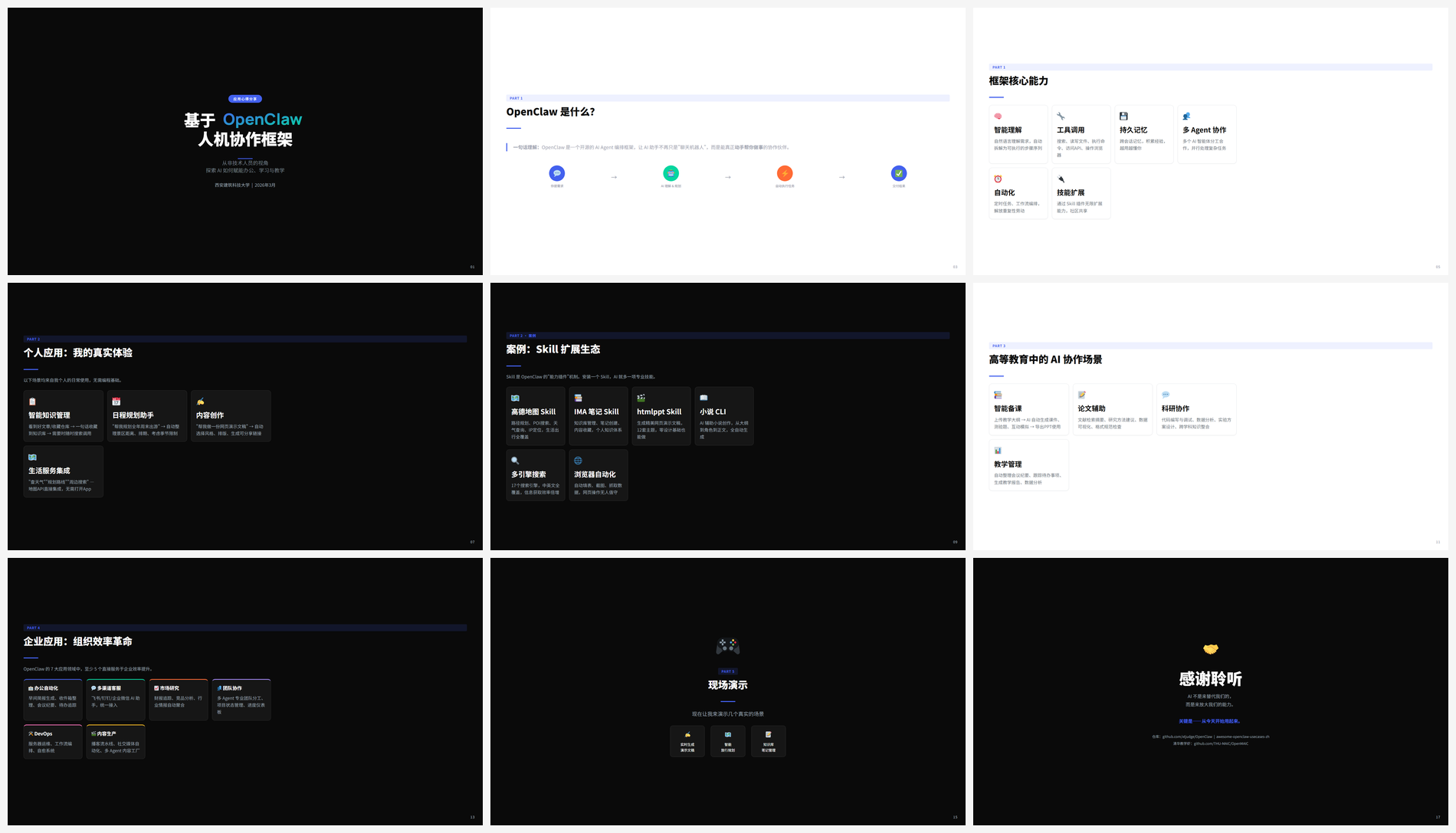 | 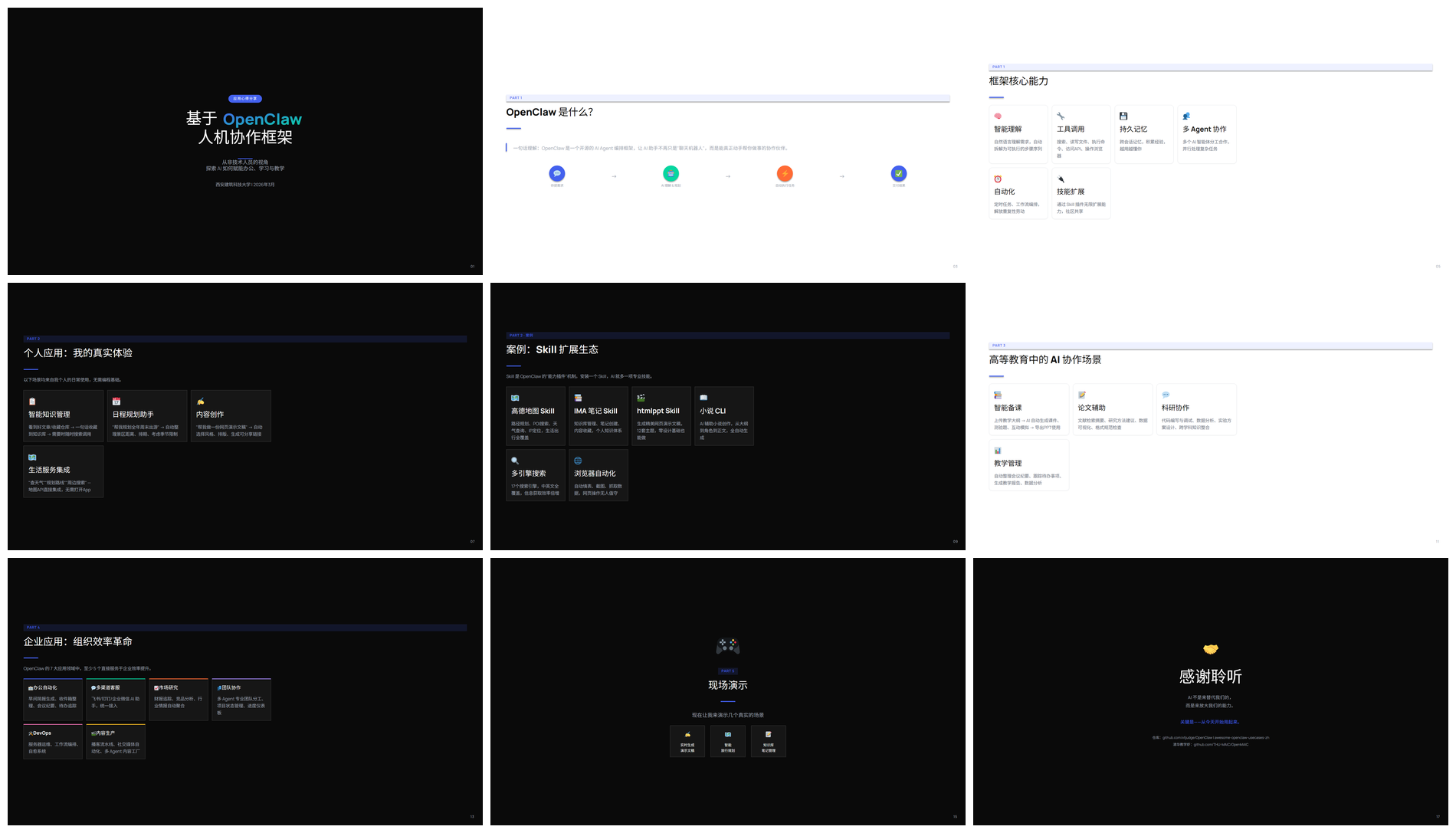 |
| HTML | html-to-pptx output |
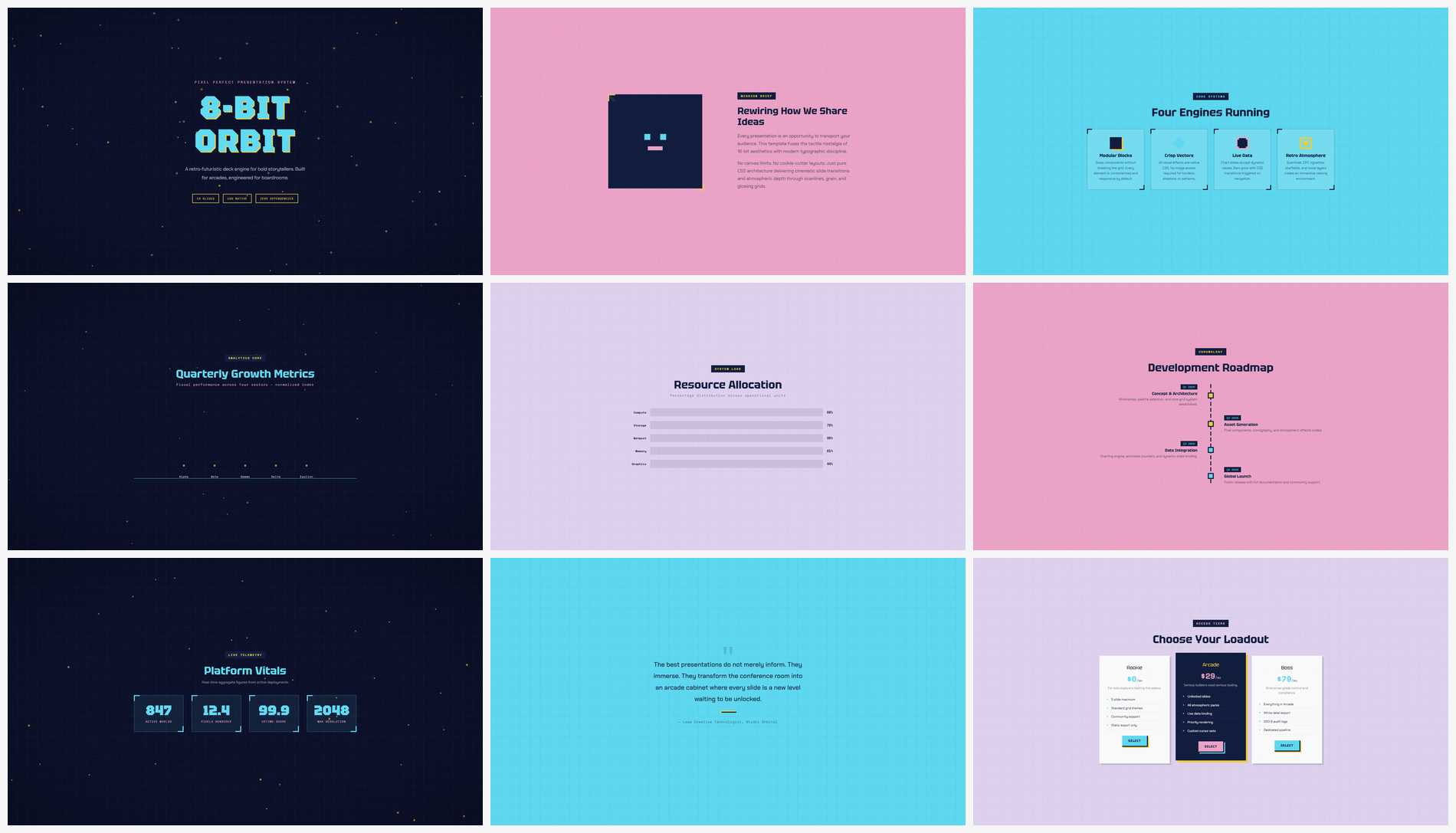 | 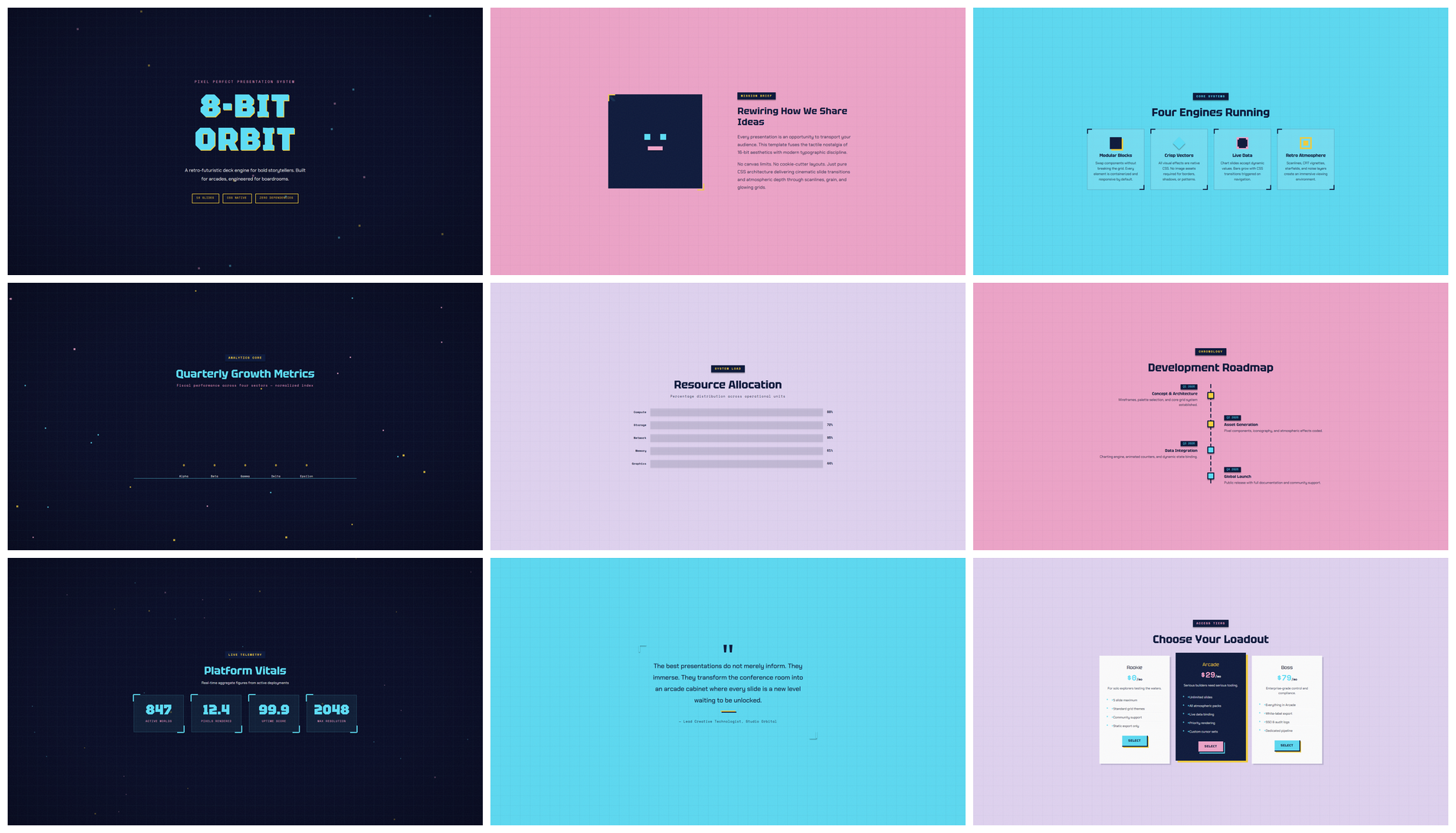 |
| HTML | html-to-pptx output |
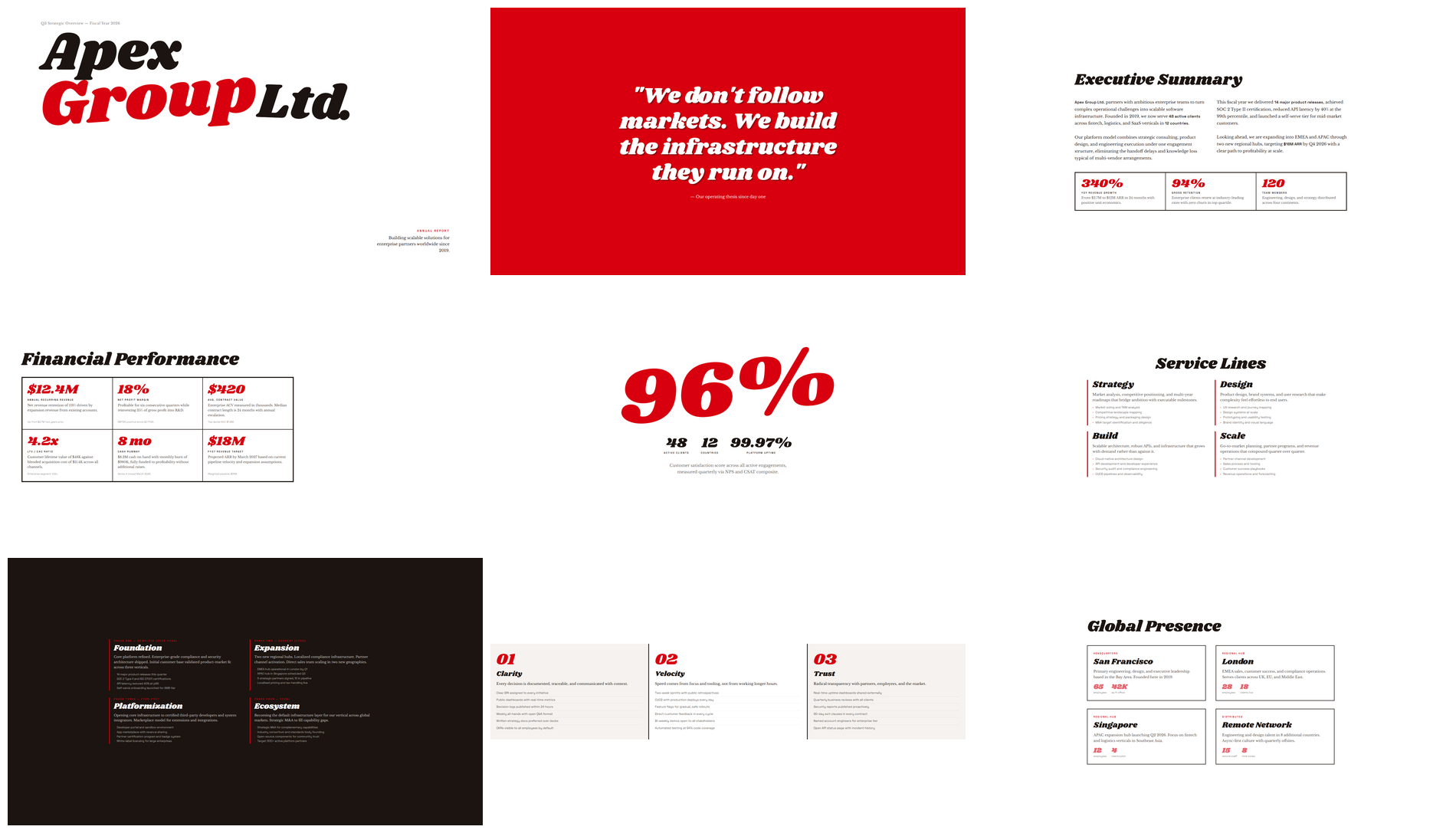 | 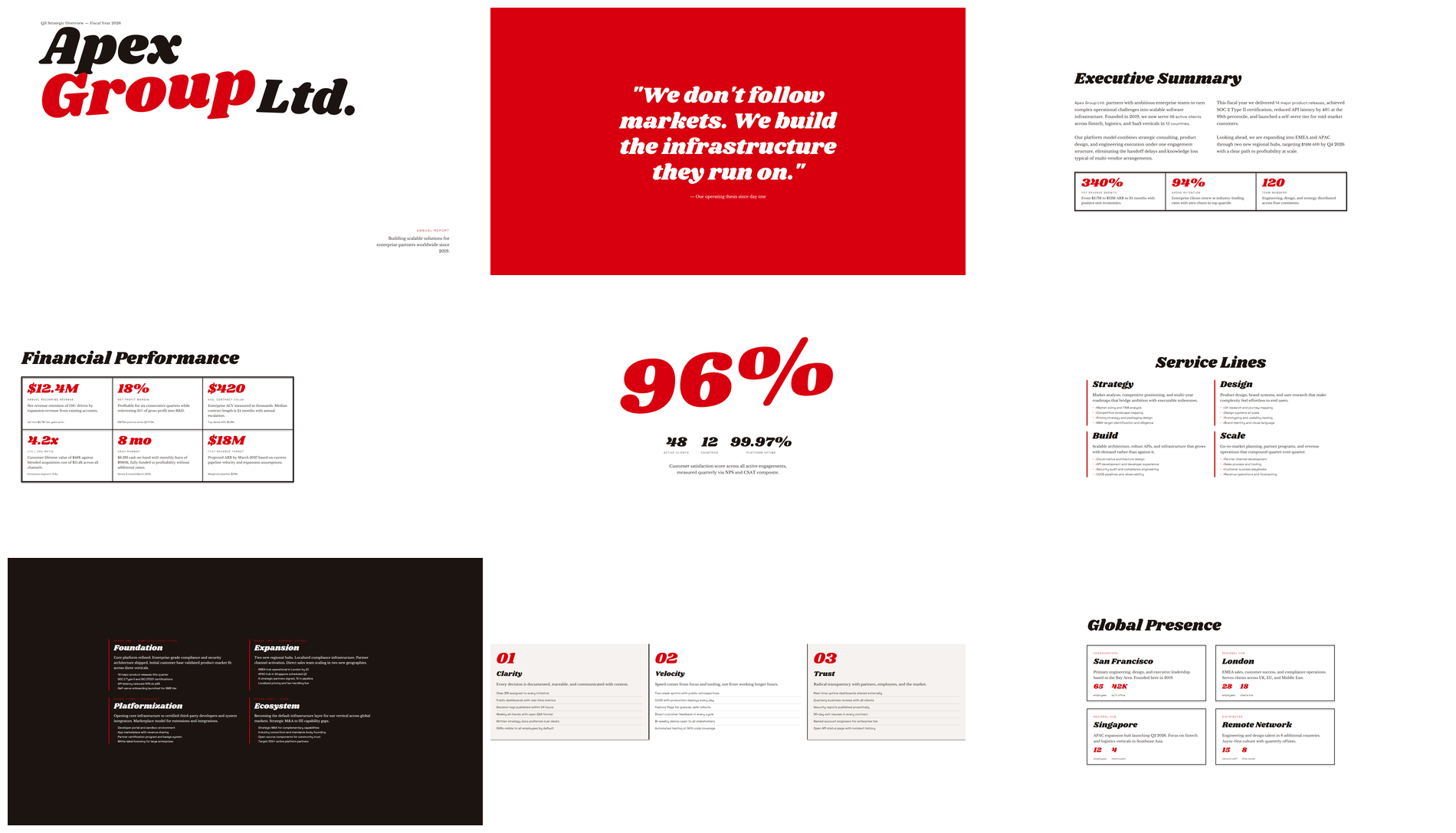 |
| HTML | html-to-pptx output |
 |  |
| HTML | html-to-pptx output |
[1 preflight] -> [2 measure] -> [3 assemble] -> [4 embed fonts] -> [5a self check] -> [5b visual audit]
 preflight.py     measure.py      assemble.py     embed_fonts.py      self_check.py      visual_audit.py
preflight: scan for high-risk HTML/CSS patterns.measure: probe the DOM with Playwright, extracting text, shape, media, and decoration records.assemble: write OOXML — textbox / shape / media / snapshot.embed_fonts: subset and embed fonts by characters actually used.self_check: scan PPTX for structural risks and call the renderer to export per-slide PNGs.visual_audit: generate HTML/PPT side-by-side images, contact sheet, audit index, and the review prompt.| Principle | What it means |
|---|---|
| Vector-first | Text and simple geometry stay as native PPT objects — editable, searchable, scalable |
| Local fallback | Only complex decorations go through the snapshot channel — no whole-page rasterization |
| Portable fonts | Google Fonts auto-resolved and subset-embedded to reduce cross-machine drift |
| Auditable | Per-slide HTML/PPT comparison material lets visual issues be located and iterated |
| Source-preserving | A .audited.html working copy is created automatically; the original HTML is never modified |
Sign in to join the discussion.
No comments yet. Be the first to say what this is good for.
An agentic skills framework & software development methodology that works.

Turn any codebase, with its docs, SQL schemas, configs, and PDFs, into a queryable knowledge graph. A /graphify skill for Claude Code, Cursor, Codex, and Gemini CLI: local deterministic AST parsing, every edge explained, no vector store.

Topic in, narrated explainer video out. A Claude Code / Codex skill that turns any topic into a black-canvas motion-graphics explainer video with TTS voiceover, subtitles and a chapter progress bar. Chinese or English; every frame drawn in code with Remotion.
Public repository for Agent Skills
Open-source AI job search: scan job portals, evaluate listings into a structured A-H report with a global 1-5 score, tailor your CV, track applications — runs locally in your AI coding CLI (Claude Code, Codex, OpenCode, Antigravity…)

Production-grade engineering skills for AI coding agents.