
cbrock84/
headcount

cbrock84/headcountPlugins
An agent organization for Claude Code, structured as a company — 15+ departments, 125+ skills, each independently installable.
1.4k
This addon adds TRELLIS and TRELLIS.2 generation controls inside Blender. You can send text or an image to a TRELLIS API backend, then pull the generated mesh back into the scene. It also exposes an MCP server path for Cursor and Windsurf.
Builders who work in Blender and want AI-assisted 3D generation from text or images.
You can generate textured 3D meshes from prompts or images without leaving Blender.
Creates a textured 3D mesh from text using TRELLIS or TRELLIS.2.
Turns a single RGB image into a textured 3D mesh.
Generates textures for an existing mesh from text or an image.
Lets you switch between TRELLIS and TRELLIS.2 API servers in the addon.
Starts an MCP server so Cursor and Windsurf can communicate with TRELLIS through Blender.
Exposes sampling steps, CFG strength, mesh simplification, texture size, and bake mode.
"mcpServers": {
        "trellis": {
            "command": "uvx",
            "args": [
                "trellis-mcp"
            ]
        }
}Update: add support for TRELLIS.2
A Blender addon that integrates the 3D generation capabilities of TRELLIS and TRELLIS2 into blender.
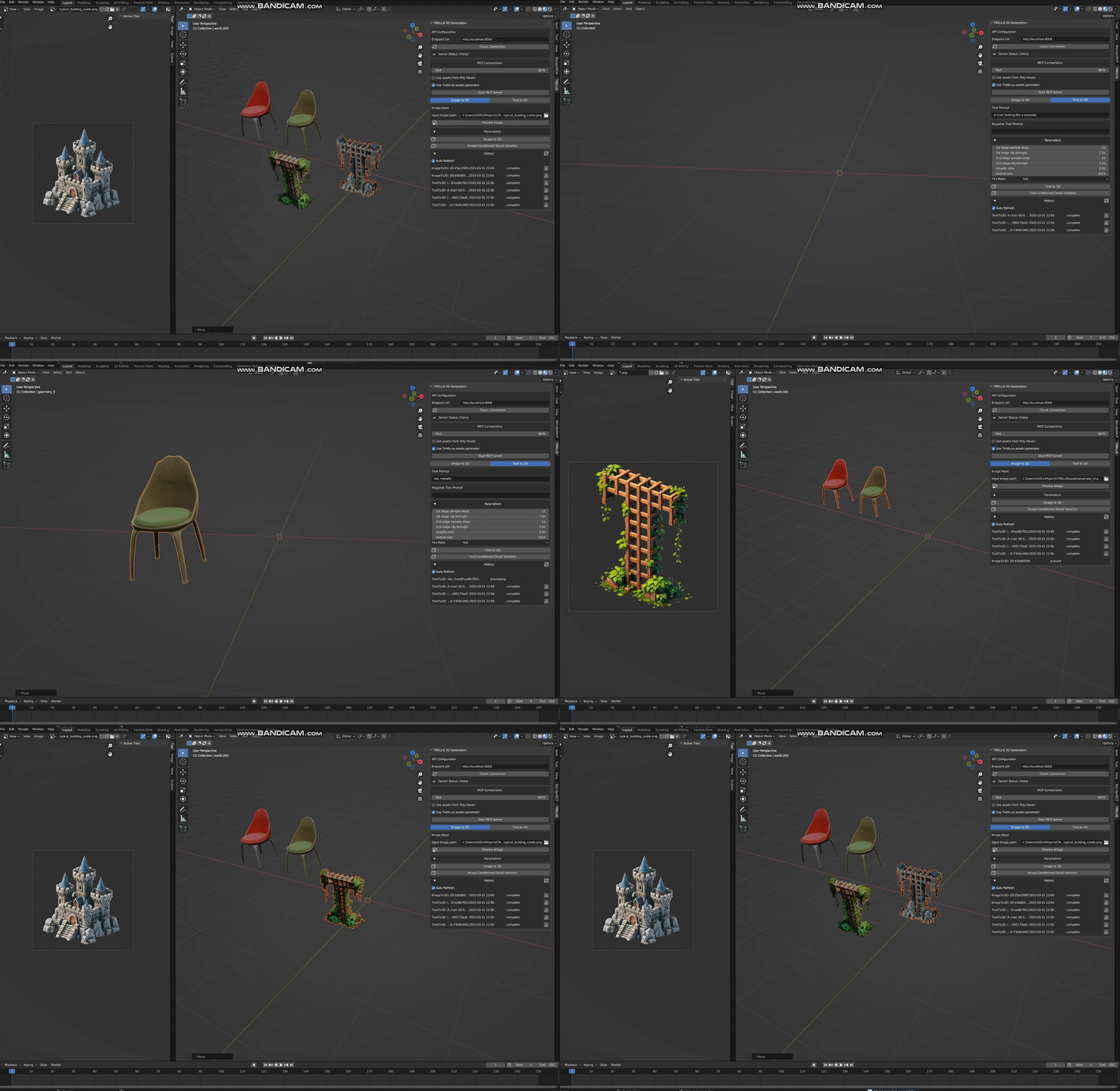
Integrates with MCP and can communicate with Cursor/Windsurf. Refer to Trellis MCP
You can also start both servers and switch the backend in the blender addon.
trellis_for_blender.py fileYou can see the historical requests in the main panel
Start MCP Server"mcpServers": {
"trellis": {
"command": "uvx",
"args": [
"trellis-mcp"
]
}
}
Any issue/discussion/contribution is welcomed!
Sign in to join the discussion.
No comments yet. Be the first to say what this is good for.
An agent organization for Claude Code, structured as a company — 15+ departments, 125+ skills, each independently installable.
Context window optimization for AI coding agents. Sandboxes tool output (98% reduction), persists session memory, and enforces routing across 17 platforms via MCP + hooks.
Persistent file-based planning for AI coding agents and long-running tasks. Crash-proof markdown plans, session recovery after /clear and compaction, per-turn re-injection against context rot, deterministic completion gate. Manus-style. Install from npm, the Claude Code plugin marketplace, or npx skills. Codex, Cursor, OpenCode, 60+ agents.

Skills that translate your coding agent's output into plain language: honest reports, straight verdicts, steps you can follow. MIT.
Chrome extension to extract styles from any website and generate DESIGN.md files and design skills for AI based on TypeUI
🎨 Open-source AI slide studio inside Codex: image-native decks, every slide a full visual canvas. ⚡ 10+ high-quality slides in ~4–5 minutes — Fast mode renders every page in parallel. 🔍 Watch the whole chain live: research → outline → style → render → edit → present → export PDF/PPTX. 🖥️ Browser-first · zero API keys · durable projects.