
JuliusBrussee/
caveman

🪨 why use many token when few token do trick — Claude Code skill that cuts 65% of tokens by talking like caveman
105k
1 add
Stash gives your agents one place to store sessions, files, and connected sources, then search and edit that shared context later. It exposes that workspace through a CLI, MCP server, plugins, and a web app so different agents can read and write the same memory.
Builders who want their agents to keep context across sessions and projects.
You can stop re-explaining past work because your agent can search a shared memory of sessions, files, and synced sources.
Records prompts, tool calls, and artifacts from supported coding agents into Stash automatically.
Turns recent sessions and files into linked Memory pages that a scheduled curator maintains.
Indexes GitHub, Drive, Gmail, Slack, Notion, Linear, Jira, Asana, Granola, PostHog, X, Instagram, and Obsidian.
Lets agents search, read, and write through `stash`, a virtual filesystem, and an MCP server with many tools.
Provides integrations for Claude Code, Cursor, Codex, Gemini CLI, and other agents so they can connect to the same Stash.
Includes Docker Compose files, Caddy setup, and environment templates for local or public deployment.
uv tool install stashai
stash signin
bash -c "$(curl -fsSL https://joinstash.ai/install)"
stash vfs ls /
stash vfs "tree / -L 2"
stash vfs "find / -maxdepth 3 -type f | head -n 20"
stash vfs "rg \"database migration\" /"

The one place your agents connect to all your data — GitHub, Drive, Gmail, Notion,
Slack, Linear, Jira, Asana, Granola and more — plus an agent-native Drive in
Markdown and HTML where their sessions, files, and pages all land.






When we tested this internally, we found that it sped up long-running instances of Claude Code by 49%.
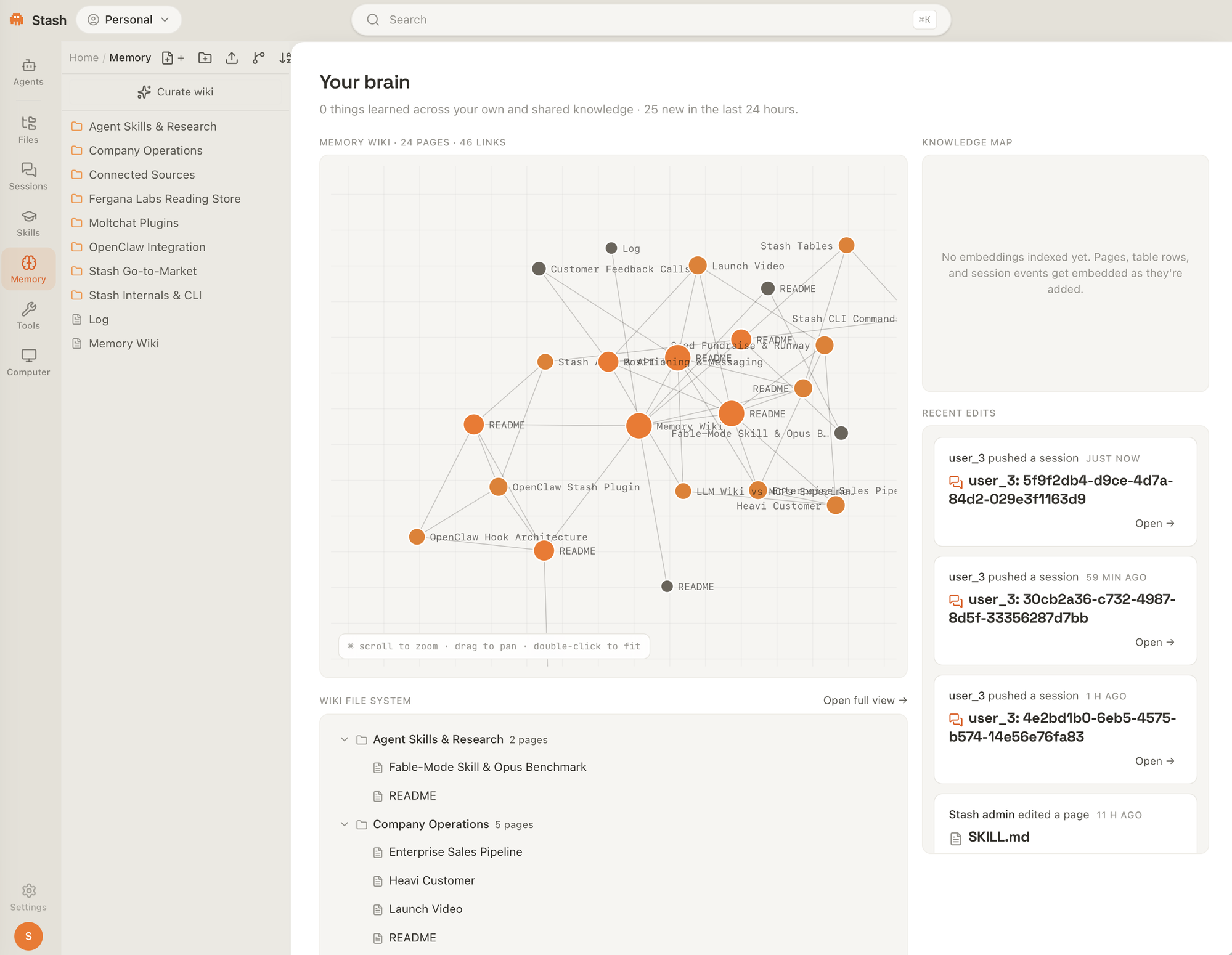

SKILL.md in it — put the pages, files, and tables that belong together in one folder and it becomes shareable as a unit. Publish it to the world, fork a public Skill into your own Stash, or stash skills install one into your agent — installed skills auto-update at session start, and stash skills follow auto-installs skills people share with you.stash tools add); your cloud agent gets them automatically and stash tools install writes them into any local agent's .mcp.json.When you run Claude on a repo, you generate valuable session transcripts. However, your coding agent can only access transcripts generated on the machine where the agent is currently running. As a result, work is duplicated and velocity is decreased. This is especially true as coding agents begin to run autonomously for significant periods of time.
With Stash, every agent run has context about every session you've created. Here are some use cases:
"raw data from a given number of sources is collected, then compiled by an LLM into a .md knowledge base, then operated on by various CLIs by the LLM to do Q&A and to incrementally enhance it… I think there is room here for an incredible new product instead of a hacky collection of scripts."
— Andrej Karpathy, LLM Knowledge Bases
Stash is that product. The one place your agents connect to all your data, with an agent-native Drive they write it back into — not a stack of shell scripts wrapped around a folder of markdown.
Built for —
| Use case | What teams put in it |
|---|---|
| Engineering live docs | coding-agent plans, ADRs, and design notes that stay current |
| Second brain | the persistent context every one of your agents reads from |
| Research knowledge base | long-running PKBs with sources, transcripts, and tables |
| Ops playbooks | release runbooks and on-call procedures |
| Brand voice | editorial guidelines and copy standards agents write to |
| Personal knowledge management | notes, drafts, and scratch files for a single operator |
uv tool install stashai
stash signin
stash signin authenticates you in the browser, then walks first-run setup:
session recording (on by default — pause anytime with stash stop), which
coding agents to record, Stash instructions for the folder you're standing in
(any folder — a git repo isn't required), and a background import of the
conversations you've already had (stash import-history --status follows it
live). Re-run the wizard anytime with stash setup; use stash connect from
any other project folder to set it up for Stash.
bash -c "$(curl -fsSL https://joinstash.ai/install)"
The installer uses uv to install or update stashai, bootstrapping uv
when needed, and then runs stash signin.
Use this when you don't already have a Python toolchain on your machine.
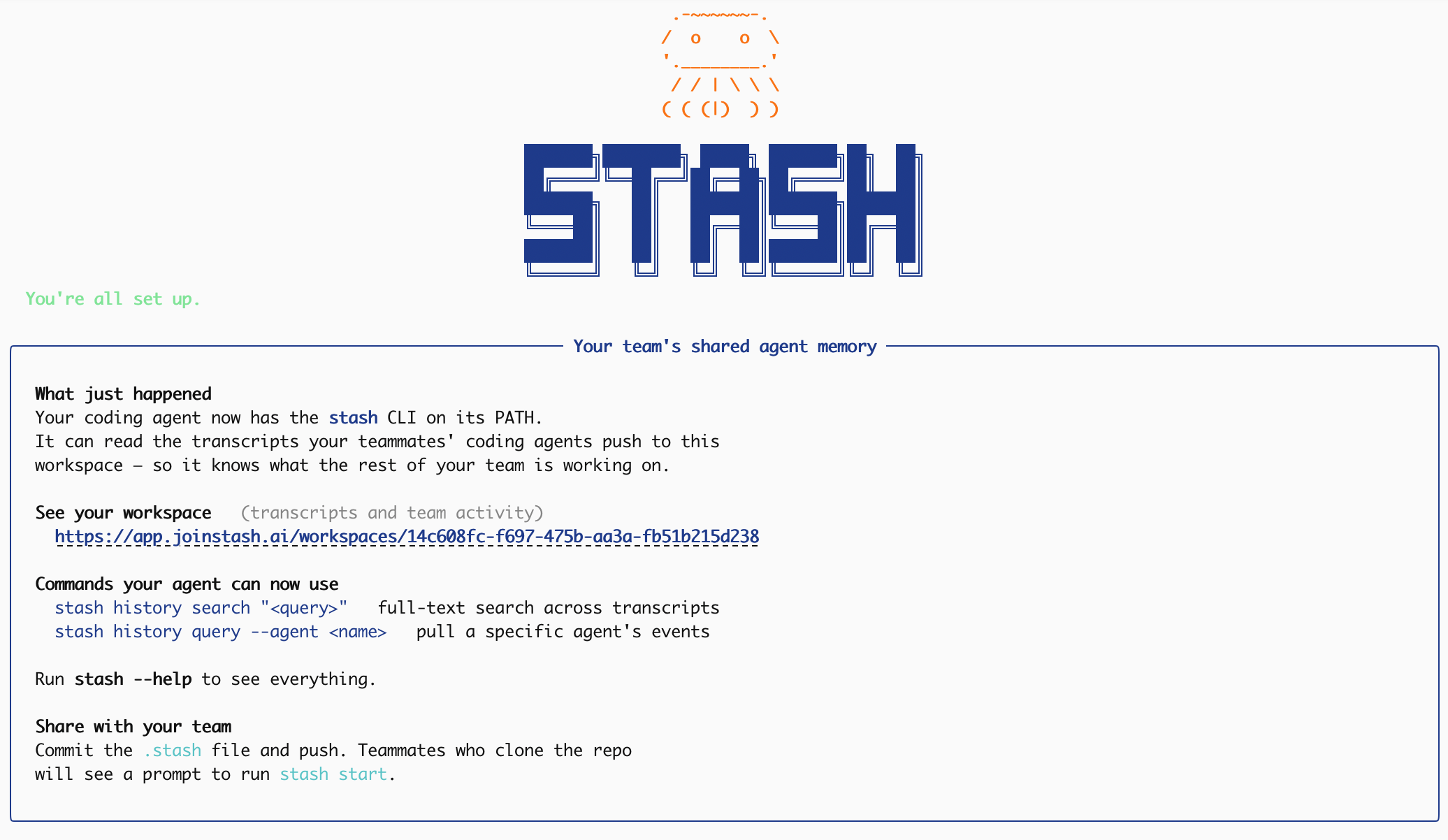
Then try it: ask your coding agent if it has access to Stash.
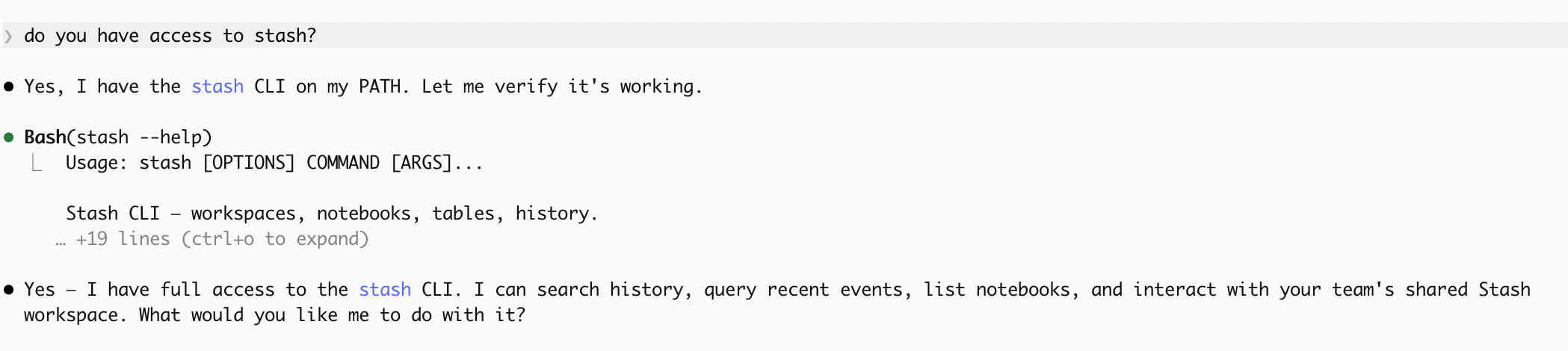
Agents can browse Stash with an app-level virtual filesystem shell:
stash vfs ls /
stash vfs "tree / -L 2"
stash vfs "find / -maxdepth 3 -type f | head -n 20"
stash vfs "rg \"database migration\" /"
Connect a source once and every agent you point at Stash can read and search it.
| Source | What lands in your Stash |
|---|---|
| GitHub | Repo contents, indexed for search — one repo, a pick-list, or every repo you can see |
| Google Drive | Your Drive, searchable by name and path; pick a folder to extract full contents (PDFs and scans included) |
| Gmail | Recent mail, with search federated live to Gmail. Multiple mailboxes supported |
| Slack | Messages from the channels you choose, filed as a transcript per channel per day |
| Notion | Pages and database rows as Markdown |
| Linear / Jira / Asana | Issues and tasks, indexed by team, project, or board section |
| Granola | Meeting notes and transcripts |
| PostHog | Dashboards, insights, feature flags, and experiments |
| X | Your bookmarks, posts, replies, and articles — with thread context and media archived |
| Saved posts and reels, captured by the browser extension |
You can also drop in an Obsidian vault, and the Chrome extension adds a web clipper, a bookmark importer, YouTube transcripts, and your ChatGPT and Claude.ai conversations.
Slack and Linear push changes to Stash over webhooks; everything else syncs on a schedule. Pick Slack's channels yourself — nothing is indexed until you do.
Stash supports the following coding agents:
Stash supports opt in per-coding agent. stash signin detects every agent on your machine and auto-installs its hooks — pick which ones during signin. Mix and match — different teammates can use different agents against the same shared brain. (Openclaw's code scanner requires its unsafe-install flag, which the installer passes; Hermes asks you to approve the hooks once via hermes hooks list.)
See here for a CLI reference.
Run Stash with prebuilt GHCR images:
To host locally:
git clone https://github.com/Fergana-Labs/stash.git
cd stash
cp .env.example .env
docker compose -f docker-compose.prod.yml -f docker-compose.local.yml pull
docker compose -f docker-compose.prod.yml -f docker-compose.local.yml up -d
curl http://localhost:3456/health
open http://localhost:3457/login
Docker Compose generates and persists the OAuth token encryption key when
INTEGRATIONS_ENCRYPTION_KEY is unset. Set it yourself only if you manage
deployment secrets outside Compose.
For a public domain with Caddy and HTTPS:
# Set PUBLIC_URL and CORS_ORIGINS in .env, then replace app.example.com in Caddyfile.
docker compose -f docker-compose.prod.yml pull
docker compose -f docker-compose.prod.yml up -d
curl https://app.example.com/health
docker-compose.prod.yml pins the image versions it was tested with. To
upgrade, pull the latest compose file and restart:
git pull
docker compose -f docker-compose.prod.yml -f docker-compose.local.yml pull
docker compose -f docker-compose.prod.yml -f docker-compose.local.yml up -d
Then install the CLI:
uv tool install stashai
stash signin --api http://localhost:3456
For a domain-backed install, pass your public URL instead (e.g.
stash signin --api https://app.example.com). To change the endpoint later,
run stash settings.
Finally see it in action:
claude
> what did I get done last week? check stash.
Stash is built for engineering teams working in private repos.
stash stop, pick which agents record, or exclude folders in stash settings. Saying no still gives your agent read access to your Stash — nothing about using Stash requires uploading your own sessions.What LLMs does Stash use? An Anthropic key covers ask-the-stash, session titles, and scanned-PDF OCR. The chat agent is separate and runs whichever harness you point it at — Claude Code, Codex, or opencode — against your own Anthropic, OpenAI, or OpenRouter credentials. Embeddings are a third, independent choice (OpenAI, HuggingFace, or a local model). All of it is optional; without any keys the rest of Stash works and those features are disabled.
What writes to my Stash on its own?
One thing by default: the Memory curator, a scheduled agent that compiles your Memory wiki from new sessions and files. It only writes inside the reserved Memory folder, and it only reads what's new since its last run. Turn the nightly run off or on with stash memory --curator off|on (on-demand runs keep working). Beyond that, nothing runs unless you create it — any agent you give a cron to becomes a scheduled agent, and those have the same reach you do.
Can I use this without Claude Code? Yes. You can use the CLI with anything, and Stash has native plugins for Cursor, Codex, Opencode, Gemini CLI, and more.
Contributions are welcome. See CONTRIBUTING.md to get started.
Found a bug? Open an issue.
MIT — Copyright (c) 2026 Fergana Labs
Built by Fergana Labs.
Sign in to join the discussion.
No comments yet. Be the first to say what this is good for.
🪨 why use many token when few token do trick — Claude Code skill that cuts 65% of tokens by talking like caveman

The best-benchmarked open-source AI memory system. And it's free.

Orca is the ADE for working with a fleet of parallel agents. Run any coding agent with your own subscription. Available on desktop, mobile and remote runtime.

A cross-platform desktop All-in-One assistant for Claude Code, Codex, OpenCode, OpenClaw, Grok Build & Hermes Agent. Only official website: ccswitch.io

Never stop coding. Free MIT AI gateway: one endpoint, 352 providers (150+ free), 1200+ models Kimi, Claude, GPT, Gemini, GLM, DeepSeek, MiniMax. Works with Claude Code, Codex, Cursor, OpenCode, Cline & Copilot. Quota-aware auto-fallback, RTK+Caveman compression saves 15-95% tokens, MCP/A2A, Desktop/PWA. Built by 550+ contributors

Compress tool outputs, logs, files, and RAG chunks before they reach the LLM. 20% fewer tokens for coding agents, 60-95% fewer tokens for JSON, same answers. Library, proxy, MCP server.