Palmos
Palmos is a modular, cross-platform, AI-powered productivity platform with federated app collaboration and extensible workflows.
[!NOTE]
Pulse Editor has been rebranded to Palmos (from the Greek παλμός, meaning "pulse") — same heartbeat, new identity.
[!IMPORTANT]
🎉🎉Palmos is now in beta 2. And we won a hackathon! Read more here.
Palmos is still in its early development stage. We are trying hard to make sure everything works as expected for all different platforms. See Beta Release Roadmap below.

Features
Vibe Coding -- AI-assisted coding on any device
Watch the demo video on YouTube:
https://www.youtube.com/watch?v=Hs0-nQRSjmk
Generate full-stack dynamic apps with skills available for frontend, backend, and agents
You can generate a full-stack app that can run as a modular standalone app; or as a functional node in canvas workflow editor; or as backend automation service; or as an agent skill for OpenClaw and Claude Code.
npx -g @pulse-editor/cli@latest
pulse code
To continue to iterate on your current app, run
pulse code --continue
Cross-platform full-stack apps collaboration workflow
By leveraging Module Federation,
Palmos allows federated app collaboration and extensible workflows with AI agents on all platform.
Palmos is not just another drag-and-drop backend automation tool, it is a full-stack automation platform -- a true app OS that unifies both frontend and backend in one visual environment.
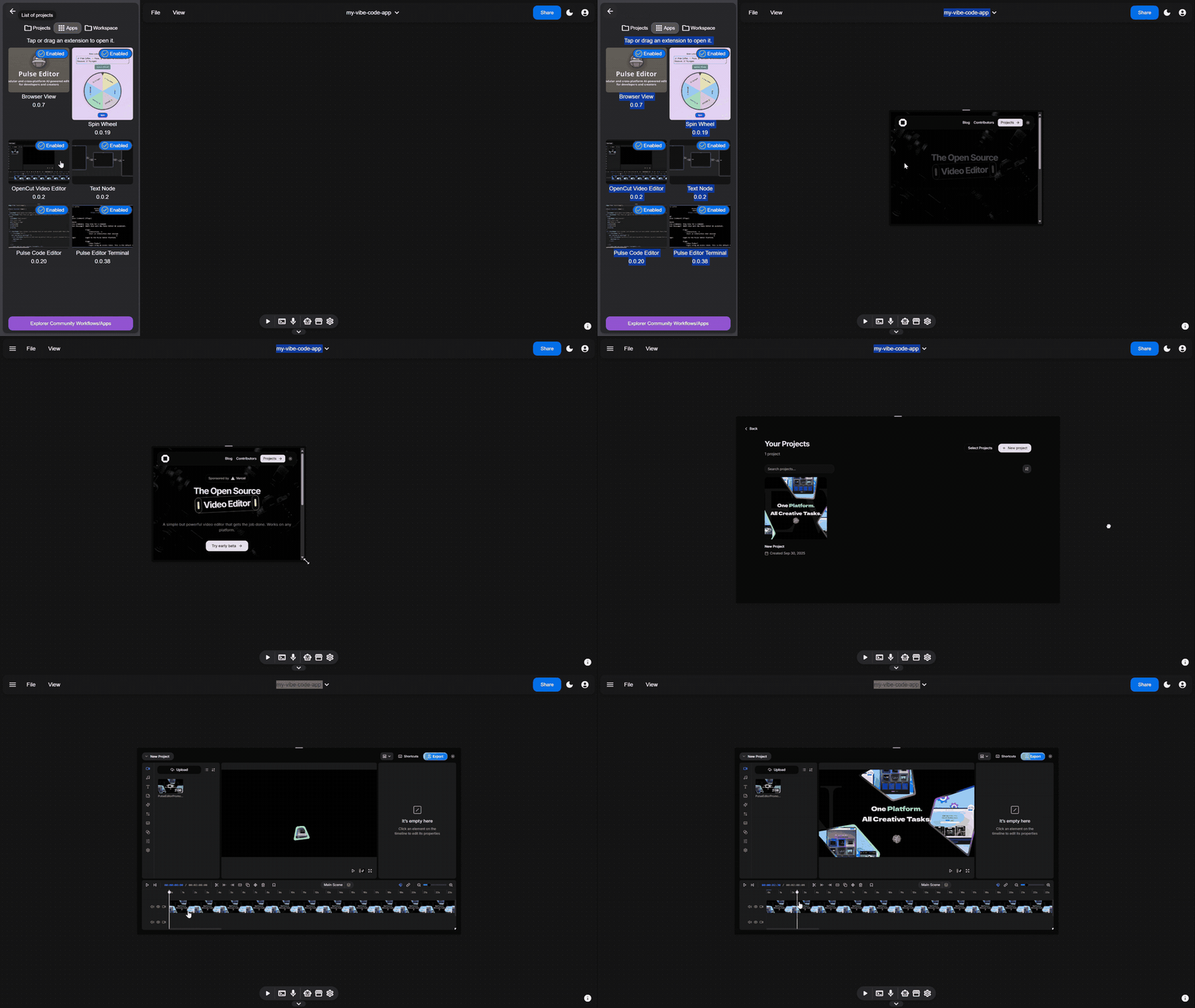
Full-stack app node (e.g. OpenCut)
|
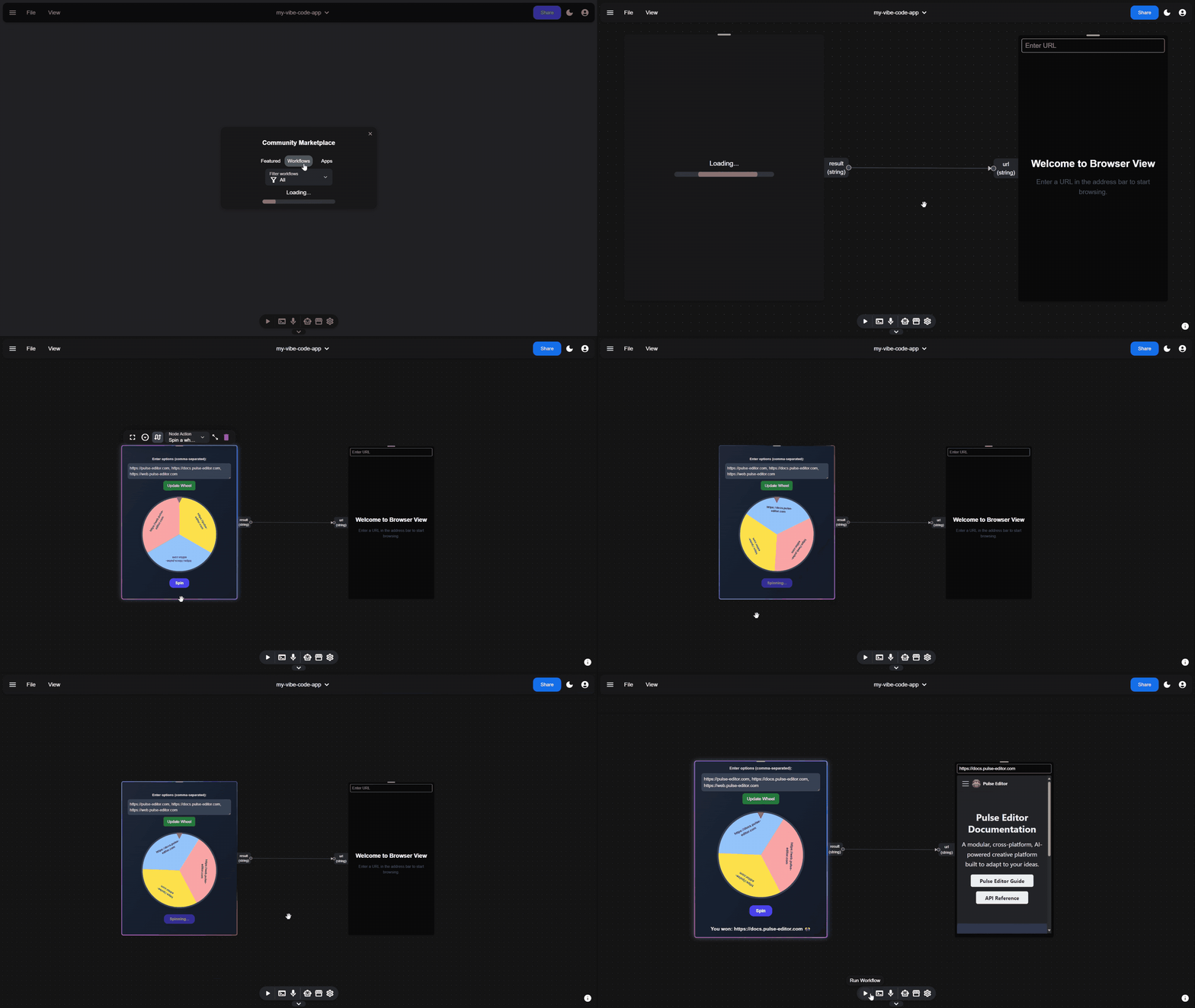
Full-stack app workflow
|
Use Cases
1. Vibe Coding
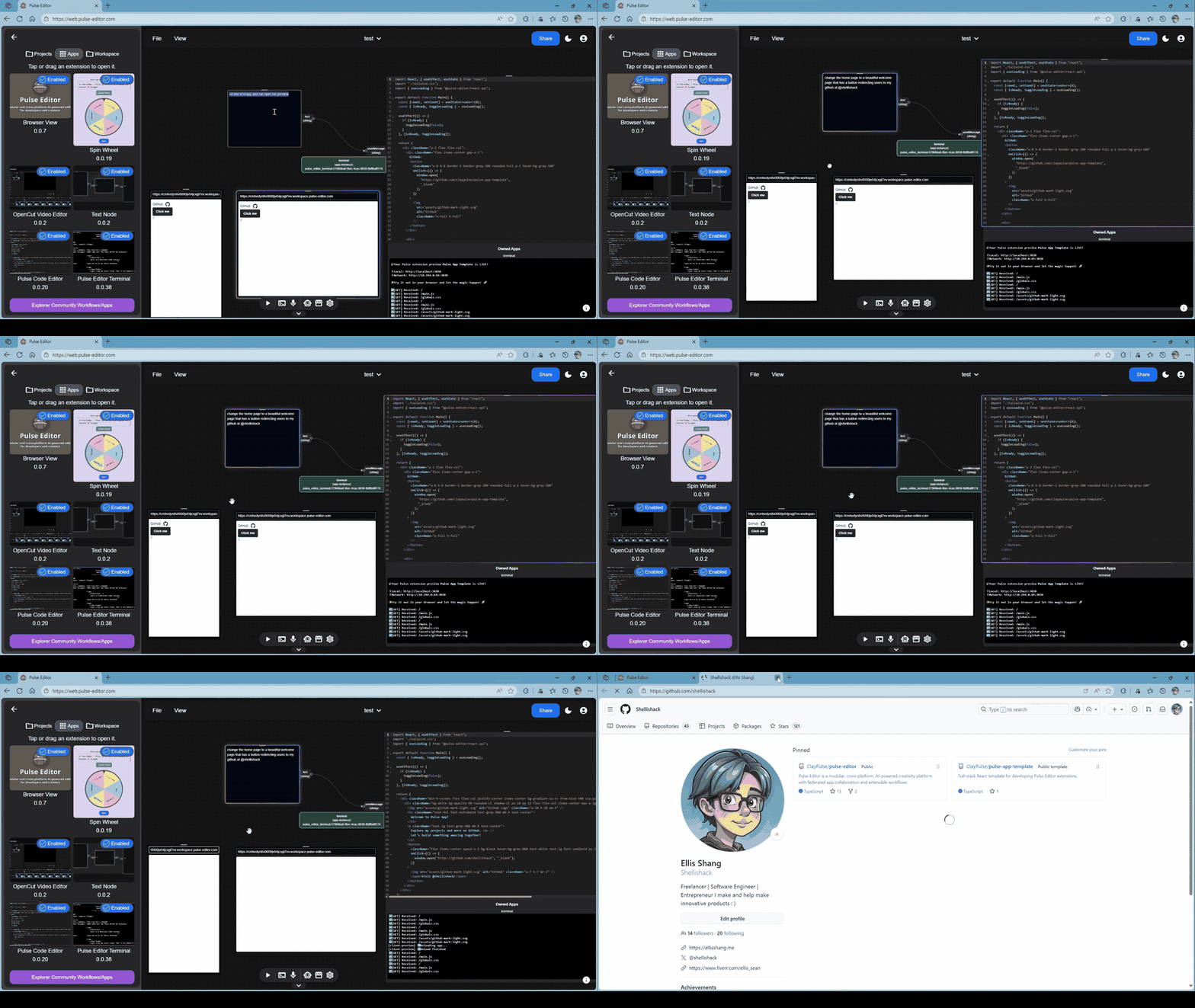
Running vibe coding workflow in canvas view allows you to develop software on any device, with help of vibe coding agent.
Dev Server Live preview
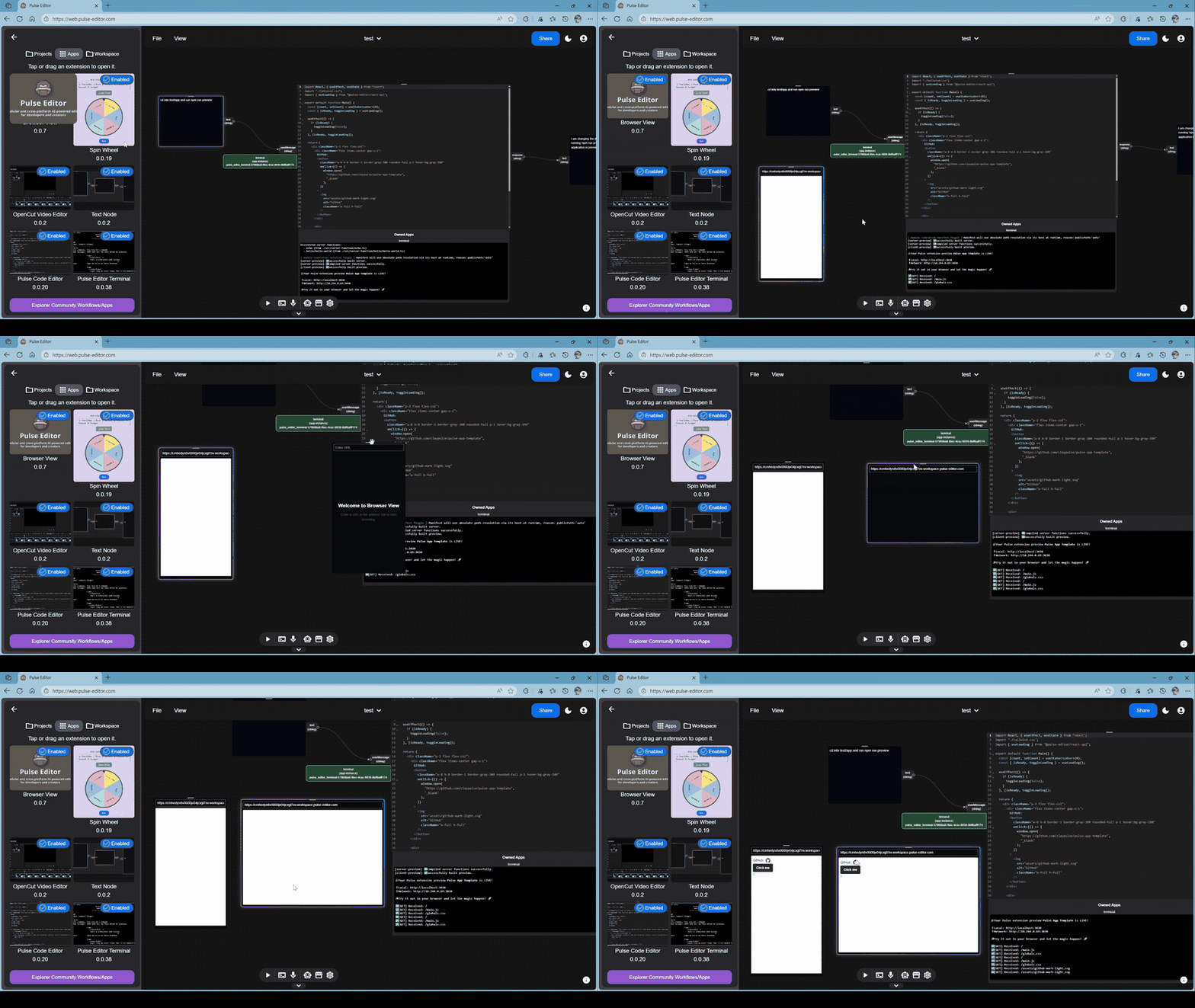
Vibe Coding agent -- terminal control
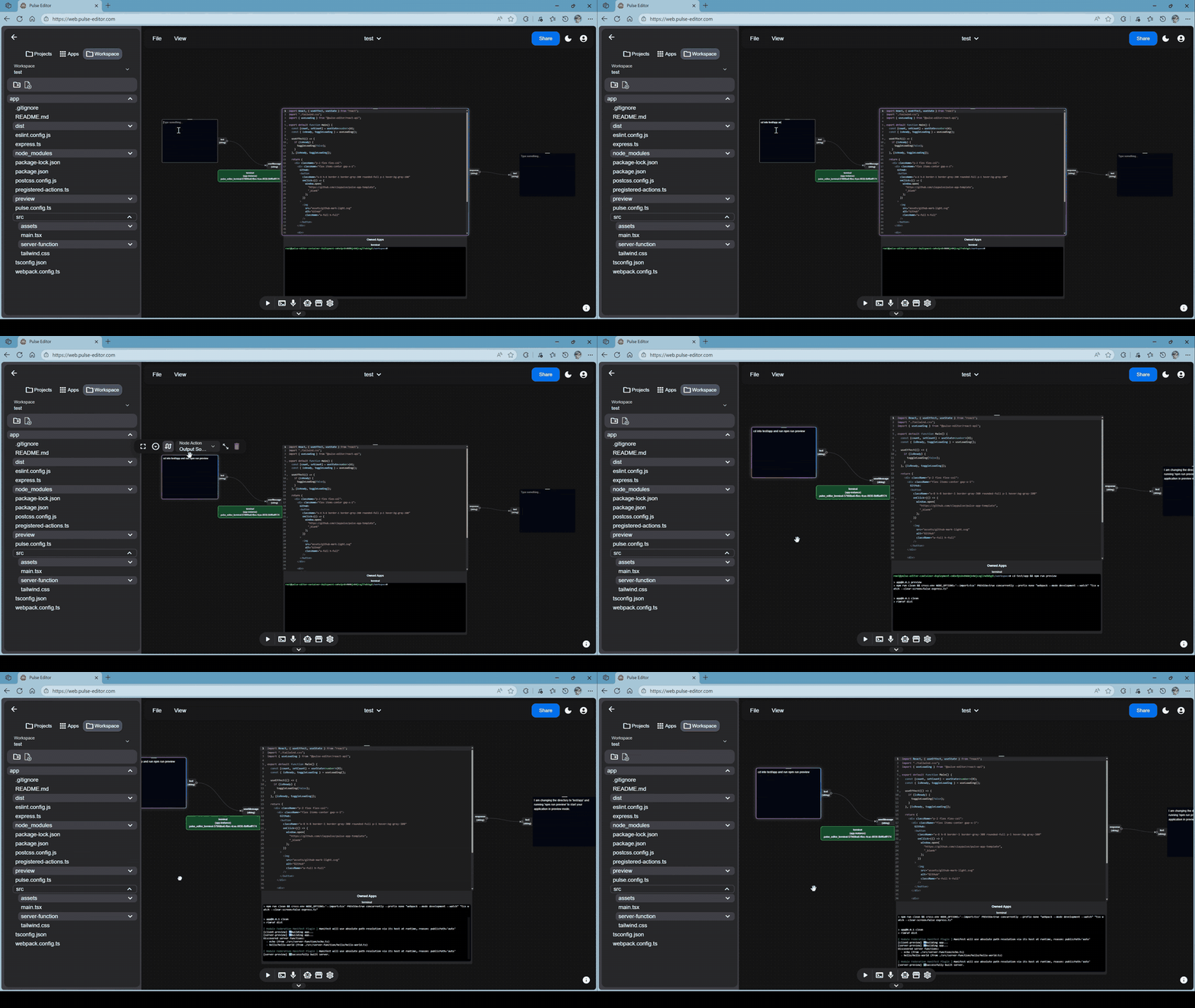
Vibe Coding agent -- code modification
2. MCP client
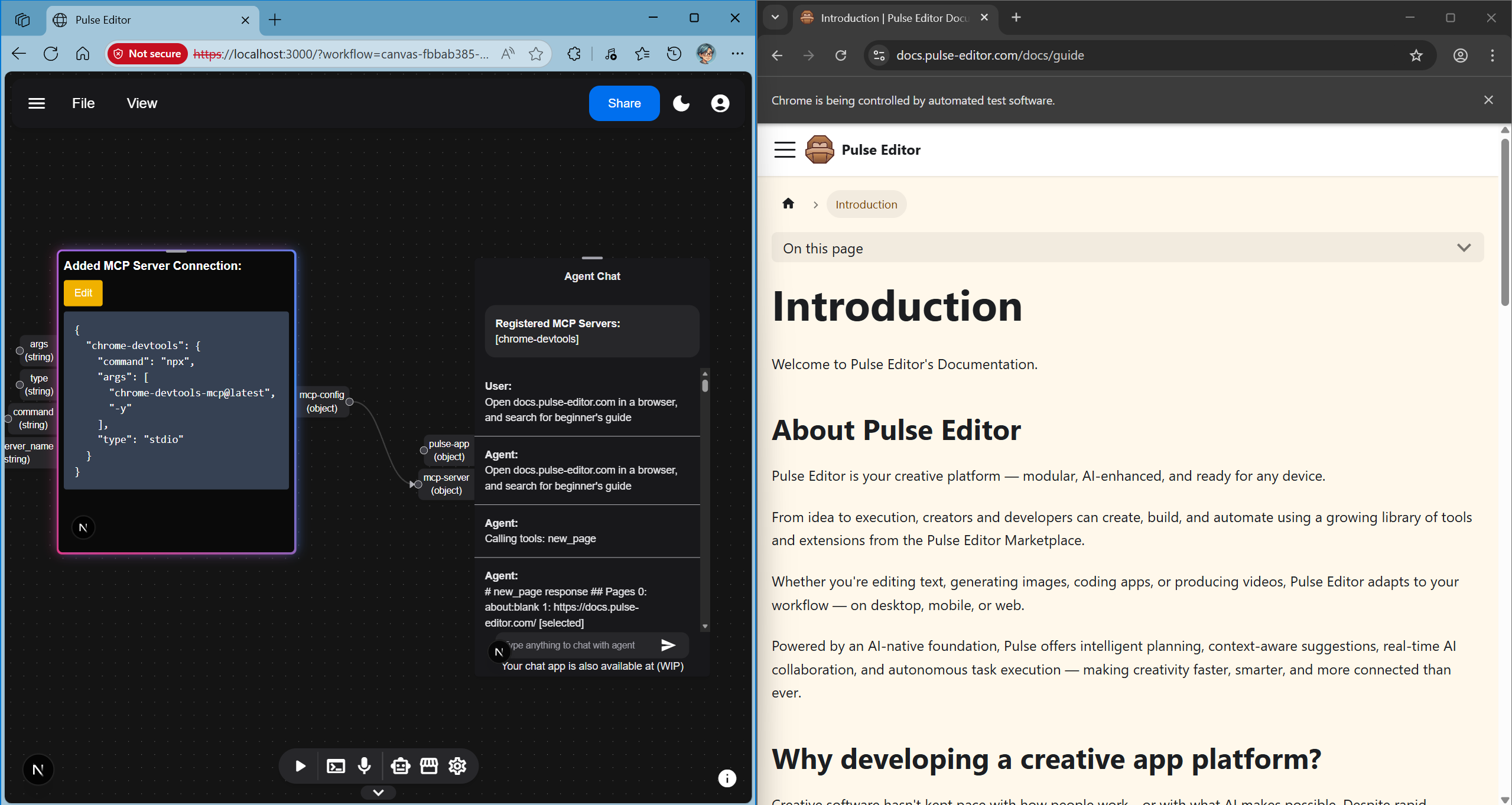
You can connect MCP servers and Pulse full-stack apps to agentic chat. e.g. installation-free browser agent with chrome-devtools-mcp and chrome remote debugging:
3. Remote ComfyUI Workspace and Serverless ComfyUI Image/Video Generation (WIP)
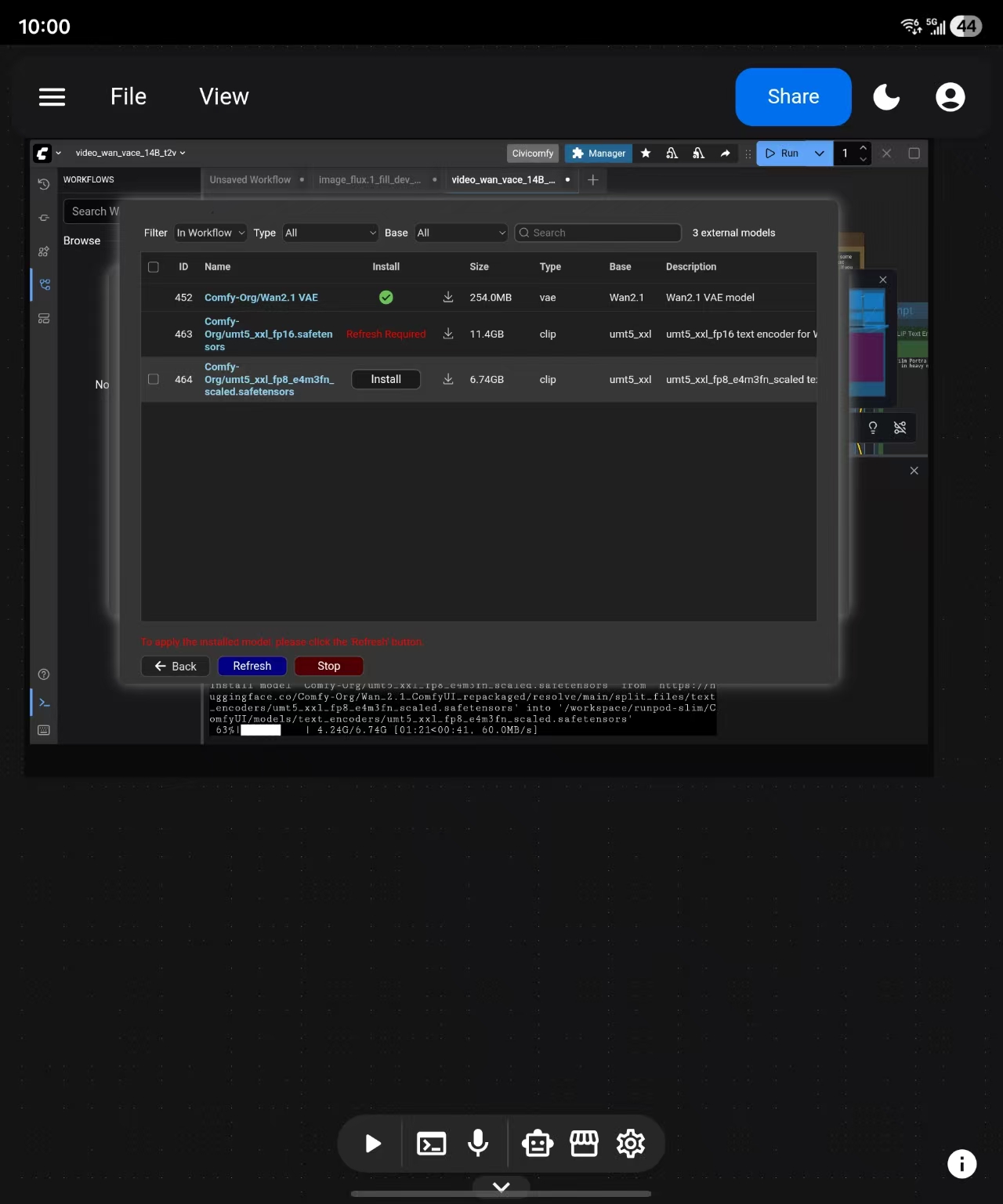
You can run workflows with Pulse App ComfyUI Workflow.
Remote ComfyUI Workspace
You can even run remote ComfyUI on Palmos mobile app.
Serverless ComfyUI Inference (Coming soon)
4. Video Editing (WIP)
Remote or local workspace
With Palmos, you can manage your file system within interface.
On desktop, you can choose to open workspace in either local storage or remote container.
On web/mobile, you will
have to start a remote workspace first.
Start a remote workspace
- Create a new project or select a project
Create project:
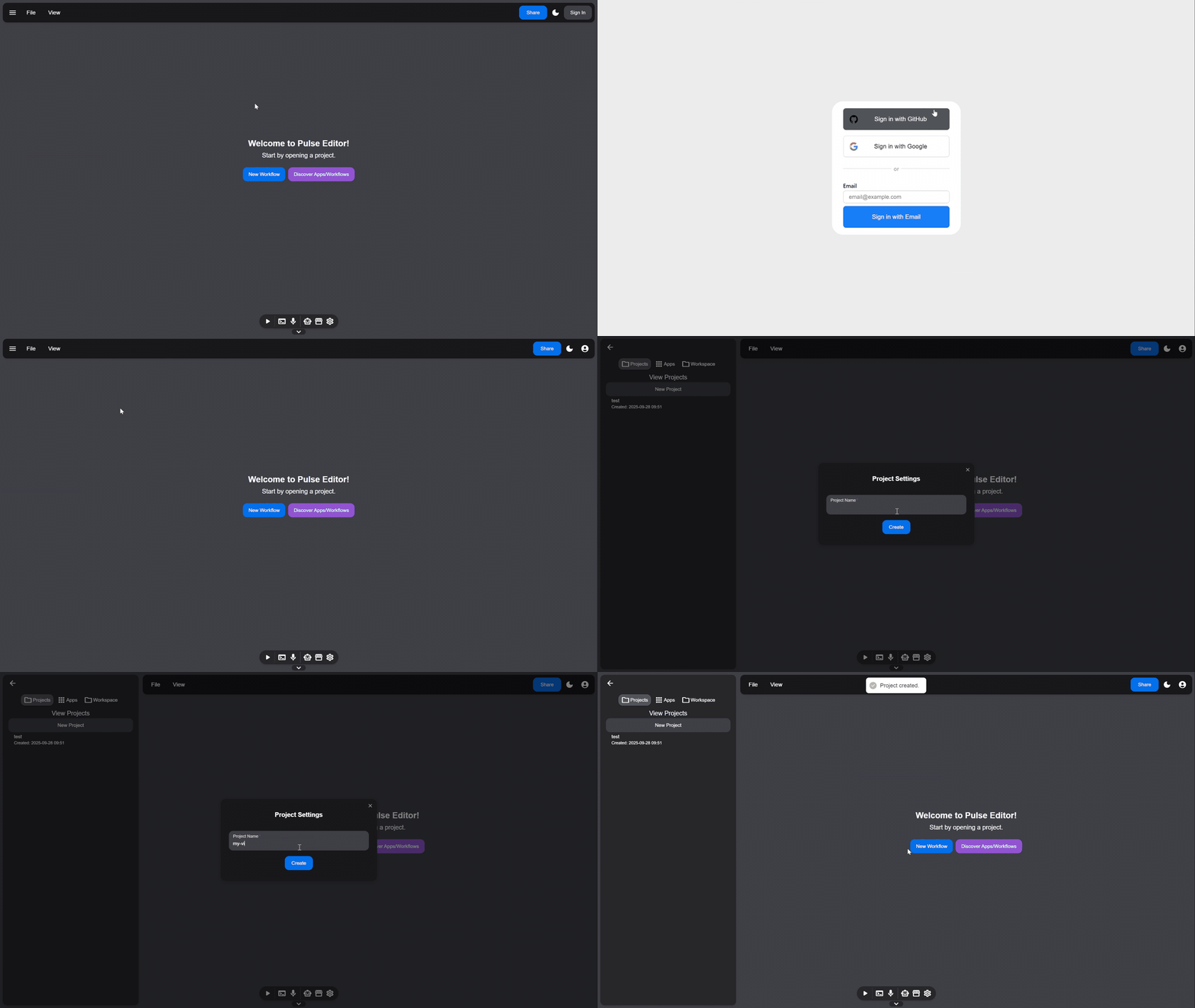 Select project:
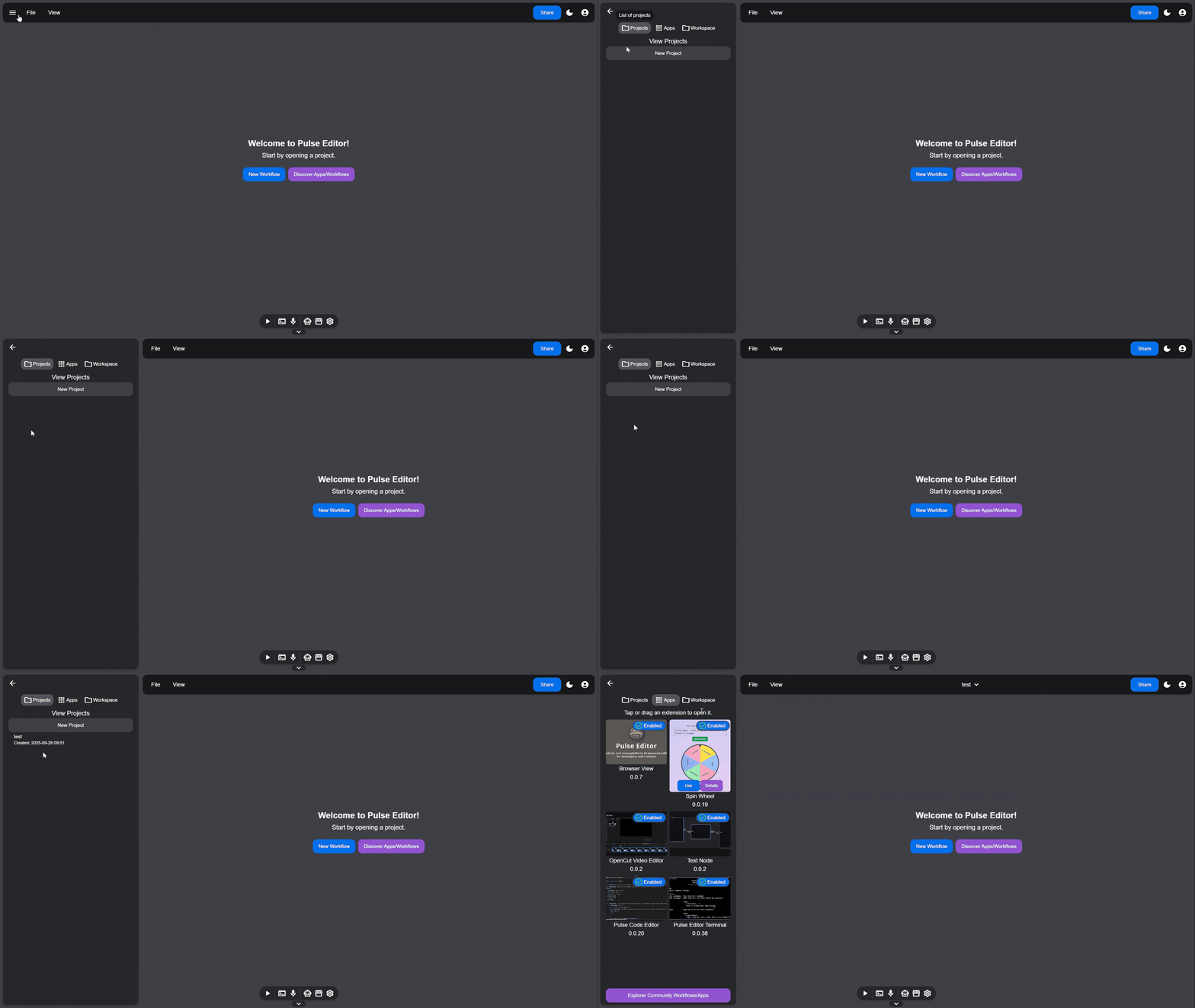
- Create a new workspace or select a workspace
Create workspace:
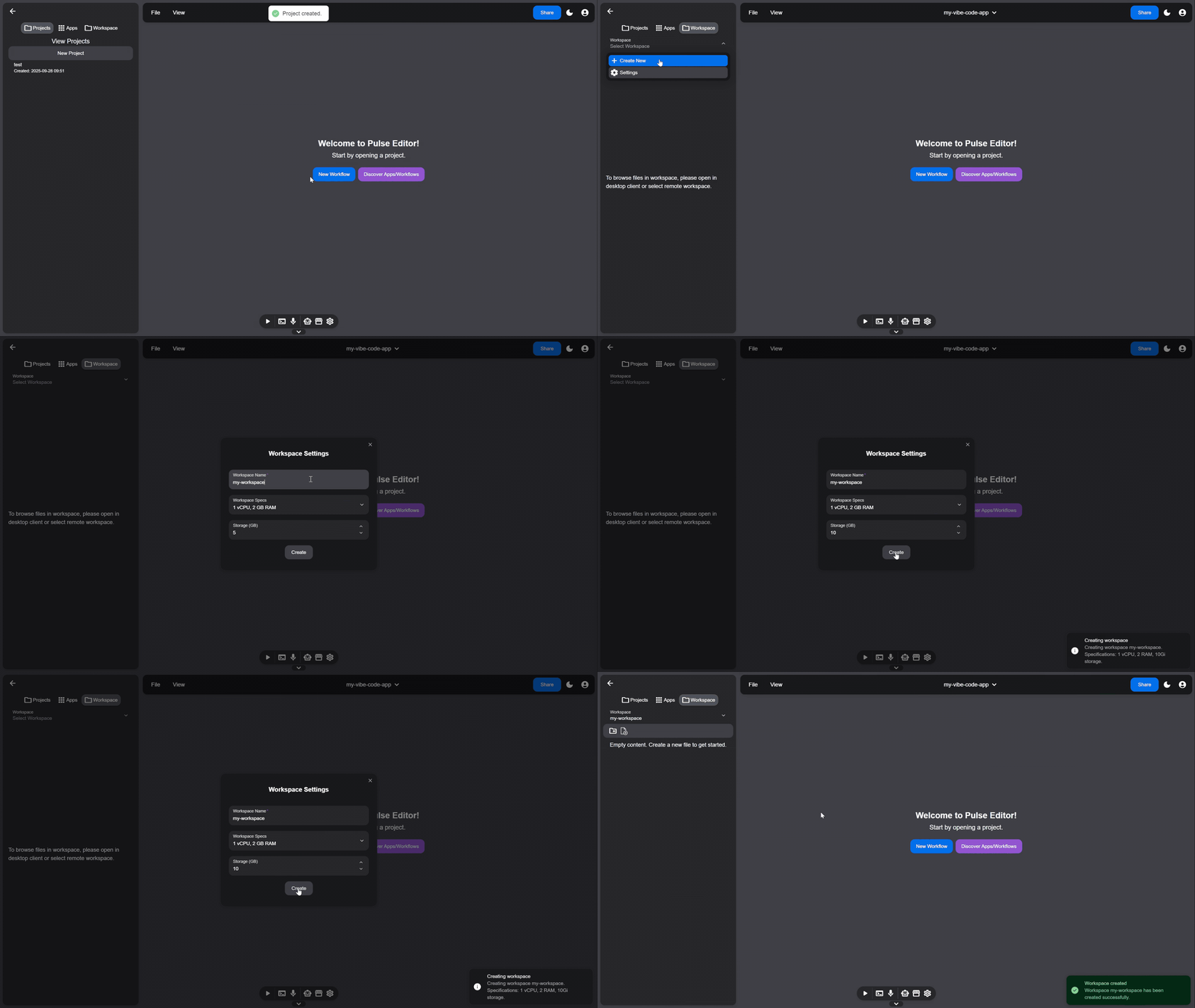 Select workspace:
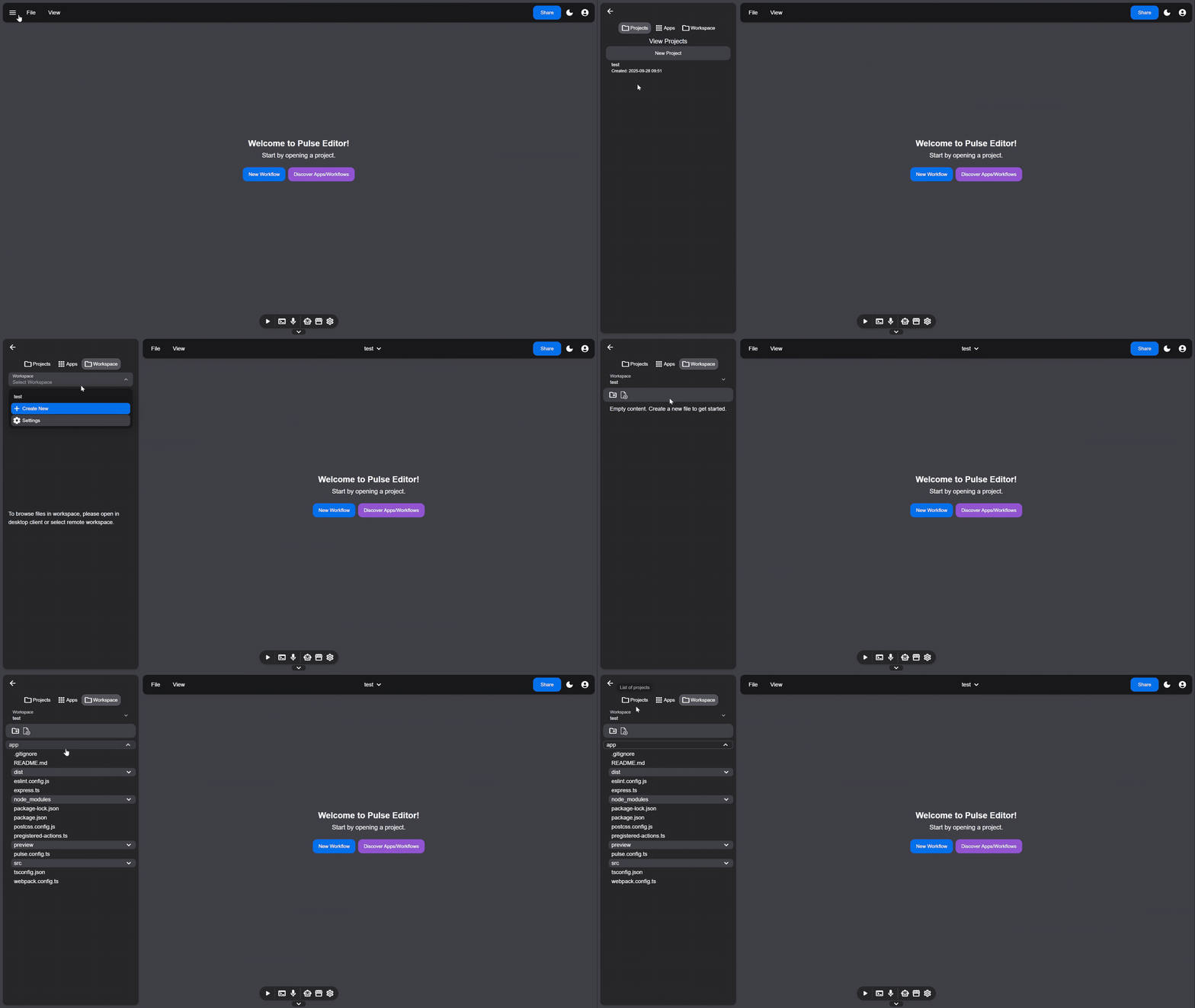
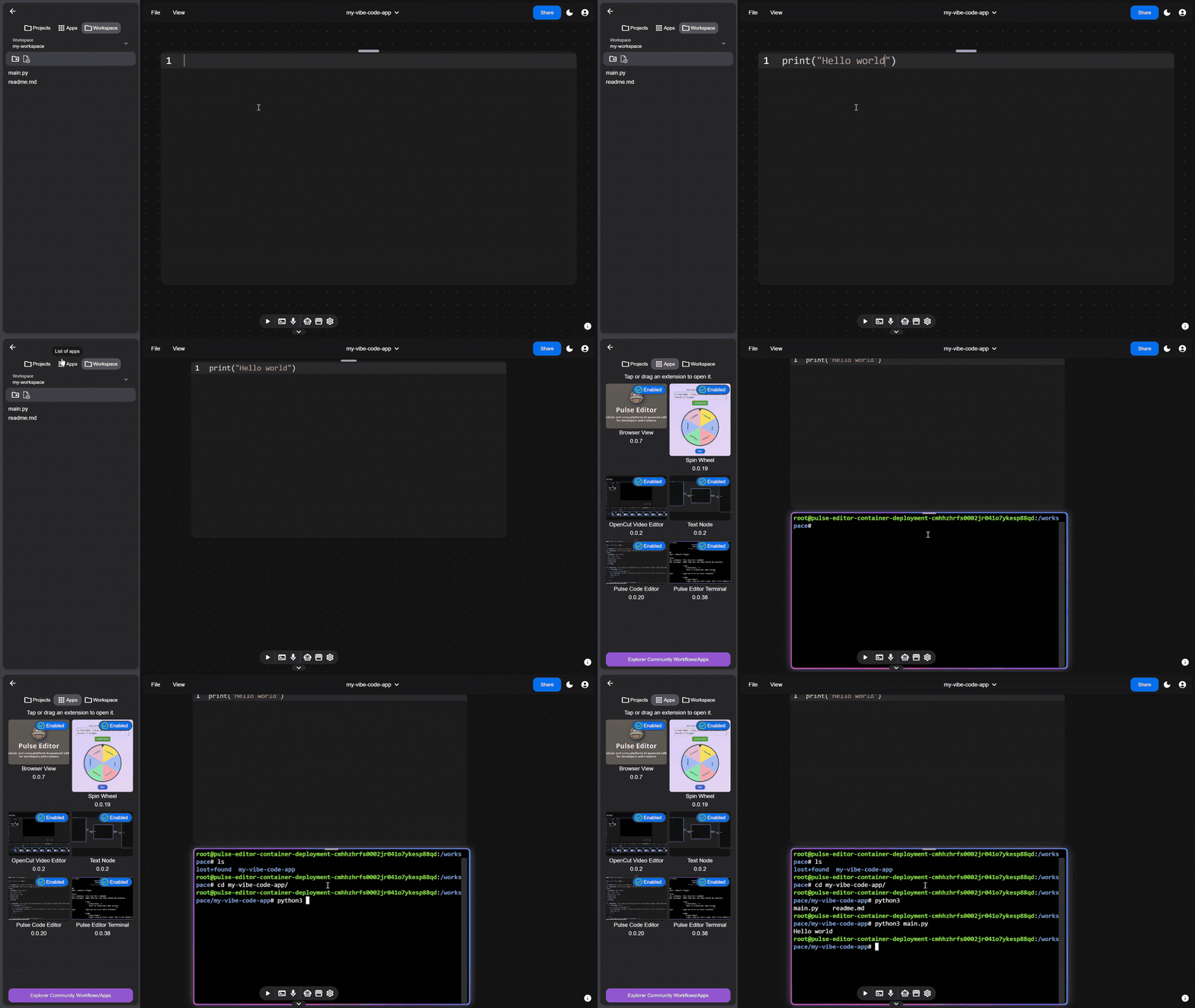
Create file in workspace
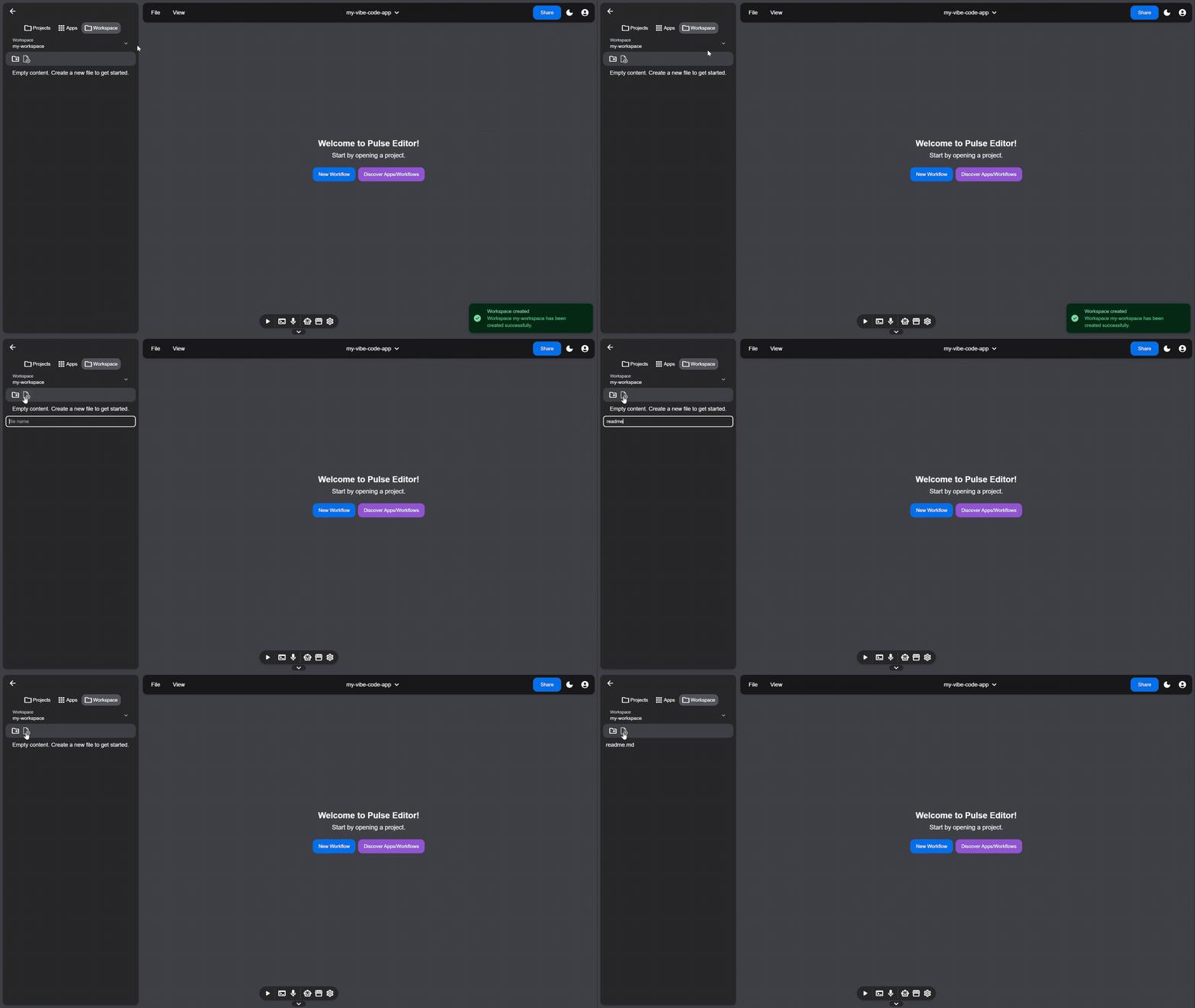
Send file to app node
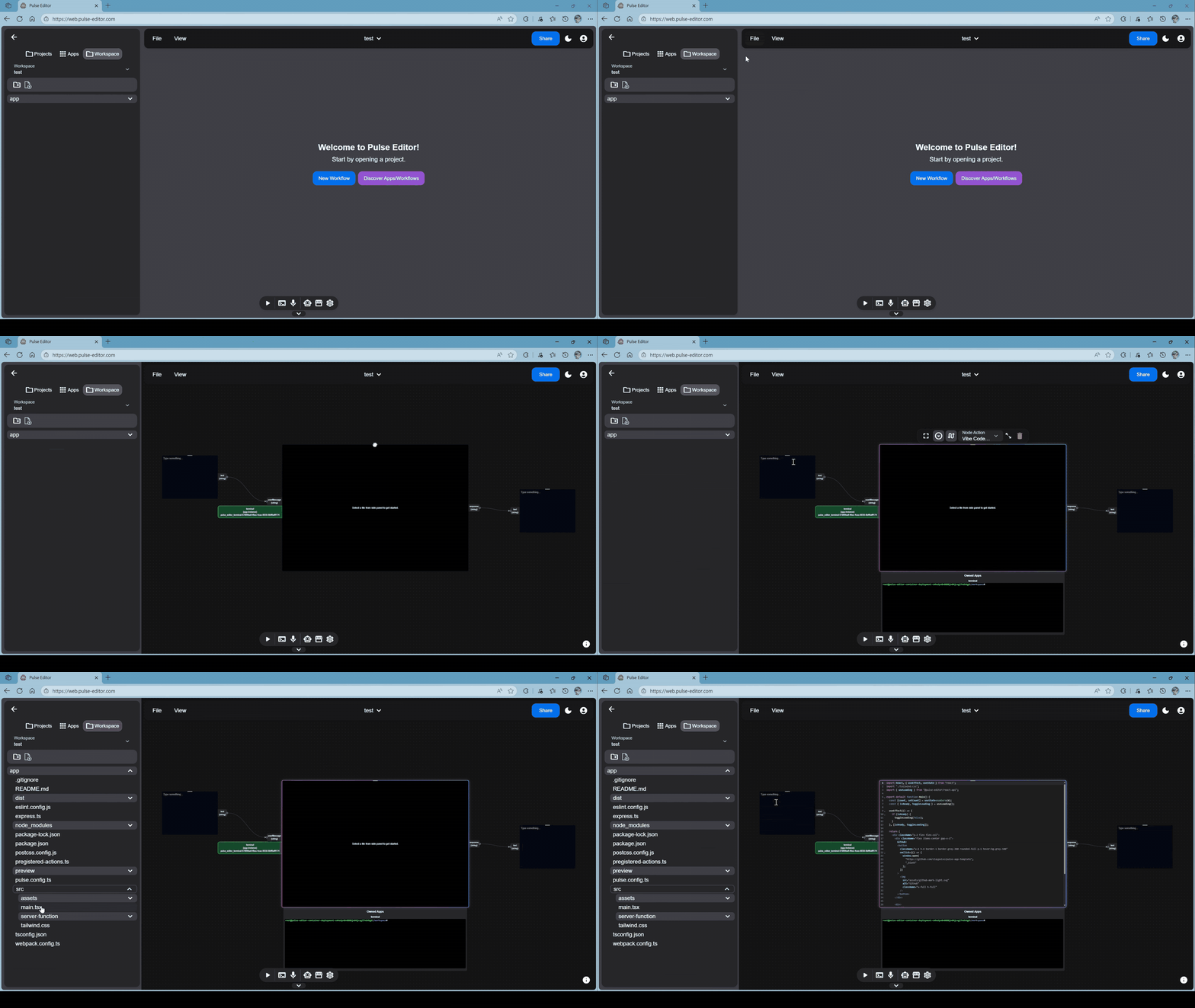
Open and interact with workspace terminal
Build your own Pulse App
We made a MF-compatible full-stack development template (theoretically framework agnostic). For now, we have official support for developing Pulse App using React (more frameworks to come).
Development
To get started, download our CLI tool
npm i -g @pulse-editor/cli
Then, create a new template using:
pulse create
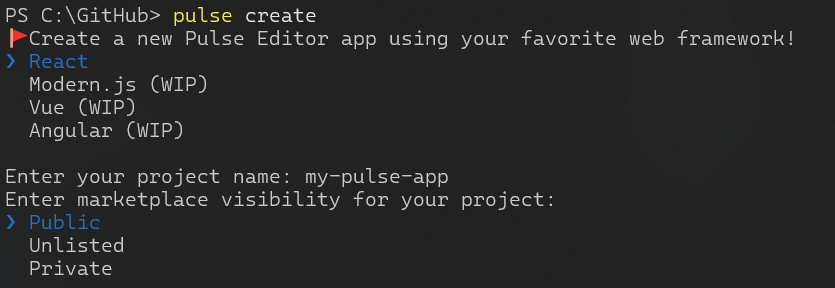
Next, select your development framework (only React is supported for now) and fill in your project name.
You can also choose visibility of your app on Palmos marketplace.
- Public: any user can discover and use your app
- Unlisted: only users that you invite with a share link can use your app
- Private: only you can access your app
Publishing your app to Palmos marketplace
To publish your app to marketplace, go to https://palmos.ai to create a developer API key.
Then copy your key and run:
pulse login
After you have signed in, you can use the following command to publish your app:
pulse publish
For detailed guides on how to start developing and using extensions locally, check out our React template repository.
Some of our official extensions are also open-source. Feel free to take examples from them and/or contribute to them. You can find a monorepo here: Official Pulse Apps, which includes:
- Code View (MIT)
- Terminal (MIT)
- Text Node (MIT)
- Json Utils (MIT)
- MCP Client (MIT)
- MCP Server Connection Node (MIT)
- ComfyUI Workflow Node (AGPL-3.0)
- OpenCut Editor (MIT)
Beta Release Roadmap
🎉🎉Palmos is now in beta 2.
We plan to have 2-3 major beta release stages before we reach a stable release version.
Major Beta Release 1 (June 2025):
Palmos is now available on Android and Desktop (tested for Windows, needs more testing for Linux and MacOS).
Palmos Marketplace now is available for editor users. Simply download Palmos, and view all available extensions in the extension page. You can also browser and search extensions in Marketplace Web (WIP). As for now, the following extensions are available:
Palmos Marketplace Developer Access is now open for application. If you'd like to develop and publish your own extensions to Palmos Marketplace, submit a form here Developer Beta Access.
Even if you haven't got access to publish your extensions to the marketplace, you can still explore Palmos platform by developing your own extensions locally. This is a great opportunity to get an early look at Palmos and start experimenting with its capabilities! See Extension Development below.
Major Beta Release 2 (we are here)
Palmos beta 2 is now out. Many changes are added in this new release. And, Palmos won a hackathon! Big thanks to AI Hacker House in Shanghai for the hackathon opportunity for me to showcase this project in front of dozens of AI product enthusiasts and entrepreneurs!
What's new in this release:
- Support frontend and backend module federation to allow developers to publish full-stack apps on Palmos platform.
- Add workflow canvas to allow collaboration among community full-stack apps.
- Introduce Palmos cloud platform. With the cloud platform, you can start remote dev container and use it to run automation workflows.
- Support web editor. Check it out at https://web.palmos.ai.
- Publish mobile app to Google Play (in-progress).
- Allow users to publish workflows to marketplace.
- Introduce Palmos platform AI assistants. With the platform AI assistant, you can create productivity workflow effortless via chatting. The platform AI assistant will suggest best fitted apps for you requirements and execute the workflow on your behalf.
- Updates to npm packages, cli tool, and Pulse app full-stack React template.
Major Beta Release 3 (planned for 2026 Q1)
Planned items:
- More AI features
- MacOS & Linux & iOS support
- Marketplace payment system (allow extension app developers to monetize)
- More official workflows
- More to be announced!
Documentation and Guide
The documentation and user guide will be available at https://docs.palmos.ai. For documentation contributors, the docs source repository is located here.
Getting Started -- User Guide
Web Client
There is a web deployment at https://web.palmos.ai
Mobile Client
Android client is available in release page.
Current we only support Android, although it is technically possible to have an iOS build (see developer guide below).
For detailed mobile user guide, check out Mobile User Guide
Desktop Client
Linux, MacOS, Windows clients are available in release page.
[!NOTE]
Only Windows is tested in beta release.
For detailed desktop user guide, check out Desktop User Guide
Palmos Core Development Guide
Recommended Nodejs version
Nodejs 22
Install dependencies
You can install dependencies for all workspaces using
npm i
Or, for a specific workspace. e.g. for web:
npm i --workspace=web
Install dependencies (desktop native modules)
When dependencies in desktop/, use Electron's nodejs instead of local nodejs.
Make sure you have installed necessary build tools.
For Windows
Nodejs Windows Installer should already include windows-build-tools. In addition, make sure Windows SDK is also available:
For Linux
sudo apt install -y make python build-essential
Then you can rebuild native dependencies in desktop/ using.
cd desktop
npm run rebuild-native
Electron may warn you need NODE_MODULE_VERSION xxx. If you have electron@35.0.2 installed (check desktop/package.json), you can run:
electron-rebuild -v 35.0.2
Start development:
npm run desktop-dev
Build production release:
npm run desktop-build
Web Development
Palmos uses Next.js as the frontend (and backend -- TBD).
You can get started with local development by running:
npm run web-dev
Mobile Development
Palmos uses Capacitor.js to create mobile apps on Android and iOS. To develop mobile app locally, try the following.
Start development:
npm run android-dev
Build production release
# Production
npm run android-build
Desktop Development
Palmos uses Electron.js to create desktop apps on Windows, Mac and Linux. To develop desktop app locally,
run:
# Development
npm run desktop-dev
# Production
npm run desktop-build
If you run npm run desktop-build for a production build, you can find an executable file inside build/desktop.
Palmos NPM libraries development
Versioning
Use changeset to version each release of npm library.
Enter/Exit prerelease
npx changeset pre enter alpha
npx changeset pre exit
Add a new version
npx changeset
Commit the new version
npx changeset version
Publish npm libraries
# Run build before publishing
npm run shared-utils-build && npm run react-api-build
npx changeset publish
For developing main client and using recently modified npm libraries without publishing, you can change web/package.json to have the following:
"@pulse-editor/shared-utils": "../npm-packages/shared-utils",
Make sure to change back if using published versions.
Acknowledgements
- Thanks to the developers and community of Module Federation for their groundbreaking work on micro-frontends.
- Thanks to the developers and community of Hero UI for their fantastic component library.
- Thanks to the developers and community of React Flow for their amazing node-based graph library.