

affaan-m/
ECC

affaan-m/ECCHarnesses
The agent harness performance optimization system. Skills, instincts, memory, security, and research-first development for Claude Code, Codex, Opencode, Cursor and beyond.
258k
CCCC runs multiple coding agents as a single coordinated group with an append-only ledger, delivery tracking, read receipts, and reply state. The daemon owns the truth, while the web UI, CLI, MCP interface, and IM bridges act as front doors to the same shared state.
Builders who want Claude Code, Codex, and other runtimes to coordinate through one shared workflow instead of separate terminal sessions.
You can assign, track, and recover agent work without losing context or guessing whether a message was seen.
Stores messages and events in `ledger.jsonl` so history can be replayed and audited.
Separates sent, delivered, read, reply, and completion facts so handoffs stay explicit.
Lets the web UI, CLI, MCP tools, and IM bridges share one source of truth.
Supports Claude Code, Codex CLI, Copilot CLI, Cursor CLI, ChatGPT Web, Grok Build, OpenCode, and custom runtimes.
Connects trusted CCCC groups across machines or teams with message, read, or full access levels.
Adds reminders, idle detection, keepalives, silence detection, and scheduled actions.
Provides a browser dashboard for chat, actor terminals, group management, and remote supervision from a phone.
# Website-installer ownership
cccc update

# pip ownership
python -m pip install -U "cccc-pair>=0.4.36"
cccc
cccc status            # product, daemon, groups, actors, and agent runtimes
cccc doctor            # installation and environment diagnostics
cccc daemon status     # explicit daemon lifecycle status
# macOS / Linux
curl -fsSL https://chesterra.github.io/cccc/install.sh | sh

# Windows CMD or PowerShell
powershell.exe -NoProfile -ExecutionPolicy Bypass -Command "[Net.ServicePointManager]::SecurityProtocol = [Net.ServicePointManager]::SecurityProtocol -bor [Net.SecurityProtocolType]::Tls12; Invoke-RestMethod 'https://chesterra.github.io/cccc/install.ps1' | Invoke-Expression"
python -m pip install -U "cccc-pair>=0.4.36"
git clone https://github.com/ChesterRa/cccc
cd cccc
./scripts/build_package.sh
./target/release/cccc --version
./target/release/cccc
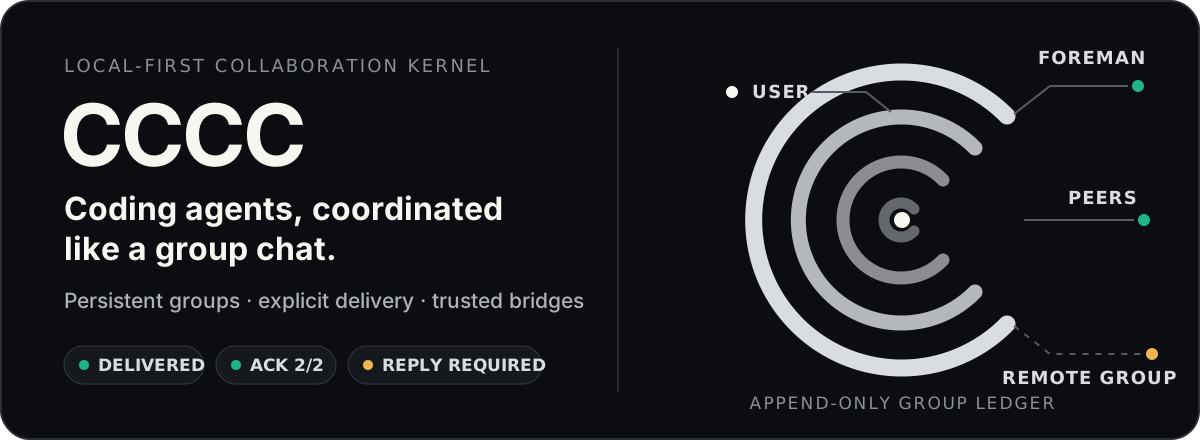
Read receipts, delivery tracking, remote group bridges, and mobile ops — for Claude Code, Codex, ChatGPT Web, and 13 more runtimes in one durable group.
Run multiple coding agents as a persistent, coordinated team across runtimes, machines, and trusted working groups — not a pile of disconnected terminal sessions.
One install command. No Rust toolchain or infrastructure required.





Using multiple coding agents today usually means lost context in terminal scrollback, no distinction between a stored message, runtime handoff, Inbox consumption, and a reply, start/stop/recover operations scattered across tools, and no way to check on a long-running group from your phone. That's why most multi-agent setups stay fragile demos instead of reliable workflows.
CCCC runs your agents as one durable, coordinated system:
CCCC_HOME, and remote supervision only when you choose to expose it.CCCC installs with one command and needs no database, message broker, or Docker. Yet it gives you the pieces fragile multi-agent setups usually lack:
| Capability | How |
|---|---|
| Single source of truth | Append-only ledger (ledger.jsonl) records every message and event — replayable, auditable, never lost |
| Reliable messaging | Send / Send + Reply / Mail, separate delivery/read/reply facts, and a Mail-only Inbox consumed in ledger order — runtime handoff never pretends a message was read |
| Unified control plane | Web UI, CLI, MCP tools, and IM bridges all talk to one daemon — no state fragmentation |
| Multi-runtime orchestration | Claude Code, Codex CLI, GitHub Copilot CLI, Cursor CLI, Devin CLI, Kiro CLI, Kilo Code CLI, Antigravity CLI, Grok Build, OpenCode, ChatGPT Web, and 5 more first-class runtimes, plus custom for everything else |
| Group Bridge | Connect trusted remote groups across machines or teams, starting with explicit messages and optionally granting read/full local access |
| Role-based coordination | Foreman + peer model with permission boundaries and recipient routing (@all, @peers, @foreman) |
| Local-first runtime state | Runtime data stays in CCCC_HOME, not your repo, while Web Access and IM bridges cover remote operations |
# macOS / Linux (recommended)
curl -fsSL https://chesterra.github.io/cccc/install.sh | sh

# Windows CMD or PowerShell (recommended)
powershell.exe -NoProfile -ExecutionPolicy Bypass -Command "[Net.ServicePointManager]::SecurityProtocol = [Net.ServicePointManager]::SecurityProtocol -bor [Net.SecurityProtocolType]::Tls12; Invoke-RestMethod 'https://chesterra.github.io/cccc/install.ps1' | Invoke-Expression"

# Native platform wheel (pip compatibility)
python -m pip install -U "cccc-pair>=0.4.36"
CCCC 0.4.36 has one product implementation: Rust. The website installer is recommended. The pip command installs the same native executable in a platform wheel for package-manager compatibility; it does not install a Python daemon, launcher, or fallback. Supported targets are Linux x86-64 (glibc 2.28+), Apple Silicon macOS 11+, and Windows x86-64. CCCC v0.4.37 is the final release for Intel Macs; newer releases do not publish
x86_64-apple-darwinartifacts.
# Website-installer ownership
cccc update

# pip ownership
python -m pip install -U "cccc-pair>=0.4.36"
Use cccc update --check to query the latest channel release and inspect the
installation owner and native platform requirements without changing the installation
or running services. It also works for pip-owned commands. Add --offline for
local details without a network request. A pip-owned command refuses standalone self-update
and prints the package-manager command instead. Both channels install the same
native product, but each remains owned by the installer that created it. Before
a pip upgrade, run cccc daemon stop and close any foreground CCCC process so
the package manager can replace the executable, especially on Windows. To
switch from pip to the website installer in the same command directory, first
run python -m pip uninstall cccc-pair; the standalone installer deliberately
refuses to overwrite pip-owned files, even with
CCCC_ALLOW_REPLACE_EXISTING=1.
If an older cccc update stays on 0.4.35, use the version-constrained pip
command above in the Python environment that owns that installation.
0.4.35 was the last portable Python release; an unsupported platform can
silently select it with an unconstrained pip upgrade. The minimum version makes
that mismatch an explicit error. See the upgrade FAQ.
cccc
Open http://127.0.0.1:8848 — by default, CCCC brings up the daemon and the local Web UI together.
Direct localhost / 127.0.0.1 use stays passwordless and does not create an Access Token.
Explicit Admin Access Tokens are required only when enabling LAN, Reach, public URL, or
reverse-proxied access.
cccc status            # product, daemon, groups, actors, and agent runtimes
cccc doctor            # installation and environment diagnostics
cccc daemon status     # explicit daemon lifecycle status
cccc python, cccc rust, and the former ccccd alias are retired. Existing
automation should use cccc daemon ...; compatible daemon state filenames are
retained so 0.4.35 homes can be adopted without a Python runtime.
cd /path/to/your/repo
cccc attach .                              # bind this directory as a scope
cccc setup                                 # configure all available runtimes (or select one with --runtime)
cccc actor add foreman --runtime claude    # first actor becomes foreman
cccc actor add implementer --runtime codex # add a peer
cccc group start                           # start all actors
cccc send "Please inspect the repo and propose the first safe task." --to foreman
cccc tracked-send "Please take the first concrete task and reply with validation evidence." \
  --to implementer \
  --title "First concrete task" \
  --outcome "The change and validation evidence are reported"
You now have two agents collaborating in a persistent group with full message history, delivery tracking, and a web dashboard. The daemon owns delivery and coordination, and runtime state stays in CCCC_HOME rather than inside your repo.
What you should see: in the Web UI at http://127.0.0.1:8848, both actors show as running, the foreman's reply arrives in Chat, and the tracked request displays its delivery and read state on the message. If an actor stays stopped, run cccc doctor to check the runtime, and see the FAQ for common first-run fixes.
Use the official SDK when you need to integrate CCCC into external applications or services:
pip install -U cccc-sdk
npm install cccc-sdk
cargo add cccc-sdk
The SDK does not include a daemon. It connects to a running cccc core instance.
graph TB
    subgraph Agents["Agent Runtimes"]
        direction LR
        A1["Claude Code"]
        A2["Codex CLI"]
        A3["ChatGPT Web<br/>GPT-5.x via MCP"]
        A4["Grok Build"]
        A5["+ 12 more + custom"]
    end

    subgraph Daemon["CCCC Daemon · single writer"]
        direction LR
        Ledger[("Ledger<br/>append-only JSONL")]
        ActorMgr["Actor<br/>Manager"]
        Auto["Automation<br/>Rules · Nudge · Cron"]
        Ledger ~~~ ActorMgr ~~~ Auto
    end

    subgraph Ports["Control Plane"]
        direction LR
        Web["Web UI<br/>:8848"]
        CLI["CLI"]
        MCP["MCP<br/>(stdio)"]
    end

    subgraph IM["IM Bridges"]
        direction LR
        TG["Telegram"]
        SL["Slack"]
        DC["Discord"]
        FS["Feishu"]
        DT["DingTalk"]
        WC["WeCom"]
        WX["Weixin"]
    end

    subgraph Remote["Remote CCCC Groups"]
        direction LR
        RG1["Trusted group"]
        RG2["Another machine/team"]
    end

    A1 <-->|Native terminal<br/>MCP + protocol| Daemon
    A2 <-->|Native terminal<br/>MCP + protocol| Daemon
    A3 <-->|Browser delivery<br/>Remote MCP| Daemon
    A4 <-->|MCP tools| Daemon
    A5 <-->|MCP tools| Daemon
    Daemon <--> Ports
    Web <--> IM
    Daemon <-->|Group Bridge<br/>messages · read · full| RG1
    Daemon <-->|Group Bridge<br/>messages · read · full| RG2
Key design decisions:
CCCC_HOME (default ~/.cccc/) — runtime state stays out of your repoCCCC orchestrates agents across 17 first-class runtimes, with custom available for everything else. Each actor in a group can use a different runtime.
| Runtime | Integration | Entrypoint / Surface |
|---|---|---|
| Claude Code | Managed Agent View session + native TUI; per-session MCP | claude |
| Cline CLI | Auto MCP setup | cline |
| Codex CLI | Auto MCP setup | codex |
| GitHub Copilot CLI | Auto MCP setup | copilot |
| Cursor CLI | Prompt-assisted MCP setup | cursor-agent |
| Devin CLI | Auto MCP setup | devin |
| Kiro CLI | Auto MCP setup | kiro-cli |
| Kilo Code CLI | Prompt-assisted MCP setup | kilo |
| Antigravity CLI | Prompt-assisted MCP setup | agy |
| ChatGPT Web | Remote MCP + Browser Delivery | chatgpt.com conversation |
| Grok Build | Managed ACP session + native TUI; per-session MCP | grok |
| Hermes Agent | Auto MCP setup | hermes |
| Droid | Auto MCP setup | droid |
| Amp | Auto MCP setup | amp |
| Auggie | Auto MCP setup | auggie |
| Kimi Code | Auto MCP setup | kimi |
| OpenCode | Managed ACP session + native TUI; per-session MCP | opencode |
| Custom | Manual | Any command |
These are stable runtime entrypoints or surfaces. CCCC applies runtime-specific launch defaults automatically; actor/profile commands can be reviewed and customized in settings. The Supported Runtimes guide lists the default autonomy flags, including approval-bypass modes such as agy --dangerously-skip-permissions, grok --always-approve, and opencode --auto.
cccc setup --runtime claude       # reports CCCC-owned per-session MCP
cccc setup --runtime cline        # configures Cline CLI MCP for its native TUI
cccc setup --runtime cursor       # shows the prompt-assisted MCP setup contract
cccc setup --runtime kilo         # shows the prompt-assisted MCP setup contract
cccc setup --runtime antigravity  # shows the prompt-assisted MCP setup contract
cccc runtime list --all           # show all available runtimes
cccc doctor                       # verify environment and runtime availability
Choose a Runtime; CCCC derives its interaction surface automatically. CLI Actors expose their native writable terminal. Claude Code, Codex CLI, Grok Build, and OpenCode pair that terminal with a structured background protocol on the same provider session, so users keep direct control while CCCC receives precise lifecycle state. Actor messages enter the native terminal immediately, leaving queue-versus-steer behavior to the receiving Runtime.
For setup commands, interaction details, and troubleshooting for every supported Runtime, see the Supported Runtimes guide.
ChatGPT Web can join a CCCC group as a real actor, not just an external chat window: CCCC delivers group messages into one bound ChatGPT conversation via browser delivery, and GPT-5.x calls back through an actor-bound remote MCP connector — receiving routed messages, replying visibly, editing repository files, and running scoped shell/git commands much like a native local coding agent. This also turns spare ChatGPT Web capacity into additional local-development agent capacity.
Setup requires exposing CCCC through a public HTTPS URL for the MCP connector (Cloudflare Tunnel, ngrok, Tailscale Funnel, or a reverse proxy). CCCC defaults to stable text-only delivery and also offers an experimental GPT Pro mode that attaches a tiny blank PNG when delivering each batch. This compatibility workaround does not switch ChatGPT models or guarantee connector availability, and may stop working when ChatGPT changes. Full setup and troubleshooting: ChatGPT Web Model Runtime.
Group Bridge extends CCCC from one local working group into a network of trusted groups. A group on your Windows workstation can coordinate with a group in WSL, a Mac, a server, or a teammate's CCCC instance without merging their runtime state or losing the local-first model.
Access is intentionally layered:
| Level | What it enables |
|---|---|
| Messages | Send explicit cross-group messages to the remote foreman, including attachments when needed |
| Read | Let a trusted remote group inspect local context, repository, and git state through remote MCP tools |
| Full | Let a highly trusted remote group edit files and run commands through the same local-access surface used by native actors |
This makes CCCC useful for multi-machine work, lead/worker coordination across several environments, or trusted team collaboration where one group needs to ask another group for status, evidence, or implementation help. It is not a public guest-access feature: grant read/full access only to remote groups you trust with the target workspace.
Start from Settings > Group Bridge in the Web UI: one side generates a one-time pairing invitation, the other side submits it, and the issuer approves the request. After approval, remote groups appear as explicit recipients, and agents can discover available access with cccc_remote_access(action="list"). For setup steps, message flow, remote MCP tools, and troubleshooting, see the Group Bridge guide.
CCCC implements IM-grade messaging semantics, not just "paste text into a terminal":
@all, @peers, @foreman, or specific actor IDsruntime.delivery, Mail read cursors, replies, cancellations, and task completion never impersonate one anothercccc_inbox_read returns the next ordered Mail batch and advances its Mail cursor atomicallyreply_to with quoted contextUse Mail for useful agent updates that can wait, Send when delayed awareness would cost more than interrupting the recipient, and Send + Reply only when a concrete answer is also required. Mail cannot target the human user. One message addresses either user alone or one/more agents—send separate messages instead of mixing those audiences. Use tracked-send when delegated work needs a durable owner, outcome, evidence, handoff, or acceptance trail. @all remains available for announcements or urgent shared coordination, but it should not be the default way to start concrete work.
Push attempts travel through the daemon-managed delivery pipeline. Their runtime.delivery facts remain separate from Inbox read state and replies.
A small set of delivery timers and automation rules handles operational concerns without turning every message into a prompt:
| Policy | What it does |
|---|---|
| Mail notice | Sends at most one content-free reminder after a configurable wait for concrete-recipient Mail |
| Reply notice | Sends at most one reminder for an accepted Send + Reply whose reply is still open |
| Actor idle detection | Notifies foreman when an agent goes silent |
| Keepalive | Periodic check-in reminders for the foreman |
| Silence detection | Alerts when an entire group goes quiet |
Beyond built-in policies, you can create custom automation rules:
The built-in Web UI at http://127.0.0.1:8848 provides:
@mention autocomplete and reply threadingFor accessing the Web UI from outside localhost:
CCCC_WEB_HOST=0.0.0.0 cccccloudflared tunnel --url http://127.0.0.1:8848CCCC_WEB_HOST=$TAILSCALE_IP cccc~/.cccc/web_bootstrap_token on the host and enter it when creating the first administrator token.127.0.0.1 means local-only, while 0.0.0.0 means localhost plus your LAN IP on a normal local host. If CCCC is running inside WSL2's default NAT networking, 0.0.0.0 only exposes Web inside WSL; for LAN devices, use WSL mirrored networking or a Windows portproxy/firewall rule.--host / --port overrides first, then the saved Web Access binding (including legacy Python settings.yaml), then CCCC_WEB_HOST / CCCC_WEB_PORT.Save stores the target binding. If Web was started by cccc or cccc web, use Apply now in Settings > Web Access to perform the short supervised restart. If Web is managed by Docker, systemd, or another external supervisor, restart that service instead.Start / Stop are only for Tailscale remote access and do not rebind the already-running Web socket.CCCC_WEB_TRUST_PROXY_HEADERS=1; supervised CCCC Web processes configure this trust boundary automatically.Optional membership Reach is a managed public-HTTPS path for Linux and macOS preview users. Local CCCC remains fully usable without an account. First create an Admin Access Token in Settings > Web Access, then open the global Account page, link this installation, and approve its device code on the account site. Return to Web Access to turn Reach on. The equivalent CLI flow remains available:
cccc login
cccc reach on
cccc reach status
cccc reach off
Reach installs a pinned cloudflared helper under CCCC_HOME; it does not upload your ledger or repository. Rust Reach admin links contain a 120-second, one-time, origin-bound exchange code instead of a long-lived Access Token. Windows helper installation is not bundled in this release, so Reach is currently unavailable on Windows.
Bridge your working group to your team's IM platform:
cccc im set telegram --token-env TELEGRAM_BOT_TOKEN
cccc im start
| Platform | Status |
|---|---|
| Telegram | ✅ Supported |
| Slack | ✅ Supported |
| Discord | ✅ Supported |
| Feishu / Lark | ✅ Supported |
| DingTalk | ✅ Supported |
| WeCom / 企业微信 | ✅ Supported |
| Weixin / 微信 | ✅ Supported |
Telegram, Slack, Discord, Feishu, DingTalk, and WeCom support progressive replies; overlong results fall back to lossless final-message chunks. Weixin delivers lossless final messages and currently supports direct bot chats only.
F
Sign in to join the discussion.
No comments yet. Be the first to say what this is good for.
The agent harness performance optimization system. Skills, instincts, memory, security, and research-first development for Claude Code, Codex, Opencode, Cursor and beyond.
from vibe coding to agentic engineering - practice makes claude perfect
🌊 The original agent meta-harness. Deploy intelligent multi-player swarms, coordinate autonomous workflows, and build conversational AI systems. Features adaptive memory, self-learning intelligence, RAG integration, and native Claude Code / Codex / Hermes and many more Integrated
Practical patterns, starters & CLI tools for loop engineering with AI coding agents. Design systems that prompt and orchestrate agents (inspired by Addy Osmani and Boris Cherny). Includes loop-audit, loop-init, loop-cost.

Git. Ship. Done - Core

The most RAM efficient harness