eShopLite




eShopLite is a set of reference .NET applications implementing an eCommerce site with features like Semantic Search, Model Context Protocol (MCP), Reasoning models, vector databases, and more.
- ☁️ All scenarios in this repository use the latest version of .NET and leverage .NET Aspire to orchestrate the entire solution.
- 🌟 Don't forget to star (🌟) this repo to find it easier later.
- ➡️ Get your own copy by Forking this repo and find it next in your own repositories.
- ❓ Have a question? Besides creating issues or pull requests, the best option for questions is to join the Azure AI Discord channel, where a team of AI experts can help you.
Features
This project framework provides the following features:
- Modern .NET application architecture with .NET Aspire
- Various search capabilities (keyword search, semantic search)
- Integration with multiple AI models (GPT-4o, DeepSeek-R1, etc.)
- Vector database implementations (In Memory, Azure AI Search, Chroma DB and others)
- Real-time audio capabilities
- Model Context Protocol (MCP) server and client implementation
eShopLite Scenarios
The project includes several scenarios demonstrating different capabilities:
| Scenario | Description | Key Technologies |
|---|
| 01 - Semantic Search | A reference .NET application implementing an eCommerce site with Search features using Keyword Search and Semantic Search. | .NET Aspire, OpenAI GPT-4.1-mini, In-memory Vector DB |
| 02 - Azure AI Search | Implements an eCommerce site with Keyword Search using SQL queries and Semantic Search with Vector Database and Azure AI Search. | Azure AI Search, OpenAI Embeddings, SQL Server |
| 03 - Realtime Audio | Extends the eCommerce site with advanced search features and real-time audio capabilities powered by the GPT-4o Realtime Audio API. | GPT-4o Realtime Audio API, Audio in Blazor, .NET Aspire |
| 04 - Chroma DB | Implements semantic search functionality using Chroma DB, an open-source database designed for AI applications. | Chroma DB, OpenAI Embeddings, .NET SDK |
| 05 - DeepSeek-R1 | Demonstrates integration of the DeepSeek-R1 model for enhanced semantic understanding and search capabilities. | DeepSeek-R1, .NET Aspire, Vector Embeddings |
| 06 - Model Context Protocol (MCP) | Implements the Model Context Protocol (MCP) for advanced AI interactions with MCP Servers and MCP Clients. | Model Context Protocol, Function Calling, SSE Events |
| 07 - Agents Concurrent | Demonstrates concurrent agent orchestration and advanced AI agent collaboration patterns. | .NET Aspire, Multi-Agent Systems, Orchestration |
| 08 - SQL Server 2025 | Demonstrates the use of vector search and vector indexes in the SQL Database Engine | SQL Server 2025, Vector Search, Vector Indexes |
| 09 - Azure App Service | Shows how to deploy a .NET Aspire multi-service eCommerce app to Azure App Service, using SQLite for data and integrating AI search. | Azure App Service, .NET Aspire, OpenAI, SQLite |
| 10 - A2A Network | Demonstrates advanced agent-to-agent (A2A) communication and orchestration patterns in .NET Aspire, including multi-agent collaboration and reasoning. | .NET Aspire, Multi-Agent Systems, A2A Protocol |
| 11 - GitHub Models | Local-first AI development using GitHub Models during local runs, with automatic switch to Azure OpenAI when deployed. | .NET Aspire, GitHub Models, Azure OpenAI |
| 12 - Azure Functions | Optional Azure Functions façade for semantic search and an alternate deployment boundary for vector search. | Azure Functions, .NET Aspire, Azure OpenAI |
| 13 - Observability Assistant with Foundry Local | Summarizes logs, traces, and incidents with a local-first observability assistant. | Aspire, OpenTelemetry, Foundry Local, Microsoft.Extensions.AI |
| 14 - Product Discovery Copilot | Turns search into natural-language product discovery with grounded explanations. | Semantic search, vector search, Microsoft.Extensions.AI |
| 15 - Store Intelligence Report | Generates daily business and operational store intelligence reports. | App data, telemetry, AI summarization, reports |
| 16 - MCP Store Operations Tools | Exposes safe store capabilities as MCP tools for agent use. | MCP, Aspire, app APIs, tool calling |
| 17 - A2A Store Operations Network | Shows specialized agents collaborating around the store app through A2A. | A2A, Microsoft Agent Framework, hosted agents |
Getting Started
Prerequisites
Installation
-
Clone the repository:
git clone https://github.com/Azure-Samples/eShopLite.git
-
Navigate to the scenario directory of interest:
cd eShopLite/scenarios/[scenario-folder]
-
Login to Azure:
azd auth login
-
Provision and deploy all the resources:
azd up
It will prompt you to provide an azd environment name (like "eShopLite"), select a subscription from your Azure account, and select a location where the necessary models, like gpt-4.1-mini and ADA-002 are available, a sample region can be "eastus2".
Quick setup — Azure OpenAI secrets
The script scripts\Set-AzureOpenAISecrets.ps1 configures all 17 scenarios at once. Run it from the repo root:
pwsh .\scripts\Set-AzureOpenAISecrets.ps1
The script interactively prompts for four values:
| Prompt | Parameter set |
|---|
| Azure OpenAI endpoint | Parameters:AzureOpenAIEndpoint |
| Azure OpenAI API key (masked) | Parameters:AzureOpenAIApiKey |
| Chat deployment name | Parameters:AzureOpenAIDeploymentName |
| Embeddings deployment name | Parameters:AzureOpenAIEmbeddingsDeploymentName |
Use -DryRun to preview the commands without executing them:
pwsh .\scripts\Set-AzureOpenAISecrets.ps1 -DryRun
Internally, the script calls the Aspire CLI (aspire secret set) for each AppHost it discovers. To set a single value manually, use the same command directly:
aspire secret set Parameters:AzureOpenAIEndpoint "https://<your-resource>.openai.azure.com/" \
  --apphost scenarios/01-SemanticSearch/src/eShopAppHost/eShopAppHost.csproj
Note: Scenario-specific extra parameters (e.g., Parameters:AzureOpenAIRealtimeDeploymentName in 03-RealtimeAudio, Parameters:DeepSeekEndpoint in 05-deepseek, Parameters:GitHubModelsToken in 11-GitHubModels) must still be set manually. See each scenario's README for details.
Quickstart
- Navigate to a specific scenario folder (e.g.,
scenarios/01-SemanticSearch/)
- Follow the README instructions in that scenario folder
- Run the solution using
dotnet run in the appropriate host project folder
Demo
To run the demo, follow these steps:
- Navigate to the specific scenario folder
- Follow the "Run the solution" instructions in that scenario's README
- Access the application via the URLs provided in the console output
Sample Application
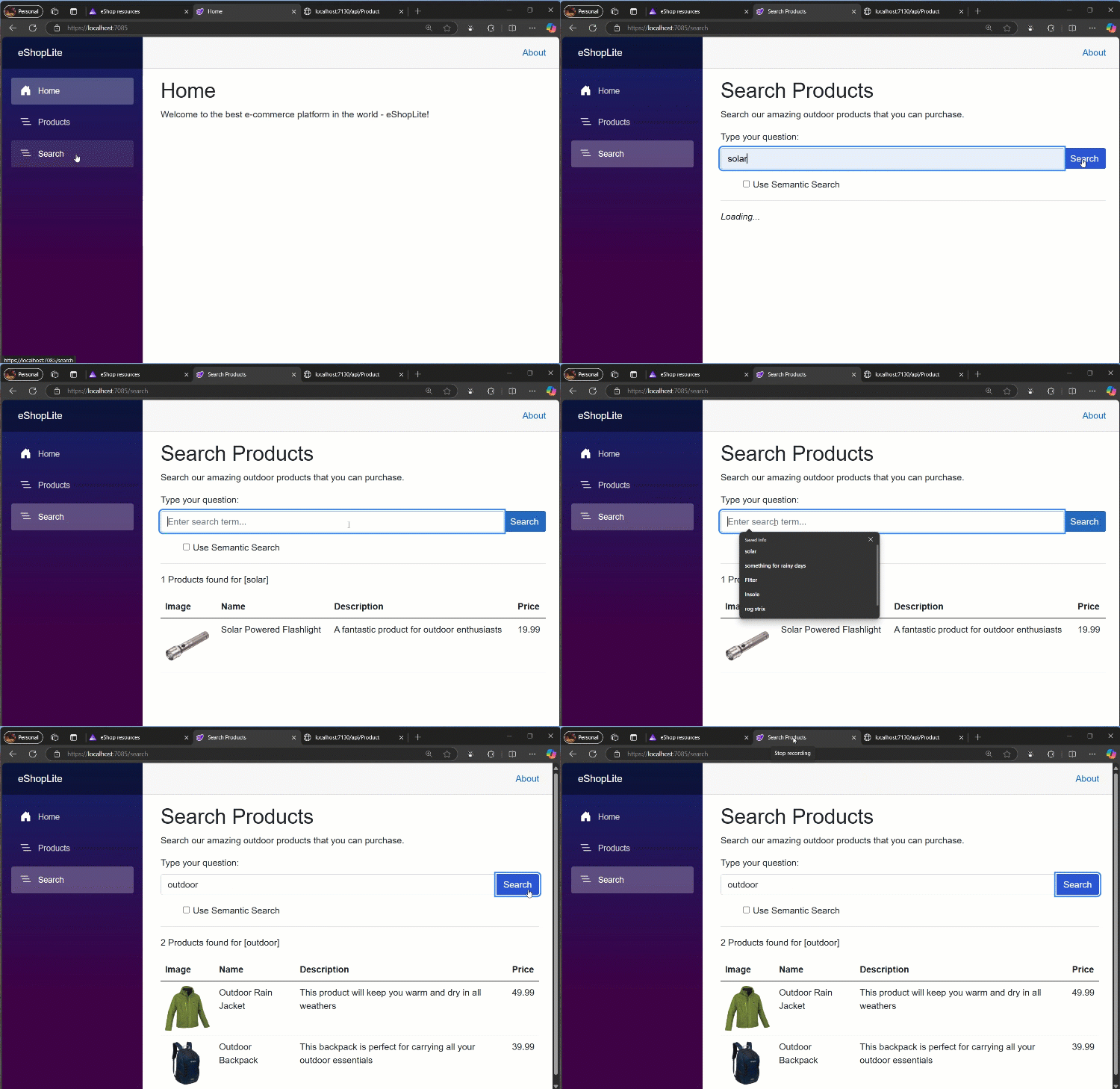
This is the eShopLite Aplication running, performing a Keyword Search:
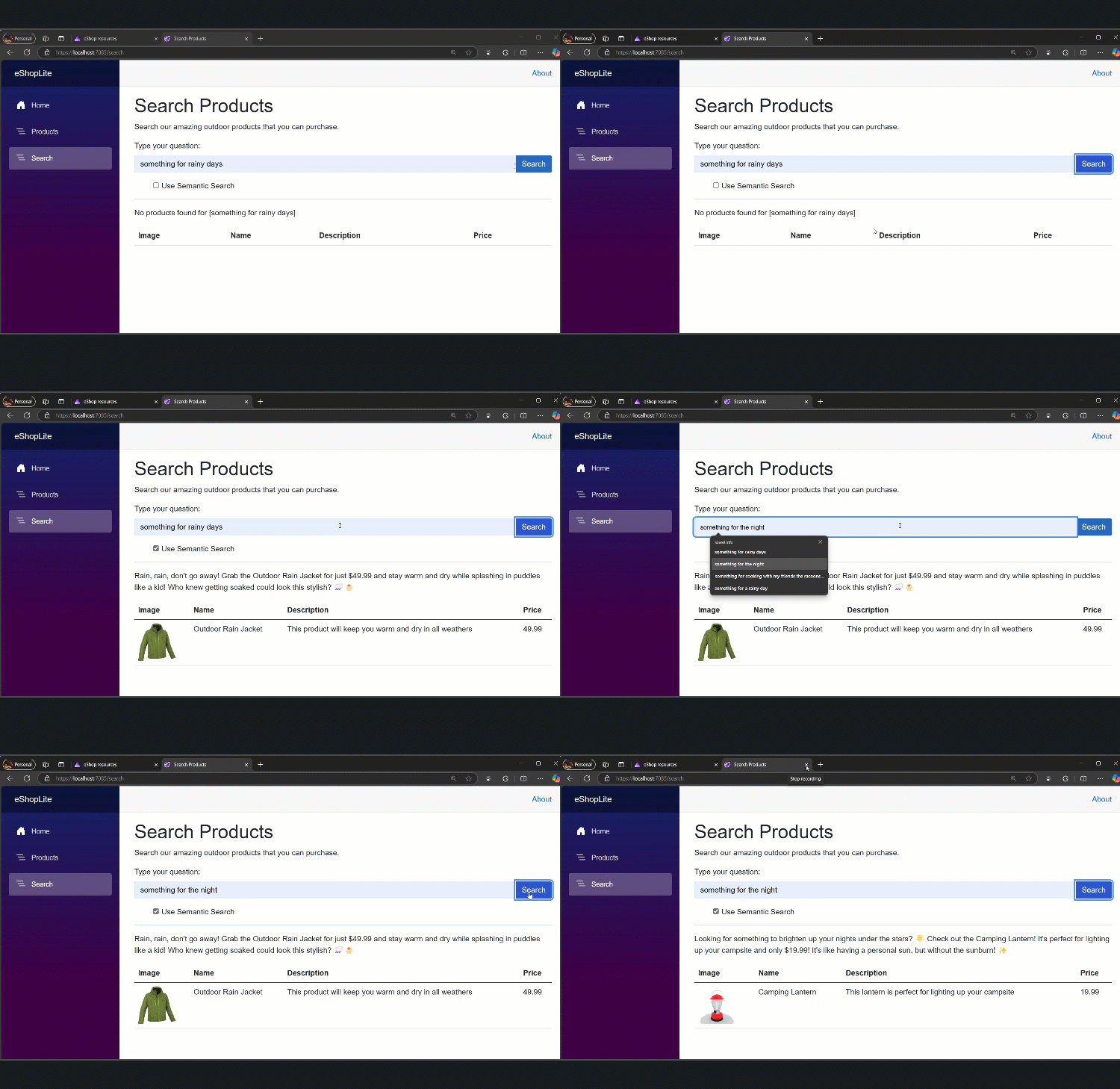
This is the eShopLite Aplication running, performing a Semantic Search:
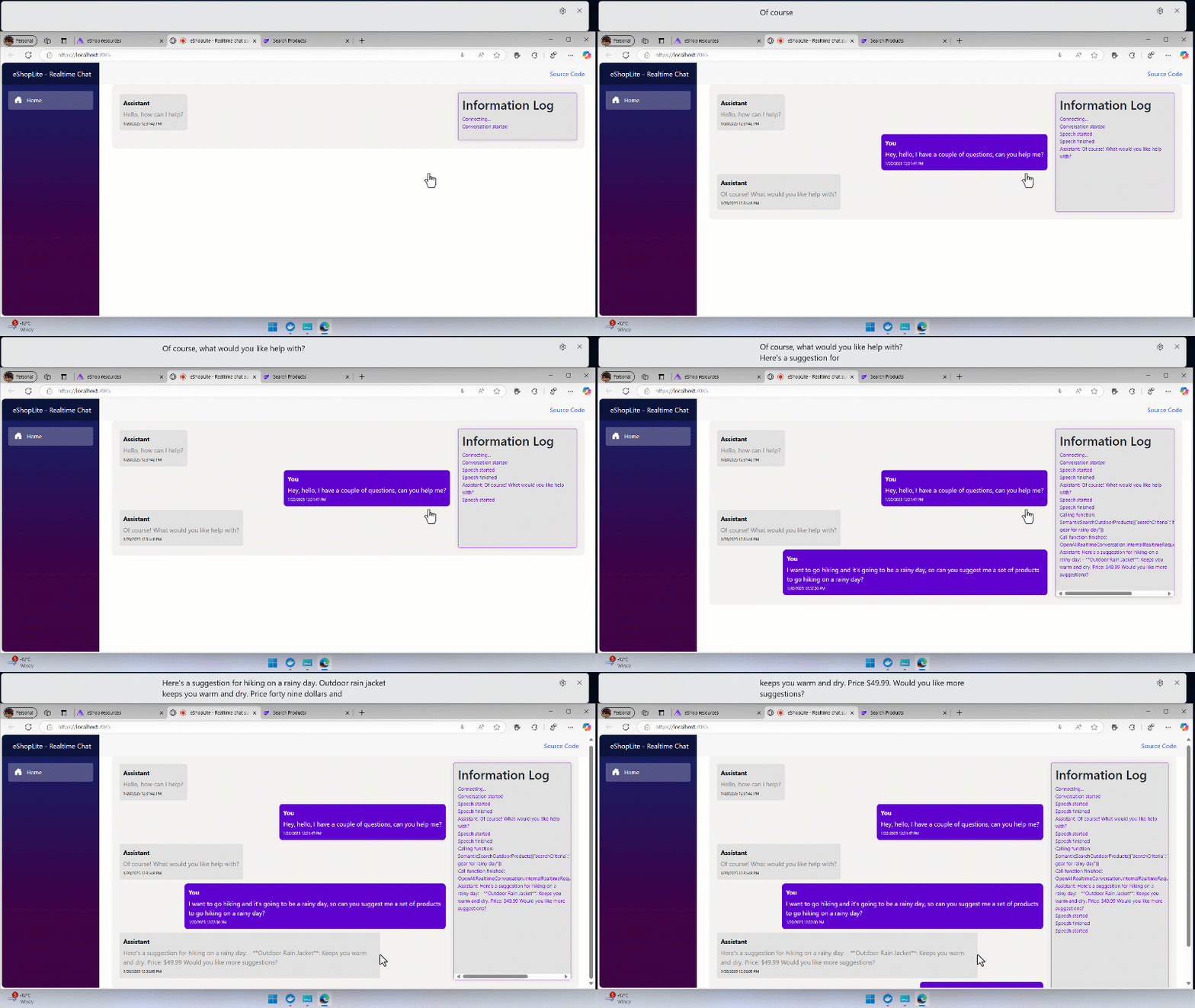
This is the eShopLite Application running the Realtime Audio feature:
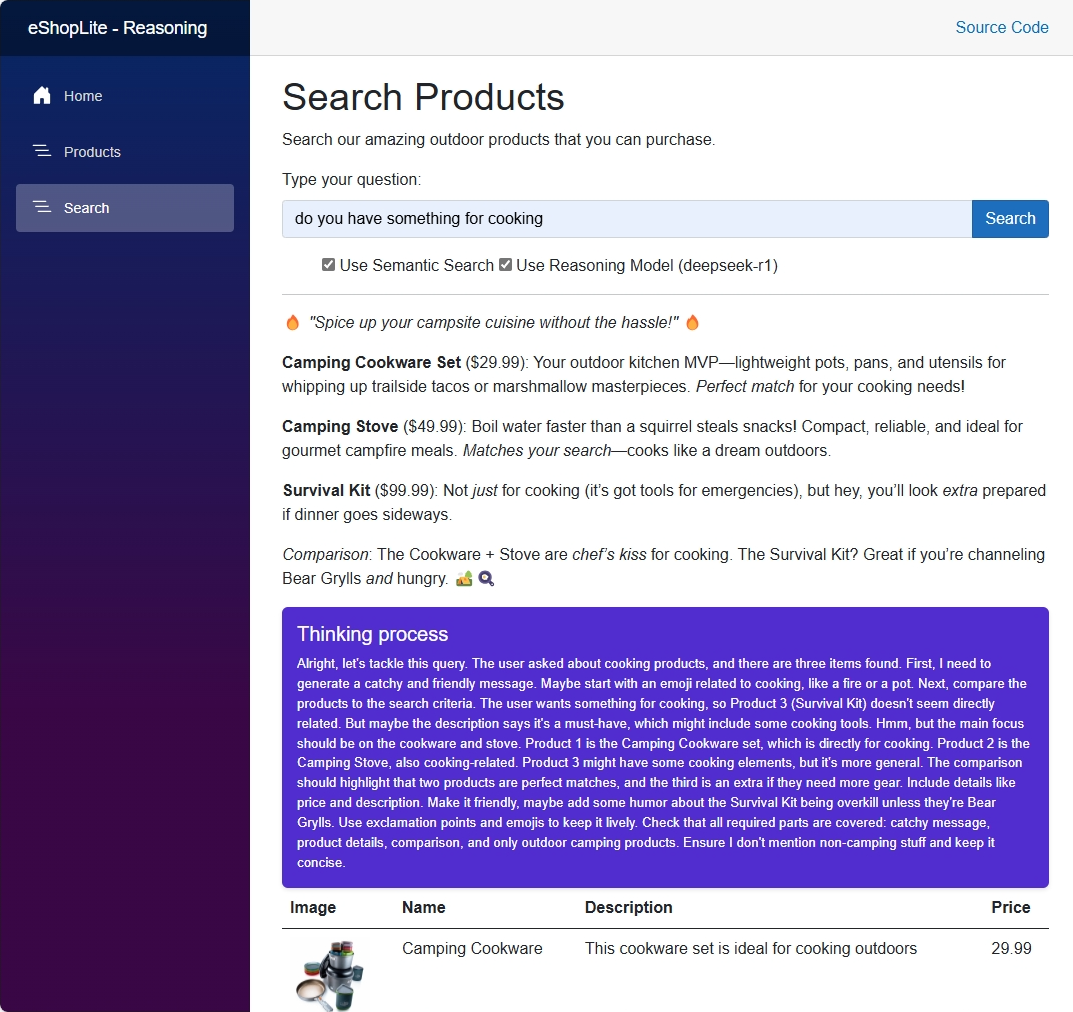
This is the eShopLite Application using the DeepSeek-R1 Reasoning Model:
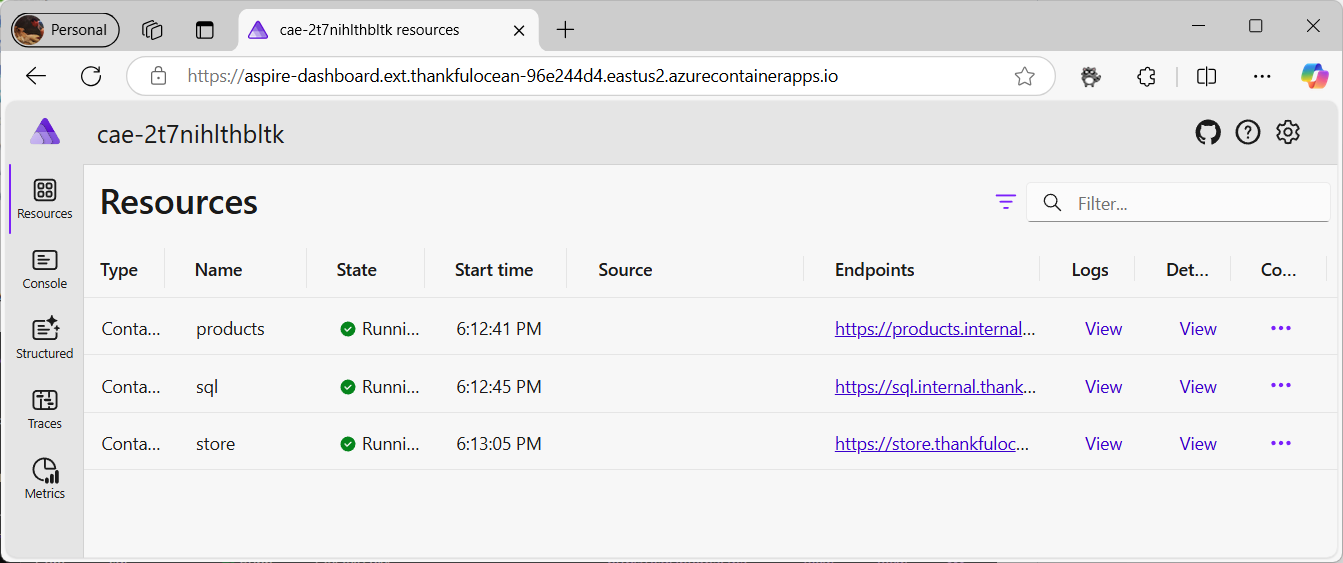
The Aspire Dashboard to check the running services:
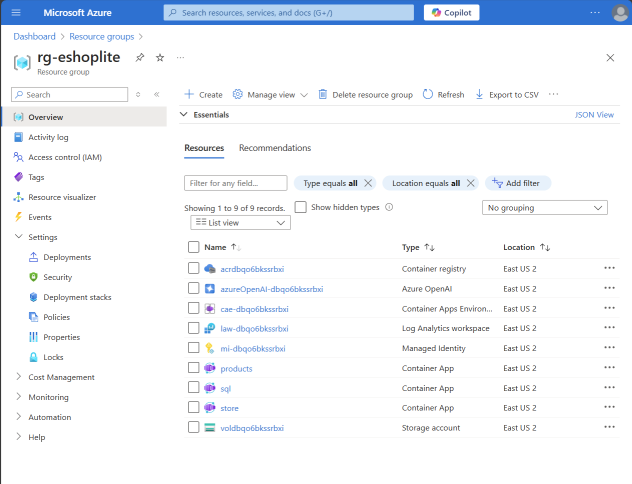
The Azure Resource Group with all the deployed services:
Resources
Getting Help
If you get stuck or have questions about building AI apps, join:

If you have product feedback or errors while building, visit:



