

obra/
superpowers

obra/superpowersSkills
An agentic skills framework & software development methodology that works.
285k
1 add
Nelson gives Claude Code a structured way to handle bigger missions. It wraps mission definition, estimate, planning, execution modes, checkpoints, risk controls, and stand-down reporting in a Royal Navy vocabulary.
Builders who use Claude Code or Cursor for complex tasks and want planning, ownership, and review built into the session.
You can run larger agent-led tasks with clearer approvals, better handoffs, and a written record of decisions and validation.
Defines sailing orders, the estimate, battle plans, execution modes, checkpoints, action stations, and stand-down reports.
Uses admiral, captain, and crew roles to split work across subagents or agent teams with ownership and verification.
Classifies work into four station tiers and includes procedures for stuck agents, rollback, budget overruns, and session recovery.
Adds Claude Code hooks that gate agent use, validate turnover briefs, check task completion, and record session state.
Counts tokens from Claude Code session data and writes reports for hull integrity, readiness, and mission history.
Ships structured templates for sailing orders, estimates, battle plans, reports, turnover briefs, red-cell reviews, and captain's logs.
/plugin marketplace add harrymunro/nelson
/plugin install nelson@nelson-marketplace
Use Nelson to migrate the payment module from Stripe v2 to v3
/plugin marketplace add harrymunro/nelson
/plugin install nelson@nelson-marketplace
Install skills from https://github.com/harrymunro/nelson
# Project-level (recommended for teams)
git clone https://github.com/harrymunro/nelson.git /tmp/nelson
mkdir -p .claude/skills
cp -r /tmp/nelson/skills/nelson .claude/skills/nelson
rm -rf /tmp/nelson

# Or user-level (personal, all projects)
cp -r /tmp/nelson/skills/nelson ~/.claude/skills/nelson
/plugin marketplace update nelson-marketplace
/plugin install nelson@nelson-marketplace



If you believe that what works well for people works well for agents, there's few finer examples of organisational tradition than the Royal Navy to base the rules on. This framework does just that, for Claude Code.
4 risk tiers · 11 damage control procedures · 11 mission templates · 7 crew roles · 16 standing orders
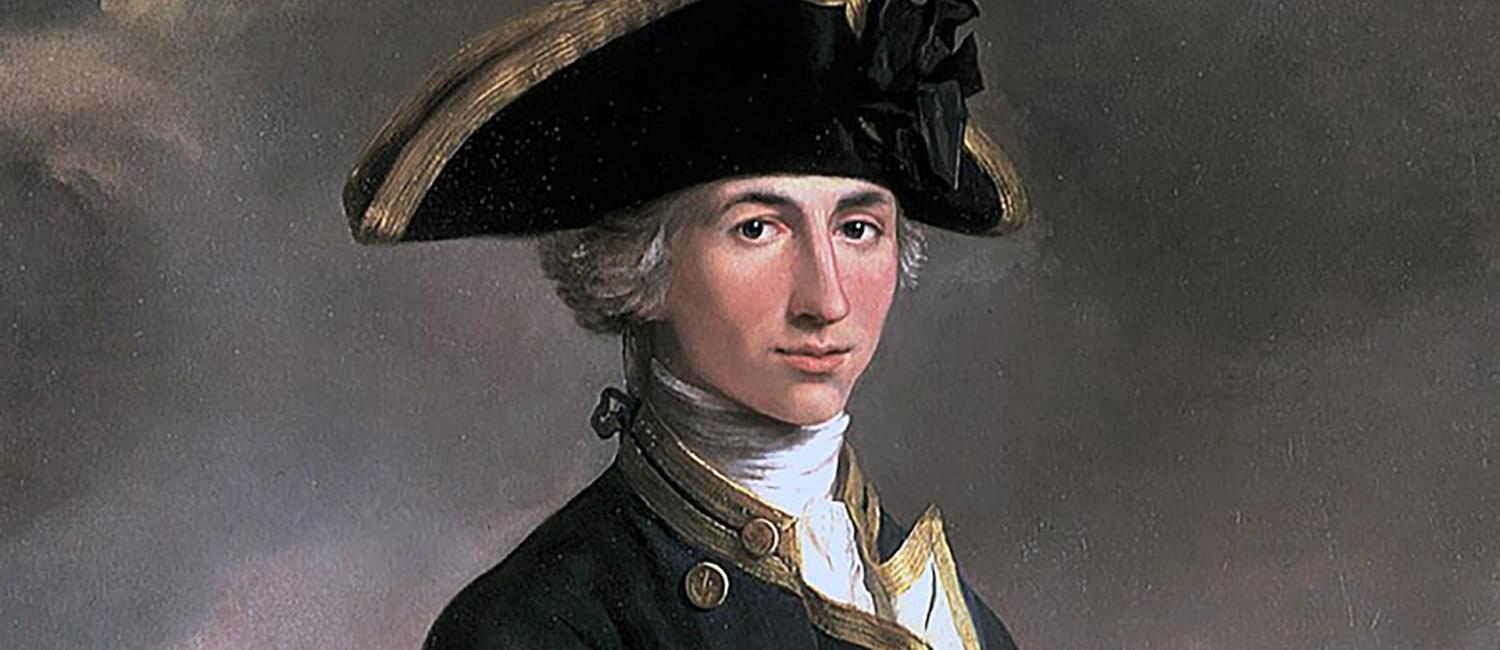
Captain Horatio Nelson — John Francis Rigaud, 1781. Image: Wikimedia Commons
Install the plugin:
/plugin marketplace add harrymunro/nelson
/plugin install nelson@nelson-marketplace
Describe your mission — Nelson loads automatically, no slash command needed:
Use Nelson to migrate the payment module from Stripe v2 to v3
Nelson will draft sailing orders, present a battle plan for your approval, form a squadron of captains to execute in parallel, run quarterdeck checkpoints, and produce a captain's log when the mission stands down. See Prerequisites for the full agent-team experience with split panes.
https://github.com/user-attachments/assets/2468679d-39f5-4efb-9d93-43d43eee8907
Nelson gives Claude an eight-step operational framework for tackling complex missions:
Most agent orchestration tools focus on starting missions. Nelson focuses on completing them safely.
Nelson gives your missions a shared vocabulary: "action stations" instead of "risk tier escalation", "hull integrity" instead of "context window consumption", "man overboard" instead of "stuck agent replacement". The names stick. So do the habits.
Nelson coordinates its own development — recent releases have been planned and executed as Nelson missions.
It may be overkill if you're doing a quick, single-file edit.
Nelson trades upfront setup time for coordination guarantees:
| Approach | Best when | Trade-off |
|---|---|---|
| Nelson Navy structure | You need repeatable quality gates, explicit ownership, and a clear decision log across parallel work | More setup and coordination overhead up front |
| OmO/RuFlo-style rapid flow | You need the fastest possible movement on a narrow, low-risk path | Less formal checkpointing and role separation |
If you need fast parallel execution with minimal ceremony, OmO or RuFlo may suit you better. If coordination, auditability, and safe scaling matter more than raw tempo, Nelson is the better fit.
The skill selects one of five execution modes based on your mission:
| Mode | When to use | How it works |
|---|---|---|
single-session | Sequential tasks, low complexity, heavy same-file editing | Claude works through tasks in order within one session |
subagents | Parallel tasks where workers only report back to the coordinator | Claude spawns subagents that work independently and return results |
agent-team | Parallel tasks where workers need to coordinate with each other | Claude creates an agent team with direct teammate-to-teammate communication |
workflow | Large fan-out audits, repeatable migrations, codebase-wide analysis, or cross-checked research | Nelson writes a Workflow Charter and verification contract for one approved dynamic workflow run |
hybrid-workflow | Workflow-suitable missions that need probes, Station 2/3 controls, or human approval between stages | Nelson gates a sequence of separate workflow runs, reviewing telemetry and outputs before the next stage |
Claude Code dynamic workflows move orchestration into workflow scripts that can fan out to many agents, keep intermediate results in script state, and aggregate broad review or migration results. Nelson does not replace that mechanism. Nelson wraps it with doctrine: Sounding-the-Channel probes, explicit permission gates, cost guardrails, audit logs, and verification contracts before findings or edits are accepted.
ultracode is treated as a Claude Code xhigh effort/automation setting, not a Nelson execution mode. If ultracode or the user chooses a workflow, Nelson still supplies the mission charter, risk tiering, human gates, telemetry expectations, and fallback mode.
For long autonomous, headless, or scheduled runs, Nelson aligns with Claude Code's /goal — a session-scoped Stop hook that keeps the session from stopping until a completion condition is met. Nelson composes the condition from the sailing orders (nelson-data.py goal-condition) so it stays tied to the mission's outcome, metric, and stop criteria, and phrases it against what the goal evaluator can actually see: the conversation transcript. The standing goal and Nelson's Mission Complete Gate reinforce each other — the gate is the discipline the admiral applies, the goal is the harness backstop that enforces it. See references/goal-alignment.md.
Nelson uses a three-tier hierarchy. The admiral coordinates captains, each captain commands a named ship, and crew members aboard each ship do the specialist work.
                          ┌───────────┐
                          │  Admiral  │
                          └─────┬─────┘
                  ┌─────────────┼─────────────┐
                  ▼             ▼             ▼
           ┌───────────┐ ┌───────────┐ ┌───────────┐
           │  Captain   │ │  Captain   │ │ Red-Cell  │
           │ HMS Daring │ │ HMS Kent   │ │ Navigator │
           └─────┬─────┘ └─────┬─────┘ └───────────┘
            ┌────┼────┐   ┌────┼────┐
            ▼    ▼    ▼   ▼    ▼    ▼
           XO  PWO  MEO  PWO  NO  COX
Squadron level:
Ship level (crew per captain, 0-4 members):
| Role | Abbr | Function | When to crew |
|---|---|---|---|
| Executive Officer | XO | Integration & orchestration | 3+ crew or interdependent sub-tasks |
| Principal Warfare Officer | PWO | Core implementation | Almost always (default doer) |
| Navigating Officer | NO | Codebase research & exploration | Unfamiliar code, large codebase |
| Marine Engineering Officer | MEO | Testing & validation | Station 1+ or non-trivial verification |
| Weapon Engineering Officer | WEO | Config, infrastructure & systems integration | Significant config/infra work |
| Logistics Officer | LOGO | Documentation & dependency management | Docs as deliverable, dep management |
| Coxswain | COX | Standards review & quality | Station 1+ with established conventions |
Navigating Officer (NO) and Coxswain (COX) are read-only — they report findings but never modify files.
Ships are named from real Royal Navy warships, matched roughly to task weight: frigates for general-purpose, destroyers for high-tempo, patrol vessels for small tasks, historic flagships for critical-path, and submarines for research.
Squadron size caps at 10 squadron-level agents (admiral, captains, red-cell navigator). Crew are additional — up to 4 per ship. If a task needs more crew, split it into two ships.
Every task is classified into a risk tier before execution. Higher tiers require more controls:
| Station | Name | When | Required controls |
|---|---|---|---|
| 0 | Patrol | Low blast radius, easy rollback | Basic validation, rollback step |
| 1 | Caution | User-visible changes, moderate impact | Independent review, negative test, rollback note |
| 2 | Action | Security/compliance/data integrity implications | Red-cell review, failure-mode checklist, go/no-go checkpoint |
| 3 | Trafalgar | Irreversible actions, regulated/safety-sensitive | Minimal scope, human confirmation, two-step verification, contingency plan |
Tasks at Station 1 and above also run a failure-mode checklist:
Most agent frameworks assume the happy path. Nelson includes battle-tested procedures for when things go wrong — stuck agents, budget overruns, faulty outputs, and context window exhaustion all have documented recovery paths.
Hull integrity monitoring tracks context window consumption across the squadron. The admiral reads exact token counts from Claude Code session JSONL files at each quarterdeck checkpoint and maintains a squadron readiness board:
| Status | Remaining | Action |
|---|---|---|
| Green | 75-100% | Operating normally |
| Amber | 60-74% | Monitor closely, avoid new work |
| Red | 40-59% | Relief on station — begin handover |
| Critical | Below 40% | Immediate relief |
Token counts come directly from the API usage data Claude Code records on every assistant turn — no estimation heuristics, no paid APIs, no external dependencies. scripts/count-tokens.py extracts them and produces damage reports.
Relief on station replaces a ship whose context window is depleted. The damaged ship writes a turnover brief to file; a fresh replacement reads it and continues the mission. Chained reliefs (A → B → C) are supported for long-running tasks. The flagship monitors its own hull integrity too and can hand over to a new session.
Circuit breakers layer automated alarms on top of the admiral's checkpoint rhythm — hull integrity, budget burn, cost-per-task, consecutive blockers, and idle timeouts. When a threshold is crossed, an advisory event is appended to the mission log and surfaced to the admiral, who decides the remedy. Circuit breakers do not auto-abort.
Other procedures cover the rest of the failure modes:
When multiple ships work in parallel, undeclared file overlaps are a common source of merge pain. Nelson ships two tools that catch conflicts at different stages:
nelson_conflict_scan.py) — parses the battle plan before Action Stations, walks the codebase import graph, and flags "split-keel" violations where two captains own files that import each other.nelson_conflict_radar.py) — compares live git status against the battle plan's file ownership declarations during execution and alerts on changed files that have no registered owner.Both tools are stdlib-only and run as part of the mission workflow without additional setup.
Nelson is not purely advisory. A set of Claude Code hooks (hooks/nelson_hooks.py) enforce structural guarantees at the tool level:
| Event | Hook | What it enforces |
|---|---|---|
PreToolUse on Agent | preflight | Station tier gate, file ownership conflicts, mode-tool consistency |
PreToolUse on TaskCreate | session-check | Captain TaskCreate gate (admiral exception via session marker) |
PostToolUse on Write/Edit | brief-validate | Turnover brief quality gate |
TaskCompleted | task-complete | Validation evidence and station controls |
TeammateIdle | idle-ship | Paid-off standing order advisory |
SessionStart | session-init | Records admiral transcript_path for the TaskCreate gate |
Plugin installs auto-discover hooks/hooks.json and wire these up with no user action. Hooks degrade gracefully: if no active Nelson mission is found, they exit cleanly and do not interfere with non-Nelson workflows. See Installation for manual-install caveats.
Nelson accumulates learning across missions in .nelson/memory/. Each completed mission feeds a persistent pattern library (patterns.json) and standing-order violation stats (standing-order-stats.json). Five nelson-data.py subcommands expose this:
brief — pre-mission intelligence brief: relevant patterns, win rate, standing order hot spots, and context-matched precedents drawn from prior missions.analytics — focused metric queries (success-rate, standing-orders, efficiency) with text or JSON output.history / index — review and rebuild the fleet intelligence index across past missions.stand-down --adopt/--avoid — capture reusable patterns at mission close so the next run benefits.Running index backfills the memory store for missions completed before the feature existed, so upgrading is non-destructive.
Once every ship has reported on Stand Down, the admiral produces a fleet-wide synthesis — consolidating captain outputs into a single decision record. Boundary controls prevent premature synthesis (before all ships have reported) and keep the admiral out of direct implementation.
Nelson ships eleven structured templates to keep outputs consistent across missions:
| Template | Used for |
|---|---|
| Sailing Orders | Mission definition: outcome, constraints, scope, stop criteria |
| Estimate | Seven-question analytical scaffold (reconnaissance, intent, effects, terrain, forces, coordination, control) between Sailing Orders and Battle Plan |
| Battle Plan | Task breakdown with owners, dependencies, threat tiers, validation requirements |
| Ship Manifest | Captain's crew plan: ship name, crew roles, sub-tasks, budget |
| Crew Briefing | Per-captain deployment brief: mission context, role, ship, acceptance criteria |
| Marine Deployment Brief | Detachment briefing for Royal Marines (recce, assault, sapper) |
| Quarterdeck Report | Checkpoint status: progress, blockers, budget tracking, risk updates |
| Damage Report | JSON format for hull integrity reporting with token counts and status |
| Turnover Brief | Handover for relief on station: progress log, running plot, relief chain |
| Red-Cell Review | Adversarial review: challenge summary, checks, recommendation |
| Captain's Log | Final report: delivered artifacts, decisions, validation evidence, follow-ups |
agent-team execution mode. Plugin installs ship a settings.json that enables this automatically. For manual installs, add this to your settings.json:{
"env": {
"CLAUDE_CODE_EXPERIMENTAL_AGENT_TEAMS": "1"
}
}
Add the marketplace and install:
/plugin marketplace add harrymunro/nelson
/plugin install nelson@nelson-marketplace
Open Claude Code and say:
Install skills from https://github.com/harrymunro/nelson
Claude will clone the repo, copy the skill into your project's .claude/skills/ directory, and clean up. To install it globally across all projects, ask Claude to install it to ~/.claude/skills/ instead.
Clone the repo and copy the skill directory yourself:
# Project-level (recommended for teams)
git clone https://github.com/harrymunro/nelson.git /tmp/nelson
mkdir -p .claude/skills
cp -r /tmp/nelson/skills/nelson .claude/skills/nelson
rm -rf /tmp/nelson

# Or user-level (personal, all projects)
cp -r /tmp/nelson/skills/nelson ~/.claude/skills/nelson
Then commit .claude/skills/nelson/ to version control so your team can use it.
Heads up: the manual path installs the skill only. Nelson's enforcement hooks and the bundled
settings.json(which enables agent teams) are wired up automatically by the plugin system via${CLAUDE_PLUGIN_ROOT}and are not picked up by a skill-only copy. If you rely on the station-tier gate, file ownership checks, or turnover brief validation, use the plugin install above. To enable agent teams with a manual install, add the env var from Prerequisites to your ownsettings.json.
For plugin installs, run /plugin and either enable auto-updates on nelson-marketplace or trigger an update from the marketplace menu. From the command line:
/plugin marketplace update nelson-marketplace
/plugin install nelson@nelson-marketplace
If updates aren't taking effect, remove and re-add the marketplace. For manual installs, delete skills/nelson/ and repeat the manual install.
Open Claude Code and ask:
What skills are available?
You should see nelson listed. You can also test it by saying "Use Nelson to..." followed by a task.
If you have a Team Marketplace in Cursor, you can add Nelson there. See Add a team marketplace in the Cursor documentation. The required GitHub repository URL is https://github.com/harrymunro/nelson.git. Once the marketplace is installed, you can install Nelson from it.
If you do not have access to a Team Marketplace, you can install locally on Linux and macOS:
cd ~/.cursor/plugins/local
git clone -b main --depth 1 https://github.com/harrymunro/nelson.git
To update the plugin after that:
cd ~/.cursor/plugins/local/nelson
git pull
Nelson is a Claude Code skill — it loads automatically when your request matches. No slash command required. Just describe your mission and mention Nelson.
Nelson selects the best execution mode (single-session, subagents, agent team, workflow, or hybrid workflow) based on your mission:
Use Nelson to migrate the payment processing module from Stripe v2 to v3
If you want teammate-to-teammate coordination, ask for an agent team explicitly:
Use an agent team with Nelson to refactor the authentication system across
the API layer, frontend, and test suite
For the highest-capability run — Opus 4.7 agents, fully crewed ships, maximum coordination:
Use an agent team with Nelson and Opus 4.7 agents with fully crewed ships
to deliver the new billing integration
For maximum control, provide your own sailing orders:
Use Nelson to deliver this:

Sailing orders:
- Outcome: All API endpoints return consistent error responses
- Success metric: Zero test failures, all error responses match the schema
- Deadline: This session

Constraints:
- Token/time budget: Stay under 50k tokens
- Forbidden actions: Do not modify the database schema

Scope:
- In scope: src/api/ and tests/api/
- Out of scope: Frontend error handling
You can also invoke it directly with the /nelson slash command if you prefer.
Edit files under skills/nelson/references/ to adapt Nelson to your team — admiralty-templates/ for reporting style, action-stations.md for risk-tier controls, squadron-composition.md for team sizing rules.
.claude-plugin/ # Plugin + marketplace ma
Sign in to join the discussion.
No comments yet. Be the first to say what this is good for.
An agentic skills framework & software development methodology that works.

Turn any codebase, with its docs, SQL schemas, configs, and PDFs, into a queryable knowledge graph. A /graphify skill for Claude Code, Cursor, Codex, and Gemini CLI: local deterministic AST parsing, every edge explained, no vector store.

Topic in, narrated explainer video out. A Claude Code / Codex skill that turns any topic into a black-canvas motion-graphics explainer video with TTS voiceover, subtitles and a chapter progress bar. Chinese or English; every frame drawn in code with Remotion.
Public repository for Agent Skills
Open-source AI job search: scan job portals, evaluate listings into a structured A-H report with a global 1-5 score, tailor your CV, track applications — runs locally in your AI coding CLI (Claude Code, Codex, OpenCode, Antigravity…)

Production-grade engineering skills for AI coding agents.