
JuliusBrussee/
caveman

🪨 why use many token when few token do trick — Claude Code skill that cuts 65% of tokens by talking like caveman
105k
1 add
API 200 gives you a single gateway layer for third-party APIs. It lets you import endpoints from OpenAPI or Postman, then add caching, retries, mocks, auth, transformations, and custom headers around them. It also includes monitoring and incident detection, plus an MCP server so agent clients can reach your API setup through a standard tool connection.
Builders who connect third-party APIs into agent workflows and want to manage them from one place.
You can expose many services through one gateway and handle failures, changes, and monitoring in a single setup.
Brings endpoints in from OpenAPI and Postman.
Adds caching, automatic retries, mock responses, fallback responses, custom headers, and response transformation.
Handles API auth settings in the platform.
Notifies you when an API response schema changes.
Shows a tab for incidents the system detects automatically.
Tracks endpoint stats with charts and logs.
Provides an MCP server for Claude Desktop and other clients.
The Open Source API Integration Platform.
Learn more »
Website
·
Issues
·
Roadmap
API 200 is all-in-one gateway for managing third-party APIs efficiently. Integrate third-party APIs or setup MCP server in minutes with auto-generated code, docs, auth, caching and error handling – so you can focus on what really matters.
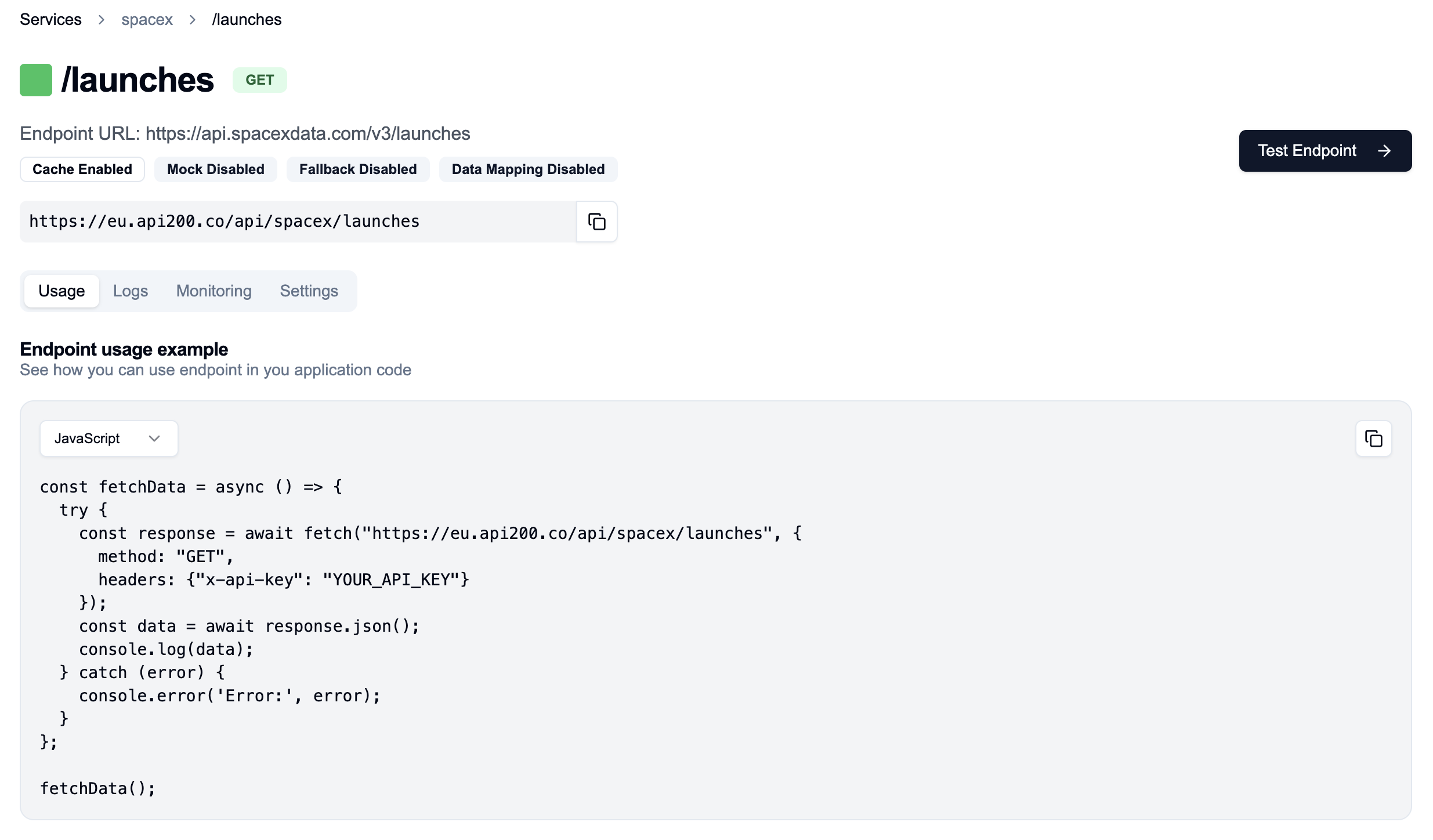
✅ Fast API Setup:
✅ Schema Watching: Get notified when one of your APIs changes response schema
✅ Incident Detection: Dedicated tab for incidents automatically detected by the system
✅ In-browser Swagger Integration
✅ Import Endpoints from OpenAPI and Postman
✅ Endpoint Monitoring: Convenient charts with your endpoint's statistics
✅ Comprehensive Logging
✅ MCP Support (read more)
Get started immediately with our managed version of API 200. Users can go to our cloud platform and start integrating API endpoints instantly without any setup or infrastructure management. Visit API200.co to begin.
To configure the API200 MCP server with Claude Desktop (or any other client):
{
  "mcpServers": {
    "api200": {
      "command": "npx",
      "args": [
        "api200-mcp@latest"
      ],
      "env": {
        "USER_KEY": "your-api-key-here"
      }
    }
  }
}
# Clone the repository and install dependencies
git clone https://github.com/API-200/api200-selfhosted
cd api200-selfhosted
npm i

# Run setup script
# For localhost (admin privileges recommended):
sudo node setup.js
# OR for non-localhost:
node setup.js

# Start services
docker-compose up -d
⚠️ Note: Localhost setup requires host file modification (
127.0.0.1 kong), needing admin privileges.
http://<your-hostname-or-ip>:3000http://<your-hostname-or-ip>:8080For support, custom implementations, or any other inquiries: Contact us


API 200 is licensed under Sustainable Use License. See the LICENSE file for more details.
Sign in to join the discussion.
No comments yet. Be the first to say what this is good for.
🪨 why use many token when few token do trick — Claude Code skill that cuts 65% of tokens by talking like caveman

The best-benchmarked open-source AI memory system. And it's free.

Orca is the ADE for working with a fleet of parallel agents. Run any coding agent with your own subscription. Available on desktop, mobile and remote runtime.

A cross-platform desktop All-in-One assistant for Claude Code, Codex, OpenCode, OpenClaw, Grok Build & Hermes Agent. Only official website: ccswitch.io

Never stop coding. Free MIT AI gateway: one endpoint, 352 providers (150+ free), 1200+ models Kimi, Claude, GPT, Gemini, GLM, DeepSeek, MiniMax. Works with Claude Code, Codex, Cursor, OpenCode, Cline & Copilot. Quota-aware auto-fallback, RTK+Caveman compression saves 15-95% tokens, MCP/A2A, Desktop/PWA. Built by 550+ contributors

Compress tool outputs, logs, files, and RAG chunks before they reach the LLM. 20% fewer tokens for coding agents, 60-95% fewer tokens for JSON, same answers. Library, proxy, MCP server.